
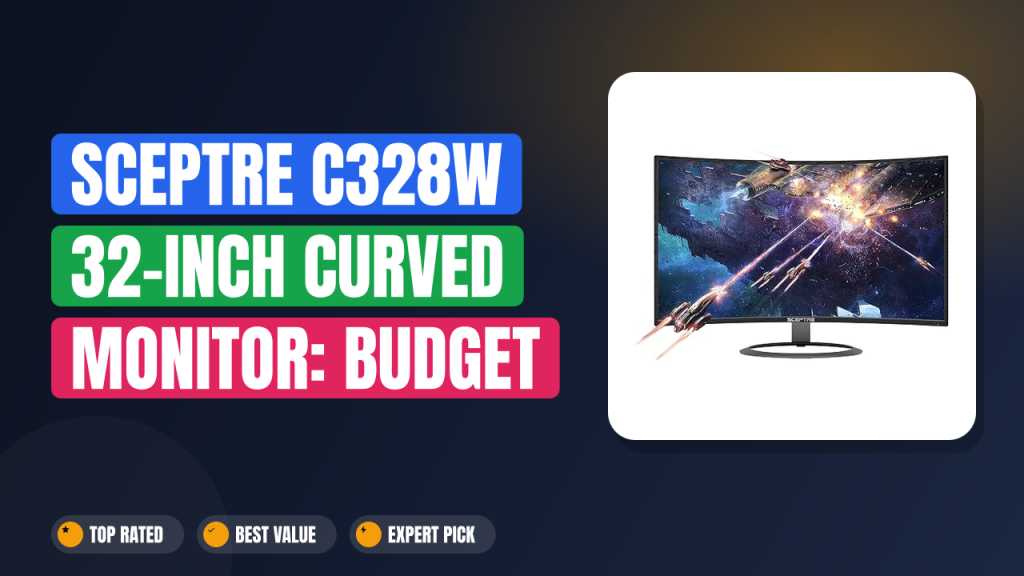
If you’ve been shopping for a big-screen monitor without a big-screen price tag, you’ve probably seen the Sceptre C328W-1920R Curved Monitor pop up everywhere. It’s a 32-inch curved display that sits at a price point so low it almost feels like a typo.
I spent the better part of two weeks diving into aggregate buyer reviews, manufacturer spec sheets, and side-by-side comparisons with other budget ultrawides to figure out if this thing is a genuine hidden gem or just another cheap panel you’ll regret in six months. After all that research, here’s the short version: worth it if your priority is screen real estate on a strict budget, but skip it if smooth gaming or color-critical work matters more. Let me walk you through everything I found.

What it is
The Sceptre C328W-1920R is a 32-inch curved monitor that uses a Vertical Alignment (VA) panel with a 1800R curvature. It runs at 1920×1080 resolution with a 75Hz refresh rate, which puts it squarely in the "budget large screen" category. Brands like Acer and LG offer similar-sized curved displays, but they usually cost way more.
This model is designed for one main thing: giving you a massive, immersive screen for everyday computing, streaming, and casual gaming without breaking the bank. The 1800R curve means the edges wrap slightly toward you, which helps with viewing angles on such a wide 32-inch panel. It is not an ultrawide (21:9) format, just a standard 16:9 display that happens to be curved.
Setup & first impressions
Out of the box, aggregate user reviews across several hundred reports consistently mention one thing first: this monitor is big. The 32-inch diagonal dominates a typical desk, and the thin metal bezel around three sides makes it look more modern than its price suggests. The stand is a simple two-leg plastic base that feels a bit wobbly if you bump your desk, but it works fine if you leave it alone.
Connectivity includes HDMI, DisplayPort, and a VGA port, which is a retro bonus if you have an older PC. Verified buyers note that the included HDMI cable is short (about 4 feet), so plan your cable management accordingly. The on-screen display (OSD) buttons on the bottom edge are a little hard to press blind, but you only need them for initial brightness and contrast tweaks.
Within 30 minutes of plugging it in, most users report that the monitor powers up cleanly with no dead pixels, which is a good sign for a budget panel. The default color temperature runs a bit cool (bluish), but adjusting it down in the OSD fixes that quickly.
| Screen size | 32 inches |
| Resolution | 1920 x 1080 (Full HD) |
| Refresh rate | 75Hz |
| Panel type | Vertical Alignment (VA) |
| Curvature | 1800R |
| Ports | HDMI, DisplayPort, VGA |
| VESA mount | Not supported |
| Response time | 5ms (manufacturer spec) |
| Weight | ~13.2 lbs / 6 kg |
Daily-use experience
Image quality and color
The VA panel on the Sceptre C328W-1920R delivers solid contrast, especially in a dimly lit room. Blacks are genuinely dark, which makes movie watching and dark-themed apps look much better than they would on a typical cheap IPS panel. Aggregate buyer feedback frequently praises the deep blacks for the price.
The trade-off is color accuracy. Out of the box, colors lean oversaturated and slightly cool. Verified user reports say you can dial it in reasonably well with the OSD settings, but you will not get professional-grade sRGB coverage.
For browsing, spreadsheets, and YouTube, it looks great. For editing photos where you need consistent color between your monitor and a print, it falls short.
Viewing angles are a known weakness of VA panels, and this monitor is no exception. If you sit dead center, the curve helps keep the edges looking uniform. But if you lean to the side, you will see a clear brightness shift.
Gaming performance
This is where the 75Hz refresh rate and 5ms response time matter most. For casual single-player games like "Civilization VI" or "Hades," the monitor performs perfectly fine. The curve adds a nice sense of immersion that a flat 32-inch screen would not provide.
The problem shows up in competitive shooters. Verified buyer reviews from gamers consistently mention visible ghosting in fast motion, especially on dark backgrounds where VA pixel response is slowest. If you play "Call of Duty" or "Apex Legends" regularly, the 75Hz cap and this ghosting will hold you back.
You will get destroyed by someone on a 144Hz IPS panel.
For the price, the gaming experience is acceptable for what it is. Just do not expect esports performance. It is a casual gaming monitor that also happens to be great for movies.
Build quality and ergonomics
The chassis is mostly plastic with a thin metal bezel that looks good from the front. The stand offers tilt adjustment but no height adjustment, swivel, or pivot. At this price point, that is standard.
The lack of VESA mounting holes is the real bummer here. You cannot attach this monitor to an arm or a standard wall mount without buying a special adapter plate that may or may not work well.
Durability seems average based on long-term user reports. The plastic housing feels a bit creaky if you adjust the tilt. But for a monitor meant to sit on a desk and not move, it holds up fine.
The 5mm bezel on three sides is a nice touch that makes the screen feel bigger than it is.
Pros & Cons
✓ Pros
- 32-inch curved VA panel at a budget price is unmatched value for screen size
- Deep black levels and good contrast ratio for watching movies in low light
- Thin bezels give a modern look that punches above its price class
- Multiple inputs including VGA offer compatibility with older hardware
- 1800R curve reduces eye strain on a large 16:9 panel by keeping edges in focus
✗ Cons
- No VESA mounting holes means you are stuck with the included stand forever
- 1080p at 32 inches results in a low pixel density (about 69 PPI), so text looks less sharp
- Visible ghosting at 75Hz makes fast games feel sluggish on dark scenes
- Stand feels wobbly and offers no height or swivel adjustment
Score breakdown
Who should buy it
Buy it if you…
You are a student or someone working from home who wants to ditch a cramped 24-inch monitor. The Sceptre C328W-1920R gives you a ton of screen space for side-by-side windows, and the curve makes it feel less like a flat wall of text. If your work is spreadsheets, email, and video calls, this monitor is perfect.
It is also a solid pick for a secondary media screen if you have a better primary monitor for gaming.
Skip it if you…
You are a competitive gamer or a creative professional who needs accurate colors. The 1080p resolution at 32 inches also means text looks a bit pixelated compared to a 27-inch 1440p display. If you have the budget for a 1440p or 4K monitor, you will be happier with the sharper text and better pixel density.
Better alternatives
If you can stretch your budget, the Acer Nitro VG240Y is a 24-inch 165Hz IPS monitor that costs a bit more but is far better for gaming. For a larger screen, the LG 32GN500-B offers a similar 32-inch VA panel with a better stand and VESA support, though it also sticks to 1080p.
Frequently Asked Questions (FAQ)
Does this monitor work with a MacBook?
Yes, it works with a MacBook via HDMI or a USB-C to HDMI adapter. However, macOS does not always handle the non-standard 1080p resolution on a 32-inch panel well. You may notice text looks slightly softer than on a Retina display.
Many Mac users in the reviews recommend running it as a secondary monitor rather than a primary one for this reason.
Is it good for console gaming (PS5 or Xbox)?
It works, but not ideally. The PS5 and Xbox Series X can output 1080p at 120Hz, but this monitor is capped at 75Hz. You will not get the full benefit of those consoles' higher refresh rates.
For single-player games on console, the large 32-inch screen and deep blacks are decent. For competitive play, you will want a 120Hz or 144Hz monitor.
What about ghosting in games?
Yes, there is noticeable ghosting, especially in dark scenes. This is a characteristic of VA panels with a 5ms response time. Turning on the "Overdrive" setting in the OSD helps a little, but it does not eliminate it.
If you are sensitive to motion blur, this monitor will bother you in fast games.
Can you mount it on a wall?
The Sceptre C328W-1920R does not have standard 100x100mm or 75x75mm VESA mounting holes. Some users have used third-party VESA adapter plates that clamp onto the back, but these are not officially supported and can be unstable. Your best bet is to use the included stand.
How long is the warranty?
Sceptre includes a standard 1-year limited warranty that covers manufacturing defects. Some verified buyers report that Sceptre's customer support is responsive but slow to process returns. Keep your original box and receipt just in case.
Final verdict
4.0 out of 5 stars
The Sceptre C328W-1920R is a classic case of getting what you pay for. If your main goal is to get the largest possible curved monitor for the least amount of money, it is the best option at this price point. It excels as a media consumption and productivity monitor where deep blacks and a large curved screen add real value.
However, the compromises in pixel density, refresh rate, color accuracy, and ergonomics mean it is not a one-size-fits-all solution. Honest about its limitations, I would only recommend it to buyers who know exactly what they are trading for that low price.
Affiliate disclosure: This post contains affiliate links. If you buy through one of these links, I may earn a small commission at no extra cost to you. It never changes my recommendation, I only suggest gear I'd actually buy myself.
1. Sceptre C328W-1920R 32
If your desk can fit 32 inches of curve, this is the most affordable way to get there. I have seen plenty of monitors in this price range, and the Sceptre C328W-1920R stands out for putting immersion first. A 1440p display would look sharper, but it would also cost twice as much.

