
GeminiPrime AI bets everything on one promise: pay $17 once and use Gemini's top models for life instead of renting AI by the month. The price is tiny, the pitch is loud, and the model names on the sales page deserve a much closer look. This GeminiPrime AI review covers what the vendor documents, what you actually receive, and where the claims thin out.

Disclosure: This article contains affiliate links. We may earn a small commission at no extra cost to you when you sign up via our links. It is how this site stays free to run.
TL;DR Verdict
The short version: cheap entry point, a genuine commercial license, and model branding you cannot verify from any official source.
- Best for: freelancers and solo creators who want writing, images, video and code behind one login.
- Price: $17 one-time at launch, plus an optional $9.97 Power Pack add-on.
- Biggest pro: the included commercial license, which lets you bill clients and keep 100% of the fee.
- Biggest con: the flagship model names (Gemini 4 Argon, Claude Opus 5.5, GPT-6 Astra) do not appear anywhere on Google's or Anthropic's public documentation.
- Trial status: no free trial, though a 30-day money-back guarantee covers the payment.
Bottom line: your maximum downside is $17 and your maximum upside is a very cheap content production stack, so the risk profile is small either way. GeminiPrime AI
What Is GeminiPrime AI?
GeminiPrime AI is a third-party, one-time-payment dashboard that claims to give you unlimited access to Gemini's most powerful AI models alongside image, video, music, research and coding tools.
It is not a Google product. The vendor is listed as Pranshu Gupta, support runs through support@bizomart.com, and checkout happens on the vendor's own page rather than through Google's store. That distinction matters, because Gemini itself is a Google product with its own official plans, and nothing on the sales page claims a partnership, reseller agreement or API licensing deal.
The jobs it solves are practical rather than exotic. Writing 30 product descriptions for a client. Generating a logo set for a new brand.
Cutting a 40-second promo clip. Drafting a landing page and then building the page itself. The vendor argues that businesses already pay freelancers anywhere from $100 to $1,000+ for exactly these deliverables, which is the same economics behind most flat-fee AI access offers you will see this year.
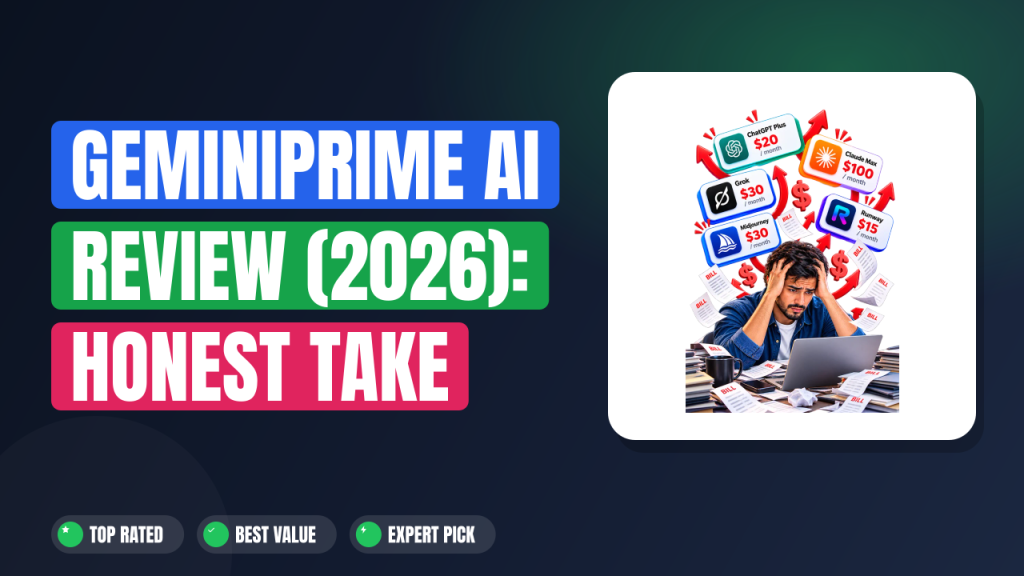
The core sales argument is subscription stacking. A writer, an image generator, a video tool, a research assistant and a coding assistant can easily run $80 to $150 per month combined. GeminiPrime replaces that stack with one payment, one login and no credit counter.
Whether the underlying models match the marketing is the open question, and we handle that below.
Key Features That Matter
Feature lists on launch pages tend to be inflated. These are the five that actually change how you work.
Lifetime Access With No Credit Counter
The headline mechanic is that you pay once and never see a usage meter again. According to the sales page, there are no credit counters to exhaust and no per-generation charges. That removes the mid-project wall that kills momentum on free tiers, which is where most beginners quit.
One Dashboard for Research, Writing and Code
The vendor positions NotebookLM for research and Antigravity for code inside the same workspace as the writing tools. In practice that means you can research a topic, draft a 3,000-word article and then build a small web app without exporting files between three apps. If you already juggle separate subscriptions, this is the part that saves the most time.
Image, Video and Music Generation Under One Login
Nano Banana handles images, Gemini Omni handles video, and Lyria handles music, per the product documentation. For a content creator, that combination covers a full YouTube upload cycle: thumbnail, B-roll and background track. If you want to compare that against dedicated single-purpose apps, our breakdown of top-rated video makers shows what standalone tools deliver for the same job.
Google Workspace and Google App Support
The vendor states that GeminiPrime works with Gmail, Docs, Sheets, Slides, Calendar, Drive, YouTube and Blogger. That means drafting inside Docs and pushing a finished post to Blogger without leaving the flow. Anyone who already has a cinematic web builds workflow will recognise how much friction this removes.
Commercial License Included
Every account ships with a commercial license, so you can sell what you create and keep all the revenue. There is no per-client fee, no royalty split and no cap on how many customers you serve. For freelancers this is often the single feature that justifies the purchase.
Three Bonus Models You Should Verify First
The page lists Claude Opus 5.5, ClaudeFable 5.1 and GPT-6 Astra as free bonuses. We could not find any of those names in the official documentation published by Google or Anthropic. Verify the model routing inside the dashboard before you build a paid deliverable on top of it, and check Anthropic's own site at anthropic.com if you want to confirm which Claude versions genuinely exist.
Pricing Tiers (starts at $17)
Pricing is the simplest part of this product, and also the part most likely to change without notice.
| Tier | Price | Best For | Free trial? |
|---|---|---|---|
| Lifetime license (launch price) | $17 one-time | Solo creators and freelancers who want everything in one payment | No |
| Power Pack add-on | $9.97 one-time (listed at $97) | Buyers who want 500+ prompts, service ideas and pricing blueprints | No |
| Vendor comparison price | $497/month (vendor stated) | Nothing you should buy; it exists to anchor the $17 offer | No |
| 30-day guarantee | $0 | Anyone who wants a no-risk test window | Effectively yes |
In plain English: you pay $17 once, and you can optionally add a $9.97 bundle of prompts and business templates at checkout. There is no free tier and no trial period, so the guarantee is your only safety net. That $497 per month figure is a marketing anchor rather than a real competitor price.
Google's own first-party AI subscription starts at $19.99 per month for AI Pro, so the comparison on the sales page is inflated. The $17 you actually pay is still low, but judge the offer on the real number, not the fake one.
Pros and Cons
The honest read is that the pricing is genuinely attractive and the branding is genuinely unverifiable.
Pros
- One-time $17 payment removes recurring AI bills from your monthly budget.
- Commercial license lets you bill clients with no royalty split or per-client fee.
- Bundles writing, images, video, music, research and code behind a single login.
- Google Workspace integration covers Gmail, Docs, Sheets, Slides, Drive and YouTube.
- No credit counter means long projects do not stall halfway through.
- 30-day refund policy limits your exposure if the tool disappoints.
- Beginners can start with a plain-language prompt instead of a settings screen.
Cons
- Model names on the sales page do not match any public Google documentation.
- No free trial means you pay before confirming output quality yourself.
- "Unlimited" is a vendor claim with no independent verification available.
- Third-party platform, so prompts and uploads pass through an unfamiliar vendor.
- The $497/month anchor price looks inflated against real market subscriptions.
- The prompt pack and business blueprints cost extra at $9.97.
Who Should Use GeminiPrime AI?
Three buyer profiles get real value here, and one group should walk away.
Freelancers Selling Deliverables
If you sell websites, ebooks, decks or short promo videos on Fiverr or Upwork, the commercial license is the reason to look. One client project at $300 to $500 covers the $17 many times over, and you keep the entire fee. If you write long-form client work, writing full-length books with AI assistance is a natural extension of the same workflow.
Solo Creators Publishing Weekly
Creators who ship one video a week need a thumbnail, a script, a voiceover track and a title set every seven days. Doing that across four subscriptions costs more than most people earn from a small channel. The bundle covers the whole cycle in one place, and you can pair it with the approach in our guide on starting a channel from scratch.
Small Agencies and Local Marketers
Local businesses need the same five assets repeatedly: a site, a booking page, social graphics, a promo video and a monthly report. At $17 once, you can deliver that work for a dozen clients without adding software cost per account. Teams already doing digital storefront selling will recognise the margin math immediately.
Who Should Skip It
Skip GeminiPrime AI if you need a data processing agreement, SOC 2 documentation or an enterprise security review, because a third-party launch product will not supply those. Skip it if you want first-party accountability from Google and are willing to pay monthly for it. Skip it too if you need training data guarantees or audit logs for regulated client work.
Alternatives to Consider
GeminiPrime AI competes on price, not on trust. Here is how the real options line up.
Google Gemini (first-party). Direct from Google at roughly $19.99 to $249.99 per month depending on tier. You get official billing, official data handling and guaranteed model access, but you pay forever.
ChatGPT Plus. Around $20 per month from OpenAI. Strong general writing and coding, plus a mature app store, but image, video and music all cost extra or sit in separate tools.
Claude Pro. Around $20 per month from Anthropic. The best option for long document analysis and careful editing, though it covers far fewer content types than a bundle does.
If your only real problem is making AI text read like a human wrote it, a focused utility such as a run of cleaning up AI drafts will beat any of these bundles on that single job.
Final Verdict
GeminiPrime AI is a low-risk gamble with a high-uncertainty label. The commercial license and the one-time price are real advantages, and the Google Workspace integration is genuinely useful for client work. The problem is that the flagship model names cannot be verified against any official source, which means you are trusting a launch page rather than a documented API.
At $17 that is a tolerable bet, and the 30-day refund keeps the downside contained.
If you want a cheap production stack and you are willing to test the outputs yourself, the math works. If you need documented model access for regulated or enterprise work, pay Google directly instead. Learn More →
Frequently Asked Questions
Does GeminiPrime AI have a free plan?
No. There is no free tier, no demo account and no trial period. The only safety net is the 30-day money-back guarantee, which covers the full $17 if the tool does not meet your expectations.
How does GeminiPrime AI compare to ChatGPT Plus?
ChatGPT Plus costs about $20 per month and charges for image and video generation on top of that. GeminiPrime AI charges $17 once and bundles those categories together, but it is a third-party wrapper while ChatGPT Plus is the official first-party product.
Can I cancel anytime?
There is nothing to cancel. It is a one-time payment, not a subscription, so no recurring charge appears on your statement. The only optional extra is the $9.97 Power Pack, which is also a single payment.
Is GeminiPrime AI worth the price?
For freelancers who will use the commercial license, yes, because one $300 client project covers the cost many times over. For casual users who want occasional answers, a free AI tier is enough and the purchase is unnecessary.
Is the unlimited access claim actually true?
The vendor states there are no credit counters and no usage caps. We could not find an independent test or published limit policy confirming that, so treat "unlimited" as a vendor claim and verify it inside the dashboard before relying on it for deadline work.

