
Introduction
We have all been there. You click on a promising YouTube video hoping to learn something new, only to realize the creator spends the first ten minutes rambling before getting to the point. It is frustrating. It wastes your time. And honestly, it kills your productivity.
What if you could skip the fluff and get straight to the gold?
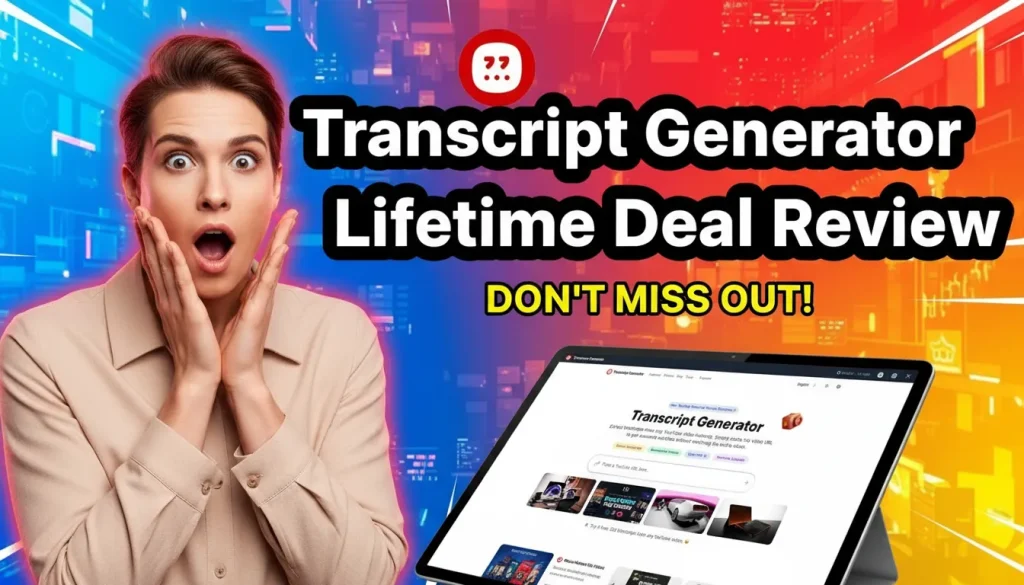
That is exactly what we are looking at today. In this Transcript Generator Lifetime Deal Review, I’m diving deep into a tool that promises to change how we consume video content. Whether you are a student trying to cram for an exam, a marketer hunting for quotes, or just someone who prefers reading over watching, this tool claims to be the answer.
We will break down its features, pricing, and whether it is actually worth your money. Let’s get into it.
What is the Transcript Generator Lifetime Deal?
The Transcript Generator lifetime deal is a software offer that grants you permanent access to a powerful transcription engine for a single, one-time payment. Most software in this niche operates on a vampire-like subscription model that bleeds your wallet dry every single month. This deal breaks that mold entirely. You pay once and you own the utility forever.
At its core, this tool is a specialized SaaS platform designed to extract text from YouTube videos with remarkable speed. It utilizes advanced auditory recognition algorithms to convert spoken dialogue into written format. You simply paste a URL and the system handles the heavy lifting in seconds.
Think of it as a universal translator for video content. It takes the visual and auditory data you see on screen and transmutes it into a searchable, editable text document.
Key Features That Make This Deal Worth It
You might be thinking this is just another basic speech-to-text tool but you would be mistaken. The developers have packed this utility with features specifically designed for high-velocity content workflows. It goes beyond simple transcription to become a full-fledged content mining engine.
- Instant YouTube to TextThe core function is speed. You paste a YouTube URL and the engine gets to work immediately. Within seconds you have a full transcript ready to go. There is no need to wait for hours while a progress bar crawls across your screen. It handles long webinars and short clips with equal efficiency.
- Timestamp SynchronizationText on a page is useless if you lose the context. This tool links every sentence of the transcript back to the specific moment in the video. You click a sentence and the video player jumps instantly to that frame. This feature is a lifesaver when you need to verify a quote or check the speaker’s tone.
- Auto-Scroll FunctionalityReading along while watching a video can be disjointed if you have to manually scroll. The interface includes an auto-scroll feature that keeps the text in perfect sync with the playback. It feels like a high-end teleprompter working in reverse. You can follow the dialogue effortlessly without touching your mouse.
- AI Chat & SummarizationThis is where the magic happens. You don’t even need to read the full text if you are in a rush. The “Chat with Video” feature allows you to ask the AI questions about the content. You could ask “What were the three main tips for SEO?” and it will extract the answer for you. It transforms passive watching into active querying.
- Export OptionsData needs to be portable to be useful. You can export your transcripts in multiple formats including TXT, PDF, DOC, SRT and VTT. The SRT and VTT formats are particularly valuable for YouTubers who want to upload custom captions to boost their own video SEO.
Who is Transcript Generator Best For?
I’ve played around with this tool, and I see a few specific groups who will get the most ROI from this Transcript Generator lifetime deal.
- Students & Researchers: Imagine reviewing an hour-long lecture in five minutes. You can summarize complex topics and find citations without rewatching the whole thing.
- Content Creators: Repurposing content is king. You can turn your own videos (or others’) into blog posts, social media snippets, or show notes instantly.
- Marketers: If you need to keep up with industry trends, you can scan webinars and interviews for insights without dedicating your whole afternoon to watching them.
- Educators: Teachers can quickly create study guides, worksheets, and accessible text versions of video lessons for their students.
How It Works: A Simple Workflow
Using the tool is incredibly straightforward. Here is the step-by-step process:
- Paste the Link: Copy the URL of the YouTube video you want to analyze.
- Get the Transcript: Within seconds, the tool generates the text with timestamps.
- Interact: Use the “Chat” feature to ask questions or the “Summary” tab to get the highlights.
- Export: Download the text or captions in your preferred format.
Deep Dive into the Pricing and Plans
Let’s talk numbers because this is where the Transcript Generator lifetime deal really shines against the competition. Most transcription services trap you in a monthly subscription model that never ends. You pay forever or you lose access. This deal flips the script by offering a “pay once, use forever” license.
Here is a breakdown of how the license tiers stack up:
| Feature | Standard License ($58) | Premium License ($87) |
| Price | One-time payment of $58 | One-time payment of $87 |
| Credits per Month | 1,500 Minutes | 3,000 Minutes |
| Users | 1 User | 3 Users |
| Export Formats | All Formats | All Formats |
| AI Chat | Included | Included |
You might wonder if 1,500 minutes is enough. Let’s do the math. 1,500 minutes is 25 hours of video content. Unless you are transcribing full-time for a production house you will likely never hit that cap. The Premium tier doubles this to 50 hours a month which is practically unlimited for a solo creator.
The Math vs. Subscriptions
Compare this to a tool like Otter.ai or Descript which can cost anywhere from $12 to $30 every single month. With the Standard license you break even in about three to four months. After that point every transcript you generate is effectively free. It is a financial no-brainer for anyone with a long-term content strategy.
Money-Back Guarantee
There is zero risk in trying it out. The deal comes with a 60-day money-back guarantee. You can buy it and test it on your toughest videos to see if the accuracy holds up. If it doesn’t meet your standards you get a full refund with no questions asked.
Comparison: Transcript Generator Lifetime Deal vs. Competitors
When you are deciding on a tool, you need to see the cold, hard data. We have broken down exactly how the Transcript Generator lifetime deal compares to the industry giant Otter.ai and the old-fashioned method of manual typing.
As you can see in this Transcript Generator review, the long-term savings are undeniable.
| Feature | Transcript Generator (LTD) | Otter.ai (Business) | Manual Transcription |
| Cost Model | One-Time Payment ($58) | $20/month (Recurring) | Free (But costs time) |
| Primary Use Case | YouTube & Public Video | Meetings & Zoom | Short Clips |
| Processing Speed | Instant (Seconds) | Real-time | Very Slow (1hr = 4hrs work) |
| YouTube Sync | Yes (Direct URL) | No (Upload required) | N/A |
| AI Summaries | Included | Included | N/A |
| Export Formats | TXT, PDF, SRT, VTT | TXT, PDF, SRT, DOCX | Whatever you type |
| Yearly Cost | $58 (Total) | $240+ per year | $0 (+$1000s in labor) |
Why the Transcript Generator Lifetime Deal Wins
If you look at the bottom row, the math is simple. With the Transcript Generator lifetime deal, you pay once and you are set. With a subscription tool, you are renting your productivity. Stop renting and start owning your workflow.
How to Use Transcript Generator for Maximum SEO
You have the tool but now you need a strategy. Owning a hammer doesn’t make you a carpenter and owning a transcription tool doesn’t automatically make you an SEO wizard. You need to deploy this asset intelligently to dominate search rankings. The Transcript Generator lifetime deal unlocks a specific workflow that can supercharge your content production.
Here is the step-by-step blueprint to turn video data into organic traffic:
- Identify High-Performing Content Don’t just pick random videos. Go to YouTube and find videos in your niche that already have millions of views. These topics are proven winners. The audience has already voted with their clicks.
- Extract and Analyze Paste the URL into Transcript Generator and let it rip. In seconds you have the raw text. Don’t just publish this raw text though. Google hates duplicate content. Instead you should use the AI Chat feature to extract the core outline and main arguments.
- The “Skyscraper” Rewrite Take those main points and write something better. Use the transcript as your research foundation but add your own unique voice. You are standing on the shoulders of giants to build something taller. This ensures your post is factually dense yet completely original.
- Answer Engine Optimization (AEO) AI search engines love direct answers. Use the transcript to find exact questions the speaker asks and answers. Format these as “H2” headers in your blog post and provide the answer immediately below. This structure signals to bots that your content is helpful and precise.
By turning a 20-minute video into a scannable blog post you capture an audience that prefers reading over watching. You effectively clone the value of the video into a new format.
Pros and Cons of the Transcript Generator Lifetime Deal
Every piece of software has its kryptonite. No tool is perfect and honesty is the best policy here. We need to weigh the massive benefits against the potential drawbacks to see if this fits your specific needs.
To keep this Transcript Generator review balanced, let’s look at the good and the bad.
Pros:
- Time Saver: Drastically reduces the time needed to consume video content.
- No Monthly Fees: The lifetime deal is a steal compared to recurring subscriptions.
- Accessibility: Great for translating content or helping those who prefer reading.
- Versatile Exports: Getting an SRT file instantly is a lifesaver for video editors.
Cons:
- YouTube Focused: Primarily designed for YouTube URLs, which might limit you if you use other video hosting platforms.
- Credit Limits: While generous, the credits are monthly. Heavy power users might need to watch their usage.
How It Stacks Up Against Competitors
The market is flooded with transcription tools so skepticism is healthy. You need to know if this specific tool punches above its weight class or if it is just cheap software disguised as a bargain. Let’s look at the data.
- Transcript Generator vs. Otter.ai Otter.ai is the heavyweight champion for Zoom meetings but it hits your wallet hard. You pay a monthly fee that never stops. Transcript Generator takes a different approach. It focuses specifically on public video content and charges you once. If you need to transcribe meetings then stick with Otter. If you need to rip content from YouTube then Transcript Generator is the superior financial choice.
- Transcript Generator vs. Manual Transcription We have all tried typing out a video by hand. It is slow and painful work. The temporal synchronization of manual typing is usually a mess. You miss words and you get timestamps wrong. This tool offers high lexical fidelity in seconds. It does in five seconds what would take you an hour.
- Transcript Generator vs. Other LTDs You might have seen other deals like SubEasy or UniScribe popping up. While those are decent tools Transcript Generator distinguishes itself with its specific focus on the YouTube infrastructure. It isn’t trying to be everything to everyone. It does one thing perfectly.
Who Should Buy This Lifetime Deal?
This deal is not for everyone. If you never watch videos or create content then you can safely skip it. However specific groups will find this tool pays for itself almost immediately.
- Content Creators: You can turn a single video into a week’s worth of Tweets, LinkedIn posts and blog articles. It is the ultimate repurposing engine.
- Students & Researchers: Citing sources becomes effortless. You no longer have to scrub through a two-hour lecture to find that one quote for your thesis.
- SEO Specialists: Google cannot watch videos but it can read text. You can use this to generate schema-rich transcripts that help your pages rank for long-tail keywords.
- Language Learners: The translation features allow you to study native speech patterns with the text right in front of you. It is a fantastic study aid.
Read More : Deal Flow Management Software: Boost Efficiency and Close Deals Faster
Frequently Asked Questions (FAQ)
Q. Can’t I just use the free transcript provided by YouTube?
You absolutely can, but have you ever tried to read it? YouTube’s native transcripts are often a wall of unformatted text without punctuation or clear speaker differentiation. They are hard to skim and impossible to interact with.
Transcript Generator doesn’t just pull the text; it formats it, syncs it, and uses AI to summarize the key points. Plus, you can’t “chat” with a standard YouTube transcript to ask specific questions, nor can you instantly translate it into German or French with a single click. This tool turns raw data into a usable resource.
Q. Does this work on videos that don’t have captions?
Yes! This is a huge advantage. Even if the creator didn’t upload subtitles, Transcript Generator can use its AI speech-to-text engine to generate accurate transcripts for you. Just keep in mind that the “no-caption” transcription has a duration limit per video (1.5 hours for Standard, 3 hours for Premium).
Q. What counts as a “credit”?
The deal structure is based on monthly credits (1,500 for Standard, 3,000 for Premium). Typically, 1 credit equals 1 minute of video processed. These credits refresh every month, so unless you are transcribing hundreds of hours of video a month, the limits are quite generous for most users.
Q. Is this really a one-time payment?
Yes. Unlike most AI tools that charge you $15–$30 every single month, this is a Lifetime Deal. You pay once, and you have access to the platform forever. It breaks the cycle of “subscription fatigue.”
Q. Can I export the text to use in other apps?
Definitely. You can download your transcripts in multiple formats, including PDF, DOC, TXT, and SRT. The SRT format is particularly useful for video editors who need to add subtitles to their projects in Adobe Premiere or DaVinci Resolve.
Conclusion: Is It a Buy or a Pass?
We have looked at the features and we have crunched the numbers. The Transcript Generator lifetime deal offers a rare combination of utility and value. It solves a genuine pain point for anyone who works with video content.
You could keep doing things the hard way. You could keep paying monthly subscriptions that eat into your profits. Or you could grab this deal and streamline your workflow forever. The choice seems pretty clear.
The window for these lifetime offers is always short. They disappear and are replaced by monthly fees. If you want to lock in this price you need to act now.


1 thought on “Transcript Generator Lifetime Deal Review: he Ultimate YouTube Productivity Hack?”