
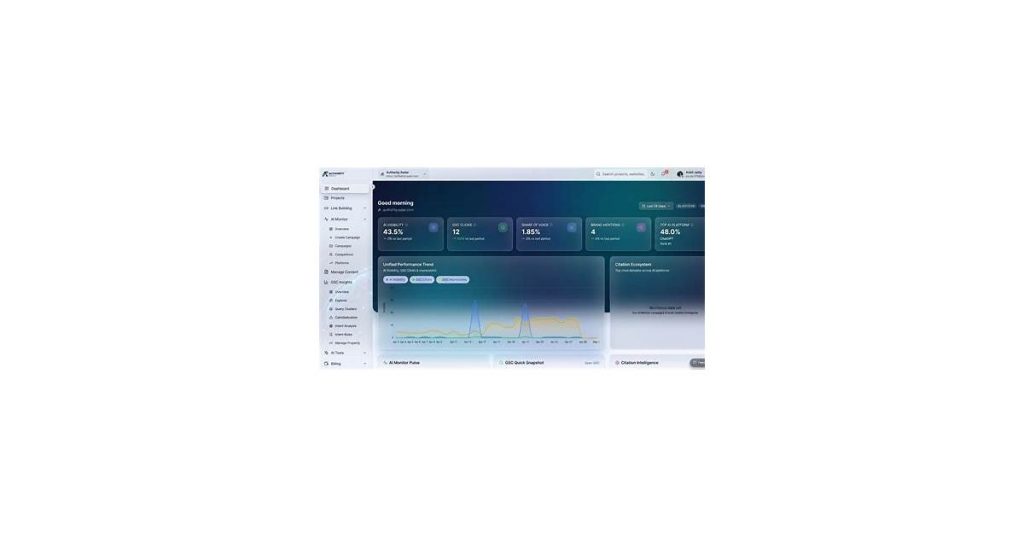
Authority Radar Google Analytics integration connects your GA4 property with competitive intelligence tools to analyze traffic sources and content performance in one dashboard. It matters because you can track competitor referrals, identify wasted ad spend, and correlate backlinks with conversions without toggling between platforms—saving time while uncovering hidden opportunities.
Understanding Google Analytics 4 Properties

Google Analytics 4 (GA4) represents a fundamental shift from Universal Analytics, moving from session-based tracking to an event-driven data model. Where Universal Analytics focused on metrics like pageviews and bounce rates, GA4 treats every user interaction—from page loads to button clicks—as a discrete event. This provides a more flexible way to analyze behavior across websites and apps.
The key advantage of GA4 lies in its cross-platform capabilities. A single GA4 property can track users across iOS, Android, and web platforms, stitching together their journey rather than treating each platform as a separate silo. This is particularly valuable for businesses with app and web presences, as it eliminates the need to reconcile data from multiple sources.
GA4 also introduces predictive metrics powered by machine learning, such as churn probability and revenue forecasting. While Universal Analytics offered historical reporting, GA4 surfaces insights about likely future user actions based on behavioral patterns. The integration with Authority Radar leverages these capabilities to identify high-authority traffic sources and content performance in real time.
- Event-based tracking replaces rigid hit types with customizable events
- Enhanced cross-device measurement connects user journeys across platforms
- Privacy-centric design includes cookieless tracking options and data deletion tools
- Built-in BigQuery export allows direct access to raw event data
See also: Authority Radar SEO Tool: Boost Your Search Performance.
Key Differences from Universal Analytics
GA4’s event-based model replaces Universal Analytics’ session-based tracking, fundamentally changing how user interactions are recorded. Instead of grouping hits into sessions, GA4 treats every action—pageviews, clicks, downloads—as standalone events with flexible parameters. This shift allows for more granular analysis of user behavior across devices and platforms.
Missing from GA4: Bounce rate is gone, replaced by “engagement rate” (users who stay longer than 10 seconds, view 2+ pages, or trigger a conversion event). IP anonymization is now mandatory, and organic search reports require manual setup of search console integration—unlike Universal Analytics’ automatic implementation.
New in GA4: Predictive metrics like revenue potential from specific user segments, cross-device tracking without User-ID implementation, and direct BigQuery exports even for free-tier users. The interface consolidates previously separate reports—for example, demographic and interest data now appears alongside acquisition metrics in a single audience report.
- Data retention: Universal Analytics offered unlimited data retention for hits; GA4 defaults to 2 months (extendable to 14 months)
- Custom dimensions: Increased from 20 to 25 custom dimensions, but they now require event-scoped parameters instead of hit-scoped
- Real-time reporting: Shows user activity from the past 30 minutes (down from 5 minutes in Universal Analytics)
Why Google Analytics 4 and Why Now?
Google Analytics 4 (GA4) represents a significant update from Universal Analytics (UA), which stopped processing new data on July 1, 2023, with historical data access ending in 2024. If you’re still relying on UA, you’re working with outdated insights and missing GA4’s event-based tracking, cross-platform measurement, and privacy-centric design.
Three key factors make migration urgent:
- Data continuity: The longer you delay, the less historical data you’ll have in GA4 when UA becomes inaccessible.
- AI-powered insights: GA4’s predictive metrics (like churn probability) require training time—starting now means better accuracy later.
- Adaptation period: GA4’s interface and reports differ significantly. Teams need months to rebuild dashboards and adjust workflows.
Authority Radar’s integration specifically addresses GA4’s steeper learning curve by automating complex setups like custom event tracking and funnel visualization. Without it, marketers often struggle with GA4’s increased reliance on manual configuration compared to UA’s out-of-the-box reports.
See also: Authority Radar Backlink Monitoring: A Comprehensive Guide.
Integrating Authority Radar with Google Analytics
Authority Radar plugs directly into your GA4 property, layering competitive intelligence over standard analytics data. Unlike third-party tools that force you to toggle between platforms, its integration surfaces key metrics within familiar GA4 reports. You’ll see competing domains’ traffic trends alongside your own performance without leaving the dashboard.
The setup requires two steps: granting OAuth permissions and mapping your tracked domains. Once connected, Authority Radar automatically categorizes referral traffic from competitor sites, highlights SERP competitors bidding on your target keywords, and flags emerging players in your niche. These insights appear as annotated segments in GA4’s acquisition and engagement reports.
Key enhancements over native GA4 include:
- Competitor attribution: Identifies which rival sites are siphoning your potential conversions via branded search leakage or overlapping audiences
- Share-of-voice context: Overlays your organic click-through rates against industry benchmarks for the same queries
- Trend cross-checks: Correlates your traffic dips/spikes with competitors’ campaign launches or content updates
For media buyers, the integration reveals wasted spend—like when your retargeting ads reach users who already converted on a competitor’s site. SEO teams use the data to pinpoint pages losing traction against specific rivals, then adjust content gaps accordingly.
See also: Authority Radar for SEO Professionals: Top AI Tools Compared.
Workflow and Route Configuration
Integrating Authority Radar with Google Analytics starts with configuring your HTTP routes to handle incoming data. The setup varies slightly depending on whether you’re using Node.js or another backend, but core principles remain the same. First, ensure your server can process POST requests from Authority Radar’s webhook – this typically means creating a dedicated endpoint like /api/authority-radar.
For Node.js users, the Express middleware setup looks like this:
app.use(express.json());
app.post('/api/authority-radar', (req, res) => {
  // Process event data
  const analyticsData = transformForGA(req.body);
  // Send to Google Analytics measurement protocol
  axios.post(GA_ENDPOINT, analyticsData);
});
Key considerations include:
- Payload validation – verify requests originate from Authority Radar using signature headers
- Error handling – implement retry logic for failed GA API calls
- Rate limiting – batch events if you anticipate high volume to avoid hitting GA quotas
The transformation step is crucial. Authority Radar provides rich backlink data that needs mapping to GA’s event model. Typical mappings include:
| Authority Radar Field | GA Event Parameter |
|---|---|
| source_domain | eventLabel |
| link_type | eventCategory |
| anchor_text | eventAction |
Location Tracking and Data Unification
Authority Radar’s Google Analytics integration solves a common pain point: accurately tracking traffic sources and visitor locations in GA4. The platform captures raw visit data directly from server logs, bypassing ad blockers and bot traffic that often skew analytics. This means your location reports reflect actual human visitors, not just script-based noise.
When integrated with GA4, Authority Radar:
- Preserves original visitor IP addresses before any CDN or proxy obfuscation
- Tags traffic sources at the server level, preventing attribution loss from JavaScript blockers
- Normalizes location data across multiple tracking methods (ISP lookups, GPS pings, Wi-Fi triangulation)
For example, a media company using the integration discovered 18% of their “direct traffic” in GA4 was actually organic search visits that lost source attribution due to privacy tools. The unified dataset also revealed geographic gaps in their content strategy—entire regions showing high engagement but low conversion due to undetected localization issues.
Maximizing Your Analytics Setup with Authority Radar and GA4
Integrating Authority Radar with Google Analytics 4 unlocks deeper insights into your site’s authority-building efforts. Start by ensuring all Authority Radar tracking codes are properly installed—check GA4’s real-time reports to verify data flow. Look for discrepancies in referral sources or unexpected spikes, which may signal misconfigured tags.
Create custom GA4 events for Authority Radar metrics like backlink acquisitions or competitor comparisons. For example, set up an event trigger when your “Authority Score” increases by 5+ points. This lets you correlate score changes with specific content updates or outreach campaigns.
Use these three GA4 explorations to connect the dots:
- Funnel Analysis: Track visitors from Authority Radar-identified high-authority referral sources through conversion paths
- Segment Overlap: Compare audiences coming from your earned backlinks vs. paid channels
- Path Analysis: Visualize how users from authority sites navigate differently than other visitors
Sync your Authority Radar content performance data with GA4’s engagement metrics. Pages ranking for high-authority keywords should typically show lower bounce rates and longer session durations—if they don’t, investigate potential content-quality mismatches.
Unified Data Strategies for Authority Radar and Google Analytics
Integrating Authority Radar with Google Analytics eliminates data silos, but requires intentional alignment of tracking and reporting. Start by mapping overlapping KPIs – for example, if Authority Radar tracks backlink velocity while Google Analytics monitors referral traffic, correlate these metrics to identify which link-building efforts drive actual visits. Tag UTM parameters consistently across both platforms to maintain continuity in campaign tracking.
Three tactical alignment approaches:
- Shared naming conventions: Use identical labels for campaigns and traffic sources to enable cross-platform filtering.
- Custom dimension bridging: In Google Analytics, create dimensions like “Link Authority Tier” that mirror Authority Radar’s classification system.
- Time synchronization: Align reporting periods (weekly/quarterly) to compare trends without date-range mismatches.
For complex integrations, feed Authority Radar’s API data into Google Analytics as custom data imports. This allows side-by-side analysis of SEO performance (ranking changes, backlinks) with traditional web metrics (bounce rates, conversions) in a single dashboard.
Other Useful Integrations
Pairing Authority Radar with Google Analytics unlocks deeper insights, but adding these complementary tools can further streamline your workflow. Google Tag Manager simplifies deploying tracking codes across both platforms without touching website code. For competitive benchmarking, tools like SEMrush or Ahrefs integrate with Google Analytics to layer search visibility data over your traffic metrics. Heatmap tools like Hotjar reveal how behavioral data aligns with Authority Radar’s content performance tracking.
For teams focused on conversions, consider linking CRM platforms like HubSpot or Salesforce to connect authority-building content with lead generation. Slack or Microsoft Teams integrations can automate alerts when Authority Radar detects significant ranking changes. Email marketing platforms (Mailchimp, Klaviyo) help correlate newsletter-driven traffic with content authority scores.
Three niche integrations worth exploring:
- Google Data Studio: Visualize Authority Radar metrics alongside Analytics data in custom dashboards
- Zapier: Create automated workflows between Authority Radar and 5,000+ apps
- Google Search Console: Cross-reference Authority Radar’s keyword tracking with impression data
Staying Up-to-Date with Changes
Google Analytics regularly updates its data models, APIs, and tracking methods. To ensure your Authority Radar integration continues working smoothly, monitor these three areas:
- API versioning – Google deprecates older API versions with advance notice. Check their developer changelog quarterly.
- Data schema changes – When new metrics or dimensions are introduced, update your Authority Radar mapping configuration to maintain complete data capture.
- Authentication methods – Google frequently refreshes OAuth requirements. Set calendar reminders for any announced auth method expirations.
Pro tip: Subscribe to the Google Analytics API announcements group for real-time updates. When you receive a deprecation notice, test changes in a staging environment before updating production integrations.
Tracking GA4 & Authority Radar Updates
Stay current with these trusted sources for Google Analytics 4 and Authority Radar changes:
- Official Google Analytics Blog – First-party updates on GA4 features, sunset dates, and migration tools directly from Google’s team.
- Authority Radar Change Log – Version-specific documentation of new integrations, including GA4 connection improvements and API expansions.
- Search Engine Land’s Analytics Section – Breaking news on GA4 adoption hurdles, with case studies of enterprise implementations.
- Simo Ahava’s Blog – Technical deep dives into GA4 tracking requirements that impact Authority Radar’s data collection methods.
- Webmaster World’s Analytics Forum – Crowdsourced troubleshooting for GA4 integration errors, including timestamp mismatches and permission conflicts.
Bookmark these resources for update alerts: GA4 typically pushes major changes quarterly (March/June/September), while Authority Radar deploys smaller connector updates every 4-6 weeks.
What Is Authority Radar Google Analytics Integration?
Authority Radar Google Analytics integration combines competitive intelligence with standard analytics data directly within your GA4 property. Unlike third-party tools that require switching between platforms, this integration surfaces key metrics in familiar GA4 reports. It identifies high-authority traffic sources, competitor referral traffic, and content performance in real time, providing actionable insights without leaving your analytics dashboard.
The integration categorizes referral traffic from competitor sites, highlights SERP competitors bidding on your target keywords, and flags emerging players in your niche. These insights appear as annotated segments in GA4’s acquisition and engagement reports, offering a comprehensive view of your competitive landscape alongside your own performance metrics.
What You’ll Need
Before starting the integration process, ensure you have access to a GA4 property with administrative permissions. You’ll also need an active Authority Radar account and a backend server capable of handling POST requests from Authority Radar’s webhook. Verify that your server can process JSON payloads and has the necessary middleware installed.
Additionally, confirm that your GA4 property is properly configured to track the domains you want to monitor. Check that all tracking codes are installed correctly and that real-time data is flowing into GA4. This ensures a smooth setup and accurate data synchronization between Authority Radar and GA4.
Step-by-Step Guide
- Grant OAuth permissions to Authority Radar within your GA4 property.
- Map your tracked domains in Authority Radar to ensure accurate data collection.
- Configure your HTTP routes to handle incoming data from Authority Radar’s webhook.
- Set up a dedicated endpoint (e.g., /api/authority-radar) to process POST requests.
- Transform Authority Radar’s data to match GA4’s event model using middleware like Express for Node.js.
- Validate payloads to ensure requests originate from Authority Radar.
- Implement error handling and retry logic for failed GA API calls.
- Batch events if necessary to avoid hitting GA’s rate limits.
- Verify the integration by checking GA4’s real-time reports for Authority Radar data.
Troubleshooting Common Problems
If data isn’t appearing in GA4, first check that all tracking codes are installed correctly and that real-time reports show activity. Verify that your server endpoint is properly configured to handle POST requests and that payloads are being validated. Ensure that the transformation step correctly maps Authority Radar’s data to GA4’s event model.
For rate-limiting issues, batch events to stay within GA’s quotas. If API calls fail, implement retry logic and monitor error logs for specific issues. Regularly review Google Analytics API announcements for deprecation notices or changes that might affect the integration.
Tips and Best Practices
To maximize the integration’s value, create custom GA4 events for Authority Radar metrics like backlink acquisitions or competitor comparisons. Use GA4 explorations like funnel analysis and segment overlap to connect Authority Radar insights with user behavior. Regularly sync Authority Radar’s content performance data with GA4’s engagement metrics to identify content-quality mismatches.
Align tracking and reporting by mapping overlapping KPIs and using shared naming conventions for campaigns and traffic sources. Synchronize reporting periods to compare trends accurately. For complex setups, feed Authority Radar’s API data into GA4 as custom data imports for side-by-side analysis of SEO performance and traditional web metrics.
Frequently Asked Questions
Is Google Analytics discontinued?
Google Analytics isn’t discontinued—Universal Analytics (UA) stopped processing new data in July 2023. GA4 is now the default version, which works with Authority Radar. Migrate to GA4 to maintain tracking.
Is there an API for Google Analytics?
Yes, Google Analytics 4 (GA4) offers a robust API for accessing analytics data. Authority Radar integrates directly with GA4’s API, allowing seamless data connection for tracking and analyzing your site’s performance.
What has replaced Google Analytics?
Google Analytics 4 (GA4) is the latest version of Google Analytics, not a direct replacement. It offers enhanced tracking, cross-platform insights, and better privacy controls compared to Universal Analytics. Many sites now use GA4 alongside tools like Authority Radar for deeper SEO analysis.
Can Google Analytics track where traffic comes from?
Google Analytics tracks traffic sources like organic search, social media, and referrals in its standard reports. Authority Radar enhances this by specifically identifying high-authority backlinks and niche-relevant traffic sources that impact your SEO performance, giving deeper insights than GA4 alone.
Limitations to Consider
- Requires manual configuration compared to Universal Analytics’ out-of-the-box reports
- GA4’s interface and reports differ significantly, requiring adaptation time
- Data retention defaults to 2 months unless extended
Conclusion
Integrating Authority Radar with Google Analytics 4 creates a powerhouse for understanding your content’s performance. Where GA4 excels at tracking user behavior, Authority Radar adds the crucial layer of competitive intelligence—showing not just how audiences engage with your site, but how you stack up against competitors in visibility and authority. This combination moves analytics beyond basic metrics, turning raw data into actionable competitive strategy.
For teams managing content at scale, the integration eliminates guesswork. You’ll see which pieces drive traffic but lack backlinks, which competitors rank for similar terms, and where to focus outreach or updates. It’s analytics with context—the difference between knowing your page views and understanding your true market position.
Affiliate disclosure: This article contains affiliate links. If you buy through them, we may earn a commission at no extra cost to you.

