

Kalium is a WordPress theme and design system built for people who want a polished site without starting from a blank canvas. Its strongest differentiator is the combination of 23 importable starter sites, three builder options, and a lifetime AppSumo license starting at $69.
Disclosure: This article contains affiliate links. We may earn a small commission at no extra cost to you when you sign up via our links, it's how this site stays free to run.
TL;DR Verdict
- Who it is for: Small businesses, web designers, and agencies that build WordPress sites for clients.
- Headline price: $69 for a single-site lifetime license, $129 for 10 sites, or $299 for unlimited sites.
- Biggest pro: You get 23 professional starter sites plus Gutenberg, Elementor, and WPBakery support in one theme.
- Biggest con: The AppSumo listing shows only 1 review at the time of writing, so social proof is thin.
- Free trial status: No separate free trial, but the deal includes lifetime access and a 60-day money-back guarantee.
Bottom line: If you want a flexible WordPress theme with ecommerce styling and starter sites, Get the Lifetime Deal →.
What Is Kalium?
Kalium is a WordPress theme from Laborator, a bootstrapped company founded in 2015 in Prishtina, Kosovo. The vendor says Kalium is used on more than 50,000 active websites worldwide, and Laborator reports over 75,000 product purchases and 40,000 solved support tickets. Those numbers matter because they show the team has supported WordPress users for years, not months.
The theme solves a specific problem: most WordPress projects slow down before launch. You install a theme, fight with layout settings, add a page builder, then rebuild the same sections for mobile. Kalium packages a design system with global colors, fonts, spacing, headers, footers, and template parts.
You adjust those controls once, and the changes apply across the site.
Kalium also targets WooCommerce stores. According to the AppSumo listing, you can style shop, catalog, product, cart, checkout, and account pages without writing code. If you run a small agency, you already juggle client work, invoicing, and lead follow-up.
Our look at client pipeline management covers one piece of that stack, but Kalium focuses on the build and launch side.
The product began as a theme for creative professionals, agencies, portfolios, and studios. Over time, it grew into a broader WordPress theme for businesses that want strong design control and ecommerce features. It works with Gutenberg, Elementor, and WPBakery, so you can keep the workflow you already know.
Key Features That Matter
Starter Sites and One-Click Imports
Kalium ships with 23 professionally designed starter sites. You import one, swap images and copy, adjust brand colors, and publish. This matters when a client needs a site live quickly but still expects a custom look.
The vendor supplied screenshots show portfolio, agency, business, and store layouts. If you build for multiple niches, starter sites reduce the blank-page problem. They also give you a baseline for typography and spacing, which cuts the time spent tweaking every section.
Global Design Controls
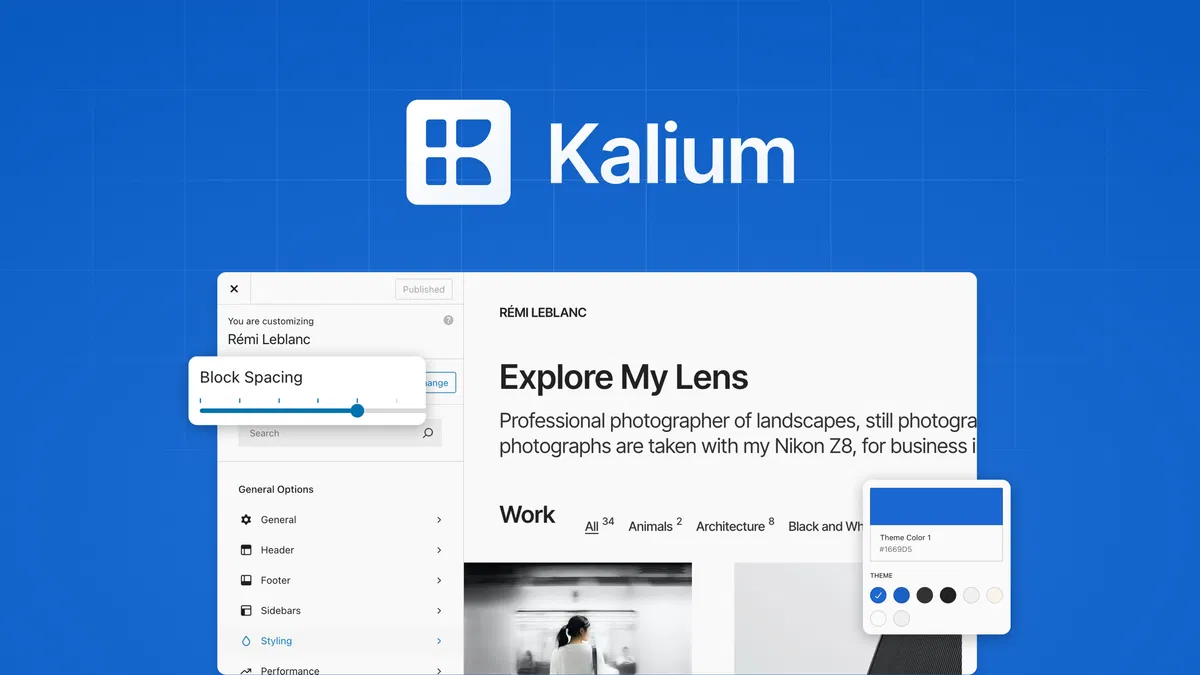
The central panel controls global colors, fonts, and spacing. Change a brand color once, and buttons, links, headers, and accents update across the site. This is the feature that separates Kalium from themes that force you to edit every page separately.
You also control headers, footers, sidebars, and template parts without touching theme files. For teams, that means a designer can set the rules, and a content editor can add pages without breaking the visual system.
Three Builder Options
Kalium supports Gutenberg, Elementor, and WPBakery. WordPress.org maintains the block editor as the default WordPress editing experience, so Gutenberg support keeps Kalium aligned with core WordPress. Elementor and WPBakery support means you are not forced to abandon a builder you already purchased or learned.
This flexibility helps agencies that inherit client sites. If a client already uses Elementor, you can keep it. If you prefer native blocks, Gutenberg works.
The trade-off is that mixing builders across one project can create inconsistent layouts, so pick one per site.
WooCommerce Store Design
Kalium includes flexible shop, catalog, and product page layouts. You can choose grid, list, or masonry views so shoppers find products faster. The theme also styles cart, checkout, and account pages, which are often the weakest visual parts of a WordPress store.
WooCommerce official documentation explains that the plugin handles products, payments, shipping, and taxes. Kalium handles the presentation layer around that system. You still need WooCommerce and any payment or shipping extensions your store requires, but Kalium gives you design control without custom CSS.
Responsive Breakpoints and Typography
The theme includes pixel-level typography controls and responsive breakpoints for desktop and mobile. You can preview changes side by side and fine-tune layouts for each screen size. This is useful when a design looks great on desktop but collapses on phones.
For store owners, responsive product pages matter because mobile shoppers abandon cluttered checkout flows. Kalium lets you adjust spacing, font sizes, and layout behavior without hiring a developer for every tweak.
Performance and Header Builder
Kalium includes performance features and a header builder. The header builder lets you create different navigation styles, sticky headers, and announcement bars. Performance features help reduce bloat, though final speed depends on your hosting, plugins, and images.
If your site includes video, repurposing video content into blog posts saves production time. Our notes on repurposing video content cover a workflow for that. For Kalium, the performance goal is simple: keep the theme from becoming the bottleneck.
Pricing Tiers (starts $69)
| Tier | Price | Best For | Free trial? |
|---|---|---|---|
| License Tier 1 | $69 | One site, solo owner | No separate free trial; lifetime license and 60-day refund |
| License Tier 2 | $129 | Up to 10 sites, freelancers | No separate free trial; lifetime license and 60-day refund |
| License Tier 3 | $299 | Unlimited sites, agencies | No separate free trial; lifetime license and 60-day refund |
The pricing is straightforward. You pay once and keep lifetime access. Tier 1 covers one site, which suits a business owner launching a single brand.
Tier 2 covers 10 sites, which fits freelancers who build for a handful of clients. Tier 3 covers unlimited sites, which makes sense for agencies that ship new WordPress projects every month.
AppSumo lists the regular price at $200, so the $69 entry tier is a 66% discount. The deal includes a 60-day money-back guarantee. That refund window gives you time to import a starter site, test the builders, and check WooCommerce styling before you commit.
Pros and Cons
Pros
- 23 starter sites cut launch time for common business and portfolio layouts.
- Gutenberg, Elementor, and WPBakery support protects your existing builder workflow.
- Global color, font, and spacing controls keep large sites visually consistent.
- WooCommerce shop, cart, and checkout styling reduces custom CSS work.
- Lifetime license at $69 avoids monthly theme subscription fees.
- 60-day money-back guarantee lowers the risk of buying through AppSumo.
- Vendor reports 50,000+ active websites, so the theme has a real user base.
Cons
- AppSumo shows only 1 review, so independent social proof is limited.
- You still need WooCommerce extensions for payments, shipping, and taxes.
- Builder flexibility can create messy layouts if teams mix Gutenberg and Elementor.
- Starter sites may need heavy editing for unusual niches or custom brands.
- Theme lock-in is real; switching later means rebuilding templates.
- Advanced custom features still require WordPress development skills.
Who Should Use Kalium?
Solo Business Owners Launching a First Site
If you run a service business, a portfolio, or a small store, Kalium gives you a professional starting point. You import a starter site, change the logo and colors, and publish. You do not need to learn code to get a site that looks custom-built.
Design Agencies Managing Multiple Client Builds
Agencies often need to launch sites fast while keeping design quality high. Kalium's template parts, header builder, and global controls let you standardize your process. You can build a repeatable design system for clients without rebuilding every page from scratch.
WooCommerce Store Owners Who Want Design Control
If you sell physical or digital products, Kalium styles the shop and checkout experience. You can use grid, list, or masonry layouts and adjust product pages for mobile shoppers. Social scheduling tools like social scheduling tools help promote those products after launch, but Kalium handles the storefront itself.
Who Should Skip Kalium?
Skip Kalium if you want a fully hosted platform like Squarespace or Wix. Skip it if you refuse to manage WordPress updates, plugins, and hosting. Also skip it if you need a custom web application rather than a content and ecommerce site.
Kalium is a WordPress theme, not a replacement for custom development.
Alternatives to Consider
Squarespace is a hosted website builder with simpler setup and monthly pricing. The trade-off is less design control and no lifetime license. You rent the platform rather than own a theme.
Webflow gives designers stronger visual CSS control and clean hosting. The trade-off is a steeper learning curve and monthly costs that continue forever. Kalium fits teams that already know WordPress.
Divi is another WordPress theme and builder with a large user base. The trade-off is that Divi pushes you into its own builder, while Kalium works with Gutenberg, Elementor, and WPBakery. If you want builder choice, Kalium is more flexible.
If you also compare AI writing assistants, our review of AI writing assistants covers that category. For store operations, our notes on expense reporting tools help with the back office. These tools sit beside Kalium, not inside it.
Final Verdict
Kalium is a strong fit for WordPress users who want design control without starting from zero. The 23 starter sites, global design panel, and WooCommerce styling cover the work that usually delays a launch. The $69 lifetime deal on AppSumo is aggressive compared with the $200 regular price, and the 60-day refund lowers the risk.
The main weakness is thin independent review volume on AppSumo. That does not make the product bad, but you should test the starter sites and builder compatibility during the refund window. If you build WordPress sites for yourself or clients, Kalium gives you a practical design system at a one-time cost.
Frequently Asked Questions
Does Kalium have a free plan?
No. Kalium does not offer a free plan or a separate free trial. The AppSumo deal gives you lifetime access starting at $69, and the purchase includes a 60-day money-back guarantee.
That refund window is your risk-free testing period.
How does Kalium compare to Divi?
Divi is a WordPress theme and builder that locks you into its own visual builder. Kalium supports Gutenberg, Elementor, and WPBakery, so you keep more workflow options. Divi has a larger review footprint, while Kalium competes on builder flexibility and lifetime pricing.
Can I cancel anytime?
You are buying a lifetime license, not a subscription, so there is nothing to cancel later. If you request a refund within the 60-day AppSumo guarantee window, you can get your money back. After that window, the license remains yours.
Is Kalium worth the price?
For one site, $69 is less than many premium themes charge for a single license. You get 23 starter sites, global design controls, and WooCommerce styling. If you build multiple client sites, the $129 or $299 tiers lower the per-site cost significantly.
Does Kalium work with Elementor and WooCommerce?
Yes. The AppSumo listing confirms support for Gutenberg, Elementor, and WPBakery. It also includes WooCommerce shop, catalog, product, cart, checkout, and account page styling.
You still need WooCommerce and any payment or shipping extensions for a complete store.
Before you upload large product images or theme demos, you can check your connection speed to avoid slow transfers. That step is not required by Kalium, but it helps when you manage a WordPress site remotely.

