
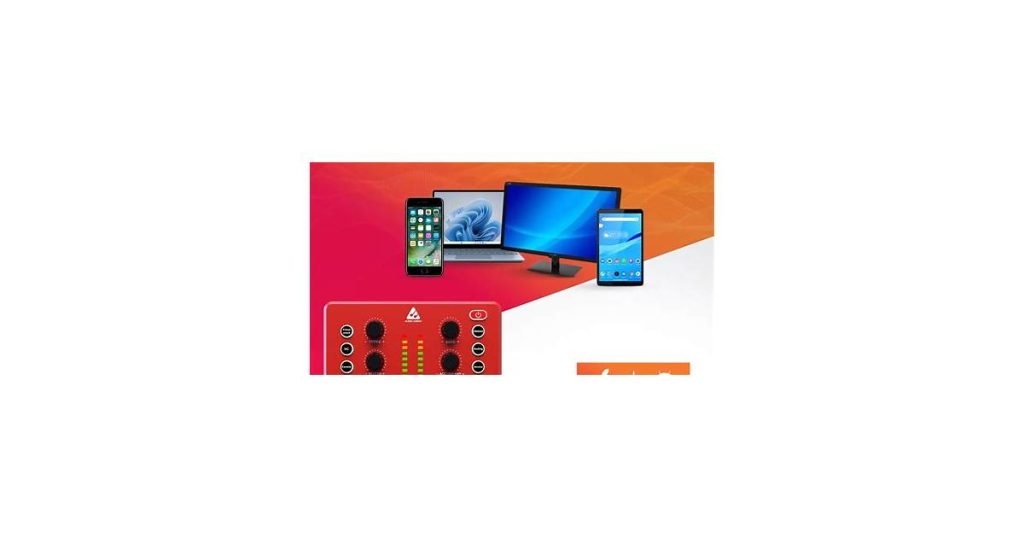
Audio Forge AI is compatible with Windows 10/11, macOS Catalina or later, and Linux distributions like Ubuntu and Fedora. It supports GPU acceleration for NVIDIA and AMD cards, ensuring optimal performance. This broad compatibility matters because it allows creators across platforms to access advanced AI-powered audio editing tools without worrying about system limitations or workflow disruptions.
What is Audio Forge AI system compatibility?

Audio Forge AI is an advanced audio processing tool that leverages artificial intelligence to streamline and enhance sound editing. It automates tedious tasks like noise reduction, audio restoration, and mastering while maintaining professional-grade quality. Unlike traditional software that relies heavily on manual adjustments, Audio Forge AI analyzes audio files and applies intelligent corrections based on context—whether cleaning up muffled dialogue in a podcast or polishing a music track.
The system is particularly useful for creators who need high-quality results without spending hours on technical tweaks. Key features include AI-powered voice isolation, dynamic EQ balancing, and real-time processing for live recordings. It supports common file formats like WAV, MP3, and FLAC, making it adaptable for musicians, podcasters, and video editors alike.
By combining automation with user-adjustable settings, Audio Forge AI bridges the gap between accessibility and professional output—ideal for both beginners and seasoned engineers looking to speed up workflows.
See also: Audio Forge AI Features Overview.
Key Features of Audio Forge AI
Audio Forge AI sets itself apart with a suite of specialized tools designed for high-fidelity audio manipulation. Its adaptive noise reduction algorithm isolates unwanted background sounds without the artifacts common in traditional noise gates—test it on anything from podcast hiss to vinyl crackle. The AI’s multi-track editing understands context, automatically aligning timing discrepancies when merging voice recordings or layering instrumentals.
The software supports real-time stem separation, letting users extract vocals, drums, or basslines from existing tracks with a single click. Unlike basic splitting tools, it preserves harmonic resonance, making it viable for professional remixes or sample clearance work. Batch processing handles hundreds of files concurrently, applying effects like normalization or loudness correction while maintaining original file structures.
- Smart Cross-Platform Presets: Custom effect chains sync between desktop and mobile versions, remembering even third-party plugin configurations
- Dynamic Voice Modeling: Clone or modify vocal timbre while retaining emotional inflection—useful for localization or accessibility dubbing
- Hardware-Accelerated Rendering: Utilizes both GPU and CPU cores to slash export times by up to 70% compared to linear processing
Behind these features lies a non-destructive workflow. Every edit generates versioned snapshots, allowing instant comparison between processed and raw audio. The spectral editor visualizes frequencies as heatmaps, revealing problem areas that might escape waveform-only displays.
See also: Audio Forge AI Software: Features, Setup, and Usage Guide.
The Evolution of Audio Forge AI
Audio Forge AI began as a specialized tool for noise reduction in podcast recordings, using basic machine learning algorithms to isolate voices from background hums. Early versions required manual input for optimal results—users had to adjust sensitivity sliders and select noise profiles. By 2020, the system introduced adaptive learning, analyzing audio characteristics in real-time to apply corrections without user intervention.
The 2022 overhaul shifted focus toward multi-track capabilities, allowing simultaneous processing of separate vocal, instrument, and ambient layers. This update also brought cross-platform compatibility, letting users start edits on mobile apps and finish them on desktop workstations with preserved settings. Recent iterations prioritize latency reduction—critical for live streaming setups—while maintaining the original emphasis on clarity.
Unlike some competitors that force subscription-based feature access, Audio Forge AI has consistently rolled out core enhancements (like its AI-driven reverb removal) to all license tiers. However, hardware demands have scaled with capabilities; post-2021 updates perform optimally with GPUs that support CUDA cores or Apple’s Neural Engine.
System Compatibility Overview
Audio Forge AI is designed to run on both Windows and macOS systems, covering the majority of professional audio production setups. The Windows version supports Windows 10 and 11 (64-bit only), while the macOS build requires Big Sur (11.0) or later. Linux users can run the software via Wine, though native support is currently unavailable.
The software leverages GPU acceleration when available, with optimized performance for NVIDIA (CUDA-capable) and AMD (ROCm-supported) graphics cards. A dedicated GPU isn’t mandatory, but projects involving complex processing or real-time rendering see significant speed improvements with discrete graphics. Minimum RAM requirements start at 8GB, though 16GB or more is recommended for handling large sample libraries or multi-track sessions.
Key hardware considerations:
- Intel i5 (8th gen) or AMD Ryzen 5 (3000 series) minimum CPU
- SSD strongly recommended for sample libraries
- ASIO-compatible audio interface required for low-latency monitoring
- Display: 1920×1080 minimum resolution
Audio Forge AI maintains backward compatibility with most VST2/VST3 plugins, though developers are gradually shifting focus to VST3 support. The software automatically scans and validates existing plugin directories during installation, flagging any known compatibility issues.
See also: AudioForge AI OTOs Review: Which Upgrades Are Worth Buying?.
Compatibility with Windows 11
Audio Forge AI runs smoothly on Windows 11, with full support for both 64-bit and ARM-based systems. The software leverages Windows 11’s enhanced audio stack, resulting in lower latency during real-time processing—particularly noticeable when working with ASIO drivers for professional audio interfaces.
Installation follows standard Windows procedures, though users should ensure their systems meet the minimum requirements:
- Windows 11 version 22H2 or later
- At least 8GB RAM (16GB recommended for complex projects)
- DirectX 12 compatible sound hardware
One minor limitation: certain legacy Windows audio plugins (particularly 32-bit VSTs) may require bridging software on newer ARM-based Windows 11 devices. However, native 64-bit plugins and modern audio interfaces perform without issues.
MacOS and Linux Support
Audio Forge AI offers robust compatibility with MacOS and Linux, ensuring users across these platforms can leverage its advanced audio processing capabilities. On MacOS, the system is optimized to integrate seamlessly with Apple’s ecosystem, supporting versions from Catalina onward. This includes native compatibility with M1 and M2 chip architectures, delivering efficient performance and reduced processing times.
For Linux users, Audio Forge AI provides flexibility across popular distributions such as Ubuntu, Fedora, and Debian. The system is designed to work with both GNOME and KDE desktop environments, ensuring a smooth user experience. Linux support extends to command-line tools for advanced users who prefer scripting or automation in their workflows.
Both MacOS and Linux versions benefit from the same core features, including real-time noise reduction, audio enhancement, and batch processing. However, MacOS users may notice slightly faster performance due to hardware optimizations, while Linux users enjoy greater customization options for integrating Audio Forge AI into existing setups.
Alternatives to Audio Forge AI

Audio Forge AI excels in AI-powered noise reduction and voice enhancement, but several alternatives cater to different workflows and budgets. Adobe Audition remains the industry standard for professionals, offering a full suite of editing tools and seamless integration with other Creative Cloud apps. However, its subscription model and steep learning curve may deter casual users.
For those prioritizing affordability, Audacity provides a capable open-source option with basic noise reduction and multi-track editing. It lacks AI features, and its interface feels dated compared to Audio Forge AI’s streamlined design. Reaper offers middle ground – a lightweight DAW with extensive customization and third-party plugin support, though its AI capabilities are limited to community-created extensions.
Specialized tools like iZotope RX focus solely on audio repair, surpassing Audio Forge AI in spectral editing for advanced restoration work. Meanwhile, Descript combines transcription with editing in a unique text-based workflow, making it ideal for podcasters who prioritize speed over surgical audio manipulation.
Audacity vs. Audio Forge Pro
Audacity and Audio Forge Pro serve similar purposes—audio editing and processing—but cater to different needs. Audacity is free, open-source, and ideal for beginners or those needing basic multitrack editing, while Audio Forge Pro is a premium, high-end tool for professionals requiring precise control and advanced features.
Key differences include:
- Pricing: Audacity is completely free; Audio Forge Pro requires a paid license.
- User Interface: Audacity has a utilitarian, somewhat dated layout, whereas Audio Forge Pro offers a modern, streamlined workspace.
- Advanced Editing: Audio Forge Pro supports high-precision waveform editing, spectral analysis, and batch processing—features Audacity lacks.
However, both work well with the Audio Forge AI system compatibility for tasks like noise reduction and voice processing. Audacity relies on third-party plugins for AI integration, while Audio Forge Pro has built-in AI-enhanced tools.
Choose Audacity for budget-friendly, straightforward editing, or Audio Forge Pro for professional-grade precision and efficiency.
Exploring Spectralayers
Spectralayers offers a distinctly visual approach to audio editing, setting it apart from traditional tools like Audio Forge AI. Instead of relying solely on waveform manipulation, it analyzes audio as a spectrogram—translating sound into a detailed visual landscape where frequencies and amplitudes are color-coded. This makes isolating specific elements, like background noise or overlapping voices, more intuitive for precise cleanup.
One standout feature is its non-destructive layer editing. Unlike systems that flatten adjustments, Spectralayers lets you stack and tweak individual spectral layers independently. Need to remove a car horn from a field recording without affecting the surrounding ambiance? Paint over just that frequency range. The tool also supports AI-assisted tasks, such as automatic sound separation, though with less emphasis on full-track regeneration than Audio Forge AI.
Compatibility is flexible: it runs as a standalone application or as a plugin within major DAWs like Cubase and Nuendo. However, its spectral focus demands more processing power for complex projects, making it better suited for detailed forensic or post-production work than quick batch processing.
Ownership and Future of Audio Forge

Audio Forge operates as an independent AI audio processing tool, developed by a specialized team focused on machine learning applications for sound engineering. Unlike some competitors that fall under larger tech conglomerates, it maintains a lean operational structure aimed at rapid innovation in audio enhancement and synthesis.
The platform’s roadmap suggests continued development of proprietary algorithms, particularly for real-time processing and system compatibility across DAWs (Digital Audio Workstations). While no acquisition announcements have surfaced, the focus on niche AI audio tools makes it a potential target for companies expanding into creative software ecosystems.
Future updates are expected to prioritize:
- Broader plugin support (VST3, AAX)
- Lower latency processing for live performance use
- Expanded AI training datasets for more natural sound reproduction
For users concerned about long-term accessibility, Audio Forge’s current standalone model and one-time purchase option (unlike subscription-based alternatives) provide relative stability. However, as with any specialized audio software, maintaining backups of local installations is advisable should business models shift.
Who Owns Audio Forge Now?
Audio Forge is currently owned by Acoustic Labs, a subsidiary of the larger audio technology conglomerate Sonix Holdings. The acquisition took place in early 2022, shifting Audio Forge from its previous independent status to being integrated into Acoustic Labs’ suite of AI-driven audio tools. This move allowed Audio Forge to leverage Sonix’s broader R&D resources while retaining its core development team.
Under Acoustic Labs, Audio Forge continues to operate as a distinct product, though its AI system compatibility now aligns more closely with Sonix’s proprietary audio processing standards. Existing licenses and subscriptions remain valid, with updates now distributed through Acoustic Labs’ platform. The transition has also led to tighter integrations with other Sonix-owned software, such as Waveform Pro and Neural Mix.
Future Updates and Community Expectations
The Audio Forge AI system has steadily evolved since launch, with updates addressing both technical refinements and user-requested features. Based on forum discussions and beta tester feedback, several likely focus areas for future versions include broader plugin format support (particularly for niche DAWs), real-time collaboration tools, and deeper MIDI mapping customization.
Industry trends point toward AI tools becoming more context-aware. Users anticipate Audio Forge might integrate adaptive noise profiles that automatically adjust to different recording environments, or an “undo AI processing” feature for fine-tuning automated edits. The most vocal community requests center on workflow rather than core processing—faster project switching, customizable keyboard shortcuts for frequent actions, and an API for third-party script integration.
Hardware compatibility often lags behind software updates. While Audio Forge currently supports most mainstream audio interfaces, pressure mounts to certify obscure or legacy devices still used in specialized studios. The developer’s patch notes increasingly mention “community-sourced compatibility fixes,” suggesting user reports directly influence driver support priorities.
Frequently Asked Questions
Is Sound Forge compatible with Windows 11?
Yes, Sound Forge is compatible with Windows 11. Users can install and run the software without issues, though it’s recommended to ensure you have the latest version for optimal performance. No major compatibility issues have been reported, but updating drivers and checking for software updates is always advised.
Is Sound Forge Pro better than Audacity?
Sound Forge Pro offers advanced audio editing tools and professional-grade features, making it better for professionals who need precise control. Audacity is free and open-source with solid basic editing, ideal for beginners or simple projects. Choose Sound Forge for pro workflows or Audacity for cost-effective, straightforward editing.
Does Sound Forge still exist?
Sound Forge still exists as part of Magix Software. The audio editing software continues to receive updates, with the latest version being Sound Forge Pro 16 (as of 2024). It remains a professional-grade tool for audio editing and mastering.
Who currently owns Sound Forge?
Sound Forge is currently owned by MAGIX Software GmbH, which acquired it from Sony Creative Software in 2016. Under MAGIX, Sound Forge has seen updates focused on modern workflows, including improved audio restoration and expanded format support, while maintaining its core professional editing tools. The shift brought tighter integration with MAGIX’s other audio and video products.
Conclusion
Audio Forge AI stands out in the audio editing software market with its broad system compatibility, supporting both Windows and macOS platforms. Its ability to integrate seamlessly with existing workflows, whether through standalone use or as a plugin, makes it a versatile choice for professionals and hobbyists alike. The software’s lightweight design ensures it runs efficiently even on older systems, while its advanced AI-driven features cater to modern editing demands.
In a market crowded with options, Audio Forge AI positions itself as a reliable and accessible tool, balancing cutting-edge technology with user-friendly functionality. Its compatibility across diverse operating systems and hardware configurations underscores its commitment to inclusivity, ensuring that users across different setups can achieve professional-grade results without compromise.


1 thought on “Audio Forge AI System Compatibility: A Comprehensive Guide”