

Introduction
Managing finances effectively is a cornerstone of any successful business. With the evolution of technology, accounting software has become a game-changer, simplifying complex tasks like bookkeeping, invoicing, tax calculations, and financial reporting. But with so many options available, which software is best for accounting? In this guide, we’ll explore top contenders, their features, and factors to consider when making your choice.
Why Accounting Software is Essential
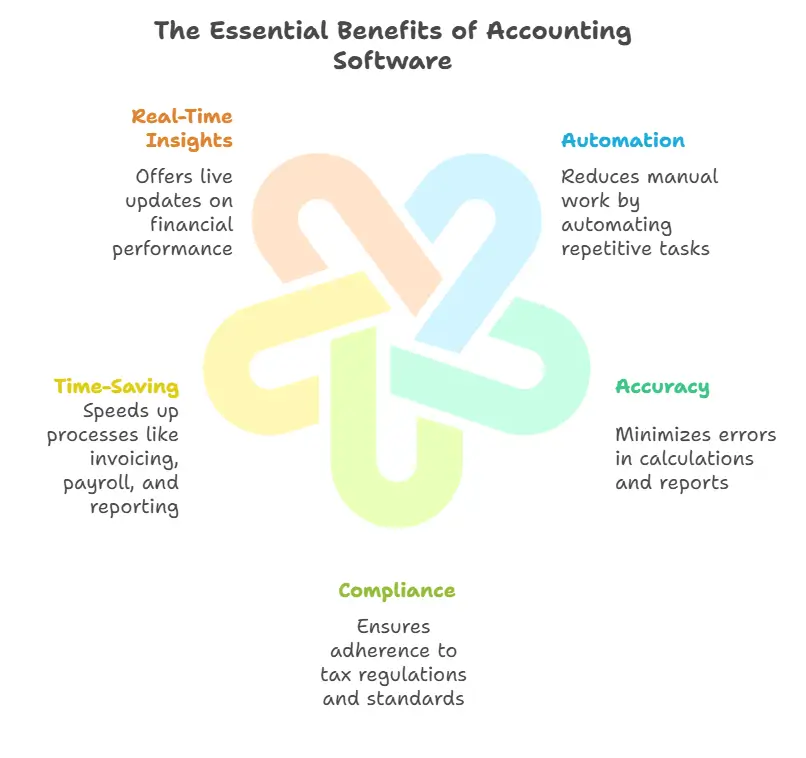
Accounting software is more than a convenience; it’s a necessity for efficient financial management. Key benefits include:
- Automation: Reduces manual work by automating repetitive tasks.
- Accuracy: Minimizes errors in calculations and reports.
- Compliance: Ensures adherence to tax regulations and standards.
- Time-Saving: Speeds up processes like invoicing, payroll, and reporting.
- Real-Time Insights: Offers live updates on financial performance.
Best Accounting Software for Small Businesses
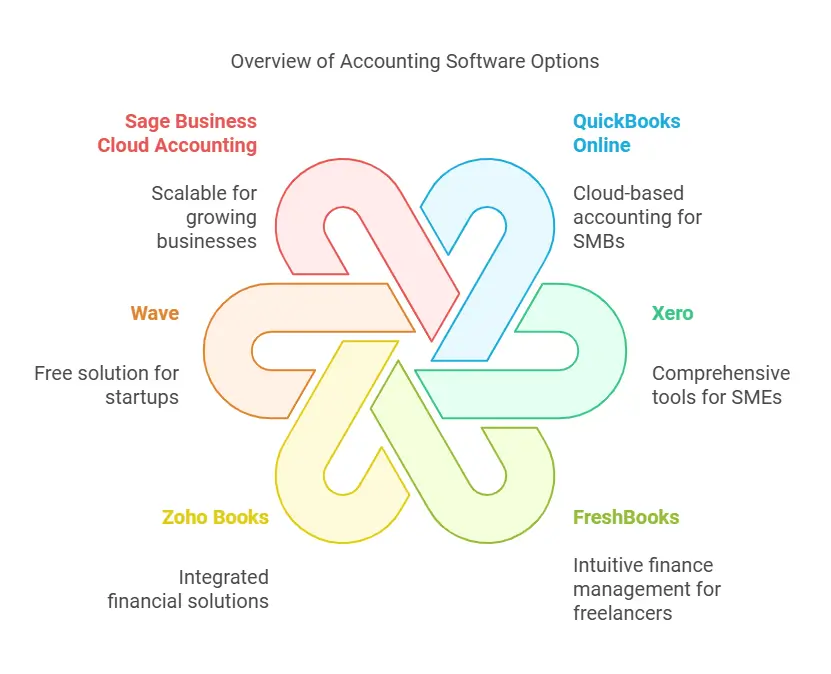
QuickBooks Online: The All-Rounder
Why It Stands Out
QuickBooks Online is widely regarded as one of the best accounting tools for small businesses due to its robust features and user-friendly interface. It’s cloud-based, allowing for accessibility from any device.
Key Features
- Automated invoicing and payment reminders
- Expense tracking and bank integration
- Real-time collaboration with accountants
- Comprehensive reporting tools
Pricing
Starts at $25/month, with higher-tier plans offering advanced features like project management and inventory tracking.
FreshBooks: Tailored for Freelancers and Small Teams
Why It Stands Out
FreshBooks is especially popular among freelancers and service-based businesses. Its intuitive design makes managing invoices and expenses a breeze.
Key Features
- Customizable invoices with automated follow-ups
- Time tracking for project-based billing
- Integrates with over 100 apps for expanded functionality
- Simple, clean dashboard
Pricing
Starts at $17/month, scaling with the number of clients managed.
Best Accounting Software for Medium-Sized Businesses
Xero: Perfect for Growing Businesses
Why It Stands Out
Xero is a powerful accounting solution known for its scalability. It’s ideal for businesses that need more robust tools as they grow.
Key Features
- Multi-currency support
- Advanced inventory management
- Payroll integration with Gusto
- Over 800 third-party app integrations
Pricing
Starts at $13/month, with plans designed for larger transaction volumes and additional users.
Sage Intacct: Focused on Financial Professionals
Why It Stands Out
Sage Intacct caters to medium-sized businesses with complex financial needs, offering advanced automation and financial reporting tools.
Key Features
- AI-powered financial insights
- Seamless integration with CRM and ERP systems
- Customizable dashboards and reports
- Automation of revenue recognition
Pricing
Custom pricing is available based on business size and requirements.
Best Accounting Software for Enterprises
NetSuite ERP: Comprehensive Business Management
Why It Stands Out
NetSuite ERP combines accounting, CRM, and inventory management into a single platform. It’s ideal for enterprises seeking an all-in-one solution.
Key Features
- Advanced financial planning and budgeting tools
- Real-time data analytics and dashboards
- Robust tax compliance and global financial capabilities
- Tailored modules for specific industries
Pricing
Custom pricing is determined based on business needs.
Microsoft Dynamics 365: Scalable and Customizable
Why It Stands Out
Microsoft Dynamics 365 offers a suite of enterprise-level tools, making it a top choice for organizations with diverse operational needs.
Key Features
- Seamless integration with Microsoft Office Suite
- AI-driven financial insights
- Real-time collaboration across departments
- Powerful forecasting and analytics tools
Pricing
Custom pricing is available based on your organization’s requirements.
Factors to Consider When Choosing Accounting Software
Business Size and Needs
Evaluate the volume of transactions and the complexity of your operations. Small businesses may prioritize simplicity, while enterprises need scalability and advanced features.
Budget
Accounting software varies significantly in cost. Consider both subscription fees and any additional costs for integrations or add-ons.
Usability
An intuitive interface can save time and reduce errors. Opt for software with a trial period to test its user experience.
Integration Capabilities
Ensure the software integrates seamlessly with other tools like CRMs, payment gateways, or tax filing systems.
Customer Support
Reliable customer service is crucial, especially during tax season or financial audits.
Why Cloud-Based Accounting Software Dominates
Cloud-based accounting software has become the standard due to its accessibility, scalability, and regular updates. Here’s why businesses are making the switch:
- Accessibility: Access your financial data from anywhere, anytime.
- Cost-Effectiveness: Reduced need for on-premises infrastructure.
- Collaboration: Easily share data with accountants and teams.
- Data Security: Regular backups and advanced encryption.
Cloud-Based vs. Desktop Accounting Software
Pros and Cons
- Cloud-Based: Offers flexibility, automatic updates, and remote access but requires a stable internet connection.
- Desktop: Provides greater control over data but lacks the mobility of cloud solutions.

How to Choose the Best Accounting Software
Selecting the right accounting software depends on your business size, industry, and specific needs. Create a checklist of must-have features, consider your budget, and test demos before committing.
Assess Your Business Needs
- Size of the Business: Software for freelancers differs from enterprise solutions.
- Budget: Ensure the software fits your financial capacity.
- Industry-Specific Features: Some industries require niche functionalities.
Evaluate Features
- Cloud vs. On-Premises: Cloud solutions offer flexibility, while on-premises provide control.
- Scalability: Choose a tool that grows with your business.
- Customer Support: Accessible support can save time during troubleshooting.
Consider Integrations
Seamless integration with CRM, payroll, and other business tools enhances productivity.
FAQs
What is the most user-friendly accounting software?
FreshBooks and QuickBooks Online are often praised for their intuitive interfaces and ease of use, especially for beginners.
Which accounting software is best for startups?
Xero is a great option for startups due to its scalability and affordable entry-level plans.
Can I use free accounting software?
Yes, free tools like Wave offer basic accounting functionalities, but they may lack advanced features required by growing businesses.
How secure is cloud-based accounting software?
Reputable providers use industry-standard encryption and regular backups to protect your data.
Do I need accounting software if I hire an accountant?
Yes, accounting software complements the work of an accountant, offering streamlined data management and collaboration.
Which accounting software supports international transactions?
Xero and NetSuite ERP are excellent choices for businesses handling multiple currencies and global operations.
Conclusion
Choosing the best accounting software depends on your business’s size, industry, and specific needs. From small businesses to large enterprises, options like QuickBooks Online, Xero, and NetSuite ERP offer tailored solutions. By assessing your requirements and budget, you can find the perfect tool to streamline your financial management.

