
Title: Screentovideo Lifetime Deal: Unlock Unlimited Video Creation Today
Unlock the Screentovideo Lifetime Deal now! Boost your video editing game with this exclusive offer—limited time only, don’t miss out!
Imagine capturing your entire screen, a selected window, or just a small area with a single click. Then, quickly add your voice, system sounds, or even your webcam with a virtual background to make your videos truly yours. Whether you want to turn your screen into a whiteboard or create animated GIFs, ScreenToVideo gives you the tools to do it all in one place.
If you’ve been searching for a smooth, intuitive video recorder and editor that won’t slow you down, this lifetime deal is your chance to grab it at half price. Plus, with free lifetime upgrades and a 60-day money-back guarantee, you can try it risk-free. Don’t miss out on this offer! Check out the ScreenToVideo Lifetime Deal now and start creating amazing videos effortlessly.
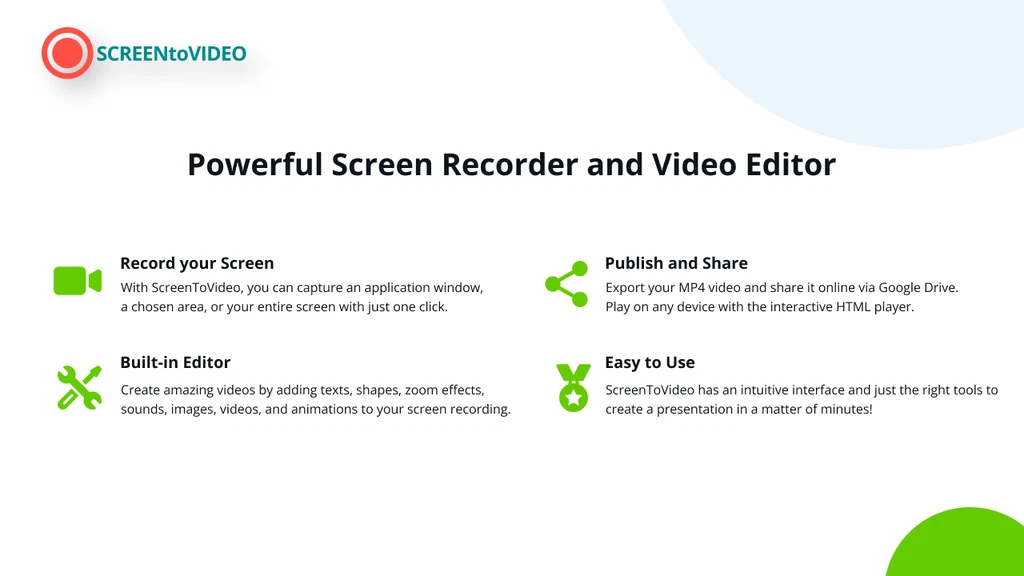
The main ScreenToVideo workspace combines capture, annotation, and editing tools.
Credit: appsumo.com
Introduction To Screentovideo And Its Lifetime Deal
ScreenToVideo offers a simple way to record, edit, and share videos. It combines a powerful screen recorder with an easy-to-use video editor. This tool fits content creators, course makers, and small businesses well. The lifetime deal lets users access all features without ongoing fees. It ensures long-term value for those who create many videos.
What Is Screentovideo? An Overview Of Its Purpose
ScreenToVideo is a screen recording and video editing tool designed for quick and smooth video creation.
Record your entire screen, a window, or a selected area with one click.
Add voice, system sounds, and webcam videos with custom backgrounds.
Use sketching tools to draw on the screen and make animated GIFs.
Edit videos with text, effects, and Google Text-To-Speech .
Export files in MP4, WMV, GIF, or MP3 formats for easy sharing.
This tool helps users create professional videos without complex software. It suits tutorials, presentations, and social media content.
In practice, most people get the fastest results by starting with a short recording and one edit pass. Record a 30-second clip, trim the end, add a text overlay, and export — that simple loop covers a surprising range of tutorial and demo work.
Understanding The Lifetime Deal: What You Get
Feature Description
Unlimited Video Creation Create as many videos as you want without restrictions
Full Access to Features Use all recording, editing, and exporting tools
Regular Updates Benefit from new features and improvements over time
Google Drive Integration Upload and share videos quickly with cloud storage
No Monthly Fees One-time payment for lifetime usage
The lifetime deal offers great savings compared to monthly subscriptions. It ensures access to all tools needed for video projects.
If you are weighing this against other one-time purchases, focus on licensing terms, refund windows, and update policies. The 60-day refund guarantee reduces the risk of buying a tool that does not match your workflow. Many founders who buy one-off tools browse founder-focused discount deals before committing to a full-price subscription.
Why Unlimited Video Creation Matters Today
Video content is key for engagement on many platforms. Creators need to produce videos often to stay relevant.
Unlimited creation removes limits and encourages consistent content.
It supports growth for businesses and personal brands.
Allows experimentation with formats and styles without extra costs.
Helps users respond quickly to trends or customer needs.
With ScreenToVideo’s lifetime deal, users can focus on creating without worrying about extra charges or limits.
That consistency matters even more in 2026, as short-form video remains one of the fastest ways for small teams to test messages and build an audience. A common mistake is to treat every recording as a final take. Instead, capture a rough pass, review the timeline, then re-record only the sections that need work. This iterative workflow is why many creators build a toolkit of budget-friendly software offers rather than paying monthly for each niche tool.
Key Features Of Screentovideo That Set It Apart
ScreenToVideo combines simplicity and power in one tool. It helps users record, edit, and share videos with ease. The software fits perfectly for beginners and experienced creators.
Its unique features make video creation fast and fun. Users get precise control over recording and editing. Sharing is simple and flexible, making ScreenToVideo a standout choice.
Intuitive Screen Recording: Capture With Ease And Precision
ScreenToVideo offers a built-in screen recorder that captures any part of your screen. You can record a single window, a selected area, or the full screen. One click starts your recording quickly.
It also supports recording voice, system sounds, and webcam simultaneously. Users can add a personal touch using virtual backgrounds. The sketching tools let you draw on the screen, turning it into a whiteboard.
Capture window, area, or full screen
Record voice and system sounds
Use webcam with virtual background
Draw on screen with sketching tools
Create animated GIFs fast
Powerful Video Editing Tools: Enhance And Customize Your Content
Editing with ScreenToVideo is simple yet rich in features. Add text, video effects, and audio adjustments easily. Google Text-To-Speech integration helps create captions automatically.
Closed captions and audio loudness normalization work out-of-the-box. This means no complex setup is needed. These tools improve accessibility and sound quality in your videos.
Captions also align with web accessibility standards, which recommend synchronized text for video with audio. In practice, turning on auto-captions first and then editing mistakes is faster than typing captions from scratch.
Add text and video effects
Use Google Text-To-Speech for captions
Automatic audio loudness normalization
Customize every video component
Seamless Export Options: Share Videos Across Platforms Effortlessly
Export videos in popular formats like MP4, WMV, GIF, and MP3 . Hardware-accelerated encoders keep video quality high and reduce export time. This saves time and maintains sharp visuals.
Users can upload videos directly to Google Drive and share links instantly. This makes distributing content fast and easy across platforms.
Format Best For Notes
MP4 High-quality videos Widely supported on devices
WMV Windows users Good compression and quality
GIF Short animations Small file size, looped playback
MP3 Audio only Extract audio from videos
Free Lifetime Upgrades And Support: Ensuring Long-term Value
ScreenToVideo offers free lifetime upgrades . Users receive new features and improvements without extra cost. This keeps the software up-to-date and useful.
Customer support is ready to help and listens to feature requests. The team works to add requested tools, improving user experience continuously.
No extra charges for updates
Responsive customer support
Feature requests considered
Long-term value guaranteed
System Requirements And What To Know Before Downloading
ScreenToVideo is a desktop application, so your computer determines how smoothly recording and export run. A Windows PC with a reasonably modern processor and enough RAM for ordinary 1080p projects is a workable starting point. For long recordings, a newer CPU and more RAM make previewing and exporting noticeably faster.
There is no mobile version, so plan to create videos on a desktop or laptop. Before buying, check the product page for the latest installer size and supported Windows versions. If you are working on an older machine, lower the capture resolution in ScreenToVideo's settings to avoid dropped frames. Creators who do heavy rendering may also want to compare cloud-rendering alternatives because a cloud renderer offloads export time from your local machine.
Pricing And Affordability Breakdown
ScreenToVideo offers a simple and clear pricing plan. The lifetime deal lets users pay once and use the software forever. This model can save money over time compared to monthly or yearly subscriptions. Understanding the cost and what it includes helps decide if it fits your budget and needs.
One-time Payment Structure: Save Compared To Subscriptions
The lifetime deal requires a one-time payment . No recurring fees or hidden charges. This saves money for long-term users.
Pay once, use forever
No monthly or yearly bills
Ideal for creators and small businesses
Compared to subscriptions, this plan avoids continuous costs. Subscriptions can add up to more than $100 per year or more. The one-time payment is a budget-friendly choice.
What The $59 Lifetime Deal Includes
For $59 , users get full access to ScreenToVideo’s features:
Screen recording of windows, areas, or full screen
Voice, system sound, and webcam recording
Flexible sketching tools and animated GIF recording
Video editing with text, effects, and Google Text-To-Speech
Closed captions and audio loudness normalization
Export options: MP4, WMV, GIF, MP3
Hardware-accelerated encoding for fast exports
Google Drive integration for easy sharing
This package suits content creators, course makers, and small businesses who need a reliable screen recorder and editor.
Comparing Screentovideo’s Pricing To Competitors
Product Pricing Model Cost Key Features
ScreenToVideo One-time payment $59 (lifetime deal) Screen recording, editing, voice/webcam, exports, Google Drive
Loom Subscription $8-10/month Cloud storage, screen recording, editing, team collaboration
Camtasia One-time payment Approx. $249 Advanced editing, screen recording, effects, high price
OBS Studio Free Free Open-source, recording, streaming, no built-in editing
ScreenToVideo offers a balanced price with strong features. It costs much less than high-end editors like Camtasia. It is simpler than subscription services yet powerful enough for many users.
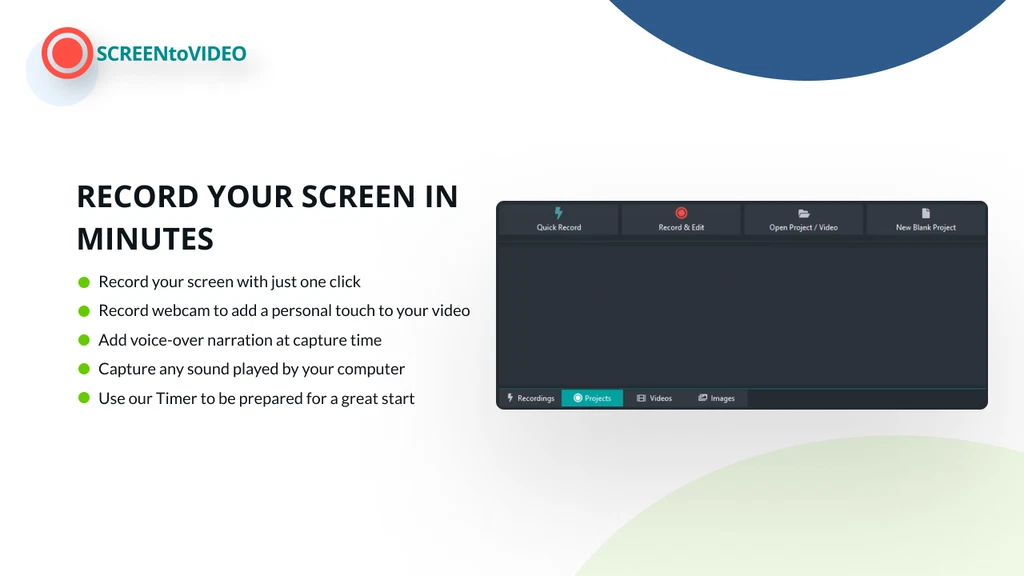
Pick a container format such as MP4, WMV, GIF, or MP3 before rendering.
Credit: appsumo.com
How To Get The Most From Your ScreenToVideo Lifetime Deal
Plan Your Recording Setup Before You Press Record
Keep the windows you need visible before starting. Use selected-area capture for software walkthroughs so the viewer sees only the menu or button you are clicking; switch to full screen when you need to move between apps. In practice, recording in short takes makes editing easier: stop after each step, review the clip, and re-do it immediately if the cursor disappeared or the audio clipped.
Edit In Small Passes, Not One Giant Session
Add text overlays in the spots where the viewer must read instructions, then drop captions on the narration. Google Text-To-Speech is useful for quick drafts or internal videos, but a human voice-over usually sounds more natural for customer-facing content. Use audio loudness normalization to stop volume jumps between scenes. If you need custom thumbnails or lower thirds, prepare them in a dedicated design tool and import the files as images.
Share Directly To Google Drive
The built-in Google Drive integration can eliminate a whole step from your publishing flow. Export to MP4, upload the file, and share a link instead of attaching large files to email. The official Drive documentation explains the storage limits that matter when you store many long videos. For regular uploads, name files with the date or campaign so your team stops hunting for footage. Pair the tool with a multi-channel promotion playbook so each video moves from timeline to post without guessing where it belongs.
Pros And Cons Based On Real-world Usage
Understanding the strengths and weaknesses of ScreenToVideo comes from seeing it in action. Real users share insights on its ease, features, and limits. This helps decide if ScreenToVideo fits your needs.
Advantages: User-friendly Interface And Comprehensive Features
ScreenToVideo offers a simple interface that anyone can navigate. The screen recorder can capture a full screen, a selected area, or a single window with one click.
Record voice, system sounds, and webcam simultaneously
Use virtual backgrounds to personalize videos
Draw on the screen like a whiteboard with flexible sketch tools
Quickly create animated GIFs from recordings
Edit videos with text, effects, and Google Text-To-Speech integration
Automatic closed captions and audio loudness normalization
Export files in MP4, WMV, GIF, or MP3 formats
Hardware-accelerated encoding for faster export without quality loss
Direct upload to Google Drive for easy sharing
The combination of recording and editing tools in one app saves time. Users feel empowered to create polished content quickly.
Limitations: Areas For Improvement And Potential Drawbacks
ScreenToVideo is powerful but has some limits users mention:
Occasional bugs in complex editing tasks can slow workflow
Limited advanced effects compared to specialized video editors
Some users want more export format options
Interface can feel crowded with many features for beginners
Mobile device support is currently missing
These issues do not stop most users but may affect those needing very advanced editing or mobile flexibility.
User Feedback: What Actual Customers Say
Users praise ScreenToVideo for ease of use and rich features. Content creators find it ideal for tutorials and presentations. Small businesses appreciate the ability to create marketing videos without extra tools.
Feedback Type Comments
Positive "Very easy to record and edit in one place."
Positive "Great integration with Google Drive saves time."
Negative "Sometimes the editor crashes with long videos."
Negative "Would like more export formats and mobile support."
Overall, users find ScreenToVideo a valuable tool that fits many video creation needs. The small drawbacks are balanced by strong core features and ease of use.
In practice, reported crashes usually appear on very long recordings or when many effects are stacked in one timeline. If you hit that, split the project into shorter segments, export each one, and then combine the finished files. That workaround keeps the editing timeline light and preserves most of the speed.
Pro Tips For Professional-Looking Screen Recordings
The biggest quality jump usually comes from preparation, not from more editing time. Set your display scale to 100% before recording so text stays sharp, close extra browser tabs, and turn on Do Not Disturb so notifications cannot appear on screen. If you narrate, use a USB microphone or a quiet room; the built-in laptop mic is acceptable for drafts but often sounds thin on final videos. Keep the cursor visible and use ScreenToVideo's sketch tools to circle the area you want the viewer to focus on.
A common mistake is recording at the wrong framerate. Choose 30 fps for tutorials and 60 fps for fast-moving UI or gameplay. When you need an animated GIF, output a short clip from the timeline rather than recording the whole screen. For content that references online tools, you can also combine screen recordings with cross-channel content planning to repurpose one demo into a tutorial, social clip, and newsletter GIF.
Who Should Consider The Screentovideo Lifetime Deal?
ScreenToVideo is designed for anyone who needs a simple yet powerful tool to record, edit, and share videos. Its lifetime deal makes it a smart choice for users who want long-term access to a versatile screen recorder and video editor. The tool suits various needs, from creating tutorials to marketing content. It fits those who want quality videos without steep learning curves or high subscription costs.
Ideal Users: Content Creators, Educators, And Marketing Professionals
Content creators benefit from ScreenToVideo’s easy recording and editing features. They can capture full screens or specific windows and add voice or webcam footage. The tool’s sketching and GIF options help make videos more engaging.
Educators find ScreenToVideo useful for making lessons and tutorials. The whiteboard feature lets them draw and explain ideas clearly. Closed captions and text-to-speech make content accessible to all students.
Marketing professionals use the software to craft promotional videos quickly. Export options like MP4 and WMV ensure videos work on any platform. Integration with Google Drive speeds up sharing and collaboration.
Best Use Cases: From Tutorials To Promotional Videos
Tutorial Videos: Record step-by-step guides using screen capture and voice narration.
Educational Content: Use the whiteboard and text features to explain concepts visually.
Promotional Videos: Create ads or demos with video effects and webcam footage.
Social Media Clips: Quickly generate GIFs and short videos for easy sharing.
Internal Training: Produce clear training videos with captions and audio normalization.
When To Opt For Screentovideo Over Other Tools
Choose ScreenToVideo when you want an all-in-one tool with an easy interface. The lifetime deal offers cost savings compared to monthly subscriptions. It works best if you need both screen recording and editing without switching apps.
The tool fits users who value:
Simple setup without complex software.
Flexible recording options, including webcam and audio.
Varied export formats like MP4, WMV, GIF, and MP3.
Built-in editing with text, effects, and speech integration.
Fast sharing through Google Drive integration.
ScreenToVideo stands out by combining recording, editing, and sharing in one place. It suits small businesses and solo creators who want reliability and value.
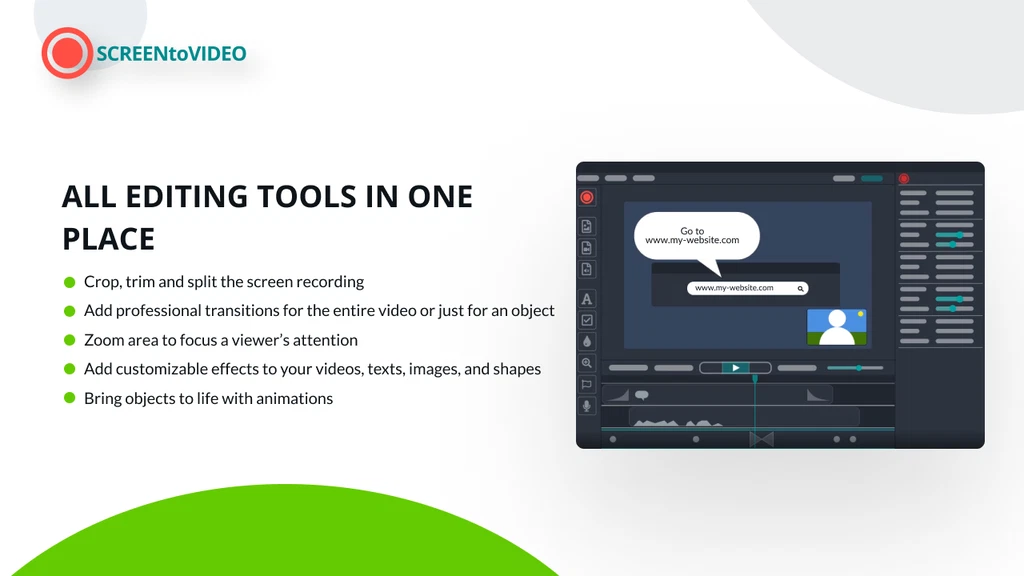
The timeline and preview panel make it easy to trim and review each take.
Credit: appsumo.com
Frequently Asked Questions
What Is Screentovideo Lifetime Deal?
Screentovideo Lifetime Deal offers a one-time payment for unlimited access. It includes screen recording, video editing, and free lifetime updates. This deal saves money compared to monthly subscriptions, ideal for content creators and marketers.
How Much Does Screentovideo Lifetime Deal Cost?
The Screentovideo Lifetime Deal costs approximately $59 as a one-time payment. It includes all premium features and free lifetime upgrades without recurring fees. This price is affordable for unlimited video recording and editing.
What Features Come With Screentovideo Lifetime Deal?
The deal includes screen recording, video editing, exporting options, and sharing tools. It supports various video formats and has an intuitive interface. Users get lifetime support and updates to enhance productivity.
Can Screentovideo Replace Expensive Video Editors?
Yes, Screentovideo offers powerful editing tools suitable for most video projects. It is user-friendly and affordable, making it a great alternative to costly editors. Ideal for beginners and professionals alike.
Is The Screentovideo Lifetime Deal A One-time Payment?
Yes. You pay once, and the license covers the software without recurring billing. The deal also includes a 60-day money-back guarantee, so you can test it on a real project and ask for a refund if it does not fit your workflow.
Can I Use Screentovideo For Commercial Projects?
Yes. The videos you record and export can be used in client work, social media campaigns, courses, and internal training materials. For client deliverables, double-check the license summary on the product page so you know exactly what the lifetime license covers.
What Happens If I Need Support Later?
Lifetime deal buyers receive support and free updates for as long as the product is maintained. Feature requests are reviewed by the team, so you can suggest improvements for future releases.
Conclusion
ScreenToVideo offers a simple way to record and edit videos fast. You can capture your screen, add voice, and even draw on it. The editor lets you add text, effects, and subtitles easily. Export your videos in popular formats and share them quickly. This lifetime deal gives full access without extra fees. It suits content creators, teachers, and small businesses well. Grab this offer and improve your video projects today.
Stop paying monthly for video tools — get your lifetime ScreenToVideo deal now.


2 thoughts on “Screentovideo Lifetime Deal: Unlock Unlimited Video Creation Today”