Stepsy Lifetime Deal: Create SOPs & Guides Effortlessly in Minutes
Lead SaaS Analyst & Software Developer at PCSaaS · Software Developer (GitHub @Ratankarmakar) · Google Ads & Analytics Certified · 500+ SaaS Tools Tested · 8+ years in software engineering, B2B SaaS evaluation, AppSumo deal auditing, and performance marketing
Unlock the power of Stepsy Lifetime Deal today—boost your productivity and save big before this exclusive offer disappears! Act now for lasting value.
That’s exactly what Stepsy offers. With its simple browser extension, you can record your actions, take annotated screenshots, and generate professional step-by-step guides — all without the usual hassle. Whether you want to train your team, onboard clients, or streamline your business processes, Stepsy makes it fast and straightforward. Ready to transform how you document your work forever? Check out the Stepsy Lifetime Deal and start saving time today!
Introduction To Stepsy And Its Lifetime Deal
Stepsy offers a simple way to create documentation and training guides quickly. It helps teams and educators explain tasks with clear, step-by-step instructions. The lifetime deal gives users permanent access to Stepsy’s powerful features for one price. This section explores what Stepsy is, explains the lifetime deal concept, and highlights why this offer stands out.
What Is Stepsy? An Overview Of The Tool And Its Purpose
Stepsy is a browser extension designed to simplify documentation. It captures screenshots and adds text descriptions automatically with every mouse click. Users can edit these screenshots and export the result as a Google Docs tutorial or a PDF.
The tool is perfect for creating:
Standard Operating Procedures (SOPs)
Training materials
Customer support guides
Educational tutorials
Stepsy also masks personal data automatically to keep documents compliant with privacy rules. It integrates easily with Google Drive and Google Docs for sharing and collaboration.
In practice, the biggest time-saver is that Stepsy removes the need for a separate screen-capture workflow. A common mistake when documenting software is to take dozens of screenshots, paste them into a document, and then write captions by hand; Stepsy collapses that into one pass by pairing each click with a text description. For straightforward tasks, the first draft is often close to publishable. For complex workflows, budget a short review pass to reorder steps and delete failed attempts before sharing.
Understanding The Concept Of A Lifetime Deal
A lifetime deal means paying once to access a product forever. This avoids monthly or yearly fees. Buyers get all current features and future updates without extra cost.
Benefits include:
Long-term savings compared to subscriptions
Early access to tools before wide release
Stable pricing without surprise increases
Lifetime deals appeal to small businesses and individuals wanting dependable software at a fixed price.
One trade-off to understand is that a lifetime deal grants access to whatever the product becomes, not a guarantee that any specific feature will be added in 2026. Buyers still get predictable pricing and permanent access to the license tier they purchased, which is the main reason these offers appeal to teams with stable documentation needs.
Why Stepsy’s Lifetime Deal Is A Unique Opportunity
Stepsy’s lifetime deal offers lasting value for a single payment. Users receive:
Feature Benefit
Unlimited documentation Create as many guides as needed
Automatic screenshot capture Save time and reduce errors
PII masking Keep data safe and compliant
Google Docs & Drive integration Easy sharing and collaboration
This deal suits consultants, educators, and customer support teams. It makes documenting processes simple and affordable for a lifetime.
The strongest signal of value is how quickly a new user can produce a usable guide. Installing the extension and recording a three-step task takes minutes, so the deal pays for itself the first time a support team avoids a long email thread.
Key Features Of Stepsy And Their Benefits
Stepsy offers a range of powerful features designed to simplify documentation and training material creation. Each feature saves time, reduces effort, and improves team collaboration. These benefits make Stepsy ideal for consultants, educators, and customer support teams.
Efficient Documentation Creation: Save Time And Effort
Stepsy’s browser extension captures every click as a screenshot with a matching text description. This automatic process helps create step-by-step guides in minutes. You avoid manual screenshotting and writing, speeding up documentation.
Annotations and edits are easy to apply directly on screenshots. Export your guides as Google Docs or PDFs instantly, ensuring your content is ready to share or print.
For the fastest results, keep each recording session focused on one task. A single guide with six steps is easier to read and update than one 30-step monster, and the shorter format also makes it simpler to spot missing steps.
User-friendly Interface: Simplifying Guide And Training Material Production
The interface is clean and intuitive. Users can record processes with just one click, without technical skills. The simple design reduces learning curves and makes guide creation accessible to everyone.
Clear navigation and easy editing tools help produce professional-looking documents without hassle.
A useful detail is that the editor stays responsive even when a guide contains dozens of annotated screenshots. You can finish a basic guide in a few clicks or spend extra time refining the annotations—the workflow scales with the effort you want to invest.
Collaboration Capabilities: Enhancing Remote Teamwork
Stepsy integrates seamlessly with Google Drive and Docs, allowing teams to work together smoothly. Share guides instantly and delegate tasks within the same environment.
Remote teams benefit from real-time access and editing, boosting productivity and knowledge sharing across locations.
Permission controls follow Google’s sharing model, so you decide who can view, comment, or edit each guide. For distributed teams, this means a new hire can receive a direct link to the latest version instead of a chain of email attachments.
Workflow Automation: Streamlining Processes For Productivity
Stepsy automates key steps in documentation. It masks preconfigured personal data to maintain GDPR compliance and merges duplicate screenshots to keep content clear and concise.
Automation cuts down repetitive work, so you focus on quality content rather than formatting or data privacy issues.
Think of the automation as a cleanup pass on your capture. Merging duplicate screenshots prevents a guide from showing five identical clicks, and masking happens before the document is shared, so sensitive values are not copied and pasted by accident.
Customizable Templates: Tailoring Guides To Specific Needs
Use ready-made templates or customize your own to fit different tasks or industries. Templates help maintain consistency and speed up document creation.
Personalize sections, instructions, and styles to match your brand or training goals, making guides more relevant and easier to follow.
Start with the default template for your first few guides. Once you know which sections your team actually reads, trim the template to include only those sections—this keeps every future guide shorter and more actionable.
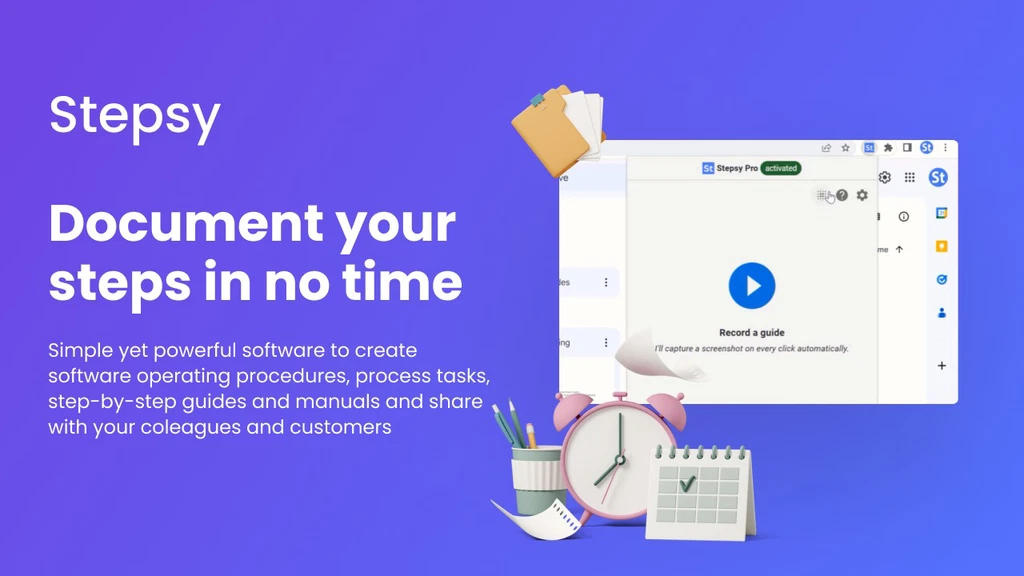 The extension turns each click into a labeled screenshot. Credit: appsumo.com
How Stepsy Works: From Recording To Export
To see how Stepsy fits a real workflow, follow one short process from start to finish.
- Install the browser extension and pin it to your toolbar.
- Open the application or website you want to document.
- Start recording and perform the task normally; each click is captured as a screenshot.
- Stop recording, then add notes, reorder steps, or delete mistakes in the editor.
- Mask any personal data, merge duplicate steps, and export to Google Docs or PDF.
The full loop can take under five minutes for a simple task. When a guide needs to live on your team wiki, export it to Google Docs and link the document rather than sharing a PDF; the document stays versioned and searchable.
Documentation does not always have to be written. Some teams record a short screencast alongside the written guide—quick screen recordings can show timing and mouse movement that a still screenshot misses.
Pricing And Affordability Breakdown
Stepsy's pricing focuses on simplicity and long-term savings. Its lifetime deal offers a cost-effective solution for users who want to avoid recurring subscription fees. Understanding the pricing model helps decide if Stepsy fits your budget and needs.
One-time Payment Model: How It Saves Money Long-term
Stepsy uses a one-time payment model. This means users pay once and get lifetime access. No monthly or yearly fees follow. Over time, this saves money compared to subscription plans.
The benefits include:
No surprise charges later
Access to all current and future updates
Budget-friendly for freelancers and small teams
Paying once reduces stress over recurring payments. It suits businesses wanting to control expenses.
Comparing Stepsy’s Lifetime Deal To Subscription Alternatives
Feature Stepsy Lifetime Deal Typical Subscription Plans
Payment Type One-time payment Monthly or annual recurring
Long-Term Cost Lower over time Higher with ongoing fees
Access to Updates Included for life Included while subscribed
Flexibility Permanent access Access ends if subscription stops
Best For Users with steady needs Users needing short-term use
Value For Money: What You Get Beyond The Price Tag
Stepsy offers more than just documentation tools. The lifetime deal includes:
Easy screenshot capturing and annotation
Automatic masking of sensitive data (PII)
Duplicate screenshot merging
Export to Google Docs or PDF
Secure sharing through Google Drive
This helps teams create clear guides quickly. Training and task delegation become smoother. The software saves time, reducing costs indirectly.
Stepsy’s features support consultants, educators, and customer support teams. The lifetime deal provides ongoing value without extra fees.
One reason the value compounds is that SOPs stop being one-off documents. Every guide you build becomes a reusable asset for onboarding, audits, and customer training, which makes the one-time price easier to justify against a subscription that renews every year.
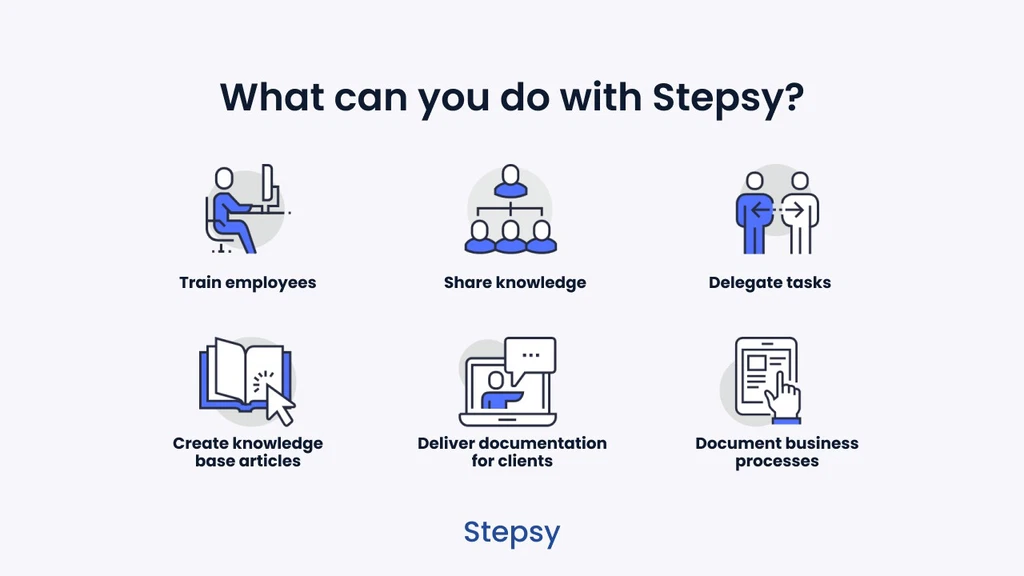 Annotate, mask, and export from the same editor. Credit: appsumo.com
Privacy, Security, And Compliance With Stepsy
Because guides often contain customer names, internal prices, or login details, privacy cannot be an afterthought. Stepsy masks preconfigured personal data automatically, and the extension merges duplicate screenshots to keep the final document clean. In practice, configure your masking list before you record, not after: find the settings, add field names or text patterns that identify sensitive values, and test the mask on a dummy account first.
Automatic masking is still not a substitute for a written data-handling policy. Security teams often model their review process on NIST guidance before sharing internal SOPs. For formal quality manuals, the ISO 9000 family remains the recognised reference for process documentation.
If your website collects cookies or consent signals, document that workflow too and connect it to whatever consent-management tools you already run.
Pros And Cons Based On Real-world Usage
Stepsy offers a practical way to create step-by-step documentation quickly. Users find it helpful for training and sharing knowledge. This section covers the key advantages and drawbacks from real-world use.
Advantages: Time Savings, Ease Of Use, And Cost Efficiency
Time Savings: Stepsy captures screenshots with one click. This speeds up documenting complex processes.
Ease of Use: The browser extension is simple to install and operate. No special skills are needed to create guides.
Cost Efficiency: The lifetime deal means no recurring fees. Users save money on documentation tools.
Stepsy automatically masks sensitive data and merges duplicate steps. This reduces manual editing time.
Exporting guides as Google Docs or PDFs adds flexibility for sharing and editing.
Potential Drawbacks: Limitations And Areas For Improvement
Stepsy depends on a browser extension, which may limit offline use.
Some users want more customization options for screenshots and annotations.
The automatic masking feature may miss some personal data in complex cases.
More integration options beyond Google Drive and Docs could improve workflow.
User Feedback And Testimonials
User Type Feedback
Consultants “Saves hours on preparing client documentation. Easy to share guides.”
Customer Support “Clear step-by-step instructions help reduce support calls.”
Educators “Great for creating training material quickly. Simple for students to follow.”
Many users highlight Stepsy’s simplicity and effective automation. Some suggest improvements in customization and offline capabilities.
https://www.youtube.com/watch?v=caeMgEY3n6o
Who Should Consider The Stepsy Lifetime Deal?
The Stepsy Lifetime Deal suits users who need a simple way to create clear documentation fast. It fits teams and individuals who want to save time while making step-by-step guides. Stepsy's features help capture screenshots, add notes, and share instructions easily.
This deal offers a long-term solution for those who want to streamline training and support materials. It works well for users needing secure, easy-to-edit documents without complex software.
Ideal Users: Small Businesses, Educators, And Remote Teams
Small Businesses: Can create SOPs and customer support guides quickly without hiring experts.
Educators: Use Stepsy to build clear tutorials and lesson guides that students understand.
Remote Teams: Share step-by-step instructions to keep everyone on the same page despite distance.
These users benefit from Stepsy’s easy-to-use browser extension and Google Docs integration. It helps document processes and train others without technical hurdles.
Best Scenarios For Using Stepsy To Maximize Benefits
Documenting Complex Processes: Capture every step with screenshots and text automatically.
Creating Training Materials: Build guides that new team members can follow without extra help.
Sharing Knowledge Securely: Mask personal data and export documents to Google Drive or PDF.
Delegating Tasks: Use clear instructions to assign work confidently and reduce errors.
Stepsy works best when users want clear, visual documentation that anyone can understand fast.
When To Choose Stepsy Over Other Documentation Tools
Feature Stepsy Other Tools
Ease of Use One-click recording, automatic screenshots Often needs manual capture and editing
Integration Exports directly to Google Docs and Drive Limited or no Google Docs export
Security Automatic masking of PII data Manual or no PII protection
Cost Lifetime deal for long-term savings Subscription models, higher ongoing cost
Stepsy stands out for its simple setup, privacy features, and cost-effectiveness. Choose it for fast, secure, and affordable documentation needs.
No single tool fits every team, which is why it helps to compare categories. Stepsy is excellent for click-and-annotate documentation, but if your primary need is interactive quizzes, progress tracking, or high-fidelity video, a different platform may serve you better.
Alternatives And Complementary Tools To Consider
Stepsy covers the core documentation workflow, but other tools handle adjacent needs.
Structured onboarding: If you need quizzes, completion tracking, or certificates, a dedicated team onboarding and training platform is a better fit than a documentation tool.
Concept planning: Before recording, some teams sketch the process using visual mind-mapping toolkits so no step is forgotten.
First-line support: To deflect repetitive questions, pair your guides with chatbot-driven support automation so customers get an instant answer.
How To Unlock And Maximize The Stepsy Lifetime Deal
The Stepsy Lifetime Deal offers a great chance to streamline your documentation tasks. This deal allows you to access powerful tools for capturing screenshots, creating step-by-step guides, and sharing them easily. Learning how to access and fully use this deal helps you save time and improve team communication.
Step-by-step Guide To Accessing The Lifetime Deal
Visit the Stepsy AppSumo page.
Review the deal details and features offered.
Click the “Buy Now” button to purchase the lifetime deal.
Create your Stepsy account or log in if you already have one.
Download and install the Stepsy browser extension.
Start capturing screenshots and creating guides immediately.
This simple process ensures immediate access to all Stepsy features without ongoing fees.
If you are purchasing multiple codes for a team, redeem each code to a separate account or use the stacking instructions on the deal page before installing the extension. That prevents confusion about how many licenses your workspace actually owns.
Tips For Getting The Most Out Of Stepsy Features
Use the browser extension to record every click for quick documentation.
Edit screenshots with annotations to clarify each step.
Leverage automatic PII masking to keep sensitive data safe.
Merge duplicate steps to keep guides concise and clear.
Export guides as Google Docs or PDFs for easy sharing.
Organize your tutorials in Google Drive for team access.
Following these tips helps you create effective training materials fast.
One habit separates good Stepsy users from average ones: keep a single Google Drive folder for every SOP and agree on a clear naming convention. When someone needs the guide, they search one place instead of asking where the latest version lives. Re-record the guide when a workflow changes instead of patching an old PDF; this keeps your lifetime access useful for years.
Future-proofing Your Investment With Stepsy
The lifetime deal secures your access to Stepsy’s updates and new features. This means:
Benefit Details
Continuous Updates Receive new features and improvements automatically.
Cost Savings Pay once and avoid recurring subscription fees.
Integration Support Stay compatible with Google Docs and Drive upgrades.
Data Security Benefit from ongoing compliance with GDPR and data masking.
This deal ensures your documentation system stays effective and secure over time.
From a 2026 perspective, the product’s value is still tied to the browser extension workflow: record once, edit the capture, and publish where your team already works. The one-time payment model remains the clearest reason to evaluate it over a subscription.
Common Mistakes To Avoid When Creating Guides
Even a simple tool produces messy SOPs when the recording routine is wrong. Common mistakes include:
Recording without preparing the screen: close unrelated tabs and reset test data before you start.
Skipping the review pass: automatic capture records every attempt, including misclicks and failed steps.
Ignoring PII masking until the end: mask before export, not after someone has already shared the file.
Creating one huge guide instead of several focused ones.
Treating a PDF as the master copy: export to Google Docs so later edits stay versioned.
In practice, the teams that get the most from Stepsy treat each guide as a living document. They record a fresh version whenever a process changes, update the Google Doc, and archive the previous PDF.
If you know the first process you want to document, start your first SOP today and turn it into a reusable team asset.
Conclusion: Is The Stepsy Lifetime Deal Worth It?
The Stepsy Lifetime Deal offers a practical tool for anyone needing clear, fast documentation. It simplifies creating step-by-step guides and training materials. This deal provides long-term access to a browser extension that captures screenshots and automates many tasks. It fits well with Google Docs and Drive, making sharing easy and secure.
Summarizing The Key Benefits And Value Proposition
Easy Documentation: Capture screenshots and create guides quickly.
Automation: Auto-masks sensitive data and merges duplicate steps.
Integration: Works seamlessly with Google Docs and Drive.
User Friendly: No complex setup or special permissions needed.
Versatile Use: Ideal for consultants, educators, and support teams.
Feature Benefit
Browser Extension Quick recording of processes with screenshots
PII Masking Protects sensitive information automatically
Export Options Save guides as Google Docs or PDFs
Collaboration Easy sharing and team training
Final Thoughts On Making An Informed Purchase Decision
Stepsy suits users who need fast, clear documentation. It saves time and reduces errors in training and support. The lifetime deal means no recurring fees, making it a smart choice for long-term projects. Consider your need for process documentation and team training. Check how Stepsy fits into your current workflow and tools.
This tool is useful if your work involves explaining complex steps regularly. Its automation features help maintain privacy and clarity. The simple export options allow you to share guides with anyone easily.
Encouraging Readers To Act On This Exclusive Offer
Take advantage of this lifetime deal to streamline your documentation. Secure the tool now to avoid future price increases. Early access means longer use without extra costs. Use Stepsy to improve team training and customer support today.
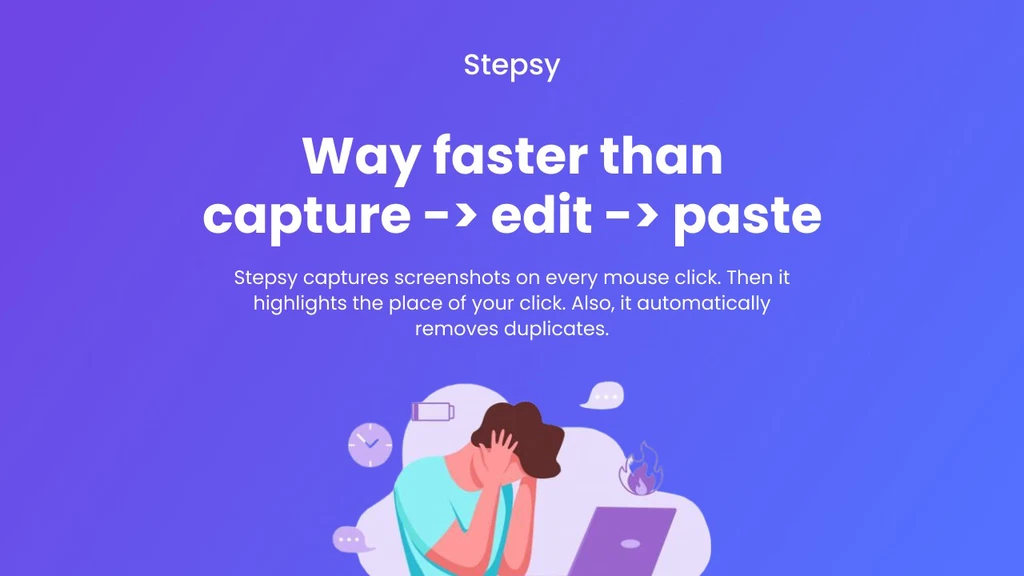 A finished SOP exports straight to Google Docs or PDF. Credit: appsumo.com
Frequently Asked Questions
What Does A Lifetime Deal Mean?
A lifetime deal offers a one-time purchase granting unlimited access to a product or service forever. It saves future recurring costs.
What Does It Cost To Stream Lifetime?
Streaming Lifetime typically costs between $5 to $10 monthly via services like Philo, Sling TV, or Hulu Live.
What Is The Stepsy Lifetime Deal?
The Stepsy Lifetime Deal offers a one-time payment for unlimited access. It allows users to create documentation and training materials efficiently. This deal provides long-term value without recurring fees, making it cost-effective for individuals and teams.
How Does Stepsy Improve Documentation Creation?
Stepsy simplifies and speeds up creating effective documentation. It uses easy-to-follow workflows and collaboration tools. This helps teams produce clear, consistent training materials in minutes rather than hours or days.
Does Stepsy Work For Offline Teams?
Stepsy is a browser extension, so it needs an internet connection for installation and for Google Drive export. If your team is fully offline, prepare your guides while connected and export to PDF before disconnecting; the downloaded document remains usable offline.
Can I Use Stepsy For Client-facing Documentation?
Yes. Consultants use it to hand over onboarding packs, configuration notes, and training manuals. Mask client-specific data, export to Google Docs, and share a link with the client so they always see the latest version.
How Is Stepsy Different From A Standard Screenshot Tool?
A standard screenshot tool captures one image at a time and leaves captions, ordering, and formatting to you. Stepsy records a sequence of clicks and writes text descriptions for each step, which is what turns screenshots into a finished guide.
Conclusion
Stepsy simplifies documenting tasks and creating guides quickly. Capture screenshots and add notes with ease. Share your work directly via Google Drive or export as PDF. The tool saves time by removing duplicate steps automatically. Teams can learn faster and work smarter using clear instructions. Start streamlining your documentation today with this handy browser extension.

Similar Posts