
Image Dino turns one design template into hundreds of finished images, pulled straight from a spreadsheet, an API call, or an AI assistant. That single idea separates it from the pile of design tools that still force you to duplicate a file every time a product price changes. Here is what the AppSumo listing, the vendor documentation, and public buyer discussion actually tell you before you spend $39.
Disclosure: This article contains affiliate links. We may earn a small commission at no extra cost to you when you sign up via our links, it's how this site stays free to run.
TL;DR Verdict
- Who it's for: Ecommerce operators, marketers, and developers who render the same layout repeatedly with different text and photos.
- Headline price: $39 lifetime for License Tier 1, discounted from $199 on AppSumo.
- Biggest pro: DynamicURLs generate a personalized image on first request, then cache that variant for up to six months.
- Biggest con: 500 monthly image credits on Tier 1 disappears quickly once you start testing ad variations at volume.
- Trial status: No free trial exists. AppSumo replaces it with a 60-day money-back guarantee.
Bottom line: if you ship more than 200 data-driven images a month, Get the Lifetime Deal → and stop paying a designer to retype product names into a canvas.
What Is Image Dino?
Image Dino is a template-driven image generation platform that connects a visual design to a live data source and renders finished files on demand. You build the layout once inside the Studio editor, mark every variable field (headline, price, product photo, customer name), and then push data at it from wherever that data already lives.
The jobs it solves are boring but expensive. A store with 400 SKUs needs 400 OpenGraph images so shared links look intentional instead of blank. A newsletter team wants every subscriber to see their own name on a discount graphic.
A performance marketer needs 60 ad variants across feeds, stories, and display, all keeping the same brand lockup.
Doing any of those by hand means version twelve of the same file, and version twelve is where typos and off-brand colors creep in. Image Dino's pitch is that the master template stays the single source of truth, and every generated variant inherits it. That matters if you already run content through automated email tools, because the personalization layer is where campaigns usually break.
The product launched on AppSumo in 2026 from a bootstrapped Cyprus team of under ten people, and AppSumo selected it for its Launchpad program. It is early. The listing shows no published reviews yet, so treat the roadmap as fast-moving and the documentation as your main source of truth.
Key Features That Matter
Visual Studio with locked brand fields
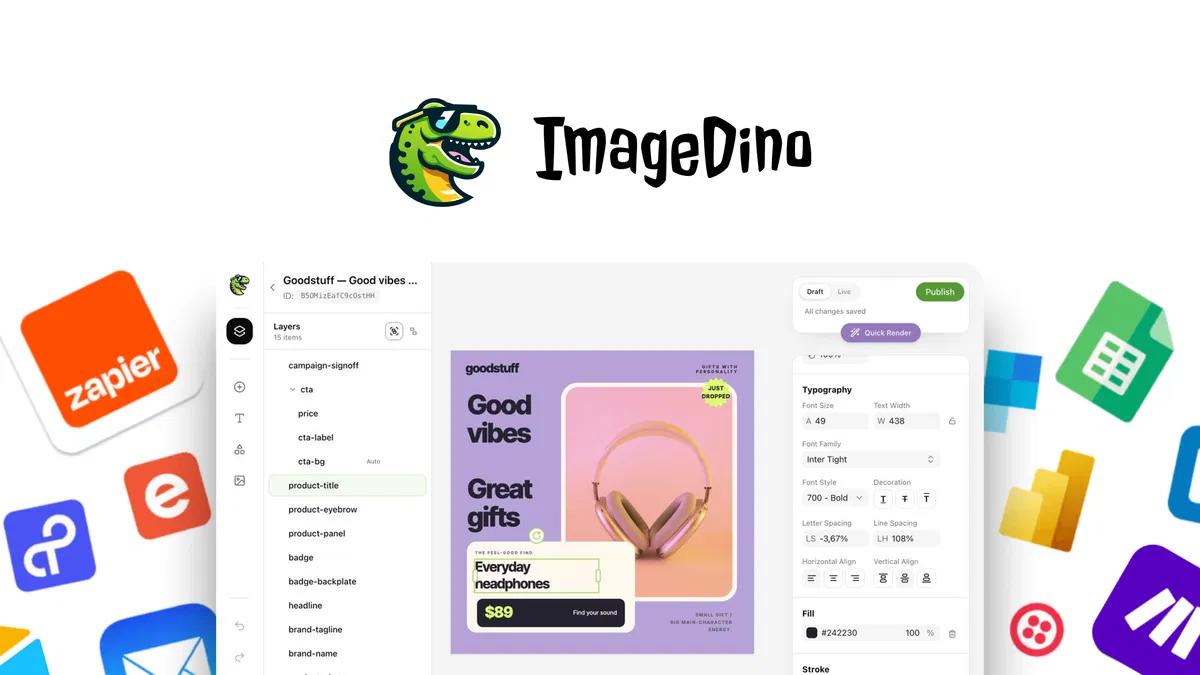
The Studio is a canvas editor where you place text boxes, image frames, and shapes exactly as you would in any design tool. The difference is that each element can be named as a dynamic field, so "headline" and "price" become variables instead of hardcoded strings. Lock the font and color once, and every render from that template inherits them, which removes the most common source of off-brand output.
DynamicURLs that personalize on request
This is the feature most buyers will actually feel. You drop a DynamicURL into an email or a landing page, pass query parameters for name, photo, or offer, and the image renders fresh for that specific recipient. Cached variants get stored after the first request, so repeat deliveries return instantly for up to six months.
For anyone handling social share cards, that caching behavior is the difference between a fast page and a slow one.
Bulk renders from Make, Sheets, or raw code
Connect a Google Sheets row set, a storefront export, or a Make scenario and the platform renders the whole batch without writing code. Developers who prefer control can hit the API directly with simple modifiers and render from any script or pipeline. The AppSumo listing names API, Google Sheets, Mailchimp, Make, and MCP as the supported integration surface.
MCP access for ChatGPT and Claude
The MCP integration lets you manage templates and trigger renders from inside an AI assistant rather than a dashboard. In practice that means a prompt like "generate the variant images for this week's offer" can kick off a render job without a browser tab. It is the newest part of the stack, so expect the docs to change as the MCP spec settles, a pattern that shows up across Claude-powered workflows generally.
Ad creative variation without rebuilding layouts
Campaign data drives the variants: swap the headline, the offer, and the hero image while the layout stays fixed. You can push the same master template to feed, story, and display dimensions and keep brand consistency intact across all three. This is where the tool earns its keep for paid media teams, since rebuilding 40 static files to test one new hook is pure waste.
Multi-format export and signed URLs
Once a template goes live you can export in multiple formats and route the output to any channel. Signed URLs give you controlled access to renders you do not want publicly guessable, which matters when images contain customer names or pricing. Simple URLs cover the public cases where you want the link copyable and stable.
Pricing Tiers (starts $39)
All four tiers are one-time lifetime payments on AppSumo, with no recurring subscription.
| Tier | Price | Best For | Free trial? |
|---|---|---|---|
| License Tier 1 | $39 (was $199) | Solo operators testing the workflow, up to 500 images/month | No, 60-day refund |
| License Tier 2 | $79 (was $389) | Small stores and marketing teams, up to 2,000 images/month | No, 60-day refund |
| License Tier 3 | $149 (was $569) | Agencies and multi-client work, up to 5,000 images/month | No, 60-day refund |
| License Tier 4 | $299 (was $819) | High-volume catalogs and ad operations, up to 10,000 images/month | No, 60-day refund |
In plain English: the jump from Tier 1 to Tier 2 costs an extra $40 and quadruples your monthly render allowance, which is the single best value step in the ladder. Tier 2 also lifts projects from 3 to 100 and bandwidth from 5GB to 25GB. Tiers 3 and 4 raise credits and projects further, and Tier 4 doubles bandwidth to 50GB, but note that Tier 2 and Tier 3 share the same 25GB bandwidth cap.
Each license is a one-time fee with lifetime access, and all tiers sit behind AppSumo's 60-day money-back guarantee. If you want context on how these deals usually play out before committing, this breakdown of vetting new software deals is worth ten minutes.
Pros and Cons
Pros
- One template drives unlimited variants, killing manual file duplication entirely
- DynamicURL rendering with caching up to six months keeps repeat delivery fast
- Lifetime pricing from $39 removes recurring subscription risk for small teams
- API, Make, Sheets, and MCP cover both no-code and developer workflows
- Brand fonts and colors lock at the template level, not per export
- 60-day refund window gives real room to test before the deadline
Cons
- No published customer reviews yet, so you are buying partly on documentation
- 500 credits on Tier 1 is thin for anyone running paid ad tests
- Tier 2 and Tier 3 share the same 25GB bandwidth ceiling
- Only 3 projects on the entry tier, which blocks testing multiple brands
- MCP integration is new and its behavior will likely shift over time
- The platform launched in 2026, so the feature roadmap is still moving
Who Should Use Image Dino?
Ecommerce teams with large catalogs
If your store pushes 300 or more products, generating a consistent branded visual per SKU by hand is not a real option. Image Dino lets you map catalog columns straight into a template and render the full set in one batch. Price changes and promotions then update from the data, not from a designer reopening a file.
Performance marketers running variant tests
Ad teams live and die on the number of hooks they can test in a week. Dropping campaign data into one master template produces feed, story, and display variants in a single pass. Anyone already repurposing video content at volume will recognize this pattern: produce the raw asset once, distribute everywhere.
Developers and automation builders
The API and MCP routes make Image Dino a rendering service rather than a design app. You can call it from a script, chain it inside a Make scenario, or trigger it from an AI assistant. Teams that already wire social scheduling tools into their stack will slot this in the same way.
Skip it if you produce fewer than 20 images a month, you need a full illustration tool rather than a template renderer, or you require SOC 2 documentation and enterprise procurement before adopting anything new. The entry tier is also a poor fit if you manage several unrelated brands, since 3 projects runs out quickly.
Alternatives to Consider
Bannerbear is the closest direct comparison. It has a longer track record and heavier API documentation, but it is subscription-priced, so Image Dino undercuts it hard on long-term cost. The trade-off is maturity versus price, and Bannerbear wins on maturity today.
DynaPictures focuses on ecommerce catalog automation and connectors. It handles product image scaling well, yet its personalization for one-to-one email visuals is narrower than what DynamicURLs offer here.
Abyssale leans into ad creative and banner sets across many display sizes. If your main job is programmatic display production, it is a strong fit, but the one-time AppSumo pricing model does not exist there.
Final Verdict
Image Dino attacks a specific, expensive problem: the manual recreation of the same layout with new data. The template lock, the DynamicURL caching, and the $39 lifetime entry price are a genuinely useful combination for ecommerce and ad teams shipping volume. The honest caveats are the lack of published reviews, the thin Tier 1 credit allowance, and a product that is barely a year old with MCP still settling.
If your monthly image output is high and repetitive, the math works.
Frequently Asked Questions
Does Image Dino have a free plan?
No. There is no free tier and no free trial. The only way to use it is to buy a lifetime license through AppSumo, and that purchase is covered by a 60-day money-back guarantee if the tool does not fit your workflow.
How does Image Dino compare to Bannerbear?
Bannerbear has more years in market and broader third-party documentation. Image Dino counters with one-time lifetime pricing starting at $39 and a built-in MCP integration for AI assistants. For cost over a three-year horizon, Image Dino wins on paper.
Can I cancel anytime?
There is nothing to cancel in the usual sense. You buy a one-time license rather than a subscription, so no recurring charge exists to stop. Refunds are handled through AppSumo within the 60-day window after purchase.
Is Image Dino worth the price?
For teams rendering 200 or more images a month from structured data, yes. At $79 for Tier 2 you get 2,000 monthly images for life, which is cheaper than a single month of most competing subscriptions. If you produce a handful of images a month, the answer is no.
What image formats does Image Dino export, and does it work for OpenGraph previews?
The listing confirms multi-format export once a template is live, and dynamic link previews are a named use case for pages, products, and URLs. That aligns with the Open Graph protocol maintained at ogp.me, which defines how platforms read preview images from page metadata. Feature specifics sit in the vendor documentation at imagedino.com.

