GumEtsy AI Review (2026): Honest Take After Real Research
Lead SaaS Analyst & Software Developer at PCSaaS · Software Developer (GitHub @Ratankarmakar) · Google Ads & Analytics Certified · 500+ SaaS Tools Tested · 8+ years in software engineering, B2B SaaS evaluation, AppSumo deal auditing, and performance marketing
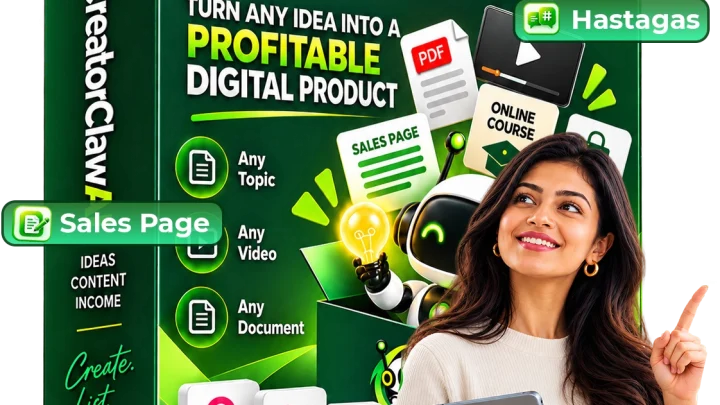
GumEtsy AI builds a finished, ready-to-sell digital product from a single keyword in roughly 60 seconds, then publishes that product to Etsy and Gumroad from the same dashboard. That two-step combination (create, then auto-list on two marketplaces with millions of existing buyers) is what separates it from the long line of AI writers that stop at a draft and leave you to figure out the rest.

Disclosure: This article contains affiliate links. We may earn a small commission at no extra cost to you when you sign up via our links, it's how this site stays free to run.
TL;DR Verdict
- Who it's for: Etsy and Gumroad sellers, freelancers, and total beginners who want a stocked store without writing, designing, or formatting anything by hand.
- Headline price: $14.94 one-time for the launch front-end. The vendor states it moves to $197/month once the launch window closes.
- Biggest pro: One-click publishing straight to both Etsy and Gumroad, which almost no competing AI product tool does.
- Biggest con: It is not fully standalone. You supply a WordPress install, an HTTPS-capable Etsy shop, and your own OpenAI API account for the generation.
- Free trial: None. There is a 30-day money-back guarantee instead, handled by one email.
- Bottom line: At $14.94 with a refund window, the risk-to-reward math is simple. Get Instant Access →
What Is GumEtsy AI?
GumEtsy AI is a WordPress plugin and dashboard that turns a single keyword into a complete digital product, then lists that product to Etsy and Gumroad without you touching either marketplace's backend manually.
The jobs it solves are specific. Writing a 40-page guide from scratch takes days. Designing a cover that survives Etsy's thumbnail grid takes design skill.
Writing listing copy that converts is a separate skill again. Formatting the final files into clean PDF, DOCX, CSV, or ZIP packages is tedious but unforgiving. Then you have two separate dashboards to upload into, two sets of tags, two sets of descriptions.
GumEtsy AI collapses all of that into one input field and one publish button.
The product categories it targets are the ones that already move volume on both marketplaces: ebooks, planners, guides, templates, printables, prompt packs, and workbooks. In our research, the niche list runs from weight loss and personal finance through to AI skills, wedding planning, and homeschooling. The vendor's own materials describe the workflow as three steps: type a keyword, let the AI build the product, publish.
If you want a sense of how much volume this category carries, our breakdown of AI-assisted ebook creation covers the same demand from a different angle.
Key Features That Matter
Keyword-To-Product Generation
This is the core engine. You enter one keyword, and the tool generates the full body content, structures it into chapters or pages, and returns a finished product file rather than an outline. For a 50-product library, that difference is the whole business model.
Without it you are looking at weeks of writing.
One-Click Publishing To Etsy And Gumroad
Most AI content tools hand you a file and walk away. GumEtsy AI connects to your own Etsy and Gumroad accounts and pushes the listing live from inside the dashboard, including the title, description, and tags. According to the vendor's FAQ, you keep 100% of sales because the products publish to your stores, not theirs.
AI Cover And Graphics Studio
On Etsy, the cover image is effectively the product. Buyers scroll a grid of thumbnails and click the one that looks worth $12. The built-in studio generates a cover for every product automatically, plus thumbnails and mockups for the listing gallery.
That removes the single biggest bottleneck for anyone without design experience.
Automated Sales Copy Writer
Weak listing copy kills a good product. The tool writes the full listing description for each item, angled at conversion rather than description. The value here is consistency: every product in your store ships with complete, keyword-aware copy instead of a rushed two-line blurb.
File Packaging And Niche Research
Products are packaged into the format buyers expect (PDF, DOCX, CSV, ZIP) without manual export work. A separate research vault takes a described audience and returns product ideas, which matters more than it sounds, because picking a dead niche is the most common reason new sellers fail. If you also want partners pushing traffic to those listings, our notes on finding promotional partners pair well with this workflow.
8-Channel Marketing Kit
The tool generates ready-to-post promo content across eight channels to drive outside traffic to your listings. Marketplaces have their own search, but external traffic is what gets a new shop its first sales momentum. As always with AI output, it is worth running a quality pass over generated text before it goes public.
Pricing Tiers (starts $14.94)
| Tier | Price | Best For | Free trial? |
|---|---|---|---|
| GumEtsy AI (front-end) | $14.94 one-time | Beginners and existing Etsy or Gumroad sellers who want both tools in one purchase | No |
| GumEtsy AI Business upgrade | $9.95 one-time (listed at $397) | Users who want faster generation models, the premium dashboard, and VIP support | No |
| Coupon: GUMETSY2 | $2 instant discount on the front-end | Anyone buying during the launch window | No |
| Post-launch subscription | $197/month | Buyers who miss the launch price and pay monthly instead | No |
The vendor frames the $14.94 as launch-only, with the price moving to $197/month afterward, though that recurring price only applies if you skip the launch. The honest way to read this table is: the front-end is the product, the $9.95 upgrade is optional speed and support, and the couple of dollars the coupon saves is a rebate rather than a tier. Budget separately for two real costs the marketing page does not lead with.
You need a WordPress site to run it on, and you need your own OpenAI API key, which means you pay OpenAI directly for the generation rather than through marked-up credits. Those are modest for most people, but they are not zero.
Pros and Cons
Pros
- Publishes to Etsy and Gumroad from one dashboard, in one click
- Replaces writers, designers, and PLR memberships for a single $14.94 payment
- Commercial license included, so you can build products for paying clients
- Generates covers automatically, which removes the biggest beginner bottleneck
- Handles file packaging, so no manual conversion or export work
- Runs on your own OpenAI key, so AI usage is billed at cost
- 30-day money-back guarantee, one email, no forms
Cons
- Requires a WordPress install before you can use it at all
- Needs your own OpenAI API account, which is a separate cost
- No free trial, only a refund window after purchase
- Etsy requires HTTPS, so some hosts need extra configuration first
- Content quality still depends on the prompt quality and niche
- The $197/month post-launch price is steep if you are late
Who Should Use GumEtsy AI?
Existing Etsy and Gumroad Sellers Who Need Volume
If you already have a shop and the bottleneck is product count, this is the clearest fit. Going from 5 listings to 50 listings is normally a six-month project. Here it is a keyword at a time.
If you want to understand how creator storefront platforms fit alongside marketplace selling, that is worth a read.
Freelancers Selling Product Creation To Clients
Freelancers charge $50 to $500 for a single digital product. With the included commercial license, you can create that product in about a minute and keep 100% of the fee. It is the fastest payback path on the list, because one client job at the low end already covers the cost dozens of times over.
Complete Beginners With No Writing Or Design Skills
If you can type a keyword and click a button, the workflow is open to you. There is nothing to learn in Illustrator, nothing to study in copywriting, and no blank page to stare at. The learning curve is mostly about picking a niche that actually has buyers.
Who Should Skip It
Skip GumEtsy AI if you do not want to run a WordPress site or manage an OpenAI API key, because both are required. Skip it if you sell physical goods, handmade items, or print-on-demand apparel, since the output is digital files only. Skip it too if you expect guaranteed income, because the vendor's own disclaimer states results depend on your niche and effort, and no honest tool can promise otherwise.
Alternatives to Consider
Canva handles cover and template design well, but it will not write the product or publish to two marketplaces for you. You would still need a writer, a listing tool, and manual uploads.
ChatGPT or Claude can produce ebook and guide content, often at good quality, but the output is raw text. You handle the formatting, the cover, and both uploads yourself, which is where most beginners stall.
Everbee is strong for Etsy keyword and demand research, but it only tells you what to sell. It does not create anything. Many sellers use it alongside a creation tool rather than instead of one.
If you need a storefront outside the marketplaces, our look at getting a storefront built covers the self-hosted route.
Final Verdict
GumEtsy AI is a genuinely narrow tool, and that is its strength. It does two things well: it creates a complete digital product from one keyword, and it lists that product to Etsy and Gumroad in a click. The $14.94 launch price makes the front-end a low-stakes experiment, and the 30-day guarantee means the downside is capped at your time.
The catch is honest and worth restating: you need WordPress, you need an OpenAI key, and the AI output is only as good as the niche you point it at. If you are already selling digital products, or you want to start without hiring anyone, that trade is reasonable. If you are hunting for a done-nothing-for-you income stream, look elsewhere, and consider building affiliate commission opportunities instead.
For everyone else, the launch price will not last. Get Instant Access →
Frequently Asked Questions
Does GumEtsy AI have a free plan?
No. There is no free tier and no trial period. The front-end is a one-time $14.94 purchase during launch, with a 30-day money-back guarantee that lets you request a full refund by email if the software does not perform as described.
That guarantee is the closest thing to a trial here.
How does GumEtsy AI compare to Canva or ChatGPT?
They solve different problems. Canva designs things and ChatGPT writes things, but neither one packages a sellable product, generates matching listing copy, and pushes it live to Etsy and Gumroad. GumEtsy AI's advantage is the finished end-to-end pipeline.
Its disadvantage is that a tool like Canva gives you more granular design control if you want to hand-tune every cover.
Can I cancel anytime?
There is nothing to cancel on the launch purchase, because it is a single one-time payment rather than a subscription. That changes only if you buy after the launch window, when the vendor states the price becomes $197/month. If you are on that monthly plan, cancellation follows the vendor's standard refund policy, and support is available around the clock.
Is GumEtsy AI worth the price?
At $14.94, the value case rests on one question: will you actually list products? A single freelance digital product normally sells for $50 to $500, so one client job or a handful of marketplace sales covers the cost many times over. If you never publish anything, it is $14.94 plus your OpenAI usage for nothing.
Given how many launches show up on launch-tracking sites, it pays to judge this one on the workflow rather than the hype on the sales page.
Does GumEtsy AI really create a full product in 60 seconds?
The vendor's stated claim is that a keyword produces a complete, ready-to-sell product in about 60 seconds, including body content, cover art, and listing copy. In our research, the realistic way to read that is: generation is fast, but you should still review and edit the output before publishing. If you also plan to sell AI-described content elsewhere, pairing it with an AI writing assistant gives you a second pass for tone and accuracy.
For the broader legal side of selling and licensing digital files, the U.S. Small Business Administration publishes free guidance on online business setup, and the U.S. Copyright Office explains how copyright applies to digital works you create and sell.

Similar Posts