GetResponse vs ActiveCampaign: Choosing the Right Email Marketing Platform for Your Business
Lead SaaS Analyst & Software Developer at PCSaaS · Software Developer (GitHub @Ratankarmakar) · Google Ads & Analytics Certified · 500+ SaaS Tools Tested · 8+ years in software engineering, B2B SaaS evaluation, AppSumo deal auditing, and performance marketing
GetResponse vs ActiveCampaign Email is still a great way for businesses to talk to customers, get new leads, and make more sales. Lots of email programs exist, so it's hard to pick the best one. This article compares two top choices: GetResponse and ActiveCampaign. We'll look at what they offer, how much they cost, their support, and other things to help you choose.
Feature Comparison
GetResponse and ActiveCampaign are both robust platforms that go beyond basic email marketing, offering a suite of features to streamline your marketing efforts. Here's a detailed breakdown of their key features:
Feature GetResponse ActiveCampaign
Email Marketing Drag-and-drop email creator Pre-built templates A/B testing List segmentation High deliverability rate (GetResponse claims a 99%+ deliverability rate due to its strong sender reputation) Drag-and-drop email creator Pre-built templates A/B testing List segmentation Focus on advanced automation and personalization
Marketing Automation Visual workflow builder Pre-built automation templates Advanced triggering options Comprehensive automation suite with a wider range of triggers and actions Multichannel marketing automation (automate marketing across various channels, not just email)
Landing Pages Drag-and-drop landing page builder Customizable templates A/B testing Drag-and-drop landing page builder Customizable templates Available on all plans except the Lite plan
Website Builder Website builder with AI-powered features Pre-designed templates Does not offer a website builder.
Conversion Funnels Pre-built sales funnels Lead magnet funnels Does not offer a dedicated conversion funnel feature.
Webinars Webinar hosting capabilities Features like screen sharing and recording Does not offer webinar hosting as a built-in feature.
CRM Offers basic CRM features Requires integration with third-party CRM software for advanced functionalities Includes a CRM with sales automation and deal tracking CRM is an add-on for some plans
SMS Marketing Offers SMS marketing as an add-on feature Offers SMS marketing as part of its higher-tier plans
Forms Signup forms and popups Offers various form types, including floating forms and popups
Advertising Google Ads Social Media Ads Facebook Custom Audiences and Lead Ads Retargeting ads (Google, Facebook, & LinkedIn)
Website Personalization N/A Dynamic content (personalize website content based on user behavior and preferences)
Integrations Integrates with a wide range of third-party platforms, but offers fewer options compared to ActiveCampaign Boasts a larger number of integrations with various marketing and sales tools
While both platforms cover the essentials, the real difference lies in how they handle automation logic. ActiveCampaign’s condition‑based triggers (e.g., “if contact opens email AND visits a specific page”) make it a stronger choice for multi‑step sequences, while GetResponse’s visual builder is simpler and quicker for basic autoresponder workflows. If you need to map out complex customer journeys, ActiveCampaign’s flexibility is hard to beat; for straightforward follow‑ups, GetResponse’s ease of use may save you time. For more on this, see our guide on digital marketing for small business.
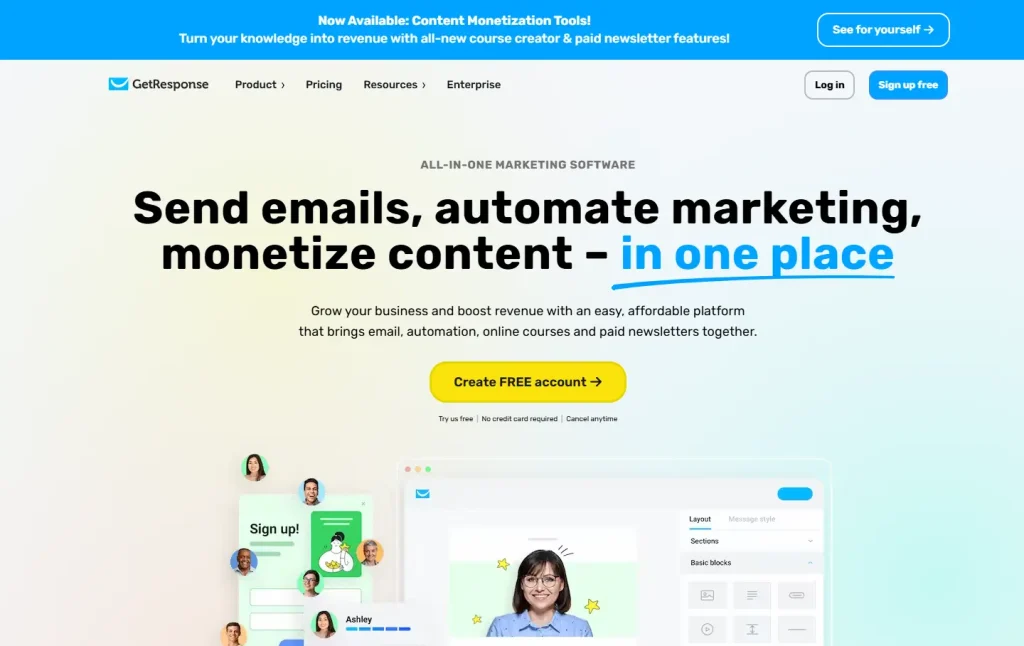
GetResponse’s clean interface for creating and managing email campaigns.
Pricing
When it comes to pricing, both platforms offer tiered plans based on your contact list size and the features you need. Here's a comparison of their pricing structures:
Plan Price (monthly) Contacts Features
GetResponse
Free $0 500 Limited features, including email marketing, website builder, and landing pages
Email Marketing Starting at $19 1,000 Unlimited emails, autoresponders, landing pages, basic automation
Marketing Automation Starting at $59 1,000 Advanced automation, sales funnels, webinars (up to 100 attendees)
Ecommerce Marketing Starting at $119 1,000 Ecommerce-specific features, advanced automation, sales funnels, webinars (up to 300 attendees)
MAX Custom Custom Enterprise-level features and support
ActiveCampaign
Lite Starting at $29 1,000 Email marketing, marketing automation (limited features), website tracking
Plus Starting at $49 1,000 CRM with sales automation, landing pages, SMS marketing, Facebook Custom Audiences
Professional Starting at $149 2,500 Advanced automation and reporting, predictive sending, site messages
Enterprise Custom Custom Custom reporting, single sign-on, dedicated account representative
Note: Both platforms offer discounts for annual billing. GetResponse also offers a 50% discount for charities and NGOs .
Pricing structures are updated regularly; as of 2026, GetResponse’s Email Marketing plan remains at $19/month for 1,000 contacts, while ActiveCampaign’s Lite plan starts at $29/month. Annual billing can save you roughly 20% on either platform, so it’s worth committing to a full year if you’re confident in your choice. For businesses with very large lists (50,000+ contacts), GetResponse’s per‑contact cost tends to rise faster than ActiveCampaign’s, making ActiveCampaign more economical at scale.
Customer Support
GetResponse and ActiveCampaign both prioritize customer support, offering various channels to assist their users:
GetResponse
Email support: Available 24/7 in multiple languages.
Live chat: Available 24/7 in English.
Help center: Provides articles and videos to guide users.
Co-browsing: Allows support agents to view and interact with a customer's browser session for MAX accounts .
ActiveCampaign
Email support: Available 24/7.
Live chat: Available during US business hours.
Help center: Offers articles and FAQs.
Community forum: Connects users with each other for support and discussions.
One-on-one strategy session calls: Provides personalized guidance from ActiveCampaign experts .
In practice, GetResponse’s 24/7 live chat is a clear advantage for users in different time zones, while ActiveCampaign’s community forum and one‑on‑one strategy calls are valuable for users who need deeper guidance. If you often need immediate help outside US business hours, GetResponse is the more reliable option.
User Experience and Ease of Use
While both platforms aim for user-friendliness, there are some notable differences in their user experience:
GetResponse
GetResponse is generally considered easier to navigate, with a clean and intuitive interface .
The platform's customizable dashboard allows users to personalize their workspace and access frequently used features quickly .
Some users find the drag-and-drop interfaces for creating landing pages and forms to be slightly less intuitive compared to other platforms .
ActiveCampaign
ActiveCampaign has a modern and user-friendly design, but the platform's extensive functionality can make it feel slightly more complex, especially for beginners .
The platform's Content Manager provides a centralized hub for storing and organizing marketing assets, which can be helpful for maintaining an organized workflow .
Some users find the email editing experience to be less intuitive compared to other platforms, with some quirks that can slow down the process .
When evaluating ease of use, it’s helpful to look at how different platforms handle the same tasks. The most popular SaaS email automation platforms all have different learning curves, and understanding these differences can guide your choice. A common mistake is to judge a platform solely on its initial dashboard; instead, spend time building a real automation workflow during the trial period to see how the interface behaves under actual use.
Template Design and Customization
Both platforms offer a library of pre-built email templates, but their design philosophies differ. GetResponse provides over 500 responsive templates organized by industry and campaign type, with a straightforward drag-and-drop editor that allows you to rearrange blocks without touching code. ActiveCampaign’s template library is smaller (roughly 125 templates), but its editor gives you more granular control over spacing, fonts, and conditional visibility.
For users who need pixel-perfect branding, ActiveCampaign’s ability to save custom template blocks and reuse them across campaigns is a significant time-saver. GetResponse, on the other hand, includes a built-in AI image generator and a stock photo library, making it easier to create visually appealing emails without external design tools. If you frequently send newsletters that require custom layouts, consider testing both editors side-by-side during the free trial.
Integration and Extensibility
Both platforms connect with hundreds of third‑party tools, but ActiveCampaign’s integration library is significantly larger. With native connections to over 870 apps (including CRMs, e‑commerce platforms, and analytics tools), ActiveCampaign suits businesses that rely on a diverse tech stack. GetResponse integrates with about 200+ apps, covering the most common tools like Shopify, WordPress, and Salesforce.
For businesses that need to manage leads across multiple channels, combining your email platform with the most reliable SaaS tools for lead management can streamline your entire pipeline. If you run an online store, knowing how ClickFunnels integrates with Shopify may help you decide whether GetResponse’s built‑in funnel builder is enough or if you need a dedicated solution.
Key integration differences:
GetResponse offers native integrations with major e‑commerce platforms (Shopify, WooCommerce, Magento) and payment gateways, but lacks deep ERP or custom API support.
ActiveCampaign provides a robust REST API and webhooks, making it easier to build custom integrations with internal systems or niche tools.
For businesses that rely on a specific tech stack, checking the best cloud hosting for ecommerce can ensure your email platform works seamlessly with your store’s infrastructure. In practice, the depth of integration matters more than the raw count: ActiveCampaign’s API allows you to sync custom objects, while GetResponse’s API is limited to contacts and campaigns.
Segmentation and Personalization
Email marketing success depends on sending the right message to the right person. Both platforms offer list segmentation, but they approach it differently.
GetResponse provides basic segmentation based on demographics, behavior, and custom fields. You can create segments like “opened last email but didn’t click” or “purchased in the last 30 days.” ActiveCampaign takes segmentation further with conditional logic and dynamic lists that update automatically as contact data changes. For example, you can create a segment of “contacts who viewed a specific product page AND have a lead score above 50” without manual list management.
For personalization, ActiveCampaign allows you to insert dynamic content blocks that change based on contact attributes—such as showing different product recommendations to repeat buyers vs. first-time visitors. GetResponse offers basic personalization tags (e.g., first name, company) but lacks true conditional content within single emails. If hyper-personalized campaigns are central to your strategy, ActiveCampaign is the stronger choice.
Case Studies and Testimonials
GetResponse and ActiveCampaign both show how their tools help people. Here are some examples:
GetResponse
ECS Publishing Group used GetResponse. Their email list grew by 10%. They sold more too. They used their store with it. They sent messages to people. They knew what people bought.
Jeanne-Marie Paynel helps parents. She uses GetResponse. She sends helpful messages. She gives good support.
Dell uses GetResponse. They teach partners about sales. They get more sales. They keep track of people better.
ActiveCampaign
Thrive Themes uses ActiveCampaign. It helps them grow. They send emails automatically. They make messages just for you. They track their goals.
Boutique Hotel Seven Days used ActiveCampaign. It helped them grow. They talked to people. They made messages just for them.
One video showed how a company used ActiveCampaign. They sent emails automatically. They managed sales. Their sales and marketing teams worked together. They used the CRM.
When to Choose GetResponse vs ActiveCampaign
Choosing the right platform depends on your business size, technical skill level, and marketing priorities.
Choose GetResponse if:
You are a solopreneur or small business looking for an all‑in‑one marketing suite (email, website, webinars, funnels).
You want a free plan to test the waters before committing.
You need 24/7 live chat support and prefer a simpler interface.
Choose ActiveCampaign if:
Your marketing relies heavily on advanced automation and conditional logic.
You need deep CRM integration with sales pipeline management.
You plan to integrate with many third‑party tools and require a flexible API.
Your contact list is large (50,000+), where ActiveCampaign’s pricing becomes more competitive.
For Shopify store owners, comparing the best email marketing tools for Shopify will help you evaluate which platform offers the deepest e‑commerce integrations. Similarly, if you’re replacing an existing tool, looking at what is the best alternative to Mailchimp can give you a broader perspective on the market.
Awards and Recognition
Both platforms have received industry recognition for their features and performance:
GetResponse
Best Sales Funnel Builder by EmailToolTester
Leader in the G2 Summer 2022 Report
Bronze Stevie® Award in the New Product category at the 19th annual International Business Awards
Best B2B Email Marketing Solution in the 7th annual MarTech Breakthrough Awards
ActiveCampaign
Market Leader by G2
Top Rated Email Marketing Software award from TrustRadius
Overall SaaS Award winner and SaaS Customer Success Award winner at the 2022 APPEALIE SaaS Awards
As of 2026, both platforms have continued to earn top marks from independent reviewers. GetResponse was recently named a Leader in the G2 Grid for Email Marketing, and ActiveCampaign holds its Market Leader badge for the ninth consecutive quarter. These ongoing recognitions reflect consistent product improvements and customer satisfaction.
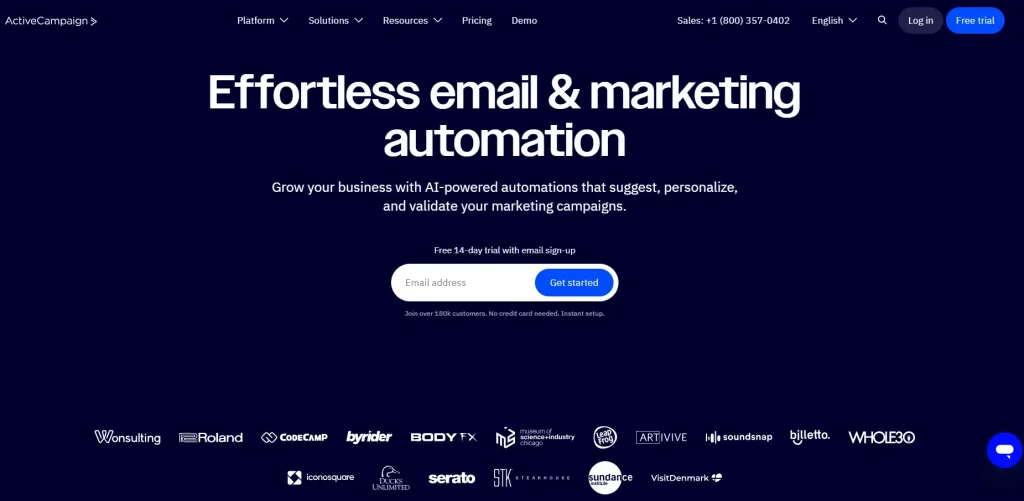
ActiveCampaign’s advanced automation workflow builder.
Pros and Cons
To provide a more nuanced perspective, let's look at the pros and cons of each platform:
GetResponse
Pros:
AI-powered tools: GetResponse offers AI-powered features for creating emails, landing pages, and websites, saving time and effort .
All-in-one platform: Provides a comprehensive suite of marketing tools, including a website builder and conversion funnels, eliminating the need for multiple platforms .
Beginner-friendly: The platform is generally easy to use and navigate, making it suitable for beginners .
Customizable dashboard: Allows users to personalize their workspace and access frequently used features quickly .
Excellent deliverability: GetResponse boasts high deliverability rates, ensuring your emails reach your audience .
Cons:
Limited flexibility for website and landing page builder: While functional, the website and landing page builders may not offer the same level of flexibility as dedicated platforms .
Pricing can be expensive for large lists: As your contact list grows, GetResponse can become more expensive compared to other platforms .
Advanced features require higher-tier plans: Many of GetResponse's advanced features are only available on the more expensive plans .
ActiveCampaign
Pros:
Powerful automation: ActiveCampaign excels in its automation capabilities, offering a wide range of triggers, actions, and pre-built automation recipes .
High deliverability: ActiveCampaign consistently achieves high deliverability rates, ensuring your emails reach your subscribers' inboxes .
Extensive integrations: Integrates with a vast number of third-party platforms, providing flexibility and customization .
Free migrations: Offers free account migration from other email marketing platforms .
All-in-one sales and marketing platform: Offers a CRM add-on for users who need to manage their sales process within the same platform .
Cons:
Steeper learning curve: The platform's extensive functionality can make it more challenging to learn, especially for beginners .
No free plan: ActiveCampaign does not offer a free plan, only a 14-day free trial .
Limited features on the basic plan: The Starter plan has limitations on automation features and access to forms .
Email Deliverability and Sender Reputation
Both platforms maintain strong deliverability rates, but the mechanisms differ. GetResponse invests heavily in a dedicated infrastructure and proactive sender reputation monitoring, which helps it achieve a claimed 99%+ inbox placement rate. ActiveCampaign relies on its own authentication protocols and partnerships with major ISPs to maintain high deliverability.
A common mistake is assuming that the platform alone guarantees inbox placement. In practice, your own sending practices (list hygiene, engagement rates, and spam complaint handling) have a larger impact. For a deeper look at how user reviews rate deliverability, consult independent review platforms like G2’s Email Marketing category where both products are regularly evaluated.
If you manage a large email program, you may also want to explore the most popular SaaS email automation platforms to see how deliverability best practices are implemented across different tools.
To protect your sender reputation, consider the importance of email marketing insurance as part of your risk management strategy. A common mistake is neglecting to warm up a new sending domain; both platforms provide tools to help, but the responsibility lies with the user.
https://www.youtube.com/watch?v=WgLsJndmDWs
GDPR Compliance and Data Privacy
Both platforms offer tools to help you comply with data privacy regulations like GDPR and CCPA. GetResponse includes built-in consent checkboxes on signup forms, automatic data retention policies, and the ability to export or delete contacts on request. ActiveCampaign provides similar features plus a data processing agreement (DPA) for EU customers and a dedicated compliance page.
For businesses operating in regulated industries, understanding how each platform handles data storage is critical. GetResponse stores data in data centers located in the US and EU (on request), while ActiveCampaign offers data residency in the US, EU, and Australia. If you need to keep data within a specific jurisdiction, check which region your plan uses. The Federal Trade Commission’s CAN-SPAM compliance guide is a useful reference for establishing your own email sending policies.
Frequently Asked Questions
What is different between GetResponse and ActiveCampaign?
Both are good for email. But they have some differences:
Automation: ActiveCampaign has better automation. It can do more things. GetResponse is easier to use.
Cost: GetResponse has a free plan. It costs less to start. ActiveCampaign can cost more.
Things it can do: GetResponse does more things. It builds websites. It has funnels. It hosts webinars. ActiveCampaign focuses on email. It has CRM too.
Other tools: ActiveCampaign works with more tools.
Easy to use: GetResponse is easier. ActiveCampaign is harder to learn.
Which is better for new people?
GetResponse is better for new people. It is easy to use. It does many things.
Which is better for experts?
ActiveCampaign is better for experts. It has strong automation. It works with many tools. It can be changed a lot.
Which is better for online stores?
Both are good for stores. GetResponse has a plan just for stores. It helps with carts. ActiveCampaign has good automation. It works with store platforms. The best one depends on what you need.
What support do they have?
Both have email support. They have chat help. They have help centers. GetResponse has 24/7 chat. ActiveCampaign's chat is only open during US work hours. ActiveCampaign has a forum. It has one-on-one help too.
Can I try them free?
GetResponse has a free plan. ActiveCampaign has a 14-day free trial.
Which platform has better analytics and reporting?
GetResponse provides standard email metrics (opens, clicks, bounces, revenue) and a basic split‑testing report. ActiveCampaign’s Professional plan includes predictive sending, machine‑learning engagement scoring, and detailed attribution reports that show which campaigns influence conversions across multiple touches. For advanced reporting, ActiveCampaign is the clear winner.
How do the mobile apps compare?
GetResponse offers a fully functional mobile app for iOS and Android that lets you send campaigns, view reports, and manage contacts. ActiveCampaign’s mobile app is more limited—you can view reports and check automation status, but you cannot create or edit emails from the app. If you need to manage your email marketing on the go, GetResponse’s mobile experience is better.
Conclusion
GetResponse is good. It helps your emails. It is easy. It has many things. It is cheap. It is good for all. It puts your site and emails in one place.
ActiveCampaign is best for automation. It automates well. It works with other tools. It sends emails fast. It is best if you need automation.
Which is best? It depends on you. Small shops may like GetResponse. It is easy. It has many things. If you know marketing, try ActiveCampaign. It automates well.
Think of your money. Think of your list. Think of what automation you need. Both have free tries. Try them out. See which is best.
Sign up for a free trial of GetResponse or start a 14‑day free trial of ActiveCampaign today to see which platform fits your workflow.https://www.getresponse.com/blog/getresponse-vs-activecampaignhttps://www.getresponse.com/blog/getresponse-vs-activecampaign
Start your free trial now to experience the difference firsthand.

Similar Posts