
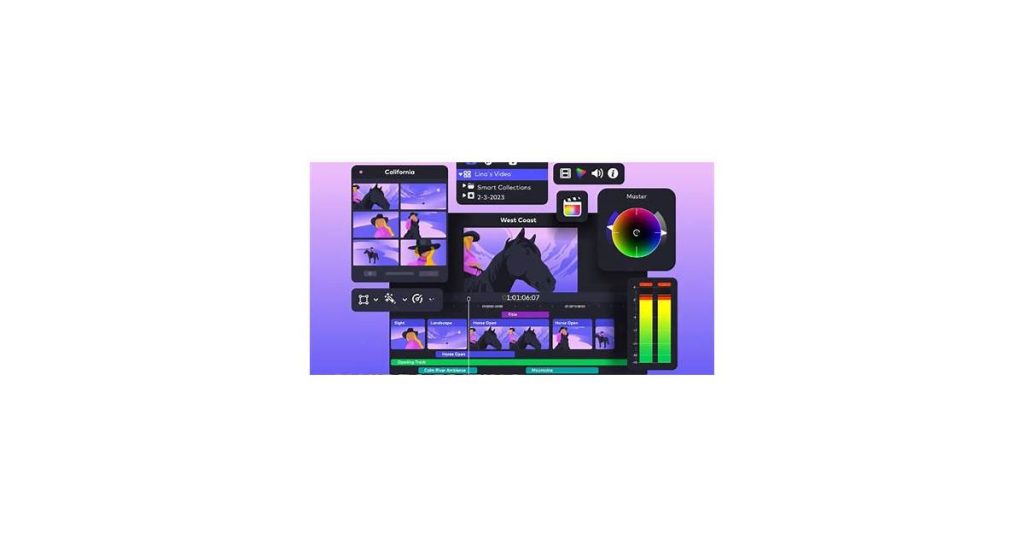
Struggling to keep up with YouTube’s demanding production schedule? AI video generators could be the solution you’ve been looking for. These innovative tools automate scripting, editing, and voiceovers, transforming what once took hours into a matter of minutes while maintaining professional quality.
In this guide, we’ll explore both the basics and top platforms available today. Designed to help everyone from solo creators to small businesses, these tools make it possible to achieve impressive results without advanced technical skills or expensive equipment.
What is an AI YouTube Video Generator App?

An AI YouTube video generator app leverages artificial intelligence to streamline YouTube video production. These tools automate processes like scripting, voiceovers, editing, and visual generation, making content creation faster and more accessible for users with limited technical expertise.
Core capabilities range from converting text into narrated videos to producing animations from stock assets and automatically editing raw footage. Some apps focus on specific content types such as tutorials, explainers, or Shorts, while others provide more versatile customization options. Generative AI powers features like lifelike voice synthesis and seamless scene transitions.
Imagine uploading a blog post and getting a polished video complete with visuals and voiceover in just minutes. Many apps integrate with platforms such as Canva for graphics or ElevenLabs for AI voices, though results can differ significantly depending on the tool.
How AI generates YouTube videos automatically
AI video generators combine machine learning and natural language processing to automate scriptwriting, scene generation, and editing. These systems analyze thousands of existing videos to understand pacing, transitions, and visual styles that engage viewers.
For voiceovers, text-to-speech models like GPT-4 convert scripts into lifelike narration with adjustable tones and accents. Computer vision algorithms then match relevant stock footage or generate synthetic visuals based on the script’s context—creating a talking-head presenter from a single photo or animating 3D avatars.
- Script generation: NLP models turn keywords into structured outlines with hooks and calls-to-action
- Visual assembly: AI curates clips from libraries or generates original animations
- Automatic editing: Algorithms trim pauses, add background music, and sync captions
Advanced systems can even customize videos for different audiences—swapping product demos or testimonial segments based on viewer demographics scraped from YouTube analytics.
Key Features of AI YouTube Video Generators
Creating professional YouTube videos no longer demands hours of manual effort. These tools streamline the process with automated editing, lifelike voiceovers, and ready-to-use templates, freeing creators to concentrate on their content.
With automated editing, video production becomes remarkably simple. Upload your raw clips, and the software handles the rest — trimming, adding transitions, and fine-tuning pacing automatically. The polished results suit both experienced creators and newcomers alike.
The voiceover feature eliminates the need for microphone work by transforming written scripts into natural-sounding speech. Offering various voice options and accents, it ensures seamless narration across all your videos.
Customizable templates make branding a breeze. These professionally designed foundations allow you to effortlessly tailor tutorials, reviews, or vlogs to your channel’s unique style. Add your brand elements — colors, logos, and more — to maintain visual consistency while saving significant time.
Why Use an AI App for YouTube Video Creation?
AI YouTube video generators save time and resources while improving production quality. These tools automate tedious tasks like editing, captioning, and even scripting, letting creators focus on storytelling and engagement.
Key advantages include:
- Efficiency: AI significantly reduces editing time by handling clip trimming, transitions, and background noise removal automatically.
- Scalability: Produce more content consistently—some tools generate multiple video versions from one script for A/B testing.
- Accessibility: No advanced technical skills needed for professional-grade results like animated captions or color grading.
For example, a solo vlogger can use AI voiceovers to maintain posting frequency during travel, while businesses might automate product demo videos with localized narration. Many apps offer niche-specific features—like auto-highlight reels for gaming creators or tools that help educators turn lectures into digestible shorts.
How AI Saves Time in YouTube Video Creation
An AI YouTube video generator app eliminates hours of manual work by automating repetitive editing tasks. Instead of cutting clips, adding transitions, or syncing audio yourself, the AI handles these steps quickly and accurately.
For example, these tools can analyze raw footage, identify key moments, and assemble them into a cohesive video. This is especially useful for content creators who produce daily or weekly content, as it lets them focus on ideation and strategy rather than tedious editing.
AI also streamlines tasks like captioning, color correction, and background music selection. Many apps even suggest edits based on trending styles or audience preferences, further reducing the need for manual input. This automation allows you to produce professional-quality videos in a fraction of the time.
Enhancing Creativity with AI
YouTube creators now have powerful allies in AI video generators—tools that both streamline production and spark unexpected ideas. By analyzing platform trends and audience behaviors, these apps suggest fresh themes, generate script outlines, and even identify untapped keywords that could give your content an advantage.
Beyond brainstorming help, AI excels at visual storytelling. Some tools suggest pacing adjustments, transition effects, and framing techniques that may help with retention—letting your personal style shine while incorporating data-driven enhancements. The most intuitive tools adapt to your niche, whether you’re creating tech tutorials or travel vlogs.
Technical polish no longer requires expensive software or hours of manual tweaking. AI handles tedious but crucial tasks—balancing audio levels, smoothing color grading, and cleaning up backgrounds—with results that rival professional editing suites. This combination of creative assistance and automated refinement helps creators at any level produce videos that look carefully crafted rather than algorithmically generated.
How to Use AI in a YouTube Video Generator App
YouTube content creation has transformed with AI-powered video generators. These innovative tools streamline the entire process—from scripting and editing to voiceovers—letting you produce professional-quality videos with remarkable efficiency. Follow these steps to harness their full potential:
Choose a Platform with AI Features
Your first step? Selecting a video generator with powerful AI capabilities. Prioritize features like automated scriptwriting, natural-sounding text-to-speech, and intelligent editing systems. Platforms catering to YouTube creators often provide specialized templates, simplifying content creation for specific audiences or formats.
Input Your Content or Idea
Feed the app your raw materials: a video concept, existing script, or key talking points. Advanced AI can transform blog posts, articles, or even rough notes into coherent video scripts. Some tools go further, recommending trending topics that resonate with your viewers.
Customize AI-Generated Elements
Personalize the AI’s output. Refine scripts to match your tone, handpick visuals that reinforce your message, and experiment with voice styles or accents. Most platforms offer extensive media libraries packed with stock footage, background scores, and dynamic transitions to elevate production value.
Edit and Optimize
Leverage built-in AI editing for professional polish. Automated trimming, AI-generated subtitles, and one-click color grading dramatically cut production time. Remember YouTube’s essentials: closed captions, mobile-friendly formatting, and SEO-rich descriptions.
Export and Upload
When satisfied, export in YouTube-friendly formats. Many apps enable direct platform uploads. Before publishing, scrutinize metadata—crafting compelling titles, detailed descriptions, and relevant tags significantly impacts your video’s reach.
Setting Up Your Project
Starting a video project with an AI YouTube video generator app involves a few straightforward steps. First, define your video’s purpose and audience. Are you creating a tutorial, promotional content, or entertainment? Knowing this helps you shape the tone, style, and length of your video.
Next, gather your assets. Most AI tools require inputs like text scripts, images, or video clips. Some apps also allow you to select from built-in media libraries. Ensure your materials are organized and ready to upload to streamline the process.
Finally, choose the right app for your needs. Look for features like customizable templates, voiceover options, and editing tools. Once you’ve selected an app, create an account, upload your assets, and start building your video. Many platforms offer step-by-step guidance, making it easy even for beginners.
Customizing AI-Generated Content
AI YouTube video generator apps allow you to tailor outputs to match your brand, style, and audience preferences. Most tools offer settings to adjust voice tone, visual themes, and script length, ensuring the content aligns with your goals. For example, you can select a professional tone for tutorials or a casual one for vlogs.
Many apps also let you modify the script structure, adding or removing sections to suit your message. This is particularly useful for aligning videos with specific call-to-action prompts or audience engagement strategies. Some platforms even allow you to upload custom branding elements like logos, fonts, and color schemes.
To refine outputs further, consider these tips:
- Experiment with different keywords and prompts to influence the AI’s focus.
- Use the app’s editing tools to fine-tune visuals, transitions, and pacing.
- Add personalized voiceovers or captions to enhance authenticity.
By leveraging these customization features, you can create AI-generated videos that feel uniquely yours while maintaining efficiency.
Building an AI Chatbot for Your Video App
Integrating an AI chatbot into your video generator app can significantly enhance user interaction by offering real-time assistance and personalized recommendations. These chatbots act as virtual assistants, guiding users through video creation, troubleshooting issues, and suggesting optimizations based on their inputs.
Start by identifying key user pain points, such as navigating complex features or selecting appropriate templates. An AI chatbot can address these by providing instant answers to FAQs, offering step-by-step tutorials, or even suggesting video styles based on user preferences. For example, when a user struggles with editing tools, the chatbot can recommend shortcuts or automate repetitive tasks.
To build an effective chatbot, leverage natural language processing (NLP) to ensure it understands user queries accurately and responds conversationally. Integrate it with your app’s backend to access user data, such as past projects or preferences, enabling personalized interactions. For instance, if a user frequently creates marketing videos, the chatbot could suggest relevant templates or trending effects.
Deploying an AI chatbot also opens opportunities for proactive engagement. It can notify users about new features, remind them to save their work, or even suggest optimal upload times based on audience analytics. This not only improves user experience but also boosts app retention and satisfaction.
Choosing the Right Chatbot Platform
Selecting the right platform for developing an AI chatbot depends on your specific needs, technical expertise, and budget. Popular platforms like Dialogflow, Microsoft Bot Framework, and Rasa offer distinct features tailored to different use cases. Evaluate your requirements before committing to a solution.
Consider the platform’s ease of use if you’re a beginner—tools like Chatfuel or ManyChat provide intuitive drag-and-drop interfaces. For advanced customization and machine learning capabilities, open-source platforms like Rasa or TensorFlow might be more suitable. Ensure the platform supports integration with your existing tools, such as CRM systems or social media channels.
Budget is another key factor. Some platforms offer free tiers or pay-as-you-go models, while others require subscription fees. Lastly, check for scalability—your chosen platform should handle increasing user interactions as your chatbot grows in popularity.
Implementing Chatbot Features
A chatbot in an AI YouTube video generator app enhances user interaction by providing instant support and streamlining the video creation process. Key features should focus on usability, efficiency, and personalization to make the experience seamless.
Start with natural language processing (NLP) capabilities, allowing the chatbot to understand and respond to user queries in conversational language. For example, users could ask, “How do I add captions?” or “What’s the best format for YouTube Shorts?” and receive immediate guidance.
Include step-by-step assistance for video creation tasks, such as selecting templates, trimming clips, or adding effects. The chatbot can guide users through each step, reducing the learning curve and saving time.
Add personalized recommendations based on user preferences or past activity. If a user frequently creates travel videos, the chatbot could suggest relevant templates, music, or effects tailored to that niche.
Finally, integrate feedback collection to improve the chatbot’s performance. After completing a task, the bot could ask, “Was this helpful?” and adapt based on user responses.
Top AI YouTube Video Generator Apps to Consider
Several AI YouTube video generator apps stand out for their ability to streamline content creation, offering tools like automated editing, voiceovers, and templates. These apps cater to creators looking to save time while maintaining professional quality.
Pictory is a popular choice for transforming blog posts or scripts into engaging videos, complete with captions and stock footage. It’s ideal for those aiming to repurpose existing content quickly. Another standout is InVideo, which offers a vast library of templates and customizable elements, making it easy to craft polished videos for any niche.
For users focused on AI-driven text-to-video capabilities, Synthesia excels with its ability to generate videos using AI avatars and multilingual voiceovers. This makes it particularly useful for explainer or training videos. Lastly, Animoto provides an intuitive interface and drag-and-drop functionality, perfect for beginners or creators who prioritize simplicity.
When choosing an app, consider factors like your budget, the type of content you produce, and the level of customization you need. Most platforms offer free trials, so you can test them before committing.
VEED: Comprehensive Video Editing
VEED stands out as an AI YouTube video generator app that blends ease of use with sophisticated editing capabilities. This tool eliminates the complexity of traditional video software while delivering professional results.
Creators benefit from AI-enhanced tools like automated subtitles, background noise cancellation, and text-to-speech functionality—perfect for YouTubers focused on accessibility and production quality. The intuitive interface makes trimming, cropping, and applying effects straightforward with simple drag-and-drop controls.
Where VEED really shines is its collaborative workflow. Teams can simultaneously edit projects, exchange feedback through comments, and monitor revisions in real time. As a cloud-based solution, it maintains progress across all your devices, offering flexibility whether you’re working from a desktop or on the go.
Other notable apps and their unique features
Several AI YouTube video generator apps stand out for their specialized capabilities. Pictory, for instance, excels in turning long-form text into concise, engaging videos, making it ideal for repurposing blog content. Its automated voiceover and scene selection streamline the editing process.
Another option, Synthesia, focuses on AI avatars that deliver personalized video messages in multiple languages. This feature is particularly useful for businesses targeting global audiences. Meanwhile, InVideo offers a vast library of templates and stock footage, allowing users to create professional-looking videos quickly, even with minimal editing experience.
Each app caters to different needs, whether it’s transforming text, leveraging avatars, or simplifying production with pre-designed assets. Choosing the right one depends on your specific video creation goals.
Pitfalls to Avoid When Using AI Video Generators
AI video generators simplify content creation, but common mistakes can waste time or produce low-quality results. Avoiding these pitfalls ensures your YouTube videos look professional and engage viewers.
Over-relying on AI scripts leads to generic, robotic content. While AI can draft outlines, always refine scripts with your unique voice and examples. A tech review channel, for instance, should layer in personal device testing anecdotes rather than just reciting AI-generated specs.
Three key technical missteps:
- Ignoring aspect ratios – YouTube’s 16:9 standard differs from TikTok’s 9:16 vertical format
- Using mismatched voiceovers – AI narration that doesn’t fit your brand tone (like a cheerful voice for serious topics)
- Skipping human review – AI may miss awkward transitions or unnatural pauses in generated footage
Many creators neglect customization tools in AI apps. Instead of using default templates, adjust color schemes, fonts, and motion graphics to match your channel’s style. A cooking channel, for example, should override stock food animations with real recipe footage.
What You’ll Need
To effectively use an AI YouTube video generator app, you’ll need a clear idea of your video content, basic editing tools, and a stable internet connection. Without these, the process can become frustrating or yield subpar results.
First, define your video’s purpose—whether it’s a tutorial, product review, or vlog. This helps the AI generate relevant visuals and text. Second, gather any assets like logos, images, or voiceovers you want to include. Most AI tools allow customization, so having these ready saves time.
Finally, ensure your device meets the app’s technical requirements, such as sufficient storage and processing power. A reliable internet connection is also crucial for uploading assets and exporting the final video.
Tips and Best Practices
To get the most out of an AI YouTube video generator app, focus on optimizing your inputs and refining the output. Start with a clear script or outline—AI tools work best when they have precise direction. Avoid vague ideas, as they can lead to generic or off-target content.
Experiment with different tones and styles to see what resonates with your audience. Most apps offer options like formal, casual, or humorous. Test these variations to find the right fit for your niche.
Always review and edit the AI-generated content. While these tools save time, they may not capture nuances perfectly. Adjust pacing, transitions, or visuals to enhance engagement.
- Use high-quality assets: Upload clear images, logos, or videos to ensure professional-looking results.
- Leverage customization: Tailor templates to match your branding, including colors, fonts, and intros.
- Test and iterate: Analyze viewer feedback and engagement metrics to refine future videos.
Finally, stay updated on the app’s latest features. Many AI tools introduce new capabilities regularly, such as advanced voiceovers or improved editing options. Staying informed ensures you’re always using the app to its full potential.
Next Steps
Success with an AI YouTube video generator app means creating engaging, high-quality videos efficiently. Start by selecting the right app based on your needs, whether it’s for tutorials, vlogs, or promotional content. Consider factors like ease of use, customization options, and integration with other tools you already use. For example, if you prioritize speed, choose an app with pre-built templates; if branding is critical, opt for one with advanced customization features.
Experiment with different templates, voiceovers, and editing tools to refine your videos. Test various styles to see what resonates with your audience—shorter, dynamic clips might work for tutorials, while longer, narrative-driven content could suit storytelling. Be mindful of trade-offs: highly polished videos may take more time, while quick edits might sacrifice some quality.
Consistent uploads and audience interaction are key to growing your channel. Establish a schedule that balances frequency with your capacity to produce quality content. Engage with viewers through comments, polls, or calls to action to build a community. Monitor analytics to understand what works and adjust your strategy accordingly. Focus on metrics like watch time, click-through rate, and audience retention to identify trends and optimize future videos.
Troubleshooting Common Problems
Some AI YouTube video generator apps may encounter issues, though many problems can often be resolved. If your video won’t render, check if the app supports your chosen resolution or if your device has enough storage. Low-quality outputs often stem from insufficient input data, so ensure your text prompts or uploaded media are clear and detailed.
Audio syncing problems are another common complaint. This usually happens when the app struggles to match voiceovers with visuals. Re-exporting the video or adjusting the timeline manually can often fix this. If the app crashes frequently, update it to the latest version or restart your device to clear any memory issues.
AI-generated videos sometimes lack the expected polish. This could be due to limitations in the app’s algorithms or your input parameters. Experiment with different styles, templates, or settings to improve results. If the app’s output still doesn’t meet your needs, consider trying an alternative tool with more advanced features.
Frequently Asked Questions
What is an AI YouTube video generator app?
These apps harness AI to handle the technical side of video creation—they can write scripts, edit footage, and even provide voice narration. Instead of spending hours on production tasks, creators get tools that transform text into complete videos, animate stock assets, and polish raw clips with minimal manual work.
How does AI generate YouTube videos automatically?
Machine learning algorithms power these generators, studying successful videos to replicate effective pacing and visual styles. They craft scripts using natural language processing, synthesize realistic voiceovers, and either select fitting stock footage or generate original visuals that match the narrative context.
What are the key features of AI YouTube video generator apps?
Beyond basic editing functions, these platforms offer AI narration, smart trimming tools, and style-appropriate templates. They simplify complex processes—automatically stitching clips, smoothing transitions, producing voice tracks, and providing layouts optimized for different content types—all while maintaining professional output quality.
Why should I use an AI app for YouTube video creation?
The real advantage lies in reclaiming time. By automating repetitive tasks—from editing timelines to generating captions—these tools let creators concentrate on what matters: crafting compelling stories and building audience connections, regardless of their technical expertise.
How can AI enhance creativity in YouTube video creation?
Rather than stifling originality, these apps serve as creative partners. They spot emerging trends, propose fresh angles, and draft script frameworks—while handling technical polish like audio balancing and color grading. This leaves creators free to develop their distinctive style while producing refined videos efficiently.
Affiliate disclosure: This article contains affiliate links. If you buy through them, we may earn a commission at no extra cost to you.

