Rhino Voice Review (2026): Honest Take After Real Research
Lead SaaS Analyst at PCSaaS · Software Developer · 500+ Tools Tested · Google Ads & Analytics Certified · 8+ Years Experience
Disclosure: This article contains affiliate links. We may earn a small commission at no extra cost to you when you sign up via our links, it's how this site stays free to run.
Rhino Voice turns speech into text directly inside the Mac app you are already using. Its strongest distinction is that transcription and text cleanup run locally, without sending your voice to a server.
TL;DR Verdict
Rhino Voice suits Mac users who dictate often and want local processing instead of a subscription.
- Who it’s for: Mac users who write messages, notes, code, or drafts by voice.
- Price: $10.80 once for the listed lifetime deal, currently shown against a $12 price.
- Biggest pro: Hold Fn, speak, and release to place text where your cursor is.
- Biggest con: It is Mac-only and still a new product, with version 0.1.0 reported in August 2026.
- Trial status: No free plan is listed. AppSumo offers a refund window of up to 60 days.
Bottom line: Consider it if you want private, straightforward dictation on one Mac and can accept an early-stage app.
What Is Rhino Voice?
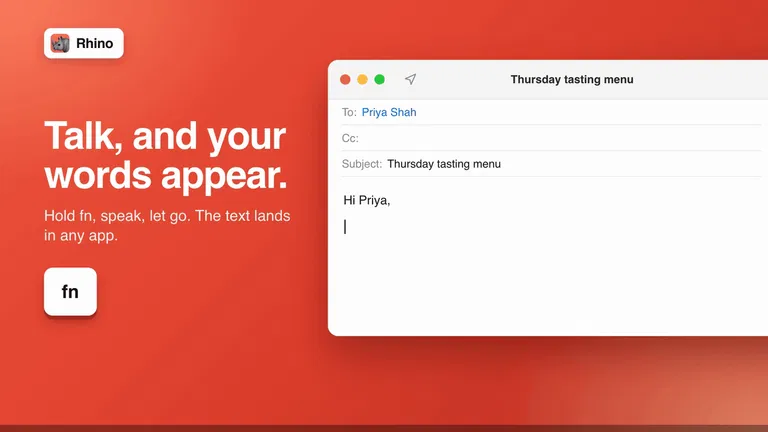
Rhino Voice is an AI dictation app for Mac that types spoken words into the app currently under your cursor. Instead of recording in a separate window and copying text, you hold Fn, speak, then release to insert the result.
That workflow targets everyday writing tasks: drafting an email in Gmail, replying in Slack, writing notes in Notion, or entering text in Xcode. Double-pressing the shortcut locks recording on for hands-free dictation, according to the product listing.
Rhino runs Whisper or Parakeet locally and includes on-device cleanup for filler and dropped words. The vendor says it needs no account, sends no telemetry, and continues working without Wi-Fi. Its official product site is the primary place to check current product details and updates.
Rhino focuses on dictation, not meeting notes or podcast editing.
Key Features That Matter
Rhino’s appeal is practical: start speaking in your current app, then keep working without switching windows. These are the features that shape its day-to-day value.
Dictate into the app you already have open
Hold Fn while you speak, then release to place the text at your cursor. This removes the separate recording, copy, and paste steps when you are writing an email, document, or code comment.
The shortcut works across text fields, with examples including Slack, Gmail, Xcode, Notion, and the terminal. If you spend much of your day producing written content, compare that workflow with a broader writing toolkit.
Keep transcription on your Mac
The product listing says Rhino runs Whisper or Parakeet locally, with no server call for transcription. That matters if you dictate private notes or work offline, though the privacy claim comes from the vendor and is not an independent security audit.
The included cleanup model also runs on the device, according to the listing. Wi-Fi-free use is a useful distinction for travel or situations where you do not want to upload audio.
Clean up spoken drafts
Natural speech includes pauses, filler words, and occasional dropped words. Rhino’s local cleanup feature is designed to tidy those issues before the text appears in your app.
This can help with a first draft of an email or article paragraph, but it does not replace careful proofreading. Review names, numbers, technical terms, and code before sending or publishing.
Add words to a personal dictionary
You can add names, acronyms, and industry terms to a personal dictionary. That gives Rhino a way to handle vocabulary that standard speech recognition often gets wrong, such as client names or product-specific language.
This feature is especially relevant if you dictate the same specialist terms repeatedly. It still makes sense to check unfamiliar words after transcription, particularly in client-facing documents.
Review history and writing stats
Rhino keeps dictation history locally and includes writing statistics, according to its listing. History can help you revisit a recent passage, while stats give you a simple record of voice-based writing.
Creators who dictate scripts before preparing short-form videos may also want a captioning workflow for turning those drafts into finished clips. Rhino itself is a dictation app, not a caption editor.
Pricing Tiers (starts $10.80)
Rhino’s listed deal is a single lifetime purchase, not a recurring subscription. The price and terms below reflect the supplied AppSumo listing and can change.
| Tier | Price | Best For | Free trial? |
|---|---|---|---|
| Lifetime access, 1 code | $10.80 once, listed against $12 | One Mac user wanting unlimited dictation | No free plan or trial listed; refundable up to 60 days |
The deal includes one Mac per code, unlimited dictation minutes, a personal dictionary, future updates, on-device transcription, local AI cleanup, dictation history, and writing stats. The listing describes the refund window as up to 60 days, so check the current deal terms before buying. This is a refund period, not a free trial.
Pros and Cons
Rhino has a clear use case and low one-time pricing, but the Mac-only scope and early release deserve attention.
Pros
- Inserts dictated text directly into the app where your cursor is active.
- Runs transcription with Whisper or Parakeet locally, according to the listing.
- Works offline, so dictation does not require a Wi-Fi connection.
- Includes local cleanup for filler words and dropped words.
- Offers unlimited dictation minutes with the listed lifetime deal.
- Includes a personal dictionary for names, acronyms, and specialist vocabulary.
- The supplied AppSumo snapshot shows 4.56 stars from 45 reviews.
Cons
- Works on Mac only, so Windows and mobile users are excluded.
- One code covers one Mac, which limits multi-device use.
- Version 0.1.0 shipped in August 2026, so the product is new.
- No free plan or free trial appears in the supplied listing.
- Local processing offers fewer obvious team features than meeting-focused tools.
- Dictation accuracy still needs review for names, figures, and technical terms.
Who Should Use Rhino Voice?
Rhino makes the most sense when you use a Mac and dictate into everyday apps. These users get the clearest match.
Solo writers and frequent email users
If you regularly write drafts, replies, or notes, Rhino puts speech-to-text inside the app you are already using. The lifetime price can suit an individual who wants to avoid another monthly software bill.
For a wider writing process, you can pair dictation with search-focused content planning before drafting. That tool serves a different task, while Rhino handles spoken text entry.
Freelancers handling client communication
Freelancers can dictate first drafts of client emails, project updates, or notes without opening a separate transcription tool. The local-processing approach also suits people who prefer not to send spoken drafts to a cloud service.
Rhino will not manage invoices, schedules, or client records. If you are assembling a broader independent-work setup, client-work administration is a separate consideration from dictation.
Mac users who dictate technical text
The ability to enter text in apps such as Xcode and the terminal makes Rhino relevant to developers who prefer speaking some comments, notes, or drafts. A personal dictionary can also help with repeated project terminology.
It is not a replacement for testing every command or code snippet. Check transcribed syntax closely before running it, since speech recognition can misinterpret punctuation and technical names.
Who should skip it: Windows users, people who need mobile dictation, and teams seeking shared meeting transcripts should look elsewhere. Skip it as well if you require a mature app with a long public track record; the supplied product information identifies Rhino as new.
Alternatives to Consider
Rhino’s defining position is local Mac dictation, so compare alternatives by platform, privacy, and workflow.
Otter.ai is better suited to people who need meeting transcription and shared notes. The trade-off is that Rhino’s listed focus is on-device dictation directly into your current app, rather than meeting records.
Willow Voice is another voice-typing option to compare if you want to dictate across apps. Check its supported platforms, processing approach, and current pricing against Rhino’s one-Mac lifetime offer.
Wispr Flow is also positioned for voice-based writing. Its feature set and payment terms are worth comparing, while Rhino’s clearest distinction is local processing and a one-time deal.
Final Verdict
Rhino Voice offers a simple proposition: speak in a Mac app, get text at your cursor, and keep transcription on your device. Its one-time $10.80 listed price is appealing, but the product is new and limited to one Mac per code. If you dictate frequently and value offline use, the deal is worth considering; if you need mature cross-platform or team features, compare alternatives first.
If that trade-off fits your needs, review the current deal terms before purchasing.
Frequently Asked Questions
Rhino’s deal is straightforward, but the Mac limit, refund window, and early release status matter before you buy.
Does Rhino Voice have a free plan?
No free plan or free trial is listed in the supplied offer. AppSumo lists a refund window of up to 60 days, which is different from trying a free version before purchase.
How does Rhino Voice compare to Otter.ai?
Rhino is designed for dictation into the Mac app you already have open, with transcription described as running locally. Otter.ai is a better fit for meeting transcription and shared notes. Choose based on whether you need personal voice typing or meeting-focused tools.
Can I cancel anytime?
There is no monthly subscription to cancel under the listed lifetime deal. You pay once, and the offer includes a refund window of up to 60 days; check the current terms to confirm eligibility.
Is Rhino Voice worth the price?
At the listed $10.80 one-time price, it can suit a Mac user who dictates regularly and wants offline processing. It is less compelling if you need Windows support, multiple Macs under one code, or a long-established product.
Does Rhino Voice work on Windows or without Wi-Fi?
The product is listed as Mac-only. The vendor says transcription and cleanup run on-device, so Rhino works without Wi-Fi once installed, according to the supplied product information.

Similar Posts