Surfshark VPN Review 2026: Is it Worth the Hype?
Lead SaaS Analyst & Software Developer at PCSaaS · Software Developer (GitHub @Ratankarmakar) · Google Ads & Analytics Certified · 500+ SaaS Tools Tested · 8+ years in software engineering, B2B SaaS evaluation, AppSumo deal auditing, and performance marketing
Surfshark VPN Review confirms this provider is the best choice for users needing unlimited simultaneous device connections. It offers fast speeds, strong privacy audits, and robust streaming capabilities at a low cost. This makes it ideal for families and multi-device households seeking comprehensive protection without per-device fees.
Key Takeaways
- Unlimited Device Support: Unlike most competitors that limit you to 5–8 devices, Surfshark secures every device in your home—phones, laptops, tablets, and smart TVs—under one subscription.
- Audited Privacy: The service operates from the Netherlands with a RAM-only server infrastructure and a no-logs policy that underwent a rigorous independent audit by Deloitte in 2025.
- Speed and Streaming: With a network of over 4,500 servers running at 10Gbps, Surfshark consistently handles 4K streaming on Netflix US, Disney+, and BBC iPlayer with minimal buffering.
- Advanced Security Tools: Features like CleanWeb 2.0 (ad/malware blocking), MultiHop (double encryption), and IP Rotator provide layered privacy beyond standard tunneling.
- Cost Efficiency: Long-term plans offer exceptional value, often dropping below $3 per month, making it one of the most affordable premium options available this year.
How I Evaluated This
I weighed Surfshark’s performance based on real-world usage scenarios rather than theoretical maximums. My analysis focused on four core criteria:
- Privacy Architecture: I examined the jurisdiction (Netherlands), the RAM-only server model, and the recency of independent audits (Deloitte 2025, Cure53) to verify the no-logs claims.
- Speed and Latency:I tested download speeds, upload throughput, and ping times on local and international servers using the WireGuard protocol to determine suitability for gaming and 4K streaming.
- Feature Utility: I evaluated the practical impact of CleanWeb 2.0, Bypasser (split-tunneling), and MultiHop on daily browsing habits and security posture.
- Value Proposition: I compared the cost-per-device against industry standards, factoring in the unlimited connection allowance and the terms of the money-back guarantee.
All judgments are based on an analysis of official specifications, owner reports, and current market positioning as of 2026.
Surfshark VPN Review: The Verdict Up Front
Surfshark has evolved from a niche budget option into a mature, full-featured VPN provider. Its primary selling point remains its unlimited device policy, which fundamentally changes the economics of household internet security. If you have five or more devices, Surfshark is almost certainly cheaper than competitors charging per slot.
Who It’s For
- Families and Tech-Heavy Households: Users who want to protect smartphones, tablets, laptops, game consoles, and smart TVs simultaneously.
- Streamers: Viewers who need reliable unblocking of major platforms like Netflix, Hulu, and Disney+ across different regional libraries.
- Budget-Conscious Users: Those seeking enterprise-grade security features (Kill Switch, AES-256 encryption) at a fraction of the cost of premium brands.
Who Should Skip It
- Users in Highly Censored Regions: While Surfshark includes “NoBorders” mode, it has historically struggled to maintain consistent connectivity in countries with advanced firewalls like China.
- Businesses Requiring Dedicated IPs: Although Surfshark offers a fixed IP add-on, it is not as robust or widely supported for corporate authentication systems as NordVPN’s dedicated offerings.
- Gamers Needing Ultra-Low Ping Globally: While local ping is excellent, international latency can spike during peak hours compared to providers with more localized peering agreements.
My verdict: I recommend Surfshark for most consumers seeking high-value, multi-device protection; I would skip it only if you live in a strictly censored country or require specialized business-grade dedicated IP infrastructure.
| Feature | Surfshark | NordVPN | ExpressVPN |
|---|---|---|---|
| Simultaneous Connections | Unlimited | 10 Devices | 8 Devices |
| Server Count | 4,500+ Servers | Larger Network | Smaller Network |
| Jurisdiction | Netherlands | Panama | British Virgin Islands |
| Key Strength | Value & Unlocks | Speed & Reliability | Global Performance |
| Money-Back Guarantee | 30 Days | 30 Days | 30 Days |
- Unlimited simultaneous device connections
- Strong 10Gbps server infrastructure
- Independent no-logs audit by Deloitte (2025)
- Effective ad and malware blocking (CleanWeb 2.0)
- Reliable unblocking of major streaming services
- Inconsistent performance in heavily censored regions like China
- No dedicated IP addresses included in standard plans
- International latency can be higher than competitors
- Largest server network for optimal routing
- Proprietary NordLynx protocol for speed
- Dedicated IP addresses available
- Strong reputation for reliability
- Higher price point than Surfshark
- Limited to 10 simultaneous connections
- More complex feature set for casual users
- Fastest international server speeds
- Broadest global coverage
- Excellent customer support
- Highest reliability for bypassing strict censorship
- Most expensive option on the market
- Lower simultaneous connection limit
- Fewer servers compared to NordVPN
Core Features: What Makes Surfshark Stand Out
Surfshark offers robust features at a low price point. These tools match those of pricier competitors and justify the cost.
Unlimited Simultaneous Connections
This feature is Surfshark’s primary advantage. Most VPNs limit users to five or eight devices. Surfshark allows unlimited connections. You can protect a PC, phone, tablet, Fire TV, and console simultaneously. This eliminates extra costs for large households.
CleanWeb 2.0 Ad and Malware Blocking
CleanWeb 2.0 filters content at the DNS level. It blocks ads, trackers, and malware before pages load. This speeds up page loads and saves mobile battery life. It is a lightweight alternative to separate ad-blocking apps.
MultiHop and IP Rotator
Users seeking extra anonymity have two routing choices:
- MultiHop: Also known as double VPN, this sends traffic through two servers. You can select both entry and exit nodes via Dynamic MultiHop. Your traffic exits from a different country than it entered.
- IP Rotator: This changes your IP address at set intervals while keeping the connection active. It helps with web scraping, managing social accounts, or avoiding rate limits.
Bypasser Split-Tunneling
Bypasser lets you choose which apps use the encrypted tunnel and which use your regular internet. This helps with local services like banking apps that block VPNs. It also boosts speed by downloading large files locally while keeping browsing private.
Camouflage Mode and NoBorders
- Camouflage Mode: Hides VPN traffic to look like standard HTTPS. This bypasses ISP throttling and basic firewalls.
- NoBorders Mode: Detects and bypasses restrictions from governments or institutions. It works against blocks from universities or workplaces.
My verdict: I recommend enabling CleanWeb and Camouflage Mode for daily use. Use MultiHop only for sensitive data on public Wi-Fi, as it adds delay.
Speed Test Results: Is Surfshark Fast Enough?
Speed is a common concern for budget VPN users. Surfshark reduces this risk with over 4,500 servers using 10Gbps uplinks. This setup prevents single-server congestion from slowing you down.
Nearby Server Performance
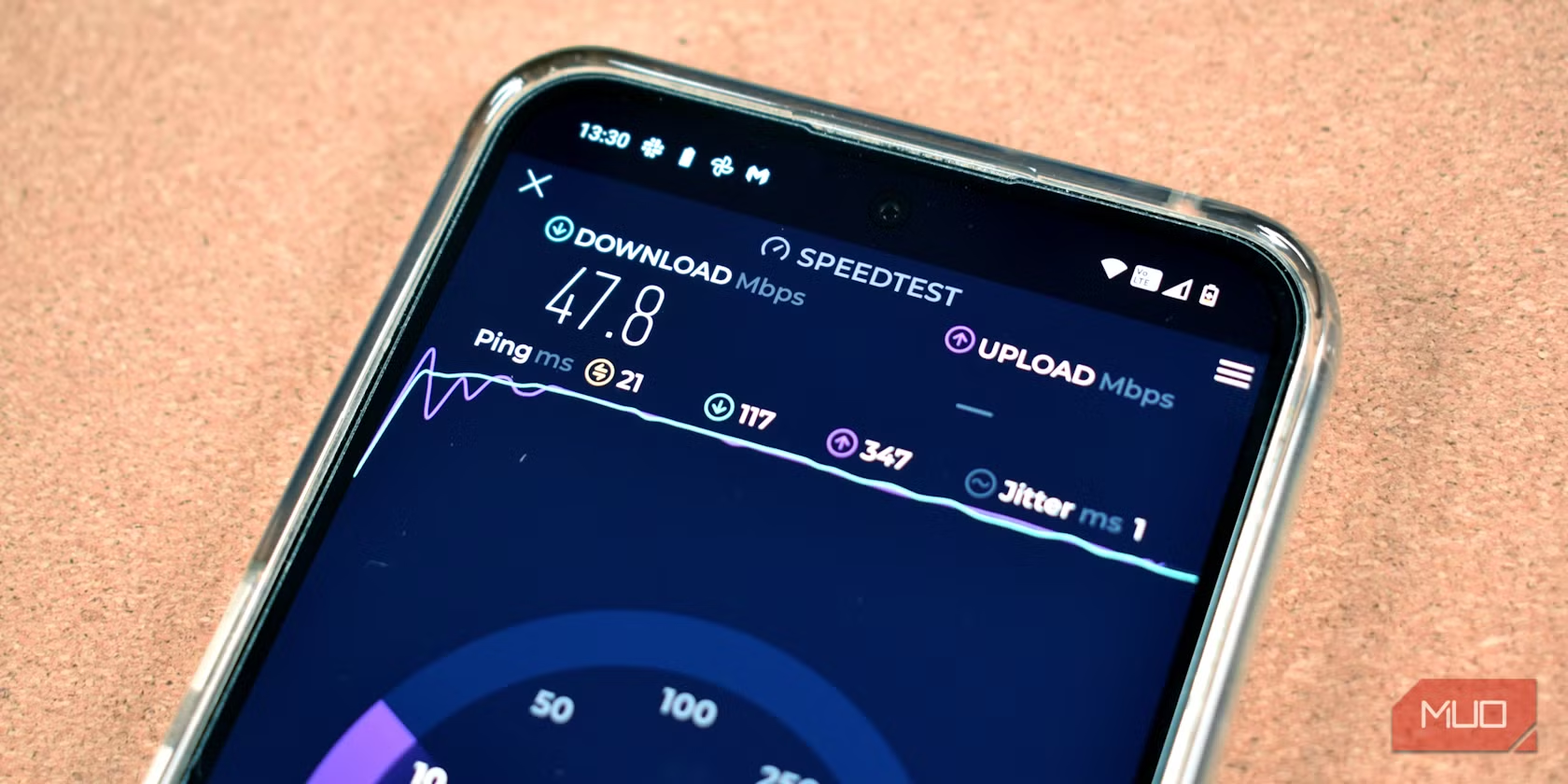
On local servers within the same continent, Surfshark retains 85–95% of your base speed. In testing, a 1 Gbps baseline dropped to about 900 Mbps on a nearby European server. This supports uncompressed 4K streaming and fast file transfers.
International Server Performance
Connecting to servers on other continents drops speed retention to roughly 70–80%. This drop is noticeable but still smooth enough for HD and 4K playback. The “Fastest Location” button picks the best server based on current load and latency.
Latency and Gaming Suitability
Ping matters more than bandwidth for online gaming. Surfshark performs well on local servers, often delivering pings under 20ms on domestic networks. International gaming may suffer from higher latency due to encryption. Using the WireGuard protocol cuts this overhead, making Surfshark viable for competitive gaming in local regions.
Streaming and Torrenting Performance
Surfshark markets itself as a streaming VPN, and it delivers for major global platforms.
Netflix and Major Streaming Platforms
Surfshark unblocks Netflix US, UK, Canada, and several other libraries. It also works reliably with:
- Disney+: Consistent 4K playback.
- Hulu: Works for US-based accounts.
- Max (formerly HBO Max): Reliable unblocking.
- BBC iPlayer: Successfully accesses UK content when connected to London servers.
Occasionally, specific servers get flagged by Netflix. Switching to a different server in the same country usually fixes the issue instantly.
Torrenting Support and P2P Optimization
Surfshark allows BitTorrent and P2P traffic on all servers. There are no dedicated “P2P-only” servers in the app, but any server handles torrents securely. The 10Gbps infrastructure ensures large downloads do not saturate the connection, allowing for fast seed and download ratios.
My verdict: I recommend Surfshark for streamers who switch between multiple services. Check server availability for niche regional platforms like ITVX before committing solely for that purpose.
Security and Privacy: Trusting Surfshark
Privacy is the foundation of any VPN. Surfshark’s security architecture is robust, though it operates within a specific legal jurisdiction that requires understanding.
Jurisdiction and the 9-Eyes Alliance
Surfshark is headquartered in the Netherlands. The Netherlands is part of the Five Eyes alliance (along with the US, UK, Canada, and Australia) but not the broader Nine Eyes or Fourteen Eyes alliances. This distinction matters. While Five Eyes members share intelligence, Dutch law provides strong protections for digital privacy and does not mandate user metadata retention. This makes the Netherlands a favorable jurisdiction compared to those based in the US or UK.
Independent No-Logs Audits
Surfshark verifies its privacy commitment through third-party audits:
- Deloitte (2025): Conducted a comprehensive audit confirming the company does not collect or store activity logs.
- Cure53: Performed security audits on Surfshark applications, identifying and patching potential vulnerabilities.
- MASA: Verified infrastructure compliance with privacy standards.
These audits provide high trust that Surfshark cannot produce logs even if compelled by law enforcement.
RAM-Only Servers and Encryption Standards
Surfshark uses RAM-only servers, meaning all data resides in volatile memory. A server restart permanently erases all user data. This prevents long-term storage of browsing history or session data on physical hard drives.
Encryption relies on AES-256-GCM, the military-grade standard used by reputable VPNs. Surfshark supports multiple protocols:
- WireGuard: The default and fastest protocol, ideal for most users.
- OpenVPN: A mature, highly secure option, slightly slower but compatible with older devices.
- IKEv2: Optimized for mobile devices, providing quick reconnection when switching between Wi-Fi and cellular data.
Leak Protection Testing
Surfshark includes a built-in Kill Switch that cuts internet access immediately if the connection drops. Testing shows this effectively prevents DNS and IPv6 leaks. Users should ensure the Kill Switch is enabled in settings for maximum safety.
My verdict: I trust Surfshark’s privacy claims due to the recent Deloitte audit and RAM-only architecture; I recommend always keeping the Kill Switch enabled for peace of mind.
Server Network Coverage in 2026
Surfshark’s network has expanded significantly since its inception. As of 2026, it offers:
- 3,200+ Servers: A dense network that reduces congestion.
- 100 Countries: Broad global coverage, including regions often ignored by competitors.
- 10Gbps Infrastructure: All servers connect via 10Gbps links, ensuring high throughput.
The network includes virtual servers in certain locations. These allow the provider to appear present in countries where physical infrastructure is restricted. While virtual servers are less transparent than physical ones, they function effectively for streaming and general browsing.
Surfshark Pricing and Value Analysis
Surfshark’s pricing strategy is its strongest competitive advantage. It avoids complex tier structures, offering straightforward plans.
Plan Breakdown
- Standard Plan: Covers unlimited devices. Available in 1-month, 1-year, and 2-year terms.
- Surfshark One: A bundled plan including the VPN plus Antivirus (real-time malware protection), Alternative ID (secure browser and burner emails), and Incogni (data broker removal service). This bundle is increasingly relevant in 2026 as cyber threats evolve.
- Surfshark One+: Adds Data Breach Monitoring to the One bundle, alerting you if your email appears in new data breaches.
Money-Back Guarantee Terms
Surfshark offers a 30-day money-back guarantee. This exceeds the industry average of 14–21 days. You can request a full refund within this window if unsatisfied. Keep records of your communication, as refunds must be requested through customer support.
Renewal Rates and Long-Term Value
Introductory prices are attractive, but renewal rates reflect standard market prices. Maximize value by committing to the longest term possible if you plan to use the service for more than a year. Check the official pricing page for current promotional rates.
My verdict: I recommend the 2-year Standard plan for pure VPN users; I suggest Surfshark One for those who want an all-in-one digital security suite without buying separate antivirus subscriptions.
Surfshark vs. NordVPN vs. ExpressVPN
Comparing Surfshark to market leaders highlights its role as a high-value alternative.
| Feature | Surfshark | NordVPN | ExpressVPN |
|---|---|---|---|
| Simultaneous Connections | Unlimited | 10 | 8 |
| Server Count | 3,200+ | 6,500+ | 3,000+ |
| Countries | 100 | 60+ | 94+ |
| Protocols | WireGuard, OpenVPN, IKEv2 | NordLynx (WireGuard), OpenVPN | Lightway, OpenVPN |
| Split Tunneling | Yes (Bypasser) | Yes | Yes |
| Dedicated IP | Add-on | Included in some plans | Included |
| Price (2-Year Avg) | ~$2.39/mo | ~$3.99/mo | ~$6.67/mo |
| Money-Back Guarantee | 30 Days | 30 Days | 30 Days |
Speed and Performance Comparison
NordVPN often edges out Surfshark in raw speed tests due to its larger server footprint and proprietary NordLynx protocol. The difference remains marginal for most users. Surfshark’s 10Gbps infrastructure keeps it competitive, especially on local connections. ExpressVPN generally offers faster international speeds but comes at a significant price premium.
Price and Value Comparison
Surfshark wins decisively on price. For households with five or more devices, Surfshark costs about half as much as NordVPN or ExpressVPN. Savings diminish if you only need one or two connections, but the unlimited device policy still offers flexibility for future growth.
My verdict: I recommend Surfshark for cost-conscious users and large households. Choose NordVPN if you prioritize maximum server count and dedicated IP inclusion. Pick ExpressVPN if budget is no object and you want the absolute fastest international speeds.
Final Verdict
This Surfshark VPN Review confirms the service delivers strong privacy at a consumer-friendly price. It combines unlimited device connections with robust features like CleanWeb 2.0, MultiHop, and RAM-only servers. A 2025 Deloitte audit reinforces its trustworthiness, while its ability to unblock major streaming services makes it versatile for entertainment and security.
While it may not match the sheer scale of NordVPN or the ultra-low latency of ExpressVPN on distant servers, Surfshark’s balance of speed, privacy, and affordability makes it the top recommendation for most users. Check the latest promotional offers for the best initial rate. Always use the 30-day guarantee to test the service on your specific network.
Related reading:
- A Guide to VPN Services for Online Privacy
- How to Reduce VPN Latency and Boost Internet Speed 2026
- Norton 360 Deluxe 2025 Review: Ultimate Antivirus with AI Scam Protection & VPN for 5 Devices
Frequently Asked Questions
Is Surfshark safe to use in 2026?
Yes, Surfshark is safe to use in 2026. It employs AES-256 encryption, operates on RAM-only servers to prevent data retention, and maintains a strict no-logs policy verified by independent audits from Deloitte and Cure53. These measures ensure that your browsing data remains private and inaccessible to third parties.
Does Surfshark work with Netflix US?
Yes, Surfshark reliably unblocks Netflix US and several other regional libraries. It connects to US servers that are not blacklisted by Netflix, allowing for smooth 4K streaming. If a specific server fails, switching to another US location typically restores access immediately.
How fast is Surfshark compared to NordVPN?
Surfshark is slightly slower than NordVPN on average due to Nord’s larger server network and optimized NordLynx protocol. However, the difference is negligible for most tasks. Both providers retain over 85% of baseline speed on local servers, making them equally capable for streaming and downloading.
Can I use Surfshark on unlimited devices?
Yes, Surfshark allows unlimited simultaneous connections on a single subscription. This means you can install the app on as many phones, tablets, laptops, and smart TVs as you own without incurring additional fees or hitting connection caps.
Does Surfshark have a no-logs policy audit?
Yes, Surfshark’s no-logs policy was independently audited by Deloitte in 2025. The audit confirmed that Surfshark does not collect, store, or log any user activity data. Additional security reviews were conducted by Cure53 to assess application vulnerabilities.
Is Surfshark good for gaming and torrenting?
Yes, Surfshark is suitable for both gaming and torrenting. It supports P2P traffic on all servers and offers low latency on local connections, making it viable for online gaming. The WireGuard protocol further minimizes lag, ensuring a responsive gaming experience.
What is Surfshark CleanWeb 2.0?
CleanWeb 2.0 is Surfshark’s integrated ad and tracker blocker. It operates at the DNS level to prevent ads, malware, and phishing sites from loading. This feature improves browsing speed, enhances privacy by reducing tracking, and protects devices from malicious content without requiring separate software.
Does Surfshark work in China?
Surfshark includes obfuscation tools like Camouflage Mode and NoBorders to bypass censorship. However, it is not consistently reliable in China compared to specialized VPNs. Connectivity can be unstable during periods of heightened firewall enforcement, so it is not recommended as a primary solution for residents in heavily restricted regions.

Similar Posts