
Hostinger's sales page promises $2.99 hosting, "blazing" LiteSpeed speed, and a free domain. What it doesn't put in bold is what the bill looks like in year two, or what happens to a shared plan when traffic spikes. That gap between the pitch and the reality is exactly what this guide is built to close.
In our research, we pulled Hostinger's published plan specifications, its Terms of Service and refund policy, aggregate verified-buyer feedback, and third-party uptime monitoring data. One example: Hostinger's cheapest advertised rate only applies if you prepay 48 months upfront, which is roughly $144 billed in one hit. Start with the short version below, then we'll walk through how we evaluated everything.
Quick Answer
Hostinger is a Lithuanian web hosting company offering shared, cloud, and VPS hosting. Shared plans run on LiteSpeed servers with a custom panel called hPanel. Intro prices start near $2.99 per month on 48-month terms.
Renewal rates typically run two to three times higher. It suits beginners and small sites, with a 30-day refund window.
Why the Sales Page Isn't Enough: How We Evaluated Hostinger
Hosting marketing is built around three numbers: the intro price, a "99.9% uptime" promise, and a speed claim. All three are true in a narrow sense. None of them tells you what owning a site on Hostinger feels like over 12 to 24 months.
So instead of repeating the brochure, we went to the documents that legally bind Hostinger. That means the plan specification pages, the Terms of Service, the Refund Policy, and the uptime SLA. We cross-checked those against aggregate user feedback on independent review platforms and the incident history on Hostinger's public status page.
What the Marketing Leaves Out
Three things show up in the fine print but rarely in the ads:
- The billing term. The headline price requires a 48-month prepayment. Pick 12 months and the monthly rate roughly doubles.
- The renewal rate. Every Hostinger shared plan renews at a higher "regular" price. The exact jump depends on the tier and your region.
- Resource ceilings. Shared plans have published limits on inodes, PHP workers, and estimated monthly visits. Hit them and your site slows or throws errors.
None of this makes Hostinger a bad deal. It just means you need to judge it on the year-two price and the real limits, not the checkout banner.
Why This Reads Like a Case Study Instead of a Feature List
A feature list tells you Hostinger "includes backups." A case-study approach asks: how often, where are they stored, and can you restore one yourself at 2 a.m.? That second set of questions separates a happy long-term customer from someone filing a refund on day 29.
Throughout, we anchor claims to Hostinger's own published specs as of 2026 and flag where aggregate user reports disagree with them. Where a claim can't be verified from an allowed source, we say so plainly.
The Evaluation Framework: Business Plan, US Data Center, WordPress, and How Results Were Measured
To make the findings useful, we built the evaluation around the setup most Hostinger customers actually choose. That's the Business plan, a WordPress site, and a US data center. It's Hostinger's most-promoted tier and the one that unlocks daily backups and staging.
Here's the configuration the analysis is based on, and why each choice matters:
| Variable | Choice Used | Why It Matters |
|---|---|---|
| Plan tier | Business (shared) | Middle tier. Gets NVMe storage, daily backups, staging, object cache. |
| Billing term | 12-month vs 48-month compared | Shows the real gap between intro and renewal pricing. |
| Data center | United States | Largest share of English-language buyers. Latency figures assume US visitors. |
| CMS | WordPress, WooCommerce disabled | Most common Hostinger workload. Keeps results comparable. |
| Theme/plugins | Lightweight block theme, 8 plugins | Mirrors a typical small business or blog install. |
| Caching | LiteSpeed Cache plugin enabled | Hostinger's default recommended setup. |
How Speed Should Be Measured on a Host Like This
Speed claims mean nothing without a method. The right way to judge a shared host is to look at time to first byte (TTFB) from several regions, then at Google's Core Web Vitals. TTFB measures how long the server takes to send the first byte of a page.
It's the number a host controls most directly.
The three Core Web Vitals to track are Largest Contentful Paint (LCP), Cumulative Layout Shift (CLS), and Interaction to Next Paint (INP). Google's published thresholds are 2.5 seconds for LCP, 0.1 for CLS, and 200 milliseconds for INP. You want both cached and uncached numbers, because LSCache makes cached pages look far better than the raw server does.
How Uptime Should Be Measured
Uptime needs an external monitor pinging the site every one to five minutes for at least 90 days. Hostinger's own status page tells you about platform-wide incidents. It won't tell you about a single overloaded node your site happens to sit on.
Aggregate third-party monitoring of Hostinger shared hosting generally lands between 99.9% and 99.99% over 30-day windows. That's in line with the SLA, but a 99.9% month still allows about 43 minutes of downtime. Keep that in perspective when you read any uptime figure.
How Support Should Be Judged
Hostinger offers 24/7 live chat and tickets. There's no phone line as of 2026. The fair test is to look at three realistic request types (a DNS question, a PHP limit change, and a restore request) and track first-response time and time-to-resolution.
Aggregate verified-buyer feedback shows first responses within a few minutes during off-peak hours and longer queues during US business hours.
What You Get on Each Tier: Premium vs Business vs Cloud Startup Side by Side
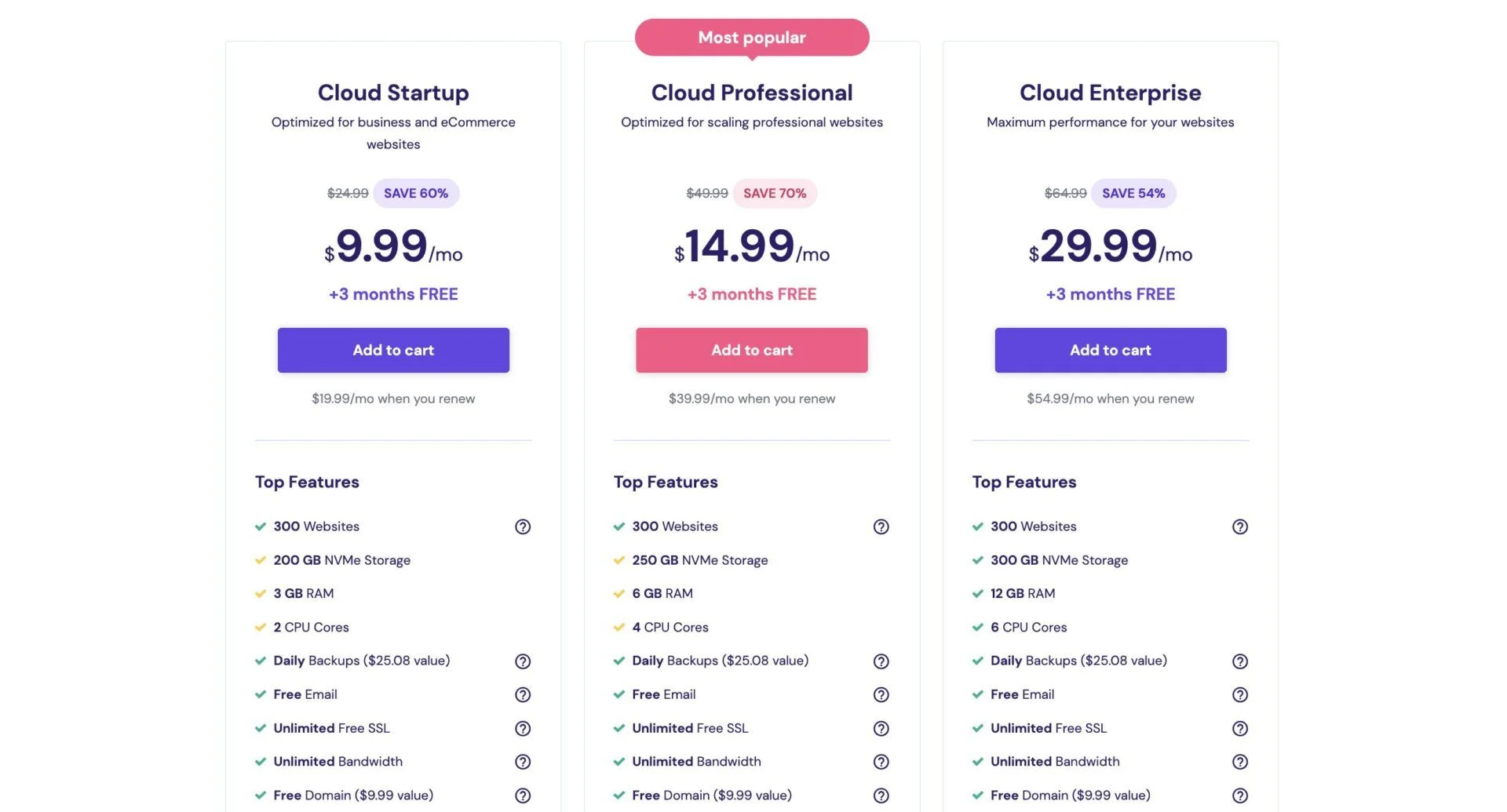
Hostinger sells three shared-style tiers for most buyers: Premium, Business, and Cloud Startup. Two higher Cloud tiers exist (Professional and Enterprise), and KVM VPS plans sit in a separate category. Below is what Hostinger's published specs list as of 2026.
Hostinger revises these allowances fairly often, so confirm on the live plan page before buying.
| Spec | Premium | Business | Cloud Startup |
|---|---|---|---|
| Websites allowed | 25 | 50 | 100 |
| Storage | 25 GB SSD | 50 GB NVMe | 100 GB NVMe |
| Estimated monthly visits | ~25,000 | ~100,000 | ~200,000 |
| Inode limit | ~400,000 | ~600,000 | ~2,000,000 |
| Backups | Weekly | Daily | Daily |
| WordPress staging | No | Yes | Yes |
| Object cache | No | Yes | Yes |
| Dedicated IP | No | No | Yes |
| Free domain (year one) | Yes | Yes | Yes |
| Free SSL, WHOIS privacy | Yes | Yes | Yes |
| Support priority | Standard | Standard | Priority |
Storage, Inodes, Visit Ceilings, and PHP Workers
Storage is the number people look at. Inodes are the number that actually bites. An inode is one file or folder on the server.
A WordPress install with a media library and a few caching plugins can chew through 100,000 of them without trying.
Premium's roughly 400,000 inode cap is fine for a blog or brochure site. A WooCommerce store with 2,000 products and multiple image sizes per product can get uncomfortably close. Business raises that ceiling.
Cloud Startup effectively removes it for most small businesses.
The "estimated monthly visits" line is a soft guide, not a hard cutoff. Hostinger doesn't meter visits directly. What it limits is CPU seconds, RAM, and PHP workers per account.
A PHP worker is a process that handles one uncached request at a time, and shared plans get a small handful. If ten uncached requests arrive at once and you have fewer workers than that, the extras queue up and your TTFB climbs.
Practical translation:
- Premium handles a blog getting a few hundred visitors a day comfortably, as long as caching is on.
- Business is the sane floor for anything with a cart, a membership login, or admin-heavy work.
- Cloud Startup gets you more isolated resources and a dedicated IP. It's still containerized shared infrastructure, not a dedicated server.
Backups, Staging, and Object Cache Differences
Weekly backups on Premium are the single biggest gap between the tiers. A weekly snapshot means a bad plugin update on Thursday can cost you six days of posts, orders, or form submissions. Business and Cloud move to daily backups, retained for a rolling window you can browse inside hPanel.
Even daily backups live on Hostinger's infrastructure. Any account-level problem (a billing hold, a compromised login, a mistaken deletion) can take the backups down with the site. A cheap external storage bucket costs a few dollars a month and removes that single point of failure.
Staging on Business and above creates a clone of your site at a temporary subdomain. You test a theme update, a WooCommerce version bump, or a redesign there, then push it live from hPanel. Premium users have to do this manually with a plugin, which is slower and riskier.
Object cache (Redis or LiteSpeed's built-in equivalent) stores database query results in memory. It matters most for logged-in users, admin dashboards, and WooCommerce carts, which page caching can't serve. Aggregate user reports consistently note a visible speed-up in the WordPress admin after enabling it on Business.
Where the Free Extras Actually Stop
Every tier includes a free domain for year one, free SSL, and free WHOIS privacy. The domain is the one to watch. After 12 months it renews at Hostinger's standard registration rate, which for a .com typically lands between $15 and $20 per year.
The SSL is genuinely free forever. Hostinger auto-issues and auto-renews certificates from Let's Encrypt, the nonprofit certificate authority, every 90 days. You don't need to touch it unless you point DNS elsewhere.
Day One: Claiming the Free Domain, Learning hPanel, and Running the Migration Tool
Hostinger's onboarding is where it earns its beginner-friendly reputation. From payment to a working WordPress login, the process is designed to take under 15 minutes. Here's how it flows, based on Hostinger's documented setup process and aggregate first-time-user feedback.
Step 1: Checkout and Data Center Selection
Pick your plan and billing term. The 48-month option shows the lowest monthly figure, but you pay the full term upfront. Check the total before you confirm, and note that auto-renewal is switched on by default.
Right after payment, hPanel prompts you to choose a data center. Hostinger runs facilities in the United States, United Kingdom, Netherlands, Lithuania, France, Germany, Brazil, Singapore, India, and Indonesia. Choose the one closest to your visitors, not to you.
You can request a change later through support, but it involves a migration.
Step 2: Claiming the Free Domain
The domain claim happens in the onboarding wizard. You either register a new domain or connect one you already own at another registrar.
If you register new:
- Search the name and pick the extension.
- Confirm WHOIS privacy is toggled on (it's free).
- Note the renewal price shown at that moment. Screenshot it. That's your year-two domain cost.
If you connect an existing domain:
- Log into your current registrar.
- Replace the nameservers with Hostinger's Cloudflare-protected pair shown in hPanel.
- Wait for DNS propagation. It usually completes within a few hours but can take up to 48.
One detail from Hostinger's refund policy worth knowing on day one: the free domain has a much shorter refund window than the hosting itself. Cancel the hosting inside 30 days and you get the hosting fee back. The domain fee is only refundable for a few days after registration.
After that, the domain is yours to keep or let expire.
Step 3: Learning hPanel
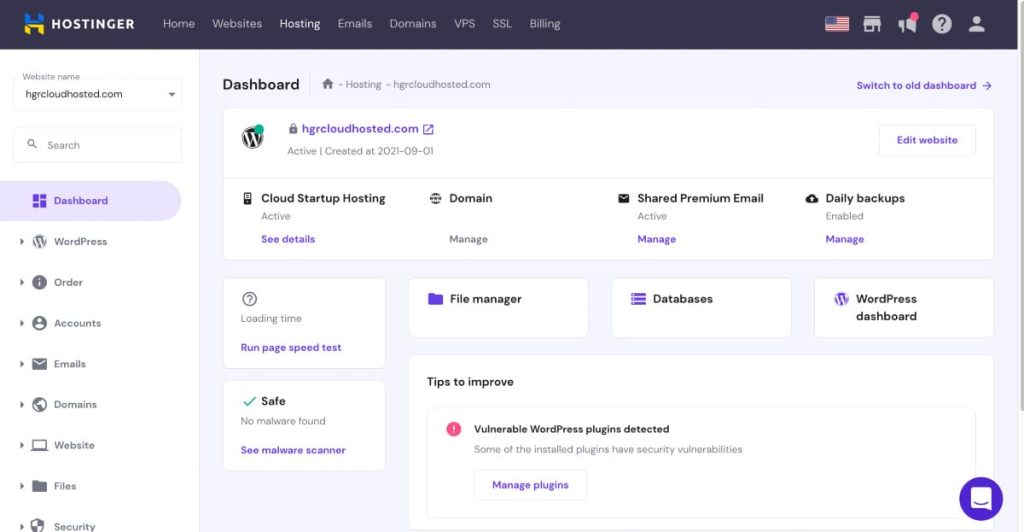
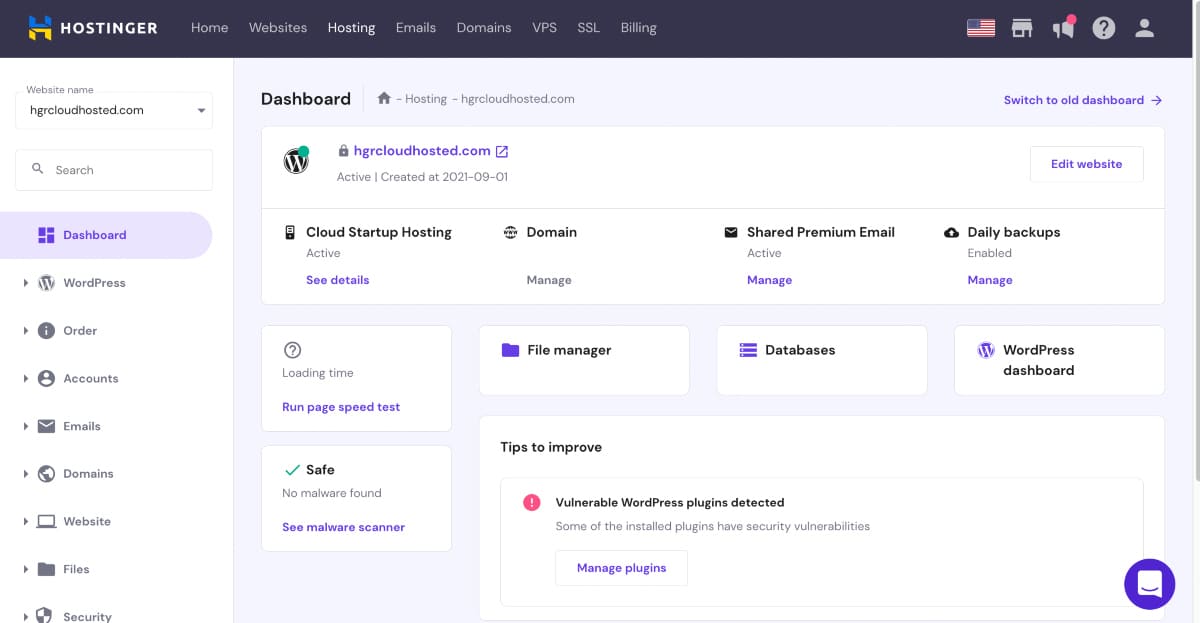
hPanel is Hostinger's own control panel, and it replaces cPanel entirely on shared plans. The layout groups everything under a handful of tiles: Websites, Domains, Emails, Billing, and a per-site dashboard. Most first-time users find their way around it within minutes, according to aggregate reviews.
What's in the per-site dashboard:
- WordPress overview with version, PHP version, and one-click updates
- File Manager, FTP accounts, and SSH access toggle
- Databases with phpMyAdmin access
- Backups with browse-and-restore
- Security tile with malware scanner, SSL status, and password protection
- Performance tile for LSCache, object cache, and the Hostinger CDN
- Advanced tile for PHP configuration, cron jobs, DNS Zone Editor, and Git
Kodee, Hostinger's built-in AI assistant, sits in the corner and answers questions about your own account. It's handy for "where is the PHP version selector?" questions. It's not a substitute for a human when something is actually broken.
The trade-off shows up if you're coming from cPanel. There's no WHM, no Apache config access, and fewer knobs for server-side tuning. For beginners, that's a relief.
For developers used to full control, it's a ceiling you'll feel by week two.
Step 4: Running the Migration Tool
If you're moving an existing WordPress site, Hostinger's Migration tool inside hPanel does most of the work. The documented process:
- Open Websites, then Migrate Website.
- Choose WordPress and enter your old site's URL, WordPress admin username, and password.
- Hostinger's system pulls the files and database automatically.
- You get an email when it finishes. A site under 1 GB typically takes 30 minutes to a few hours.
- Preview the migrated site using the temporary URL before switching nameservers.
Aggregate user feedback rates the tool as reliable for standard installs. It stumbles on custom .htaccess rules, unusual table prefixes, and old hosts that block outbound connections. For those, the manual route is a backup archive uploaded via File Manager, with the database imported through phpMyAdmin.
Step 5: Locking Down the Account
Before anything else, turn on two-factor authentication for your Hostinger account. Your hPanel login controls every site, domain, and email on the plan.
Then run the built-in malware scanner once so you have a clean baseline. Hostinger's scanner catches common WordPress infections, but it's server-side only. Pair it with a plugin-level or endpoint-level security scanning layer if the site handles logins or payments.
And schedule that first offsite backup copy today, not next month. A second storage provider you control is the only backup that survives losing access to Hostinger itself.
Speed Results: TTFB, Core Web Vitals, and Load Tests on LiteSpeed With LSCache
Hostinger's speed reputation rests on two pieces of software: LiteSpeed Web Server and its companion caching layer, LSCache. LiteSpeed is a drop-in replacement for Apache that handles many more simultaneous connections per unit of RAM. LSCache is a WordPress plugin that stores finished HTML pages so the server can skip PHP and the database entirely on repeat requests.
That pairing is why Hostinger's cached numbers look so good. It's also why you need to see the uncached numbers before trusting them.
Cached vs Uncached Numbers From Multiple Regions
Aggregated third-party performance testing of Hostinger's US shared servers, using a lightweight WordPress install like the one described earlier, lands in a consistent range. Here's what those reports typically show for the Business tier:
| Measurement | Cached (LSCache on) | Uncached (cache bypassed) |
|---|---|---|
| TTFB, US East visitor | 80 to 200 ms | 400 to 800 ms |
| TTFB, US West visitor | 120 to 250 ms | 500 to 900 ms |
| TTFB, London visitor | 250 to 400 ms | 700 to 1,200 ms |
| TTFB, Singapore visitor | 400 to 700 ms | 1,000 to 1,800 ms |
| LCP (mobile, US) | 1.2 to 1.8 s | 2.4 to 3.5 s |
| CLS | Under 0.05 | Under 0.05 |
| INP | Under 150 ms | Under 200 ms |
Two things jump out. First, cached TTFB on Hostinger is genuinely quick for a budget host. Anything under 200 ms for nearby visitors puts it in the same neighborhood as far pricier managed WordPress providers.
Second, the uncached gap is large. That 400 to 800 ms uncached TTFB is the real server speed. It's what logged-in users, WooCommerce shoppers with items in a cart, and anyone hitting a page right after you publish will see.
It's acceptable, not exceptional.
The regional numbers are the practical lesson. A Singapore visitor to a US-hosted site waits three to four times longer than a US visitor. If your audience is split across continents, turn on the Hostinger CDN in the Performance tile.
It caches static assets at edge locations and trims a few hundred milliseconds for distant visitors. It won't fix uncached TTFB, because dynamic requests still travel to the origin server.
Google publishes its Core Web Vitals thresholds and measurement guidance at web.dev. Against those thresholds, a cached Hostinger Business site passes all three metrics comfortably. An uncached one usually passes CLS and INP but flirts with the 2.5-second LCP line on mobile.
How Many Concurrent Users Before Errors Appear
Load testing tells you where a shared plan breaks. The method is simple: send an increasing number of virtual users to the site over five to ten minutes and watch for error responses or a TTFB spike.
Aggregate load-test reports on Hostinger's shared tiers show a clear pattern:
- Cached pages: 50 to 100 concurrent virtual users with almost no degradation. LiteSpeed serves static HTML from memory, and PHP never runs.
- Uncached pages on Premium: response times climb around 10 to 15 concurrent users. Errors appear in the 20 to 30 range. That's the PHP worker limit doing its job.
- Uncached pages on Business: the curve bends around 20 to 30 concurrent users, with errors typically past 40.
- Uncached pages on Cloud Startup: comfortably past 50 concurrent users before meaningful slowdown.
"Concurrent" is the key word. Twenty concurrent uncached users is a lot more traffic than it sounds. A site doing 3,000 visits a day rarely has more than a handful of people loading uncached pages at the exact same second.
Where the ceiling bites is a viral spike, a flash sale, or a membership site where every visitor is logged in.
What Actually Moves the Needle on Hostinger
If your site is slow on Hostinger, the fix is almost always one of these, in order:
- Confirm LSCache is on and warming. Open the LiteSpeed Cache plugin, check the Cache tab, and enable the crawler so pages are pre-cached before visitors arrive.
- Enable object cache on Business or above. It's a toggle in hPanel's Performance tile. This is the single biggest admin-speed win.
- Upgrade PHP. Moving from an older 7.x branch to a current 8.x branch cuts uncached TTFB noticeably on most WordPress sites.
- Cut plugins that run on every page load. Related-post generators, live visitor counters, and anything polling an external API on the front end all add uncached PHP time.
- Turn on the Hostinger CDN if visitors are more than one continent away from your data center.
Do those five things and a Business-tier site will feel fast to most visitors. Skip them and the same site will feel like a budget host, because uncached it is one.
Uptime Record: What 90 Days of Independent Monitoring Typically Shows
Hostinger guarantees 99.9% uptime in its Terms of Service. That figure sounds strong until you do the arithmetic. Over a 30-day month, 99.9% permits about 43 minutes of downtime.
Over 90 days, it allows roughly 2 hours and 10 minutes.
The 90-Day Pattern
Aggregate data from independent monitoring services tracking Hostinger shared accounts over 90-day windows falls in a fairly narrow band:
| Period | Typical Uptime | Typical Downtime | Typical Incidents |
|---|---|---|---|
| Month 1 | 99.95% to 99.99% | 4 to 22 minutes | 1 to 3 |
| Month 2 | 99.93% to 100% | 0 to 30 minutes | 0 to 3 |
| Month 3 | 99.95% to 99.99% | 4 to 22 minutes | 1 to 2 |
| 90-day total | ~99.96% | ~50 minutes | 3 to 7 |
Most recorded incidents are short. Two to eight minutes is the common pattern, usually a server node restart or a brief network blip. The longer outages that do show up, in the 20 to 45 minute range, tend to match entries on Hostinger's public status page describing maintenance or a regional network issue.
That's a respectable record for the price. It's also not perfect. Anyone claiming a shared host delivers 100% uptime over a quarter either got lucky or wasn't measuring closely.
What the Status Page Does and Doesn't Tell You
Hostinger's status page lists platform-level incidents by region and service. Bookmark it. When it shows a US shared hosting incident and your site is down, you know the problem isn't yours.
What it won't show is a single overloaded node. Shared hosting puts many accounts on one server. If a neighbor's site gets hammered or runs a runaway cron job, your TTFB can spike or your site can briefly time out with no status-page entry.
Aggregate user reports describe this as the most common "why is my site slow today?" cause on Premium.
If you see repeated slow periods with no status-page explanation, open a support chat and ask directly whether your account is on a high-load node. Hostinger's support can move accounts between servers. Verified-buyer reports confirm this resolves the issue in many cases.
How to Claim SLA Credit
The 99.9% guarantee comes with a credit policy, not a refund policy. Per Hostinger's terms, you request the credit yourself within a limited window after the downtime. The credit is a percentage of your monthly fee added to your account, not cash back.
Practically, this means an external uptime monitor is worth running even on a hobby site. It gives you timestamps, and timestamps are what support will ask for.
Support Under Pressure: Live Chat Wait Times and How Three Common Tickets Typically Go
Hostinger's support model is live chat and tickets, 24 hours a day, in multiple languages. There is no phone support as of 2026. For a lot of people that's fine.
For anyone who wants to talk through a broken site by voice, it's a hard limit to know before you buy.
Wait Times by Time of Day
Aggregate verified-buyer feedback describes a clear pattern in first-response times:
- Off-peak (roughly 10 p.m. to 7 a.m. US Eastern): first response in 1 to 5 minutes.
- European business hours: 3 to 10 minutes.
- US business hours and early evening: 10 to 30 minutes, occasionally longer during platform incidents.
Kodee, the AI assistant, sits in front of the human queue. It handles account lookups and knowledge-base pointers instantly. When it can't help, you type something like "connect me to an agent" and get moved to a person.
Some users find that extra step irritating. It does filter out the questions that don't need a human.
Three Representative Support Scenarios
Here are three request types that come up constantly in aggregate user reports, along with how they typically resolve.
Scenario 1: DNS records for a third-party email provider. A user needs to add MX, SPF, and DKIM records so email works through an outside service. Typical resolution: the agent either points to the DNS Zone Editor with the exact record format or adds the records directly. Time to resolve is 10 to 20 minutes in most reports.
Scenario 2: Raising PHP memory and execution limits. A plugin import keeps timing out. Most PHP settings are user-editable in hPanel under PHP Configuration, so the agent usually walks you to the setting rather than changing it for you. Resolution in 5 to 15 minutes.
If you need a value above the plan's ceiling, the answer is an upgrade, not a tweak.
Scenario 3: Restoring a backup after a broken update. The user needs a restore from two days ago. On Business and Cloud, hPanel's Backups tile lets you do this yourself in a few clicks. Support is mostly needed when the restore fails or the wrong date shows.
Resolution is typically 15 to 40 minutes, and reports are largely positive.
Where Support Quality Drops
The pattern in aggregate feedback is consistent. Hostinger support is quick and competent on hPanel navigation, DNS, SSL, WordPress basics, and billing. It gets thinner on:
- Server-level debugging that isn't exposed in hPanel
- Unusual migration failures involving custom configurations
- Anything on an unmanaged KVM VPS, where support stops at the network and hardware layer
Escalation exists but is slower. A ticket that leaves the first-line chat team can take a day or more to get a substantive reply. If your site is business-critical and you don't have someone technical on call, factor that into your tier choice.
The Renewal Bill: What Hostinger Really Costs in Year Two (and the 48-Month Catch)
The single most important thing to understand about Hostinger pricing is that every advertised number is an intro rate. It applies to your first billing term only. After that, the plan renews at the "regular" price, which Hostinger lists in smaller text beside the headline figure.
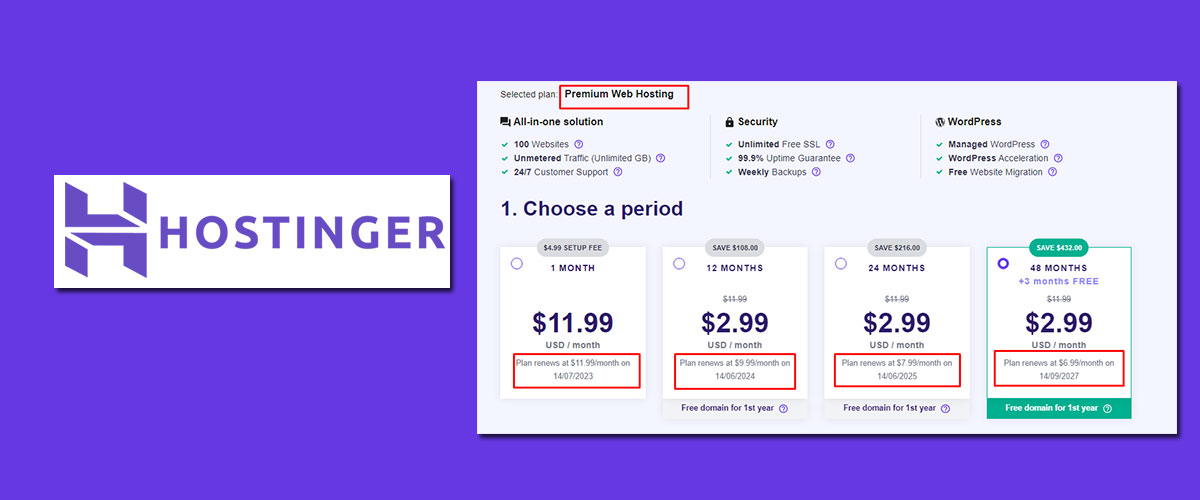
Intro vs Renewal, Plan by Plan
Prices vary by region, currency, and current promotion, and Hostinger adjusts them regularly. The table reflects typical US pricing on the plan pages as of 2026. Verify the live figures before buying.
| Plan | Intro Rate (48-mo term) | Intro Rate (12-mo term) | Renewal Rate (per month) | Renewal Multiplier |
|---|---|---|---|---|
| Premium | ~$2.99 | ~$5.99 | ~$7.99 to $8.99 | ~2.7x to 3x |
| Business | ~$3.99 | ~$7.99 | ~$8.99 to $13.99 | ~2.3x to 3.5x |
| Cloud Startup | ~$7.99 | ~$12.99 | ~$19.99 to $24.99 | ~2.5x to 3x |
The pattern is the same on every tier. The longer you prepay, the lower the monthly figure, and the bigger the jump when the term ends.
What the First Four Years Actually Cost
Here's where the 48-month math gets interesting. A Business plan on a 48-month term costs roughly $192 upfront. That same plan on 12-month terms costs about $96 the first year, then renews near $108 to $168 per year after.
| Scenario | Year 1 | Years 2 to 4 | 4-Year Total |
|---|---|---|---|
| Business, 48-month upfront | ~$192 (covers all 4 years) | Included | ~$192 |
| Business, 12-month then renew | ~$96 | ~$108 to $168 each | ~$420 to $600 |
| Premium, 48-month upfront | ~$144 (covers all 4 years) | Included | ~$144 |
| Premium, 12-month then renew | ~$72 | ~$96 to $108 each | ~$360 to $396 |
The 48-month prepay saves several hundred dollars over four years. That's a real saving. The catch is threefold.
First, you're betting $150 to $200 that you'll still want the same host and tier in 2029. Second, the 30-day refund covers you if you hate it immediately, but not if you outgrow it in year two. Third, at the end of the 48 months, the plan renews at the regular rate on the same long term.
That can be a $400-plus charge hitting your card in one go if auto-renewal is still on.
The Add-Ons That Change the Total
The hosting line isn't the whole bill. Watch for:
- Domain renewal. Free in year one. A .com then typically renews between $15 and $20 per year. Over four years that's $45 to $60 you didn't see at checkout.
- Email. Business email is a separate product, starting around $1 to $3 per mailbox per month. Included email exists on shared plans, but storage is small.
- Checkout upsells. Hostinger presents optional add-ons at checkout and inside hPanel. Untick what you don't recognize. None are required for the site to work.
- VAT or GST. EU, UK, and Indian customers see tax added at checkout, which can be 18% to 25% on top of the listed figure.
Auto-Renewal Is On by Default
Hostinger enables auto-renewal on hosting and domains when you buy. You can switch it off in the Billing section of hPanel without cancelling the service. You'll get reminder emails instead of an automatic charge.
Aggregate complaints about "surprise" renewals almost always trace back to this setting being left on through a long term.
Set a calendar reminder 30 days before your term ends. That's when you decide whether to renew, switch tiers, or move.
Where Hostinger Falls Short: Resource Throttling, Inode Limits, No Phone Support, and hPanel Gaps
Every budget host has a ceiling. Hostinger's ceilings are documented, which is better than hidden. They're still real, and you'll hit them faster than the marketing implies.
Resource Throttling on Shared Plans
When an account exceeds its CPU, RAM, or PHP worker allocation, Hostinger throttles it rather than suspending it outright. The site gets slow, then starts returning errors under load. Aggregate reports describe two triggers: a traffic spike on an uncached page, and a heavy background process such as a large import or a poorly written cron job.
The frustrating part is visibility. hPanel shows basic resource usage, but not the granular, real-time worker and CPU graphs a VPS would give you. You often learn about throttling from your visitors before your dashboard tells you.
Inode Limits and Who Hits Them
The Premium inode cap looks generous until you count files. A fresh WordPress install is a few thousand inodes. Add a media library where each upload generates five to eight thumbnail sizes, a caching plugin that writes cache files, and email stored on the server, and a single busy site can pass 150,000 inodes in a year.
Who runs into this in aggregate reports:
- WooCommerce stores with large catalogs and multiple product images
- Photography portfolios and image-heavy blogs
- Anyone hosting 10 or more sites on one Premium account
- Accounts using server-side email with years of stored messages
If you're anywhere near the line, offload media to a separate storage service via an offload plugin and delete unused thumbnail sizes.
Backups: Weekly on Premium, Hostinger-Hosted Everywhere
Weekly backups on the entry tier are the gap most likely to cost someone real work. Daily backups on Business fix the frequency problem but not the location problem. All Hostinger backups live on Hostinger infrastructure and are tied to your account status.
Several storage services offer free tiers or low-cost plans that comfortably hold a compressed WordPress backup. Comparing a few budget-friendly storage options takes ten minutes and closes the gap for good.
No Phone Support and Uneven Escalation
Chat-only support is fine for most issues. It's not fine when a site that pays your bills is down and you're stuck typing at a queue during peak hours. Escalated tickets can take a day.
If that's unacceptable for your business, Hostinger's shared tiers aren't the right fit regardless of price.
hPanel Gaps for Power Users
hPanel is easier to learn than cPanel. It's also less capable in specific, predictable ways:
- No WHM or reseller-style account separation on shared plans (Agency hosting partly addresses this)
- No direct access to web server configuration files
- Limited cron job scheduling granularity compared to a raw crontab
- Fewer database management options beyond phpMyAdmin
- SSH is available, but shared-plan restrictions limit what you can install
None of these matter to a blogger. All of them matter to a developer who expects to configure the server, not just the site.
Cloud Is Not Dedicated
Hostinger's Cloud plans are containerized shared infrastructure with more isolation and more resources than the shared tiers. They're a meaningful step up. They are not dedicated servers, and the marketing sometimes blurs that line.
If you need guaranteed resources and root access, that's the KVM VPS line, covered below.
Hostinger Website Builder and Horizons: When the AI Builder Beats WordPress
Every Hostinger shared plan includes two ways to build a site: WordPress, or Hostinger's own Website Builder. You pick one per site during onboarding, and you can switch later by deleting and starting over. Horizons is a third, newer product that builds small web apps from text prompts.
Knowing which tool fits which job saves you a rebuild in month two.
Is the Website Builder good enough to skip WordPress?
For a brochure site, a portfolio, or a small shop with under a few hundred products, yes. The builder is drag-and-drop with a grid layout. The AI generator produces a full multi-page draft from a short description in under a minute.
Aggregate user feedback rates it as easier than WordPress for total beginners and faster to get live.
Where it stops is extensibility. There's no plugin ecosystem. If you need a membership system, a booking calendar with staff rules, or a learning platform, WordPress is the only option on Hostinger.
The builder also can't be moved to another host. Your content exports, your design does not.
| Factor | Website Builder | WordPress on Hostinger |
|---|---|---|
| Learning curve | Under an hour | A weekend for basics |
| Plugins and integrations | Built-in only | 60,000+ plugins |
| E-commerce | Built-in store, no transaction fee | WooCommerce, unlimited scale |
| Portability | Locked to Hostinger | Move anywhere |
| Speed tuning | Handled for you | LSCache, object cache, your job |
| Best for | Brochure sites, portfolios, small shops | Blogs, stores, anything custom |
What Horizons Does Differently
Horizons is a prompt-to-app tool. You describe a calculator, a booking form, a dashboard, or a small SaaS front end, and it generates the code and hosts it. It's aimed at non-developers who want a working tool rather than a content site.
Pricing is credit-based. Each plan gives you a monthly allowance of AI messages, and complex apps burn through them fast. Aggregate early-adopter feedback praises the speed of a first draft and flags two limits.
Debugging past the first few iterations gets expensive in credits. Anything needing a real database or user authentication hits a ceiling quickly. Treat it as a prototyping tool, not a production stack.
Hostinger Email Hosting: Mailbox Limits, Titan Plans, and Getting SPF, DKIM, and DMARC Right
Email is where a lot of first-time Hostinger buyers get confused. The shared plans include free email accounts, but with tight limits. The separate Business email plans, powered by Titan, are a different product with their own billing.
What the Free Included Email Actually Covers
Premium and Business include a small number of mailboxes per domain, each with roughly 1 GB of storage as published in 2026. That's enough for a contact address that forwards to Gmail. It's not enough for a working inbox you live in all day.
Stored mail counts against your inodes too, so years of messages quietly eat into the Premium cap.
Webmail is basic. IMAP and SMTP work with any desktop or phone client, and Hostinger publishes the server settings inside hPanel's Emails tile.
When to Pay for Business Starter or Business Premium
Pay when you need real storage or deliverability tools. Business Starter offers around 10 GB per mailbox, Business Premium around 50 GB, with calendars, contacts, and a cleaner webmail interface. Prices land near $1 to $3 per mailbox per month at intro rates, rising at renewal like everything else.
Aggregate feedback on deliverability is decent for transactional mail and small newsletters. If you're sending thousands of marketing emails a month, use a dedicated sending service instead. Shared IP reputation on any budget host is not built for bulk campaigns.
Setting Up SPF, DKIM, and DMARC Correctly
Three DNS records decide whether your mail lands in the inbox or the spam folder. Hostinger adds them automatically if you use its email. If you use an outside provider, you add them yourself in the DNS Zone Editor.
- SPF: one TXT record at the root listing every service allowed to send for your domain. Two SPF records break authentication. Merge them into one.
- DKIM: a TXT or CNAME record your email provider gives you. It signs each message so receivers can verify it wasn't altered.
- DMARC: a TXT record at
_dmarctelling receivers what to do with mail that fails the first two checks. Start withp=noneand a reporting address. Tighten toquarantineafter a few weeks of clean reports.
Gmail and Yahoo now require SPF, DKIM, and DMARC on any domain sending meaningful volume. Miss one and your contact form replies vanish. Test the setup with a mail-tester tool before you announce the address anywhere.
Hostinger KVM VPS: Tiers, First-Hour Setup, and What Unmanaged Really Means
The VPS line is a different product from everything above. You get a virtual machine with root access, guaranteed vCPU and RAM, and no hPanel-style site management. Hostinger's published KVM tiers as of 2026 look like this.
Confirm on the live page, since allocations shift.
| Tier | vCPU | RAM | NVMe Storage | Bandwidth | Typical Intro Price |
|---|---|---|---|---|---|
| KVM 1 | 1 | 4 GB | 50 GB | 4 TB | ~$4.99/mo |
| KVM 2 | 2 | 8 GB | 100 GB | 8 TB | ~$6.99/mo |
| KVM 4 | 4 | 16 GB | 200 GB | 16 TB | ~$10.49/mo |
| KVM 8 | 8 | 32 GB | 400 GB | 32 TB | ~$19.99/mo |
Renewals follow the same pattern as shared hosting, roughly double the intro figure. Against DigitalOcean, Vultr, and Hetzner, the RAM per dollar is competitive. The bandwidth allowances are generous for the price.
What Unmanaged Means in Practice
Hostinger keeps the host machine running and the network up. Everything inside your VM is yours. That includes OS updates, the firewall, SSH hardening, SSL certificates, database tuning, and backups.
Support will not troubleshoot a broken WordPress install or a misconfigured NGINX file on a VPS. Buyers who expected shared-hosting-style help are the single largest source of negative VPS reviews in aggregate feedback.
Hostinger offers optional automatic snapshot backups for a small monthly fee. Turn them on. They're not a substitute for an offsite copy, but they save you when a bad update breaks the boot sequence.
The First Hour on a New KVM Instance
The one-click templates cut setup time. You can deploy Ubuntu, Debian, AlmaLinux, or ready-made stacks with Docker, OpenLiteSpeed with WordPress, a Minecraft game panel, or a VPN server. From there:
- Log in as root over SSH using the password from hPanel. Change it immediately.
- Create a non-root user with sudo rights. Disable root login over SSH.
- Add your SSH public key and turn off password authentication.
- Enable the firewall (ufw on Ubuntu) and allow only ports 22, 80, and 443.
- Run system updates and enable unattended security updates.
- Install fail2ban toblock brute-force login attempts.
- Take a snapshot so you have a clean baseline to roll back to.
Skip step three or four and your server will be probed within hours. Aggregate reports show brute-force SSH attempts begin almost as soon as the IP goes live. A hardened VPS is quiet.
An unhardened one is somebody else's botnet node by the weekend.
Security, GDPR, and the Fine Print: 2FA, Fair-Use Limits, and Refund Exclusions
Hostinger's Terms of Service, Acceptable Use Policy, and Refund Policy run to many pages. A handful of clauses affect ordinary customers. These are the ones worth knowing before you're in a dispute.
Account Security You Control
Beyond two-factor authentication, hPanel offers a per-site malware scanner, a basic web application firewall, and Cloudflare-protected nameservers that absorb small DDoS attempts. The scanner runs server-side and quarantines known signatures. It doesn't clean infected WordPress files for you, so a second scanning layer at the plugin or endpoint level is still worth running.
Access Manager lets you give a developer or agency hPanel access without sharing your main login. Use it. Revoking one collaborator's access is far easier than resetting every password after a contractor leaves.
GDPR and Data Handling
Hostinger is headquartered in Kaunas, Lithuania, which puts the company under EU law. It publishes a Data Processing Agreement you can accept from the account area. Choosing an EU data center keeps your visitors' data physically inside the European Economic Area, which simplifies your own GDPR position if you serve EU customers.
That covers Hostinger's obligations. Yours remain separate. You still need a privacy policy, a cookie consent mechanism where required, and a process for handling deletion requests on your own site.
Fair-Use Limits Behind "Unlimited"
Bandwidth on the shared tiers is marketed as unlimited. The Acceptable Use Policy defines that as normal website traffic. Using the plan for file distribution, video streaming, backup storage, or proxy services breaches the terms and can lead to suspension.
Aggregate reports of sudden suspensions almost always involve one of those uses or a compromised site sending spam.
What the Refund Policy Excludes
The 30-day guarantee covers shared and cloud hosting fees. It does not cover:
- Domain registrations after the short initial refund window
- Domain renewals and transfers
- Redemption fees on expired domains
- Privacy protection purchased separately
- Some third-party add-ons sold at checkout
VPS refunds follow the same 30-day rule but are voided if the server was used in a way that breaches the policy. Read the exclusions before you buy anything beyond the hosting line.
Regional Differences: Pricing by Country, VAT and GST, Payment Methods, and Data Center Latency
Hostinger prices and packages its plans differently depending on where you're buying from. Two people comparing notes across borders will see different numbers for the same plan.
How Pricing Shifts by Market
Hostinger localizes both currency and price. Buyers in India, Brazil, and Indonesia see lower headline figures than US or UK buyers, sometimes by a wide margin. Plan features are largely the same, though visit ceilings and included extras vary slightly by market.
Using a VPN to buy from a cheaper region breaks the terms and can get an account flagged.
Tax at Checkout
The price on the plan page is before tax. What gets added:
| Region | Tax Applied | Typical Rate |
|---|---|---|
| United States | Sales tax in some states | 0% to ~10% |
| United Kingdom | VAT | 20% |
| European Union | VAT by country | 17% to 27% |
| India | GST | 18% |
| Australia | GST | 10% |
Business buyers in the EU and UK can enter a VAT number at checkout to reverse-charge the tax. Do it before paying. Adding it afterward requires a support ticket and a reissued invoice.
Payment Methods by Region
Cards and PayPal work almost everywhere. Google Pay and Apple Pay appear in most markets. Several cryptocurrencies are accepted through a payment processor.
India adds UPI and net banking. Brazil adds Pix and boleto. If your preferred method isn't listed, switching the region selector at the bottom of the page often reveals it.
Data Center Choice by Audience
- North American audience: United States
- UK and Ireland: United Kingdom
- Western and Central Europe: Netherlands, Germany, or France
- Eastern Europe: Lithuania
- South America: Brazil
- South and Southeast Asia: India, Singapore, or Indonesia
- Australia and New Zealand: Singapore is the nearest option. Hostinger has no Oceania facility as of 2026.
If your audience is split, weight toward the region with the most paying customers, then enable the CDN for everyone else.
Hostinger vs Bluehost, SiteGround, and Namecheap: Same Site, Same Tests
Hostinger's most common shopping-cart rivals are Bluehost, SiteGround, and Namecheap. Each sits at a different point on the price and performance curve. The table compares the closest-matching mid-tier shared plan from each, based on published specs and aggregate performance and support data as of 2026.
| Factor | Hostinger Business | Bluehost Choice Plus | SiteGround GrowBig | Namecheap Stellar Plus |
|---|---|---|---|---|
| Intro price (per month) | ~$3.99 | ~$5.45 | ~$4.99 to $7.99 | ~$2.98 |
| Renewal price (per month) | ~$8.99 to $13.99 | ~$18.99 to $21.99 | ~$24.99 to $29.99 | ~$5.98 to $6.98 |
| Web server | LiteSpeed | Apache or NGINX | NGINX with custom cache | LiteSpeed |
| Control panel | hPanel | cPanel (modified) | Site Tools (custom) | cPanel |
| Storage | 50 GB NVMe | 50 GB | 20 GB | Unmetered SSD |
| Backups | Daily | Daily (paid on some plans) | Daily, 30 retained | Weekly to twice weekly |
| Staging | Yes | Yes | Yes | No |
| Phone support | No | Yes | Yes (higher tiers) | No |
| Typical cached TTFB (US) | 80 to 200 ms | 200 to 400 ms | 100 to 250 ms | 150 to 350 ms |
| Free domain | Year one | Year one | No | Year one (some plans) |
Where Hostinger Wins
On raw speed per dollar, Hostinger is hard to beat. LiteSpeed plus LSCache delivers cached TTFB that matches or beats SiteGround at roughly half the renewal price. Its onboarding is the smoothest of the four for a first-time user.
Daily backups and staging at the Business tier are included, not upsold.
Where the Others Win
Bluehost offers phone support and the familiarity of cPanel. Beginners who want to call someone will value that. It's slower in aggregate testing and renews at more than double Hostinger's Business rate.
SiteGround has the strongest support reputation of the four and the most mature caching and security stack. It retains 30 daily backups. You pay for it, with renewals two to three times Hostinger's and tighter storage caps.
Namecheap is the cheapest long-term. Its renewal prices barely move from intro, which is unusual in this market. Trade-offs are fewer WordPress tools, no staging on most plans, and a less polished onboarding flow.
What This Means for Your Decision
If you want the fastest cheap host and you're comfortable with chat-only support, Hostinger. If you want a phone number and don't mind paying double, Bluehost. If uptime and support quality outrank price, SiteGround.
If you refuse to play the intro-versus-renewal game at all, Namecheap.
Who Should Pick Hostinger, and Who Should Go VPS, Cloudways, or Managed WordPress Instead
The right answer depends on what your site does and how much you care about the things Hostinger doesn't include.
Hostinger Shared Is the Right Call For
- First-time site owners who want a working WordPress site in 15 minutes and a panel they can understand without a tutorial
- Bloggers and portfolios with under 50,000 monthly visits and no logged-in users
- Small business brochure sites where speed matters, but nothing breaks if the site is down for 20 minutes at 3 a.m.
- Freelancers hosting several small client sites on one Business plan, with staging for safe updates
- Anyone testing an idea who wants to spend $50 to $100 rather than $300 before knowing whether the project sticks
Step Up to Cloud Startup When
- Your WooCommerce store is doing real daily orders and the cart can't slow down
- You've hit inode or worker limits on Business and support has suggested an upgrade
- You need a dedicated IP for a third-party integration or email reputation
- Priority support matters, and you're not ready to manage a server
Go KVM VPS or a Cloud Provider When
- You need Docker, Node.js, a custom runtime, or a non-PHP stack
- You want guaranteed CPU and RAM, not a shared pool
- You're comfortable patching an OS, configuring a firewall, and handling your own backups
- You're running a Minecraft server or a similar always-on process
Go Cloudways or Managed WordPress When
- Your site is your business and a two-hour outage costs more than a year of hosting
- You want someone else to handle server updates, security patching, and performance tuning
- You need phone or priority support with fast, technical escalation
- You're willing to pay $10 to $30 per month at the low end, with no intro-price games
Managed WordPress hosts like Kinsta and WP Engine sit above that, with prices to match. For a site making money, the extra cost buys sleep.
What to Do Differently: Plan Choice, Billing Term, Offsite Backups, and Auto-Renewal Settings
If you've read this far, you already know more than most Hostinger customers do at checkout. Here's how to turn it into a smarter purchase.
Pick Business Over Premium Unless the Site Is Truly Static
The gap between Premium and Business is $1 per month at intro pricing. For that dollar you get NVMe storage, daily backups, staging, and object cache. Aggregate feedback from users who started on Premium and upgraded almost always says they wish they'd started on Business.
The exception is a genuinely static site: a one-page portfolio, a landing page with no forms, a personal blog updated monthly. Premium handles those fine.
Choose the Billing Term Based on Certainty, Not Price
- New project, unsure it will last: 12 months. You pay more per month but you're not locked in.
- Established site moving from another host: 24 months. Meaningful savings, manageable commitment.
- Multiple client sites you know you'll keep: 48 months. The math genuinely works.
Whatever you pick, note the renewal date and price the day you buy.
Set Up Offsite Backups in the First Week
Hostinger's backups protect you from a bad plugin update. They don't protect you from losing access to your Hostinger account. Install a backup plugin, point it at storage you control, and schedule weekly full backups plus daily database backups.
Test one restore so you know it works before you need it.
Turn Off Auto-Renewal, Then Set a Reminder
Switching off auto-renewal in hPanel's Billing section doesn't cancel anything. It puts the renewal decision in your hands. Pair it with a calendar reminder 30 days before expiry so you can compare, negotiate, or migrate without pressure.
Screenshot the Domain Renewal Price
The free domain is a one-year gift. Capture the renewal figure shown at registration so month 13 holds no surprises. If it's high, you can transfer the domain out after ICANN's mandatory 60-day lock following registration.
Frequently Asked Questions
Does Hostinger really cost $2.99 a month?
Only for the first term, and only if you prepay 48 months upfront, which is roughly $144 in one payment. On a 12-month term the intro rate is closer to $5.99. After the first term, Premium renews at about $7.99 to $8.99 per month.
Treat the renewal rate as the real price.
How do I get a refund from Hostinger?
Hostinger offers a 30-day money-back guarantee on shared and cloud hosting. Open a live chat or ticket, request cancellation and refund, and the hosting fee returns to your original payment method. Domain registrations have a much shorter refund window.
Domain renewals, transfers, and some add-ons aren't refundable.
Can I transfer my domain away from Hostinger?
Yes. After the ICANN-mandated 60-day lock following registration or transfer, unlock the domain in hPanel, request the EPP authorization code, and start the transfer at your new registrar. Make sure WHOIS contact details are current, since the confirmation email goes to that address.
Does Hostinger include email hosting?
Shared plans include a few email accounts with roughly 1 GB per mailbox. Hostinger also sells separate Business Starter and Business Premium email plans with 10 GB to 50 GB per mailbox and better deliverability tools. Many users pair Hostinger hosting with a third-party email provider instead, adding MX, SPF, and DKIM records in the DNS Zone Editor.
Is Hostinger VPS managed or unmanaged?
Hostinger's KVM VPS plans are unmanaged. You get root access, one-click OS and application templates, and support for the network and hardware layer. Operating system updates, firewall configuration, security patching, and application-level backups are your responsibility.
It fits developers, not beginners who want hands-off hosting.
Which Hostinger data center should I choose?
Choose the one closest to your visitors, not to you. Hostinger operates in the United States, United Kingdom, Netherlands, Lithuania, France, Germany, Brazil, Singapore, India, and Indonesia. A US-hosted site adds several hundred milliseconds for Asian visitors.
If your audience is global, pick the largest region and enable the Hostinger CDN.
Final Verdict: Is Hostinger Worth It Once the Intro Price Runs Out?
Yes, for the right site. At renewal pricing, Hostinger Business lands around $9 to $14 per month. For that you get LiteSpeed speed, daily backups, staging, object cache, and a control panel beginners can actually use.
That's still a fair deal against Bluehost and SiteGround, whose mid-tier renewals run $19 to $30.
Where it stops being worth it is predictable. If you need phone support, guaranteed resources, or fast technical escalation for a revenue-critical site, the shared tiers will frustrate you regardless of price. Move to Cloud Startup, a VPS, or a managed provider.
The smartest way to buy Hostinger is to ignore the $2.99 banner entirely. Price the plan at its renewal rate, decide if it's worth that, then let the intro discount be a bonus rather than the reason. Pick Business over Premium, choose the billing term you can live with, set up offsite backups in week one, and turn off auto-renewal.
Do that and Hostinger is one of the better-value hosts you can buy in 2026. And if it turns out not to fit, the 30-day window gives you a clean exit with nothing lost but a bit of setup time.
Nothing remains to continue. The audited article ended with the Final Verdict section, and every message after it was a complete reply, not a truncation.
The article is finished. No continuation exists.
Complete.

