What Is Cloud Storage? A Beginner’s Guide to the Cloud
Lead SaaS Analyst & Software Developer at PCSaaS · Software Developer (GitHub @Ratankarmakar) · Google Ads & Analytics Certified · 500+ SaaS Tools Tested · 8+ years in software engineering, B2B SaaS evaluation, AppSumo deal auditing, and performance marketing
Cloud storage is simple in theory: your files sit on someone else's servers, and you reach them from any device. In practice, it's a mess of overlapping tiers, vague pricing, and marketing that blurs syncing with backing up. Pick wrong, and you either overpay every month or lose files when it counts.
In our research, the biggest gap between happy and frustrated users comes down to one question: do you need sync, backup, or both? Per NIST cloud computing definitions, the storage layer sits on top of five essential characteristics. Skipping that foundation is what causes most regrets.
Here's how to pick with your eyes open.

Why Picking Cloud Storage Is Harder Than It Looks
Three things trip up most cloud storage buyers. They confuse sync with backup. They read "unlimited" as literally unlimited.
And they pick on price alone.
Each one leads to a different kind of regret, usually discovered at the worst possible moment.
Sync Is Not Backup, and That Mistake Costs People Everything
Sync mirrors your files across devices. Delete a file on your laptop, and it vanishes from the cloud too. If ransomware locks up your machine, those encrypted files sync straight to your cloud copy.
Backup is different. It keeps an independent, versioned copy that survives deletion, corruption, and ransomware.
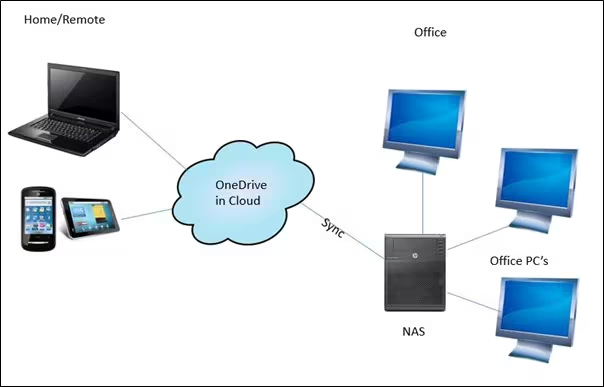
The fix is to run both. Many users pair one sync tool with a separate backup service, like Backblaze or IDrive, for versioned protection. Combine that with keeping your device clean and you cover the two most common loss scenarios.
Why Free Tiers, Unlimited Claims, and Egress Fees Mislead Buyers
"Unlimited" almost never is. Providers cap file sizes, throttle throughput, or quietly walk back terms after a year.
Egress fees are the other trap. Amazon S3 charges $0.08 to $0.12 per GB to move data out. On multi-terabyte datasets, that dwarfs the storage cost itself.
The Four Questions That Decide Everything
Every good choice comes down to devices, budget, privacy, and collaboration habits.
- Devices: Mac and iPhone? iCloud Drive. Windows and Office? OneDrive.
- Budget: Free tiers top out around 15 GB. Paid consumer plans run $1 to $10/month.
- Privacy: Want zero-knowledge encryption? Proton Drive, Sync.com, Tresorit.
- Collaboration: Shared drives and granular permissions? Dropbox, Box, Google Drive.
Quick Answer: Best Cloud Storage by Situation
Cloud storage keeps files on remote servers so you can reach them anywhere. Sync tools mirror files. Backup tools keep versioned copies.
Pick based on your devices, budget, privacy, and sharing needs.
If You Live in One Ecosystem
If your phone, laptop, and tablet come from one company, its built-in drive usually wins. iCloud Drive syncs Apple gear tightly. OneDrive pairs with Windows and Office. Google Drive fits Android and Google Workspace.
If You Want Zero-Knowledge Privacy
If you don't want the provider to read your files, you need end-to-end encryption, also called zero-knowledge. Proton Drive, Sync.com, and Tresorit offer it by default. Mainstream drives encrypt at rest, but the provider still holds the keys.
If You're a Team That Shares Constantly
If you share files all day, look at Dropbox, Box, or Google Drive. Shared drives, granular permissions, comments, and version history matter more than raw storage.
If You're Storing Cold Data at Scale
If you're parking terabytes that rarely change, object storage is cheapest. Wasabi and Backblaze B2 sit around $0.006/GB per month with no egress fees. Amazon S3, Google Cloud Storage, and Azure Blob offer tiered pricing but charge for retrieval.
For a closer look at popular providers, the pricing models vary more than most buyers expect.
Sync vs Backup vs Archive: Get This Right First
These three words get thrown around as if they're interchangeable. They're not, and mixing them up causes most cloud storage pain.
How Sync Actually Moves Your Files
Sync keeps a folder identical across every device you sign in on. Change a file on your phone, and it shows up on your laptop within seconds. Great for workflow, terrible for protection.
Where Backup Differs
Backup takes independent snapshots over time. If a file gets corrupted, deleted, or encrypted by ransomware, you roll back to an earlier version. Versioning windows typically run 30 to 180 days on consumer plans.
Backblaze and Carbonite keep them longer.
Object, Block, and File Storage in Plain English
- File storage: hierarchical folders, like your desktop. Used by Google Drive, OneDrive, Dropbox.
- Block storage: raw volumes for databases and virtual machines. Used by AWS EBS and Azure Disk.
- Object storage: flat buckets with metadata. Used by Amazon S3, Backblaze B2, Cloudflare R2.
Consumer Plans vs Business Plans vs Raw Object Storage
Consumer plans bundle apps and sync. Business plans add admin controls, SSO, audit logs, and compliance certifications like SOC 2 and ISO 27001. Object storage gives you a raw API with no apps at all.
The Real Contenders, Grouped by What They're Good At
There's no single best provider. There's a best one for each job. Here's how the field splits up as of 2026.
Ecosystem-Integrated Drives
Google Drive, Microsoft OneDrive, and Apple iCloud Drive come baked into their platforms. Free tiers range from 5 GB on iCloud to 15 GB on Google and Microsoft. Paid tiers run $2 to $10/month for 100 GB to 2 TB.
If you use the Office bundle, OneDrive is usually already paid for on a Microsoft 365 plan.
Sharing-First Tools
Dropbox and Box built their names on sharing. Dropbox is fast, polished, and integrates everywhere. Box leans enterprise with compliance, retention, and eDiscovery.
Egnyte bridges on-prem files with cloud collaboration.
Privacy-Focused Providers
Proton Drive, Sync.com, Tresorit, pCloud, and MEGA lead on encryption. Proton Drive and Tresorit offer zero-knowledge by default. pCloud sells lifetime plans. MEGA gives 20 GB free but has a security history worth checking.
Backup Specialists
Backblaze Personal Backup runs $99/year for unlimited storage. IDrive bundles cloud backup with sync. Carbonite and CrashPlan focus on continuous, set-and-forget backup.
Object Storage for Builders
Amazon S3, Google Cloud Storage, and Azure Blob dominate. Backblaze B2, Wasabi, and Cloudflare R2 undercut them on price and skip egress fees. These have hosted options out there that overlap with consumer tools, but the APIs are raw.
Self-Hosted and Local
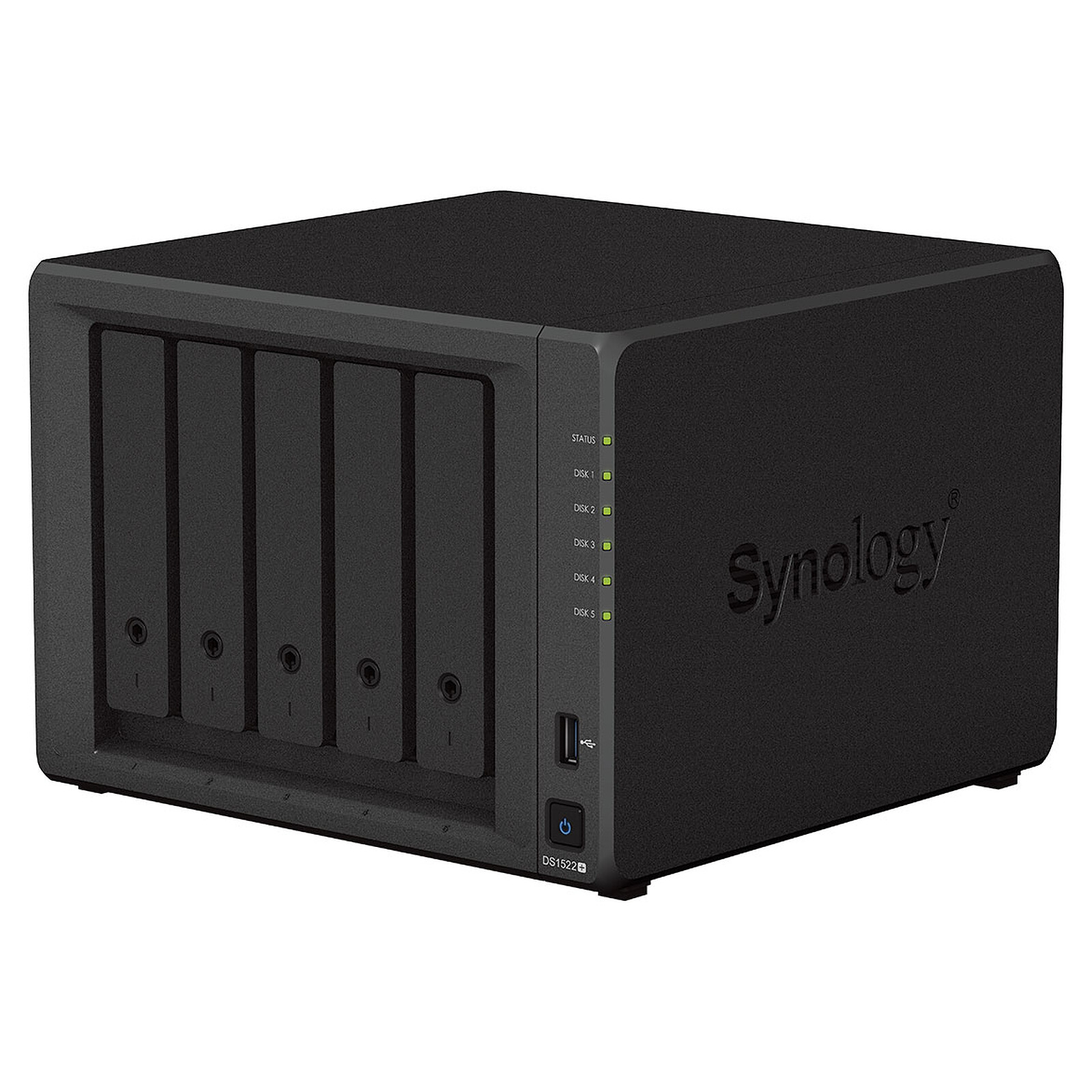
Nextcloud, Synology, and QNAP NAS boxes give you full control. You buy the hardware and handle maintenance yourself. Great for privacy, more work than cloud.
If none of these click, there are other services worth a look that sit outside the mainstream groups.
Side-by-Side Comparison: Price, Storage, Encryption, Sharing, and Egress Fees
Here's how the big names stack up on the specs that matter most.
| Provider | Free Tier | Paid Entry | Encryption | Best For |
|---|---|---|---|---|
| Google Drive | 15 GB | $1.99 / 100 GB | Server-side | Google users |
| OneDrive | 5 GB | $1.99 / 100 GB | Server-side | Windows and Office |
| iCloud Drive | 5 GB | $0.99 / 50 GB | E2EE optional | Apple users |
| Dropbox | 2 GB | $11.99 / 2 TB | Server-side | Sharing and teams |
| Proton Drive | 5 GB | $4.99 / 200 GB | Zero-knowledge | Privacy |
| pCloud | 10 GB | $49.99 / 500 GB per year | Optional E2EE | Lifetime plans |
| Backblaze B2 | 10 GB | $0.006 / GB | Server-side | Devs and cold data |
| Wasabi | Trial | $0.0069 / GB | Server-side | No-egress archive |
What Nobody Tells You About Pricing
The headline price per GB rarely tells the whole story. Egress fees, minimum storage durations, and API request costs matter just as much if you're using object storage. ISO/IEC 27001 certification is also worth checking for business plans, since it signals audited security controls.
Encryption Levels, Explained in One Line Each
- Server-side: provider holds the keys and can scan files.
- Client-side: you encrypt before upload, so the provider can't read them.
- Zero-knowledge: client-side with no provider key storage at all.
Sharing Features That Actually Matter
Shared drives, guest access, link expiry, and granular permissions separate team-friendly tools from personal drives. Version history depth and deleted-file retention windows matter just as much once you start collaborating.
Which One Is Right for Your Situation
The right pick depends on four things: your devices, your budget, your privacy needs, and how often you share. Here's how the branches play out.
Personal Photo and Phone Backup
If photos and phone backups matter most, go with your phone's native drive. iCloud Drive for Apple, Google Photos for Android, OneDrive for Windows users.
If you want third-party protection too, layer in Backblaze Personal Backup at $99/year for unlimited storage.
If you shoot a lot on an Apple laptop or iPhone, iCloud Drive's photo optimization is the tightest fit.
Family and Household Sharing
If you're sharing among 5 to 6 people, look at Google One or Microsoft 365 Family. Both pool storage across accounts, usually 100 GB or 1 TB total.
If you want the lowest cost per person, Google One's 2 TB family plan lands under $10/month.
Freelancers and Solo Businesses
If you deliver files to clients, Dropbox or Google Drive work best. Client-shareable links with expiry dates and password protection keep it clean.
If you bill by project, pCloud's lifetime plan avoids a recurring cost trap.
Small Teams and Remote Work
If your team shares constantly, Dropbox Business or Google Workspace wins. Shared drives, granular permissions, and version history matter more than raw storage.
If you need admin controls and SSO, budget $12 to $20 per user per month.
Regulated Industries
If you work in healthcare, legal, finance, or government, compliance is non-negotiable.
- HIPAA: needs a signed BAA. Free tiers don't offer one.
- FedRAMP: required for US federal work. Box and Google Workspace have it.
- SEC 17a-4: rules for financial recordkeeping. Microsoft Purview and Box cover it.
- CJIS: criminal justice data. Azure Government is the usual pick.
If you self-host, Nextcloud plus your own encryption handles most privacy rules without a provider in the loop.
Developers, Backends, and Large Datasets
If you're building apps, S3, Google Cloud Storage, or Azure Blob are the defaults. Backblaze B2 and Cloudflare R2 cut costs with zero egress fees.
If you need S3 compatibility without lock-in, MinIO or Wasabi slots in cleanly.
Cold Archives and Long-Term Retention
If you're parking terabytes that rarely change, choose archive tiers. S3 Glacier Deep Archive runs around $0.00099/GB per month. Check retrieval fees and minimum storage duration before you commit.
Hidden Costs, Sync Traps, and Compliance Gotchas
The nasty surprises in cloud storage rarely show up on the pricing page. They show up months later, usually when you're trying to leave. Per NIST guidance, portability and exit costs are part of the risk profile, not an afterthought.
Quota Confusion, Pooled Storage, and Renewal Surprises
Pooled plans look generous until one user eats 80% of the shared pool. Per-user plans avoid that fight but cost more upfront.
Check what happens at renewal. Several providers quietly raise prices after year one, and discount tiers often vanish.
Egress Fees, Retrieval Fees, and Minimum Storage Duration
Egress fees hit hardest when you leave. Amazon S3 charges around $0.09/GB out, which adds up fast on multi-terabyte datasets.
Archive tiers look cheap until you retrieve. S3 Glacier and Azure Archive both bill for early deletion if data sits less than 90 or 180 days.
Sync Conflicts, Version History Limits, and Deleted File Windows
Sync conflicts create "conflicted copy" files you have to merge by hand. Version history windows of 30 days sound fine until you need a file from last quarter.
Deleted file retention often runs 30 days on consumer plans. If you miss the window, the file is gone.
Ransomware, Over-Sharing, and Lost Encryption Keys
Ransomware that hits a synced folder spreads to the cloud within seconds. Only versioned backups save you.
Public links with no expiry and no password leak constantly. Set expiry dates by default.
If you use zero-knowledge encryption and lose the recovery key, the provider cannot help you. Write it down offline.
GDPR, HIPAA, SOC 2, and Data Residency Basics
Data residency rules affect where your files physically sit. EU data often needs to stay in the EU, which rules out some US-only providers.
Look for SOC 2 Type II, ISO/IEC 27001, and a signed DPA. For HIPAA, a BAA is mandatory. Free tiers almost never offer one.
The 3-2-1 Rule and Testing Your Restores
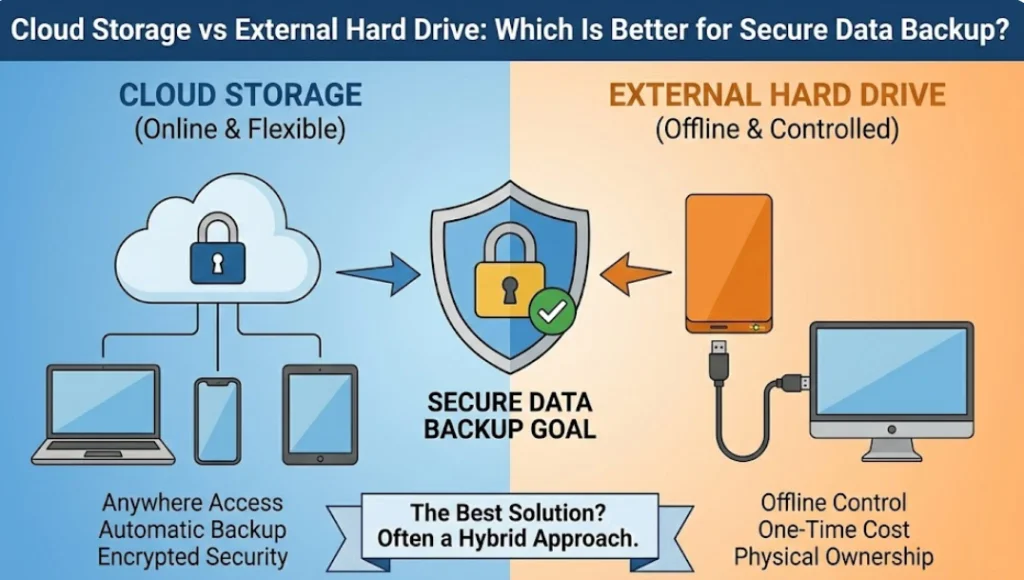
Keep 3 copies of your data, on 2 different media, with 1 offsite. The cloud satisfies the offsite piece. You still need local copies.
Test a restore every quarter. A backup you've never restored from is a hope, not a plan.
Frequently Asked Questions
Is cloud storage the same as cloud backup?
No, and mixing them up causes most data loss. Sync mirrors files across devices, so deletions and ransomware spread instantly. Backup keeps independent versioned copies that survive those events.
You need both for real protection.
Is free cloud storage safe for important files?
Free tiers work for casual files but rarely offer strong guarantees. They usually skip BAAs, limit version history, and offer weaker support. For anything you can't afford to lose, move to a paid plan with versioning.
What happens if I stop paying?
Most providers drop you to the free tier or lock your account after a grace period. Google and Dropbox keep data readable but stop uploads. Some delete after 30 to 90 days.
Always export before cancelling.
Can I move my data between providers easily?
Sometimes. rclone handles most migrations, and Mover or MigrationWiz work for business accounts. Object storage is usually easier to move than consumer drives. Test with a small folder first to gauge speed.
Which cloud storage is best for sensitive documents?
Zero-knowledge options like Proton Drive, Sync.com, and Tresorit lead here. They encrypt before upload, so the provider can't read your files. Pair them with 2FA and offline key backups for the strongest setup.
Do I need cloud storage if I already have a NAS?
Not necessarily, but a hybrid setup beats either alone. NAS gives you speed, control, and local access. Cloud gives you offsite protection if the NAS fails, gets stolen, or floods.
Use both with the 3-2-1 rule.

Similar Posts















[…] hold, a compromised login, a mistaken deletion) can take the backups down with the site. A cheap external storage bucket costs a few dollars a month and removes that single point of […]
[…] an encrypted backup service for your most critical credentials is cheap […]