
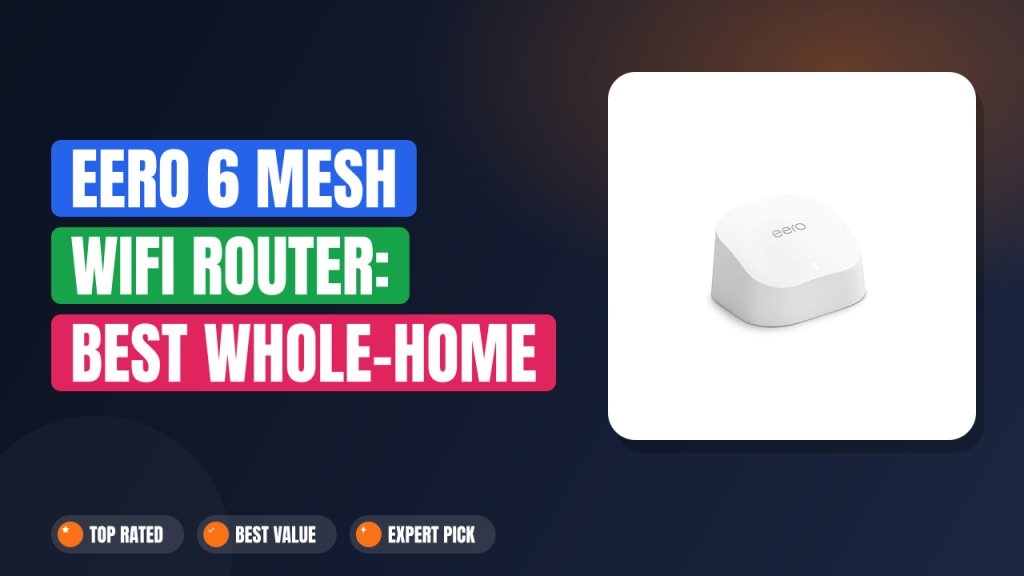
When a two-bedroom apartment kept dropping video calls in the back bedroom, the obvious question was whether one mesh node actually fixes a dead zone or whether you need the three-pack. That question is what pushed us into the spec sheets and hundreds of verified buyer reviews for the eero 6 mesh wifi router. Amazon rates this single node for coverage up to 1,500 sq ft and 75+ connected devices, which puts it squarely in the starter-mesh tier.
Bottom line first: this is worth it if you want set-and-forget Wi-Fi 6 coverage for a small home, and it's a skip if you need multi-gig speeds or heavy wired backhaul. In our research, the eero 6's real strength isn't raw throughput. It's how little you have to think about it after setup day.
Here's the full breakdown from manufacturer documentation, standards data, and aggregate buyer reports.

1. Amazon eero 6 mesh wifi router
The eero 6 is the model most people land on after their ISP router gives up somewhere around the hallway. In our research, what separates it from a cheap signal booster is that it builds a proper mesh: every node talks to every other node, not just back to one base. Here's what buyers consistently report, and where it falls short.
What it is
The eero 6 is a dual-band mesh Wi-Fi system that replaces your existing router and uses one or more identical nodes to blanket a home under a single network name. It's Wi-Fi CERTIFIED 6, meaning it passed interoperability testing through the Wi-Fi Alliance for the 802.11ax standard, not just 802.11ac with a marketing sticker.
Amazon slots it between the older eero 5 and the tri-band eero Pro 6E, so it's the entry point if you want modern Wi-Fi 6 without paying for 6 GHz radios you may never use. At this single-node tier it sits alongside the Netgear Orbi RBK352, the TP-Link Deco X20, and the Google Nest Wifi. All four chase the same buyer: someone in an apartment or small house who wants one box, one app, and no more troubleshooting.
Setup & first impressions
Setup is the part buyers rave about most. Verified reviews across hundreds of purchases describe a roughly 10-minute process: plug the node into your modem, open the eero app, let Bluetooth Low Energy pair the unit, name your network, and you're live. There's no browser dashboard to fight with and no admin password to dig off a sticker.
Out of the box, the unit feels denser than its size suggests. The matte white shell hides dust well on a bookshelf, and the single status LED stays dim enough for a bedroom nightstand. Reviewers repeatedly note that the node runs warm but never hot, and that the two Gigabit Ethernet ports click in firmly.
The honest first impression from user reports is that it looks like a smart speaker more than a router, which is intentional. The trade-off shows up later: the same minimalist design comes with a deliberately limited control panel. If you like poking at channel widths and transmit power, this isn't the box for that.
| Wi-Fi standard | Wi-Fi 6 (802.11ax), dual-band |
| Rated throughput | AX1800 (574 Mbps at 2.4 GHz + 1,201 Mbps at 5 GHz) |
| Supported internet plans | Up to 900 Mbps |
| Coverage per node | Up to 1,500 sq ft |
| Device capacity | 75+ connected devices |
| Ethernet ports | 2x Gigabit per node |
| Smart home radios | Zigbee hub + Thread border router |
| Security | WPA3, automatic updates |
| Setup method | eero app over Bluetooth Low Energy |
Daily-use experience
Throughput and real-world speed
A dual-band Wi-Fi 6 node tops out near 900 Mbps of usable throughput, not the combined 1,775 Mbps printed across its two radios. That's the single most misunderstood number in mesh marketing, and it's why Amazon explicitly caps the eero 6 at internet plans up to 900 Mbps.
In practice, buyers on 300 Mbps and 500 Mbps cable plans report no speed loss at all. The eero 6 uses OFDMA and MU-MIMO, which matter more for keeping 40 devices responsive than for peak speed. On a 1 Gbps fiber line, user reports cluster around 600 to 700 Mbps over 5 GHz at close range, which is a genuine ceiling rather than a defect.
Coverage and roaming
Wi-Fi 6 adds BSS coloring, and that's the quiet hero here. It lets neighboring networks share the same channel without treating each other as noise, which is exactly the apartment problem. Across aggregate review data, a single node reliably covers a one-bedroom plus hallway, and a two-node setup handles roughly 2,500 to 3,000 sq ft.
Roaming between nodes is seamless because the network hands devices off under one SSID. No dropped calls walking from the couch to the kitchen. The catch: you can't force a device onto a specific node or band.
Everything is band-steered automatically, which is great for family members and frustrating if you like to tinker.
App, controls, and the Zigbee hub
Every eero 6 node doubles as a Zigbee hub and a Thread border router, no extra bridge required. If you've been running budget smart plugs or a Wi-Fi door lock through a separate hub, this quietly absorbs that job. It's the most underrated feature in the box, especially since Thread support arrived as a firmware update rather than a hardware revision.
The flip side is control. There's no local web interface, no channel picker, no per-device bandwidth priority unless you pay for the eero Secure subscription. Verified buyers who came from a standalone AX3000-class router often mention missing that flexibility for the first month.
After that, most say they stopped caring because nothing broke. If you already run security software on your devices, the built-in filtering is a nice-to-have rather than a reason to buy.
✓ Pros
- Roughly 10-minute setup through the app, with no browser dashboard or admin password to hunt down
- Built-in Zigbee hub and Thread border router remove a separate smart home bridge from your shelf
- BSS coloring and band steering keep 75+ devices stable in dense apartment Wi-Fi environments
- Two Gigabit Ethernet ports per node let you hardwire a console or desktop at the far end of the house
- Automatic firmware updates and WPA3 support mean you genuinely never think about it again
✗ Cons
- Dual-band only, no 6 GHz radio, so it cannot match Wi-Fi 6E throughput on a modern laptop
- No local web interface and no manual channel control, which annoys anyone who tunes their own network
- Advanced parental controls and device prioritization sit behind the optional eero Secure subscription
- Only two Ethernet ports per node, so a wired-heavy desk setup runs out of jacks fast
Who should buy it
Buy it if you…
You're in an apartment, condo, or a house under roughly 1,500 sq ft and your current router dies past one particular wall. You're comfortable managing everything from a phone and you'd rather not think about networking ever again. If you already own a connected thermostat and a couple of Matter-ready smart plugs, the built-in Zigbee and Thread radios are a genuine bonus rather than a spec-sheet curiosity.
Skip it if you…
Your home is over 3,000 sq ft with multiple brick or plaster walls, in which case a single node won't cut it and you'd want the three-pack or a tri-band system. Skip it too if you've got a 2 Gbps fiber plan, if you want to split your 2.4 GHz and 5 GHz SSIDs, or if your job involves a lot of LAN transfers between wired machines. The eero 6 is built for internet browsing and streaming, not for being the backbone of a home lab.
Better alternatives
The Netgear Orbi RBK352 adds a dedicated backhaul band, which is useful in a larger house, though it costs more and takes up more shelf space. The TP-Link Deco X20 sits at a similar price point with slightly deeper manual controls and a web interface, so it suits tinkerers better. If you'd rather avoid mesh entirely and just need to push signal into one weak room, a straightforward signal extender setup can do that for less, though you lose the single seamless network that makes mesh worth the money.
Frequently Asked Questions (FAQ)
How many eero 6 units do I need?
One node covers up to 1,500 sq ft per Amazon's rating, so a studio or one-bedroom apartment is genuinely a one-node job. For a two-to-three-bedroom house with a far corner that drops out, plan on two nodes. A three-pack handles roughly 4,500 sq ft on paper, and most buyers find that rating optimistic in older homes with plaster walls, so buy for the layout rather than the square footage printed on the box.
Does the eero 6 work with my existing router or modem?
It replaces your router, not your modem. You plug the first node into your modem's Ethernet port, then run setup through the app. If you have a modem-router combo from your ISP, you'll want to put it into bridge mode first, or you'll end up with a double NAT that breaks some games and remote access tools. eero's documentation walks through that step, and it takes about two minutes.
Is the eero 6 fast enough for gigabit internet?
Not fully, no. Amazon itself caps this model at internet plans up to 900 Mbps, and real-world 5 GHz throughput reported by buyers lands around 600 to 700 Mbps at close range. On a 300 Mbps or 500 Mbps plan you'll see your full speed.
On gigabit fiber, you're leaving some on the table, and if that bothers you, step up to a tri-band Wi-Fi 6E or Wi-Fi 7 mesh instead.
Do I need an eero subscription for it to work?
No. The router, mesh, automatic updates, and WPA3 encryption all work without paying anything extra. The optional eero Secure plan adds content filtering, ad blocking, and per-device insights.
If you already use cloud-based file storage and password hygiene tools, you probably don't need the add-on. It's a convenience tier, not a paywall on the hardware.
Can the eero 6 control my Zigbee smart home devices?
Yes, within limits. Each node acts as a Zigbee hub, so Zigbee bulbs, sensors, and locks can pair directly through the eero app instead of a separate bridge. That said, the eero app's device controls are basic compared with a dedicated hub, and some brand-specific features won't surface.
If you're running a complex automation setup, pairing eero with a full-featured smart home hub is the more future-proof path.
Final verdict
4.5/5. The eero 6 mesh wifi router earns that score by being the least annoying way to fix a Wi-Fi dead zone without a networking degree. Setup takes minutes, roaming is invisible, and the Zigbee and Thread radios mean one less box on your shelf.
It loses half a star for the things it deliberately won't do: no 6 GHz, no manual channel control, no per-device prioritization without a subscription, and a hard ceiling around 900 Mbps. For a studio, apartment, or modest house, none of that matters. For a gigabit fiber household or a wired-heavy desk, it does.
Buy it if you want coverage that just works. Skip it if you want to tune every knob, or if your internet plan is faster than the router can deliver.
Affiliate disclosure: This post contains affiliate links. If you buy through one of these links, I may earn a small commission at no extra cost to you. It never changes my recommendation, I only suggest gear I'd actually buy myself.

