
Choosing smart home devices feels simple until you're staring at three hubs that all claim to work with everything. Most buyers ask which device is best. The better question is which devices actually talk to each other in your home.
That mismatch is why so many setups stall halfway. The Connectivity Standards Alliance built Matter to fix it, and as of 2026 the standard covers most major device categories. But Matter doesn't erase the differences between Thread, Zigbee, Z-Wave, and plain Wi-Fi.
Here's how to compare them before you spend anything.
Quick Answer
Smart home devices are connected gadgets you control by app or voice. They run on Matter, Thread, Zigbee, Z-Wave, or Wi-Fi. Each protocol has its own hub needs and range limits.
Matter is the newest cross-brand standard. Your best pick depends on your home and platform.
Image source: Bing (Web (fair-use with source credit))
Why Smart Home Comparisons Go Wrong Before You Buy Anything
Most people start with the device. That's the mistake.
A smart home device only works if something else can control it. Your phone, your speaker, your hub, and your automations all have to agree on a language. Buy a camera first and you'll spend the next six months working around its limits.
Three things cause almost every bad purchase:
- No platform chosen. Apple Home, Google Home, Amazon Alexa, and Samsung SmartThings each treat third-party devices differently.
- Protocol mismatch. A Zigbee sensor won't talk to a Thread border router without a bridge.
- Hidden requirements. Some devices need a hub, a subscription, or a neutral wire inside the wall.
If you rent, the math changes again. In-wall switches and hardwired doorbells are usually off the table. If your router already struggles, boosting the signal matters more than any new gadget.
Our research across buyer forums and manufacturer documentation shows the same pattern. People who choose an ecosystem first and devices second spend less and replace less. Start there, and the rest of this comparison gets much easier.
The Real Differences: Matter, Thread, Zigbee, Z-Wave, and Wi-Fi
These five names get used interchangeably online. They're not interchangeable.
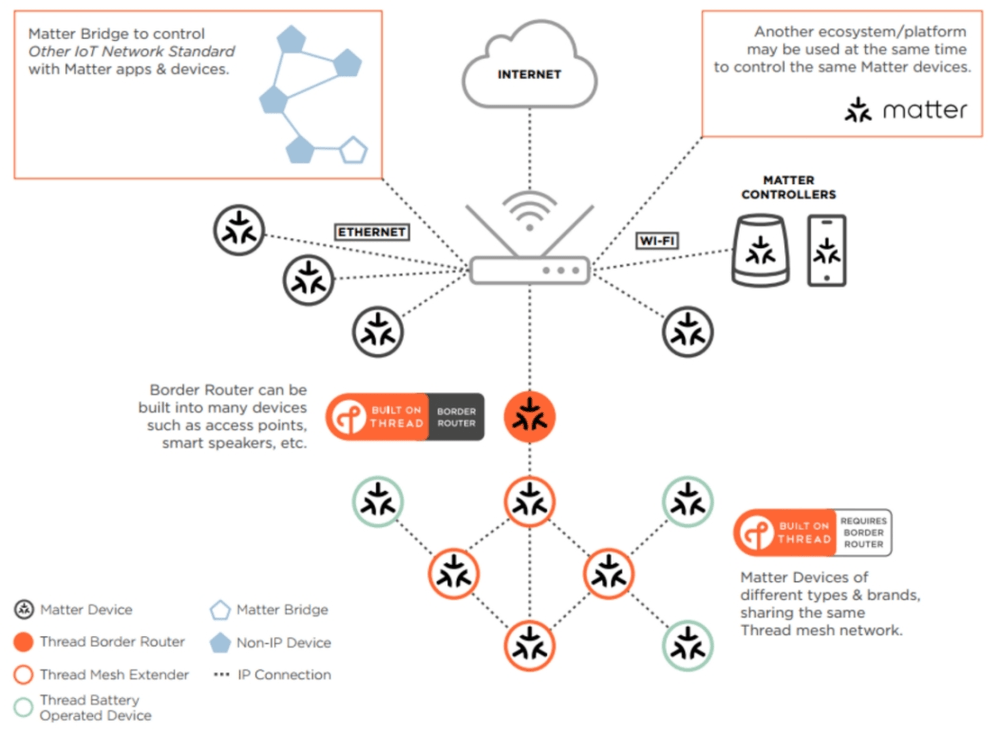
Image source: Bing (Web (fair-use with source credit))
Matter is an application standard, not a radio. It defines how devices describe themselves so Apple, Google, Amazon, and Samsung can all control them. Matter runs on top of Wi-Fi, Ethernet, or Thread.
Thread is a low-power mesh radio built for battery devices. It needs a border router. An Apple HomePod mini, Apple TV 4K, Google Nest Hub, or Amazon Echo can do that job.
Zigbee and Z-Wave are older mesh protocols with huge device libraries. Zigbee runs at 2.4 GHz and shares airspace with your Wi-Fi. Z-Wave uses sub-GHz frequencies in most regions, so it faces less interference.
| Protocol | Typical indoor range | Hub needed | Best for |
|---|---|---|---|
| Matter over Wi-Fi | 15 to 30 m | No | Mains-powered devices |
| Matter over Thread | 10 to 30 m | Border router | Battery sensors, locks |
| Zigbee | 10 to 30 m | Yes | Cheap sensors, lighting |
| Z-Wave | 30 to 40 m | Yes | Larger homes, fewer clashes |
| Bluetooth LE | Under 10 m | No | Setup and proximity only |
Wi-Fi is the easiest path. It needs no hub, but every device adds load to your router. Manufacturer specs confirm most consumer routers handle 20 to 50 simultaneous clients before things get flaky.
The Connectivity Standards Alliance maintains the Matter specification, and its certified product list is the fastest way to check compatibility before you buy. If you'd rather skip the cloud entirely, keeping recordings on your own drive is a solid long-term move.
Side-by-Side: Devices, Costs, and What You Actually Get
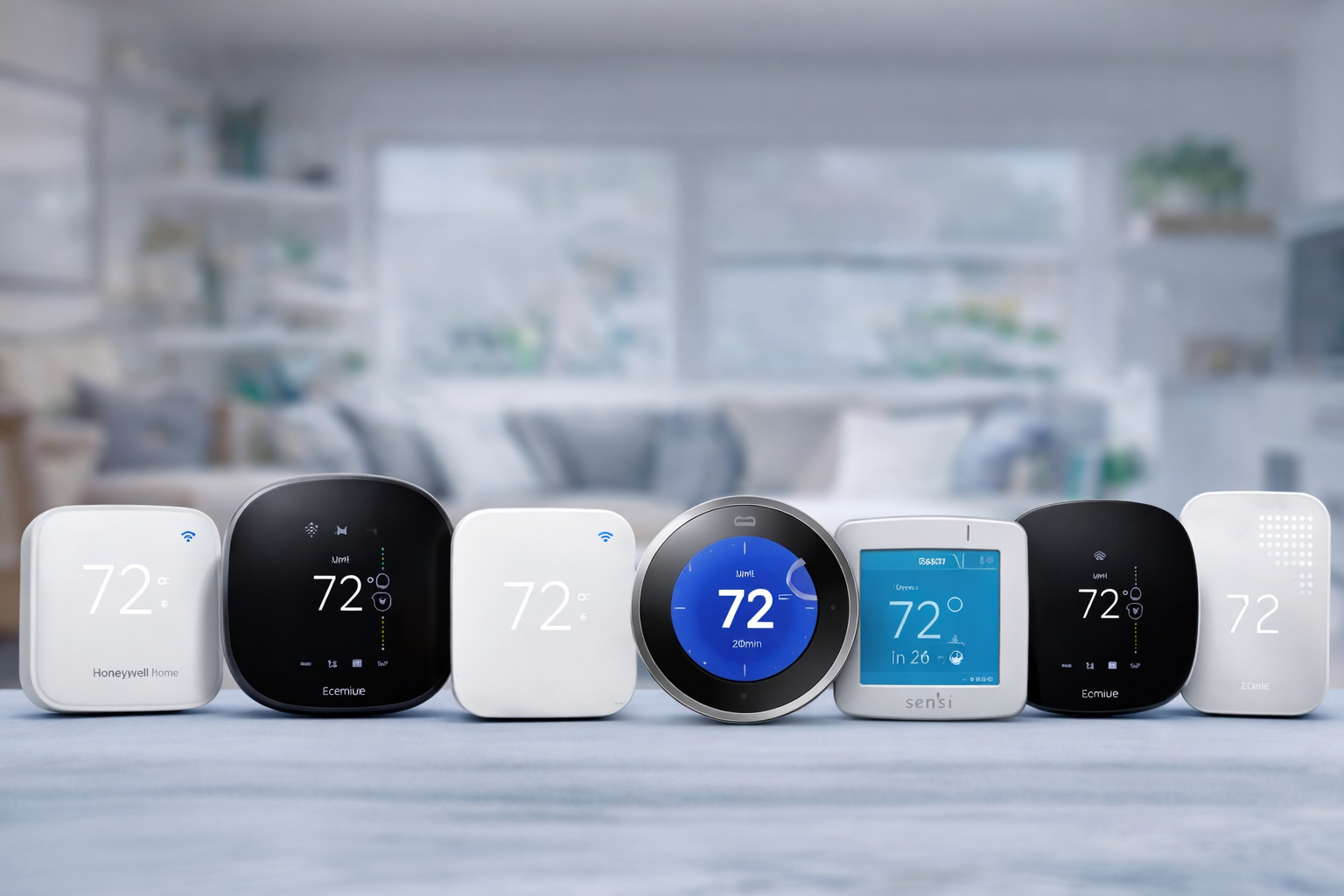
Image source: Bing (Web (fair-use with source credit))
Categories matter more than brands here. Two cameras from different makers can do almost identical jobs at wildly different prices.
| Category | Typical price | Subscription? | Notes |
|---|---|---|---|
| Smart plug | $10 to $30 | No | Easiest starter device |
| Smart bulb | $15 to $60 | No | No wiring needed |
| Smart switch | $25 to $60 | No | Usually needs neutral wire |
| Smart thermostat | $130 to $280 | Optional | Check for a C-wire |
| Smart lock | $100 to $300 | Optional | Verify door thickness |
| Video doorbell | $50 to $250 | Often | Cloud storage adds up |
| Security camera | $30 to $200 | Often | Local storage is cheaper |
| Sensor | $15 to $50 | No | Battery life 1 to 3 years |
The sticker price rarely tells the whole story. Aggregate buyer feedback points to subscriptions as the biggest surprise cost. Cloud plans run $3 to $15 per month per camera brand, and those recurring fees can pass the hardware price within two years.
Wiring is the other hidden cost. Smart switches usually want a neutral wire, and smart thermostats often need a C-wire. Check both before ordering.
A $40 device can turn into a $200 electrician visit fast.
Best Picks by Situation: Renters, Homeowners, Privacy-First, and Budget Buyers
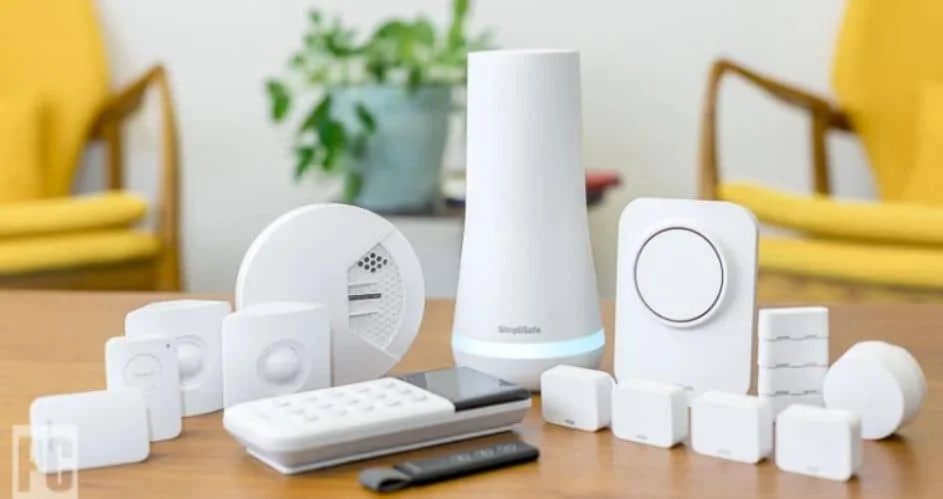
Image source: Bing (Web (fair-use with source credit))
There's no universal winner. There's only the setup that fits your walls, your platform, and your patience.
If you rent: start with smart plugs, smart bulbs, and battery cameras. They move with you and leave no holes. Avoid in-wall switches entirely.
If you own your home: go deeper. Smart switches, a thermostat, a video doorbell, and a hub give you real automation. Choose your ecosystem before you buy the first device.
If privacy leads your list: pick local control. Home Assistant, Hubitat, and Homey Pro keep automations on your own network. Pair that with a safer login routine across every account you connect.
If budget leads: buy one ecosystem, not five. Matter-certified plugs and bulbs are cheap and cross-compatible. Add extra malware layers if you're connecting dozens of devices to one network.
Apple households should lean on HomeKit and Thread. Google and Amazon homes get the widest device choice. Samsung users get the deepest automation tools through SmartThings.
Mistakes That Wreck Smart Home Builds (and How to Avoid Them)
Almost every failed build traces back to four avoidable errors. None of them are about the hardware itself.
Network and Wi-Fi congestion traps
Cheap routers choke first. Each Wi-Fi device adds load, and an overloaded router drops commands or delays them by seconds. If your network already stutters, a stronger signal is the fix before you add anything new.
Wiring, C-wire, and neutral wire surprises
Older homes often lack a neutral wire inside switch boxes and a C-wire at the thermostat. Check both before ordering. Otherwise a $40 switch turns into a $200 electrician visit.
Subscription fatigue and orphaned devices
Recurring cloud plans run $3 to $15 monthly per brand. Add three camera makers and you're paying three separate bills. Devices from shuttered companies stop working entirely, so buy from makers with a long track record.
Matter and Thread onboarding headaches
Matter setup needs IPv6 and a Thread border router. Multi-admin pairing lets two platforms share one device, and it still trips people up. Update your hub firmware before you start pairing.
Setup, Privacy, and Security: What to Do Before You Pair Anything
IoT network segmentation and WPA3
Put smart devices on their own network. Most modern routers support a guest network or a VLAN. That keeps a hacked camera away from your laptop and your files.
Turn on WPA3 if your router offers it.
Firmware updates, 2FA, and default passwords
Change every default password the day the box arrives. Enable two-factor authentication on each account and reuse nothing across them. A solid password routine makes that manageable.
Update your hub firmware before you pair anything new.
Camera, microphone, and data retention settings
Switch off microphones you never use. Set clip retention to the shortest window that's still useful. Local storage on microSD or an NVR avoids cloud uploads altogether.
Certifications that matter
UL, ETL, and FCC marks confirm basic electrical and radio safety. Matter certification confirms cross-platform control. Energy Star matters most for thermostats and appliances.
The National Institute of Standards and Technology publishes IoT security guidance worth reading before you buy. If dozens of devices share your network, extra malware layers are cheap insurance.
Smart Home Costs, Savings, and Payback in Real Numbers
Installation time matters as much as the price tag. Plugs and bulbs take 5 to 15 minutes. In-wall switches and thermostats run 30 to 60 minutes each.
Locks take 20 to 40 minutes. A full starter setup is a weekend, not an afternoon.
| Upgrade | Typical annual saving |
|---|---|
| Smart thermostat | 8 to 15% on heating and cooling |
| Smart irrigation | 20 to 50% less water |
| LED smart bulbs | Up to 75% less lighting energy |
Those thermostat figures line up with ENERGY STAR efficiency data. Professional installation adds roughly $80 to $150 per device in most markets. Only thermostats and hardwired doorbells usually justify it.
Subscriptions are the long tail nobody budgets for. Five years of cloud storage can cost more than the camera did. Switching storage providers is often the cheapest fix.
Warranties run 1 to 5 years. Plan for batteries too. Sensors last 1 to 3 years, and smart locks run 6 to 12 months on a set.
Frequently Asked Questions
Do I need a hub for smart home devices?
Not always. Wi-Fi devices work without one. Zigbee and Z-Wave need a hub.
Thread needs a border router, and many smart speakers double as one. Matter devices can run over either Wi-Fi or Thread. Check the box before you buy.
Is Matter better than Zigbee or Z-Wave?
Matter is newer and works across brands. Zigbee and Z-Wave have deeper device libraries and lower power draw. Matter uses Thread for battery devices.
For a fresh build, Matter makes sense. If you already run Zigbee, there's little reason to rip it out.
What's the cheapest way to start?
Smart plugs. They cost $10 to $30 each, need no hub, and require no wiring. Add bulbs next.
Both move with you if you rent. Hold off on cameras until you know whether you'll pay for cloud storage.
Do smart home devices work without internet?
Some do. Local platforms like Home Assistant, Hubitat, and Homey Pro keep automations running offline. Cloud-dependent brands often fail during outages.
Zigbee and Z-Wave commands stay local when your hub is local. Cloud-only Wi-Fi devices usually stop.
Are smart home devices a security risk?
They can be. Cheap devices ship with weak defaults. Change passwords, enable 2FA, and segment your network.
Buy certified hardware from established brands. Keeping a cloud backup of your automation configs also saves rebuild time.
Final Verdict: How to Choose Your First Three Devices
Start with your platform, not a product. Pick Apple Home, Google Home, Alexa, or SmartThings, then filter every purchase through that choice.
Your first three buys should be a smart plug, a smart bulb, and one sensor. Together they cost under $80 and teach you how automations actually behave in your home. Add a hub or border router only when you need battery devices or deeper control.
Then expand by category. Thermostats and locks deliver the clearest payback. Cameras deliver the most subscription pain.
Sensors deliver the best value per dollar.
If you rent, stay battery-powered and plug-in. If you own, wire it properly once. And if privacy is your priority, choose a local hub and skip the cloud entirely.
Skip the urge to buy five brands at once. One ecosystem, Matter-certified hardware, and a network that can handle the load will beat a bigger pile of mismatched gadgets every time.


1 thought on “Smart Home Devices: How They Work & Why You Want Them”