Small Printers for Home: Best Compact Picks for Smart Home Printing
Founder & Lead SaaS Analyst at PCSaaS · Google Ads & Analytics Certified · SaaS Stack Architect · 500+ Software Tools Tested · 8+ years in B2B SaaS evaluation, AppSumo lifetime deal curation, performance marketing, and AI workflow automation
Title: Small Printers for Home: Best Compact Picks for Smart Home Printing
Discover the best Small Printers for Home that save space, money and time. Compare models for documents and photos to find the right fit for home printing.
Whether you need to print documents, photos, or school projects, finding the right compact printer can make your daily tasks easier and more efficient. Imagine having a reliable printer that’s quick, affordable, and easy to use—right at your fingertips. Keep reading to discover top small printers designed for home use, so you can pick one that suits your needs and budget perfectly.
Don’t settle for bulky machines when a smart, space-saving option is just a click away!
Credit: www.realhomes.com
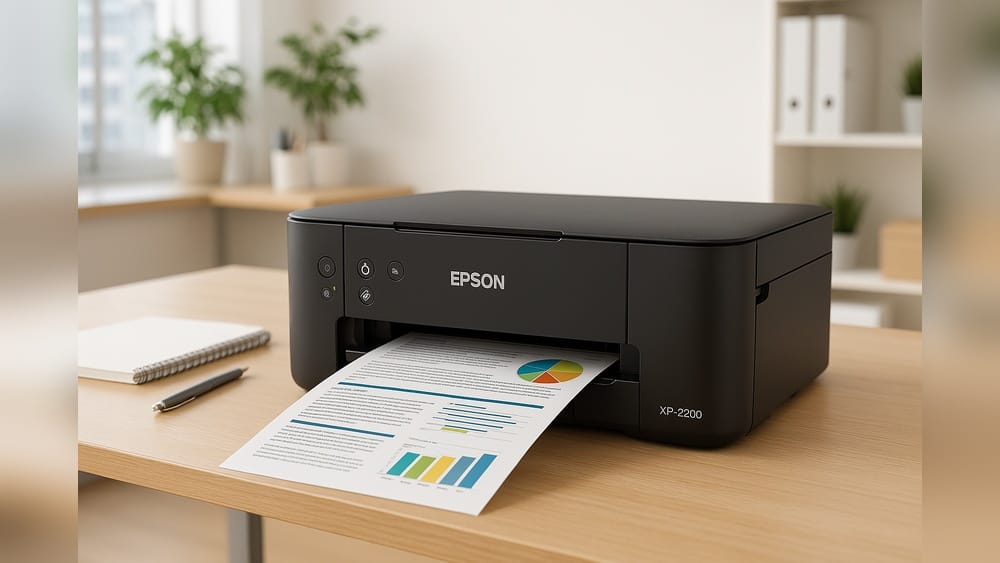
A space-saving printer leaves room for the rest of your desk setup.
Benefits Of Small Printers
Small printers offer many advantages for home use. Their compact size fits perfectly in tight spaces. These printers are easy to carry and move around. They also help reduce costs by using less ink and energy. Home users find small printers practical and convenient.
Space-saving Design
Small printers take up very little room. They fit easily on desks, shelves, or counters. This design suits homes with limited space. You can keep your work area tidy and organized. The small footprint makes them ideal for apartments or shared rooms.
Cost Efficiency
Small printers often cost less to buy. They use ink and paper more efficiently. This saves money on supplies over time. Energy consumption is usually lower compared to larger models. These savings make small printers a budget-friendly option for home users.
Price per page matters more than the sticker price. Two printers can cost the same to buy yet run very differently, depending on cartridge yield. Check the official page-yield figure for each cartridge and divide it by the replacement price to compare real running costs. In practice, a slightly more expensive printer with cheaper ink often works out better over a couple of years.
Portability
Small printers are lightweight and easy to move. You can carry them between rooms or take them on trips. This feature supports flexible printing needs at home or outside. Portability adds convenience for students and remote workers. You get printing power without the bulk.
For a truly portable model, check battery life and charging time before relying on it away from home. A common mistake is assuming every compact printer includes a battery; many small models still need mains power. If you plan to print in a car or at a café, confirm the battery capacity and whether the charger comes in the box.
Types Of Compact Printers
Compact printers come in different types to suit home needs. Each type has unique features and benefits. Choosing the right one depends on your printing habits and space.
Below are the main types of small printers designed for home use.
Inkjet Printers
Inkjet printers use liquid ink to create images on paper. They excel in printing colorful photos and detailed graphics. These printers are usually affordable and fit well in small spaces. Inkjet models work best for occasional printing and photo projects.
Ink Tank Printers
Ink tank printers replace cartridges with refillable reservoirs. They cost more upfront but cut the cost per page dramatically, making them a smart pick for regular color printing. Their footprint is similar to a cartridge inkjet, and refilling is quick once you get used to it. Supertank models from Epson and Canon are worth comparing if you print school handouts or photos most weeks.
Laser Printers
Laser printers use toner powder and a laser to print text and images. They deliver sharp, clear text quickly and are great for heavy document printing. Laser printers often have higher upfront costs but lower running expenses. Compact laser printers save space and suit home offices.
Portable Printers
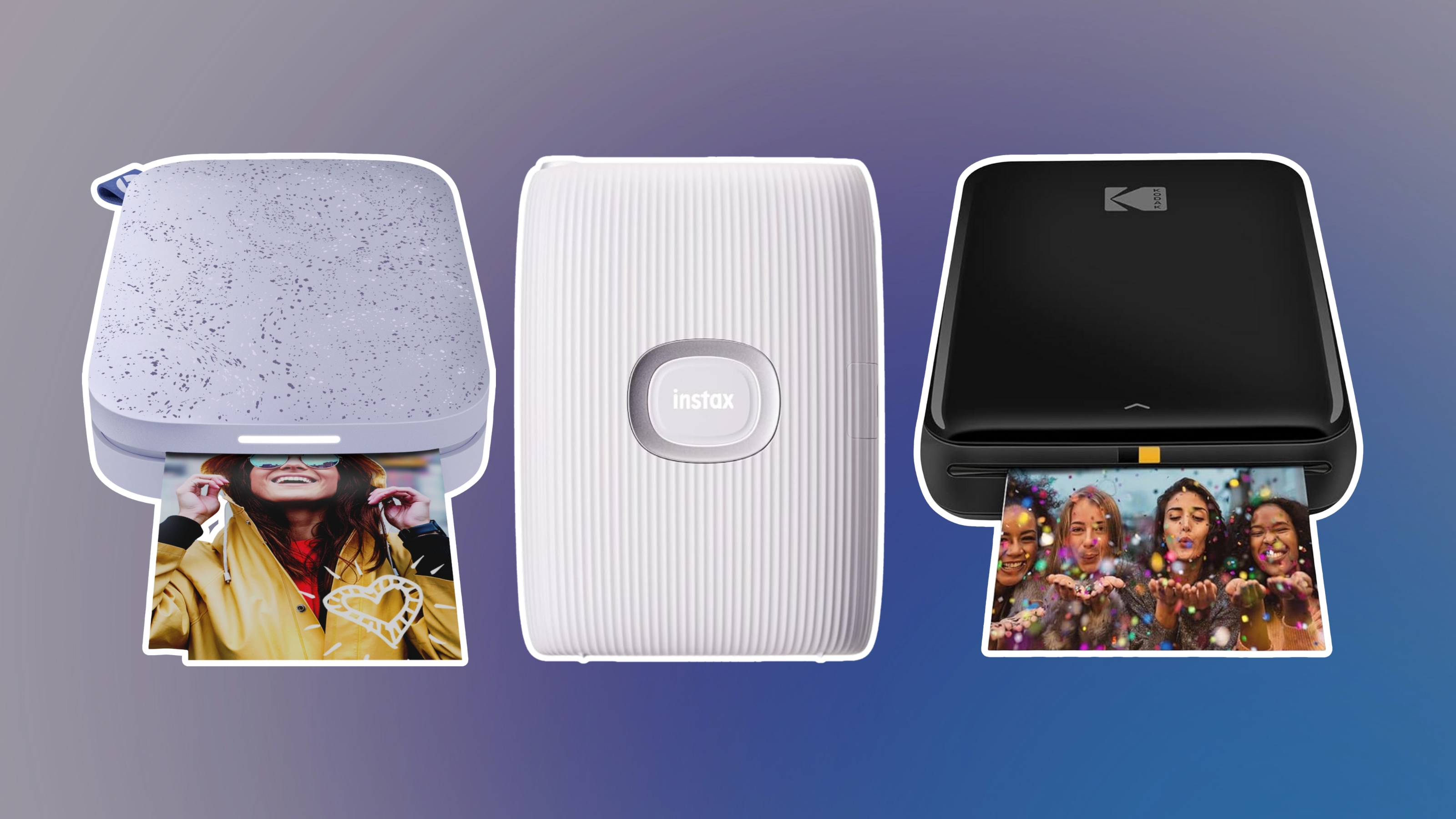
Portable printers are lightweight and battery-powered. They connect easily to smartphones and laptops via wireless options. These printers are ideal for printing on the go or in small rooms. Portable models handle basic document and photo printing with ease.
Check the paper size before you buy. Many portable photo printers take only 4 x 6 or sticker paper, not A4 documents. If you need letter-size pages on the road, choose a compact battery model designed for documents rather than a tiny sticker printer.
The table below summarizes how the four types compare for a typical home.
| Type | Best For | Running Cost | Photo Quality | Key Trade-off |
|---|---|---|---|---|
| Inkjet | Occasional color printing and photos | Moderate | Good | Low upfront price, but cartridges can dry out if unused |
| Laser | Fast black-and-white documents | Low per page | Not suitable for photos | Sharp text and low running cost, higher initial price |
| Ink tank | Frequent color printing | Lowest per page | Good | Higher upfront price, refillable bottles cut long-term cost |
| Portable | Printing on the go | High per page | Varies by model | Great convenience, but small paper sizes and pricier consumables |
Key Features To Consider
Choosing a small printer for home use means focusing on the right features. These features ensure the printer meets your daily needs. They affect how well the printer performs and how easy it is to use. Consider these key aspects before making a decision.
Print Quality
Print quality is crucial for clear documents and sharp images. Look for printers with high resolution. This ensures text and pictures look crisp and professional. Good color accuracy matters for photos and graphics. Even black-and-white prints should be bold and easy to read.
Resolution is quoted in dots per inch (dpi). A higher number helps for photo prints, but for everyday documents, other factors matter more. In practice, a basic inkjet at standard quality already looks crisp for text; if photos are your priority, check sample prints on glossy paper before choosing a model.
Connectivity Options
Connectivity options determine how you connect your printer to devices. Wireless printers offer freedom to print from anywhere in your home. USB connections are simple and reliable for direct printing. Some models support mobile printing through apps. Check for compatibility with your computer and smartphone.
Most current small printers support AirPrint, Mopria, or the manufacturer's own app for phone printing, and many add cloud printing from Google Drive or Dropbox. If you want to print from any room in the house, cutting the cable entirely is more flexible than keeping a laptop plugged in nearby.
Speed And Efficiency
Printer speed affects how fast your documents print. Faster printers save time, especially for multiple pages. Look for printers that balance speed with quality. Efficiency includes low ink or toner use. This lowers running costs and reduces how often you replace supplies.
Speed is measured in pages per minute (ppm), and quoted figures usually refer to fast draft mode rather than full-color, normal-quality printing. For a busy household, look for a small printer with auto-duplexing; printing on both sides automatically saves paper and is worth checking because some budget models omit it.
Multifunction Capabilities
Multifunction printers combine printing, scanning, and copying. This saves space and adds convenience. Some models include fax features, useful for home offices. Choose multifunction printers if you need more than just printing. They help manage all your paper tasks in one device.
One feature to check on a multifunction model is the automatic document feeder (ADF). An ADF lets you scan or copy a stack of pages without standing over the machine, but many compact units skip it to save space. Decide whether you will regularly scan multi-page documents before paying extra for functions you will not use.
Understanding Running Costs
The purchase price is only part of the picture. Over a year, ink or toner usually costs more than the printer itself, especially with entry-level cartridge models. Look up two numbers before buying: the page yield of each cartridge and the price of a replacement cartridge. Dividing the cartridge price by the page yield gives the cost per page; the lower that number is, the cheaper the printer is to run.
High-yield cartridges cost more upfront but usually offer the best value per page. A common mistake is buying the smallest, cheapest cartridge for a busy household and replacing it twice as often. If you print every week, compare the total running cost over 12 months rather than the price at the checkout.
Printers with the ENERGY STAR label meet efficiency guidelines for power use, which helps keep electricity bills modest over years of use. For high-volume color printing at home, ink tank models often beat regular inkjets on long-term costs.
Before you commit, compare the cost per page of your shortlist — it can save more over two years than the sticker price ever will.
Top Small Printers For Home Use
Choosing the right small printer for home use can save space and meet daily printing needs. Compact models fit easily on desks or shelves. They offer clear prints for documents and photos. This guide highlights top small printers, balancing price, features, and portability.
Best Budget Picks
Budget printers deliver good quality without high costs. They handle standard printing tasks like homework, recipes, or bills. Models from brands like Canon and HP are reliable. These printers use ink efficiently, reducing refill frequency. Setup is quick, with wireless options available. Ideal for families and students needing basic functions.
One warning worth repeating: budget price tags are often matched by premium ink costs. Check the cost per page before you let a low sale price make the decision for you. For occasional printing, a budget cartridge model is perfectly fine; for weekly use, spend a little more on an ink tank or a laser and save later.
Premium Models
Premium small printers offer sharper prints and faster speeds. They support high-resolution photos and detailed documents. Features include touchscreen controls and mobile app compatibility. Epson and Brother lead in this category. These printers suit home offices or photo enthusiasts. They often include scanning and copying functions in compact designs.
Premium only pays off if you actually use the extras. Touchscreens, large paper trays, and advanced photo software make sense for a home office or a family that prints often; for light jobs, the price difference is hard to justify. A common mistake is buying more machine than the household needs and still paying for photo-quality ink.
Portable Travel Printers
Portable printers are lightweight and easy to carry. Perfect for printing on the go or small spaces. They connect via Bluetooth or Wi-Fi to phones and tablets. Phomemo and HP offer popular travel printer models. Battery-powered options provide flexibility without cords. Great for business trips, school projects, or quick photo prints anywhere.
Check the paper size before you buy. Many portable photo printers take only 4 x 6 or sticker paper, not A4 documents. If you need letter-size pages on the road, choose a compact battery model designed for documents rather than a tiny sticker printer.
Smart Features For Smart Home Printing
A small printer becomes a smart home printer when it slots into the setup you already use. Current models offer several of these features:
- Mobile apps with AirPrint or Mopria support let you print straight from phones and tablets without installing extra software.
- Cloud printing sends jobs from Google Drive, Dropbox, or Microsoft OneDrive, so you can print remotely or from a guest's device.
- Voice assistant integration on some newer models works with Alexa or Google Assistant for simple commands like printing a shopping list.
- Auto-duplexing produces double-sided pages automatically and is one of the most useful paper-saving features on any compact printer.
- Ink subscription plans ship replacement ink before you run out; they suit steady weekly printing but can cost more if you print irregularly.
Set up any of these through the printer's companion app. Look for firmware updates when you first install the printer and again every few months; they fix compatibility problems with new phones and computers. If your main goal is printing from a laptop anywhere in the house, it helps to see how a dependable wireless connection is configured before you settle on a model.
Setting Up Your Home Printer
Setting up a small printer at home is simple and fast. A good setup helps you print documents without trouble. Follow clear steps for installation, wireless connection, and maintenance. This guide helps you start printing quickly and keep your device working well.
Installation Tips
Unpack the printer carefully. Remove all protective tapes and covers. Place the printer on a flat, stable surface. Connect the power cable to a socket. Turn on the printer and wait for it to initialize. Install ink or toner cartridges as shown in the manual. Load paper into the tray, adjusting guides to fit the size. Insert the installation CD if one is included, or download the latest drivers from the official website. Follow the on-screen instructions to complete the software setup. Restart your computer to finalize the installation.
Wireless Setup
Ensure your printer supports Wi-Fi. Check that your home network is active. On the printer screen, find the wireless setup option. Select your Wi-Fi network from the list. Enter the network password carefully. Wait for the printer to connect. On your computer or phone, add the printer through settings. Choose the wireless printer from available devices. Confirm the connection by printing a test page. Keep the printer within Wi-Fi range to avoid drops.
If your router broadcasts separate 2.4 GHz and 5 GHz networks, use the 2.4 GHz band for your printer; many budget printers only see that band. Print a network configuration page from the printer menu to confirm the connection is strong. For support with stubborn connections, a guide to building a reliable wireless link walks through the settings that keep printers online.
Maintenance Basics
Clean the printer exterior regularly with a soft cloth. Avoid using harsh chemicals. Check ink or toner levels often. Replace cartridges before they run out completely. Use printer software to run cleaning cycles for print heads. Keep the paper tray free from dust and debris. Store the printer in a dry, cool place. Turn off the printer properly after use. Regular care extends printer life and improves print quality.
Troubleshooting Common Issues
Small printers at home bring convenience but sometimes cause problems. Troubleshooting helps fix these issues fast. Understanding common problems saves time and avoids frustration.
Simple steps can clear jams, restore connection, and improve print quality. Keep your printer running smoothly with these easy tips.
Paper Jams
Paper jams block printing and waste paper. Remove jammed paper carefully to avoid damage. Open the printer cover and gently pull out stuck sheets. Check for small scraps inside that may cause new jams. Use the right paper type and load it properly. Keep the paper tray clean and dry.
Connectivity Problems
Printers may lose connection to your computer or Wi-Fi. Restart both printer and device to refresh settings. Verify your printer is on the same network as your computer. Update printer drivers for better compatibility. Use USB cables securely plugged in. Avoid interference from other wireless devices nearby.
Print Quality Fixes
Faded or streaky prints reduce document clarity. Check ink or toner levels and replace if low. Run printer cleaning cycles using the control panel. Align printer heads to improve image sharpness. Use high-quality paper suited for your printer model. Avoid touching the print surface to prevent smudges.
Keeping Your Home Printer Secure
Printers are easy to forget on a home network, but they are internet-connected devices. A printer left with its default admin password can be a backdoor into your Wi-Fi, and cloud printing features are sometimes left open by accident.
The basics are simple:
- Change the printer's admin password from the default during setup.
- Disable Wi-Fi Direct or Bluetooth if you never use them.
- Turn off remote or cloud printing features you do not need.
- Install firmware updates when the manufacturer releases them; they often patch security issues.
- Put the printer on a guest network if your router supports one.
In practice, a household with a strong router password and a changed printer admin password has little to worry about. Taking the minute to close the obvious gaps is worth it before you connect a printer to a network that also carries banking, school, or work traffic.
Tips For Efficient Printing
Efficient printing saves money and time. Small home printers can be very handy. Use smart tips to reduce waste and keep prints clear. Follow simple steps to get the best results from your printer.
Saving Ink And Toner
Use draft mode for everyday printing. It uses less ink and prints faster. Print only the pages you need. Avoid full-color prints when black and white works. Preview documents before printing to fix errors. Use grayscale mode to save color ink.
Choosing The Right Paper
Select paper that matches your printer type. Use standard paper for regular documents. Use photo paper for images to get better quality. Avoid thick or textured paper that may jam your printer. Store paper in a dry place to prevent damage.
Regular Maintenance
Clean print heads regularly to avoid streaks and smudges. Check ink or toner levels often to prevent running out. Update printer drivers for better performance. Keep the printer dust-free and covered when not in use. Use the printer frequently to stop ink from drying out.
Recycling Cartridges And Paper
Empty cartridges, toner bottles, and old small printers do not have to end up in landfill. Most major manufacturers run take-back programs, and many office-supply stores collect cartridges for refilling or recycling. In the US, the EPA publishes guidance on donating or recycling old electronics, so check local options before binning a dead printer. Reuse the back of single-sided misprints for scratch paper, and keep clean waste paper in the recycling bin rather than the printer tray.
Credit: epson.com
Small paper trays mean more refills; check the capacity in the spec sheet.

Credit: www.amazon.com
A compact all-in-one handles scanning and copying without taking over your desk.
Read More : Home Printer Reviews: Top Picks for Quality, Value and Everyday Use
Frequently Asked Questions
What Is The Best Small Printer For Home Use?
The Canon PIXMA TR4520 offers compact design, wireless printing, and excellent photo quality, perfect for home use. Brother HL-L2350DW is ideal for fast, reliable black-and-white prints in small spaces. Both balance size, functionality, and affordability for home users.
What Are The Disadvantages Of A Mini Printer?
Mini printers often have lower print quality and slower speeds compared to standard printers. They also feature limited paper capacity and fewer functions. Battery life can be short, requiring frequent charging. Small size may cause handling difficulties, and replacement ink or paper can be costly.
Do Wireless Printers Need To Be Plugged Into A Router?
Wireless printers do not need to be plugged into a router. They connect to the network via Wi-Fi, allowing direct wireless printing.
Is Ink Tank Or Laser Printer Better For Home Use?
Ink tank printers suit low-volume, color printing with lower costs. Laser printers excel in fast, high-volume, black-and-white printing. Choose based on your print needs and budget for home use.
How Often Should I Print To Stop Ink From Drying Out?
For a cartridge inkjet, one or two prints a week usually keep the nozzles clear. If you only print monthly, run the printer's head-cleaning cycle before an important document and print a nozzle check page first.
Are Mini Photo Printers Worth It?
Mini photo printers are fun for stickers, scrapbooks, and travel prints, but most produce small prints with a higher per-photo cost than a regular inkjet. They are worth it when convenience and pocket-size portability matter more than the lowest cost per print.
Can A Small Printer Handle School Projects?
Yes. Text-heavy assignments print well on a compact inkjet or laser. For colorful projects, choose a model with photo-friendly resolution and check that it prints borderless on common sizes such as 4 x 6 and 5 x 7.
Conclusion
Choosing a small printer for home makes printing simple and stress-free. These printers save space and fit easily on desks or shelves. They work well for everyday tasks like schoolwork, photos, or documents. Many models offer wireless options, letting you print from phones or laptops.
Prices vary, so you can find one that fits your budget. Small printers bring convenience without taking much room. A smart choice for anyone needing quick, clear prints at home.

Similar Posts