
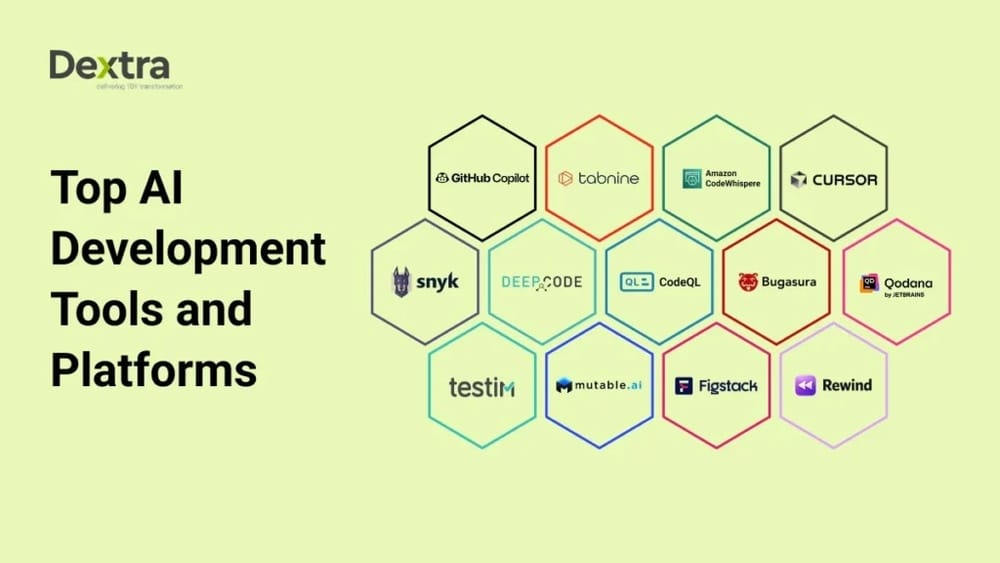
Explore the best AI tools for developers that assist in coding, debugging, and automating tasks to enhance software development efficiency and accuracy.
That’s exactly what the best AI tools for developers bring to your fingertips. Whether you’re building your next big project or just want to speed up everyday coding, these AI solutions are designed to boost your productivity and reduce frustration. Curious which AI tools can make this happen for you? Check out this detailed guide on the best AI tools for developers that are changing the game in 2025. Dive in to discover how you can transform your coding experience and get more done with less effort. Your future self will thank you.
Credit: embarkingonvoyage.com
Introduction To Ai Tools For Developers
AI tools have become a vital part of software development. These tools help developers write code faster and with fewer errors. In 2026, many organizations increased their investment in AI to improve productivity. Developers often lose over five hours each week on repetitive tasks and searching for information. AI tools help reduce this wasted time.
Using AI tools makes coding more efficient and improves the quality of software. These tools fit well into developers’ daily workflows. They automate routine work and assist with complex coding challenges. This section explains why AI tools matter and highlights some top options available today.
Purpose And Importance Of Ai Tools In Development
AI tools serve many purposes in software development:
- Automate repetitive tasks: Reduce manual coding and testing time.
- Enhance code quality: Detect bugs and suggest improvements early.
- Speed up development: Generate code snippets and templates quickly.
- Improve collaboration: Help teams understand and maintain code better.
Developers spend significant time on unproductive activities. AI tools cut down on these by providing smart assistance. This leads to faster delivery and fewer errors. Organizations see higher returns on development efforts when using AI tools.
Overview Of Current Leading Ai Tools
| AI Tool | Key Feature | Benefit for Developers |
|---|---|---|
| GitHub Copilot | AI-powered code completion | Speeds up coding with smart suggestions |
| Tabnine | Context-aware code predictions | Reduces errors and improves code consistency |
| CodeGuru by AWS | Automated code reviews and profiling | Helps find bugs and optimize performance |
| DeepCode | AI-driven code analysis | Detects security issues and code smells |
| Kite | Code completions powered by AI | Enhances productivity with quick suggestions |
These AI tools represent the best options for developers in 2025. They integrate easily with common coding environments. Developers can rely on them to write better code faster and spend less time on tedious tasks.

Credit: www.youtube.com
Key Features Of Top Ai Tools For Developers
The best AI tools for developers offer unique features that improve coding efficiency and quality. These tools reduce repetitive tasks and help maintain focus. They integrate smoothly with popular platforms, support real-time research, and enhance productivity. Understanding these key features helps developers pick the right AI assistant for their needs.
Google Gemini: Seamless Integration Within Google Ecosystem
Google Gemini works flawlessly inside Google’s tools like Google Cloud and Workspace. It offers:
- Easy access to AI features in familiar apps
- Smart code suggestions based on your project context
- Collaboration tools that sync across Google services
- Security and privacy aligned with Google’s standards
This tool fits well for developers who rely on Google’s environment for coding and project management.
Microsoft Copilot: Enhancing Productivity In Microsoft Applications
Microsoft Copilot integrates deeply with Microsoft 365 apps, including Visual Studio and GitHub. Key features include:
- Context-aware code completion and debugging help
- Task automation in Excel, Word, and PowerPoint
- Seamless workflow across coding and documentation
- AI-driven insights to speed up development cycles
This AI tool boosts productivity for developers who work within Microsoft’s software ecosystem.
Claude: Specialized Strengths In Creative Writing And Research
Claude excels in creative writing and deep research tasks. Its features include:
- Natural language understanding for complex queries
- Detailed explanations and idea generation
- Assistance in drafting clear technical documentation
- Support for brainstorming and planning phases
Claude helps developers with writing-rich tasks and research-heavy projects.
Perplexity Ai: Real-time Research With Source Citation
Perplexity AI is built for quick research with reliable sources. Its main features are:
- Instant answers to technical questions
- Source citations for verified information
- Summarization of lengthy documents
- Interactive query handling for deeper exploration
This tool suits developers needing accurate, real-time data and references.
Grok By Xai: Real-time Data Access And Technical Task Efficiency
Grok by xAI focuses on live data access and technical help. Features include:
- Real-time data retrieval from multiple sources
- Automation of repetitive coding tasks
- Debugging assistance with error detection
- Integration with developer tools and APIs
Grok helps developers handle live data and improve coding accuracy.
Meta Ai: Social Integration And Visual Ai Capabilities
Meta AI combines social media data with powerful visual AI. Key features include:
- Image recognition and generation for UI design
- Integration with social platforms for user insights
- Advanced visual data processing for app development
- Collaborative tools for team projects
Meta AI suits developers working on social and visual content projects.
Pricing And Affordability Breakdown
Understanding the pricing and affordability of AI tools helps developers choose wisely. Each tool offers different plans, suited for various needs and budgets. This section breaks down the costs and features to guide your decision.
Free Versus Paid Features Across Popular Ai Tools
Most AI tools offer a free tier with basic functions. These are ideal for beginners or light users. Paid plans unlock advanced features, higher limits, and better support.
| AI Tool | Free Features | Paid Features | Free Limitations |
|---|---|---|---|
| Tool A | Basic code suggestions, limited API calls | Unlimited calls, team collaboration, priority support | 1000 API calls/month |
| Tool B | Syntax checks, small project support | Full project integration, multi-language support | Single project only |
| Tool C | Standard autocomplete, basic debugging | AI-powered debugging, performance analytics | No debugging tools |
Free plans suit small projects and learning. Paid plans fit professional and team use.
Cost-effectiveness Based On Developer Needs And Usage
Choosing a tool depends on how often and what tasks you need. Some developers need simple code help. Others require deep integration and advanced AI features.
- Casual developers: Free plans or low-cost monthly plans work best.
- Professional developers: Mid-tier plans offer good balance of cost and features.
- Teams and enterprises: Higher plans with collaboration tools add value.
Calculate your usage to avoid paying for unused features. Look for plans with flexible usage caps and upgrade options.
Subscription Models And Enterprise Options
Most AI tools use monthly or yearly subscriptions. Yearly subscriptions often save money.
- Monthly plans: Offer flexibility, cancel anytime.
- Yearly plans: Usually cheaper per month, ideal for long-term use.
Enterprise plans provide:
- Custom pricing based on scale
- Dedicated support and training
- Enhanced security and compliance features
Enterprises benefit from tailored solutions. Developers working in teams should explore these options for better ROI.
Pros And Cons Based On Real-world Usage
AI tools for developers bring both benefits and challenges. Understanding their strengths and limitations helps developers make smart choices. Real-world usage reveals how these tools perform in coding, productivity, and security. Below, we explore key points from developers’ experiences with popular AI tools.
Strengths And Limitations Of Chatgpt For Coding And Productivity
ChatGPT offers a flexible way to generate code snippets, debug, and explain concepts quickly.
- Strengths: Fast code generation, easy to use, supports many programming languages.
- Limitations: Sometimes produces incorrect or incomplete code, lacks deep context understanding.
ChatGPT works well for simple to moderate tasks but may struggle with complex logic or large projects. It improves productivity by reducing time spent on routine coding and learning.
Advantages Of Specialized Ai Tools Over General-purpose Models
Specialized AI tools target specific coding tasks, offering benefits general models may lack.
| Feature | Specialized AI Tools | General-Purpose Models (e.g., ChatGPT) |
|---|---|---|
| Accuracy | Higher for targeted tasks | Variable, less precise on niche topics |
| Integration | Built-in IDE plugins and CI/CD support | Often requires manual setup |
| Performance | Optimized for coding workflows | General response, slower in complex tasks |
| Support | Developer-focused customer service | General user support |
These tools enhance coding speed and quality, especially in professional environments. They fit well into existing developer workflows.
Challenges With Complex Coding Scenarios And Security Concerns
AI tools face limits with complex algorithms and large codebases. They might miss subtle bugs or produce insecure code.
- Handling multi-module projects remains difficult.
- Security risks arise from code suggestions without full context.
- Developers must review AI-generated code carefully.
Security audits and manual testing are essential to avoid vulnerabilities introduced by AI code.
User Experience: Integration, Accuracy, And Support
Successful AI tools offer smooth integration with common development environments like VS Code or JetBrains IDEs.
- Integration: Plugins and APIs allow easy access during coding.
- Accuracy: Varies by tool; continuous updates improve results.
- Support: Responsive help desks and active community forums aid problem-solving.
Overall, user experience depends on how well the AI fits into daily developer tasks and workflows.
Specific Recommendations For Developers
Developers benefit greatly from AI tools tailored to their skill levels and project needs. Choosing the right tools can boost productivity, reduce errors, and simplify complex coding tasks. This section offers clear guidance on AI tools for various developer stages and purposes.
Ideal Ai Tools For Beginner And Intermediate Developers
Beginners and intermediate developers need easy-to-use AI tools that improve their coding skills and speed up learning. These tools often provide suggestions, code completions, and error explanations.
- GitHub Copilot: Offers real-time code suggestions and snippets to help write code faster.
- Tabnine: AI-powered code completion supporting many languages and editors.
- Replit Ghostwriter: Assists with code generation and debugging within an online IDE.
These tools focus on clear guidance and reducing repetitive tasks, making coding less intimidating for beginners.
Best Choices For Advanced Coding And Complex Projects
Advanced developers require AI tools that handle larger codebases and complex algorithms efficiently. Integration with multiple languages and deep code analysis is crucial.
| AI Tool | Key Features | Best Use Case |
|---|---|---|
| Codeium | Supports multi-language autocomplete, code search, and refactoring | Large projects with diverse tech stacks |
| DeepCode | AI-powered code review and bug detection | Improving code quality and security |
| Amazon CodeWhisperer | Generates code snippets and suggests improvements | Cloud-based and scalable projects |
Selecting Tools Based On Integration With Existing Software
Integration matters to ensure smooth workflow and tool compatibility. Developers should pick AI tools that work well with their current IDEs, version control, and deployment systems.
- VS Code Extensions: Many AI tools offer plugins for VS Code, a popular editor.
- GitHub Integration: Tools like GitHub Copilot sync directly with repositories.
- Cloud Platforms: AWS and Azure provide AI coding tools integrated into their ecosystems.
Choosing tools that fit existing software reduces setup time and avoids disrupting development routines.
Recommendations For Research, Content Generation, And Debugging
AI tools can assist beyond coding by helping with research, documentation, and debugging tasks. These tools save time and improve code clarity.
- Research: AI-powered search tools help find relevant code examples and best practices quickly.
- Content Generation: Tools like OpenAI’s GPT models assist in writing clear documentation and comments.
- Debugging: AI debuggers analyze code to identify issues faster than manual checks.
Using AI for these tasks enhances overall software quality and developer efficiency.
Conclusion: Boosting Developer Productivity With Ai
AI tools for developers have transformed how coding gets done. They cut down repetitive tasks and speed up problem-solving. These tools help developers focus on creative and complex parts of projects. By automating routine work, AI enhances productivity and code quality. The future of software development looks brighter with these smart assistants.
Using AI tools means fewer errors and faster delivery. Developers save time previously lost to context switching and duplicate tasks. This shift lets teams meet deadlines and innovate more freely.
Summary Of Key Takeaways
- AI tools reduce manual coding efforts and repetitive tasks.
- They help catch bugs early with intelligent code analysis.
- These tools improve collaboration by offering real-time suggestions.
- Developers gain more time for designing and testing.
- Integrating AI leads to faster project completion and higher code quality.
Future Trends In Ai Tools For Development
AI tools will get smarter and more adaptive. Expect more:
- Context-aware coding assistants that understand entire projects.
- AI-driven debugging that predicts and fixes errors automatically.
- Enhanced natural language interfaces for easier code generation.
- Integration with cloud platforms for seamless development.
- Collaborative AI that supports team workflows in real time.
These trends will push coding efficiency and lower entry barriers for new developers.
How To Choose The Right Ai Tool For Your Workflow
Selecting the right AI tool depends on your project needs and team skills. Consider these factors:
| Criteria | What to Check |
|---|---|
| Compatibility | Works well with your programming languages and IDEs. |
| Features | Offers code completion, debugging, and testing support you need. |
| Ease of Use | Simple interface, quick setup, and minimal learning curve. |
| Integration | Fits smoothly into your existing development environment. |
| Cost | Matches your budget and offers good value over time. |
Try demo versions to test how a tool fits your workflow before full adoption. Focus on tools that reduce manual work and boost coding speed.
Frequently Asked Questions
Is Grok 3 Really The Best Ai?
Grok 3 is a strong AI chatbot with real-time Twitter data access. Its suitability depends on your specific needs and tasks.
Is There Any Ai Better Than Chatgpt?
Yes, some AI like Google Gemini, Claude, Microsoft Copilot, and Perplexity AI excel in specific tasks beyond ChatGPT. These tools offer strengths in research, productivity, real-time data, or ecosystem integration. Choose based on your needs for writing, coding, or online research.
Is Chatgpt Best For Coding?
ChatGPT helps with coding by explaining concepts, generating simple code, and fixing errors. It suits beginners and routine tasks but isn’t the best for complex projects. Specialized tools like Microsoft Copilot may offer better integration and advanced coding support.
Which Ai Bot Is Best For Coding?
Microsoft Copilot, GitHub Copilot, and OpenAI’s ChatGPT excel in coding assistance. They offer code generation, debugging, and explanations. Choose based on your workflow and integration needs.
Conclusion
AI tools help developers save time and reduce errors. They improve coding speed and overall quality. Choosing the right tool depends on your project needs. Explore various options and find what fits best. For a detailed list, check out these best AI tools for developers. Start using AI to make your coding easier and more efficient today.

