How to Use a VPN on Public Wi-Fi: Stay Secure Anywhere
Founder & Lead SaaS Analyst at PCSaaS · Google Ads & Analytics Certified · SaaS Stack Architect · 500+ Software Tools Tested · 8+ years in B2B SaaS evaluation, AppSumo lifetime deal curation, performance marketing, and AI workflow automation
How to Use a VPN on Public Wi-Fi: Stay Secure Anywhere
Browse safely How to Use a VPN on public Wi-Fi hotspots! Learn how to set up and use a VPN on your devices with our simple step-by-step guide. Protect your data now!
Public Wi-Fi networks are convenient but risky. They are often insecure, making your personal information vulnerable. A VPN, or Virtual Private Network, encrypts your internet connection. It acts as a secure tunnel between your device and the internet. This means no one can see your online activities, even on public Wi-Fi. For more on this, see our guide on budget vpn for small businesses.
Learning how to use a VPN is simple and can save you from potential threats. Whether you are in a coffee shop, airport, or library, a VPN keeps your information safe. Let's explore the steps to use a VPN effectively on public Wi-Fi.
Importance Of Using A Vpn
Public Wi-Fi networks are convenient but risky. They are not secure. Your data is exposed to various threats. Using a VPN is essential. It ensures your data stays safe and private. Let’s explore why using a VPN is crucial on public Wi-Fi. For more on this, see our guide on who should use virtual assistant tools.
Protecting Your Data
When you connect to public Wi-Fi, your data is at risk. Hackers can easily intercept your online activities. A VPN encrypts your data. This makes it unreadable to anyone trying to spy on you. Encryption is like a secret code that only your device and the VPN server can understand.
Here’s a simple table to show how a VPN protects your data:
Without VPN With VPN
Your data is exposed. Your data is encrypted.
Hackers can see your online activities. Hackers cannot read your data.
Preventing Cyber Attacks
Public Wi-Fi is a hotspot for cyber attacks. Hackers use various techniques to steal your information. They can launch man-in-the-middle attacks . They can also set up fake Wi-Fi networks. For more on this, see our guide on goose vpn lifetime deal review.
Using a VPN helps prevent these attacks. Here’s how:
A VPN hides your IP address.
It makes it harder for hackers to target you.
A VPN creates a secure tunnel for your data.
With a VPN, you can browse the internet safely. Your personal information remains protected. You can use public Wi-Fi without fear.
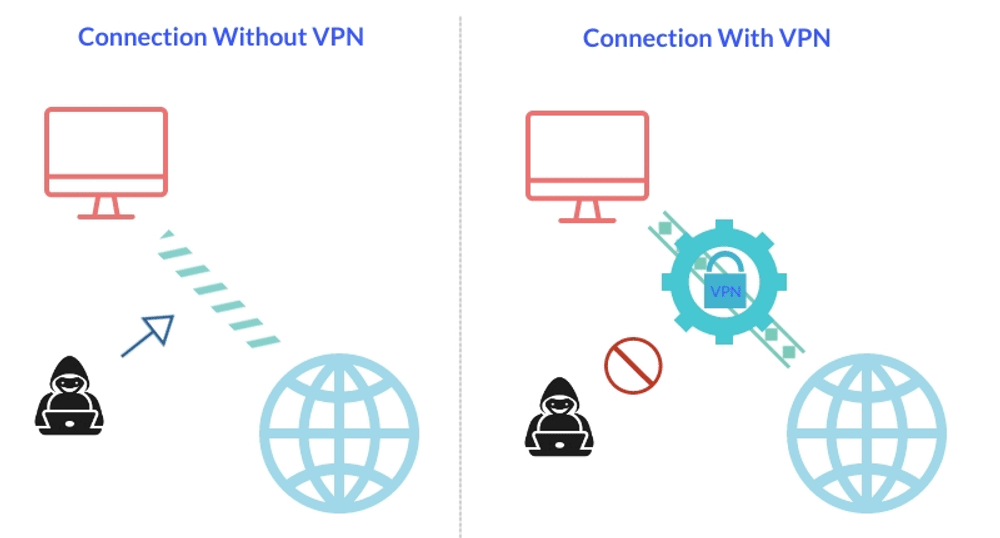
Visual of a VPN tunnel shielding your connection between device and internet.
Credit: www.econnectjapan.com
How A Vpn Works
Understanding how a VPN works is crucial for using it effectively on public Wi-Fi. A VPN, or Virtual Private Network, ensures your online activities remain private and secure. This is especially important when connected to public Wi-Fi, which is often less secure. Let's dive into the details.
Encryption Basics
Encryption is the process of converting data into a code to prevent unauthorized access. When you use a VPN, it encrypts your data. This means that even if someone intercepts your data, they won't be able to read it.
Think of it as sending a secret message in a locked box. Only you and the recipient have the key to open it. This ensures that your sensitive information, such as passwords and credit card numbers, remains safe.
Without VPN With VPN
Data is sent in plain text. Data is encrypted and secure.
Easy for hackers to intercept. Nearly impossible to decrypt.
Modern VPNs use advanced encryption standards like AES‑256‑GCM and increasingly adopt the WireGuard protocol for a better balance of speed and security. WireGuard, in particular, has become a popular choice throughout the industry since its kernel integration in Linux and widespread adoption by 2026. When choosing a VPN, look for one that offers at least AES‑256 encryption and supports a modern protocol — older options like PPTP are no longer considered safe. As of 2026, many top providers also provide automatic protocol selection to give you the strongest connection possible.
Ip Masking Explained
An IP address is like your online home address. It identifies your device and location. When you connect to a VPN, it masks your real IP address. Instead of showing your actual location, it shows the IP address of the VPN server.
This has several benefits:
Your online activities are harder to trace.
You can access geo-restricted content.
Your location remains private.
For example, if you are in New York and connect to a VPN server in London, websites will think you are browsing from London. This adds an extra layer of privacy and security.
Even with IP masking, your real IP can leak if the VPN has a DNS leak or your browser exposes it through WebRTC. Reputable VPNs include built‑in DNS leak protection and often offer a “kill switch” that cuts your internet traffic if the VPN connection drops — a critical safeguard when using public Wi‑Fi. Some advanced VPNs also provide split tunneling, allowing you to route only specific apps through the VPN while keeping others on your regular connection, which is useful when you need to access local network devices.
Overall, understanding how a VPN works can help you make the most of its features on public Wi-Fi. Stay safe and keep your data protected.
Protect your data—use a VPN now!
Choosing The Right Vpn
Public Wi-Fi networks are convenient but can be risky. Using a VPN can protect your data. Choosing the right VPN is crucial for security and speed. Let's explore the key factors to consider.
Free Vs Paid Vpns
Free VPNs are tempting. They don't cost anything upfront. But they come with limitations. Free VPNs often have limited data or slower speeds. They may also display ads or log your data.
Paid VPNs usually offer better performance. They provide faster speeds and unlimited data. Paid VPNs often have stronger security features. They are less likely to log your data. Investing in a paid VPN can be worthwhile for privacy and reliability.
The table below summarises the most important differences for someone using public Wi‑Fi regularly:
| Feature | Free VPN | Paid VPN |
|---|---|---|
| Data cap | Often 500 MB – 10 GB/month | Unlimited (or very high caps) |
| Speed | Throttled or shared bandwidth | High‑speed dedicated servers |
| Logging | Many log and sell data | Strict no‑logs policies (audited) |
| Kill switch | Rarely included | Standard feature |
| Server locations | Limited (10–50) | 1,000+ in 60+ countries |
| Customer support | Email or ticket only | 24/7 live chat |
If you only need a VPN for light browsing once a month, a respected free option might suffice. However, for consistent protection on public Wi‑Fi, a paid VPN is far more reliable. You can often find excellent deals on affordable services through lifetime offer marketplaces — for example, exploring the latest discount software bundles from platforms like the budget-friendly deals listed on Appsumo alternatives.
Top Features To Look For
When choosing a VPN, focus on key features. Here are some important ones:
Encryption: Ensure the VPN uses strong encryption. AES-256 is a good standard.
No-logs Policy: Choose a VPN that doesn't log your activities. This ensures better privacy.
Speed: Look for fast connection speeds. This is crucial for streaming and browsing.
Server Locations: More server locations mean more options. It can help with faster connections and bypassing geo-blocks.
Customer Support: Good support is essential. 24/7 support can be very helpful in resolving issues quickly.
These features can enhance your VPN experience. Prioritize them based on your needs.
Same infographic used by NordVPN to illustrate VPN encryption on open networks.
Credit: nordvpn.com
Setting Up A Vpn
Using a VPN on public Wi-Fi protects your data from hackers. Connect to the VPN before accessing the internet. This keeps your personal information safe.
Using a VPN on public Wi-Fi is essential for security. Setting up a VPN might seem complex, but it is easy. Follow these steps to ensure your connection is secure.
Installing The Software
First, choose a reliable VPN provider. Download the software from their official website. Avoid third-party sites to ensure the download is safe. Once downloaded, open the file to start the installation process. Follow the on-screen instructions. Most installations are straightforward and take only a few minutes.
Configuring The Settings
After installing, open the VPN software. Log in with your credentials. Now, access the settings menu. Select a server location. For better speed, choose a server near your physical location. Ensure the kill switch is enabled. This feature disconnects you from the internet if the VPN drops. It prevents data leaks. Lastly, enable the auto-connect feature. This ensures your VPN connects automatically when using public Wi-Fi.
By following these steps, you can safely use public Wi-Fi. Enjoy browsing with peace of mind.
Using A VPN On Mobile Devices
Public Wi‑Fi is most often accessed from smartphones and tablets, so setting up a VPN on mobile is just as important as on a laptop. The process is straightforward:
- Download the official VPN app from your device’s app store (Google Play or Apple App Store). Avoid sideloading APKs from unknown sources.
- Log in with the credentials you created during sign‑up.
- Grant the necessary permissions – the VPN will ask for permission to add a VPN configuration, which is required to encrypt your traffic.
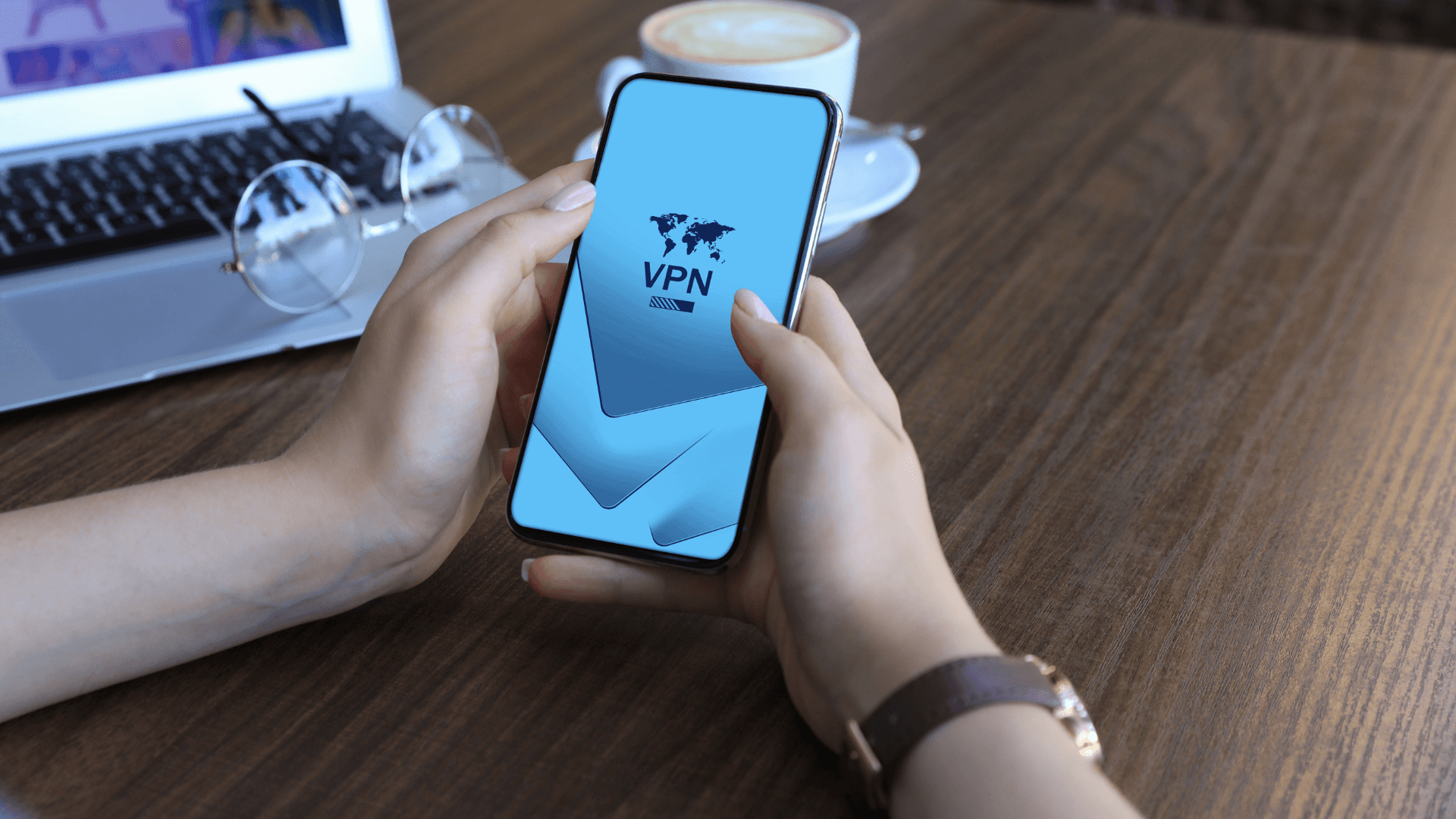
- Choose a server and tap “Connect”. On iOS, you’ll see a “VPN” indicator in the status bar; on Android, a key icon appears.
One common mistake is forgetting to activate the VPN before connecting to a public network. Set your VPN app to launch on device start‑up if available, and enable “Always‑on VPN” on Android so it stays active whenever Wi‑Fi is turned on. For iPhones, you can use Shortcuts automation to trigger the VPN when joining a known public SSID.
If you frequently browse on the go, you may also want to review best practices for mobile privacy — many of the principles apply directly to public Wi‑Fi usage.
Connecting To Public Wi-fi
Connecting to public Wi-Fi can be risky. Cybercriminals often target public networks. Using a VPN can help secure your data. Let's explore some tips for connecting safely.
Finding A Secure Network
Public Wi-Fi is available in many places. Not all networks are safe. Look for networks from trusted sources. Coffee shops, libraries, and airports often have secure Wi-Fi. Avoid networks with generic names like “Free Wi-Fi”. These may be traps set by hackers.
Check if the network requires a password. Password-protected networks are usually more secure. Use a VPN to add an extra layer of security. A VPN encrypts your data, making it hard for hackers to steal it.
Avoiding Common Pitfalls
Using public Wi-Fi has some common pitfalls. Be aware of them:
Avoid accessing sensitive data. Do not log into bank accounts or enter credit card details.
Turn off file sharing. This prevents others on the network from accessing your files.
Ensure your device’s firewall is active. It adds an extra layer of protection.
Update your device’s software regularly. Updates often include security patches. Keep your VPN software updated too. An outdated VPN may not protect you well.
Here’s a quick checklist for connecting to public Wi-Fi safely:
Step Action
1 Choose a trusted network
2 Connect using a password-protected network
3 Turn on your VPN
4 Disable file sharing
5 Ensure your firewall is on
6 Update your software
Following these steps can help protect your data. Stay safe while using public Wi-Fi.
Handling Captive Portals
Many public Wi‑Fi hotspots — such as those in hotels, airports, or cafes — use a captive portal: a login page that appears after you connect. This creates a catch‑22 because the VPN can’t establish a tunnel until the portal is authenticated, and the portal often won’t load while the VPN is active.
The correct approach:
- Connect to the Wi‑Fi network without the VPN.
- Open your browser and complete the portal login (enter a code, accept terms, etc.).
- Once you see a working internet connection, immediately switch on your VPN app.
- Verify the VPN indicator is active before doing anything sensitive.
Some modern VPN apps include a “captive portal helper” that temporarily pauses the VPN until the login is complete. If yours doesn’t, manually disconnecting and re‑connecting the VPN after the portal is the simplest workaround. Avoid using auto‑connect settings that might interfere with this sequence.
Activating Your Vpn
Using a VPN on public Wi-Fi is essential for maintaining your privacy. Activating your VPN is the first step to ensuring that your data remains secure. This guide will help you through the process of activating your VPN.
Launching The Application
To begin, locate the VPN application on your device. This could be on your desktop or your mobile device. Open the application by double-clicking the icon or tapping it on your mobile screen. Make sure your internet connection is active before you proceed.
Selecting A Server Location
Once the application is open, you will need to select a server location. This step is crucial as it determines your virtual location. Many VPNs offer a list of countries or cities. Choose a location that is close to you for better speed. Some applications even provide a 'Best Server' option, which automatically selects the fastest server available.
Here is a quick table to help you understand the benefits of different server locations:
Server Location Benefits
Local Server Faster connection speed
Different Country Access to region-specific content
After selecting your server location, click the 'Connect' button. Your VPN will now activate and secure your connection. You can browse the internet with peace of mind, knowing your data is safe.
Testing Your Vpn Connection
Using a VPN on public Wi-Fi is crucial for protecting your data. After setting up your VPN, it's important to test the connection. This ensures you have a secure and private browsing experience.
Verifying Encryption
First, ensure your VPN encrypts your data. Encryption scrambles your information, making it unreadable to others. Use these steps to verify encryption:
Connect to your VPN.
Visit an encryption test website, like How's My SSL .
Check the report for encryption details. Look for "AES-256" or "AES-128".
Strong encryption protects your sensitive information. If encryption is weak, consider a different VPN service.
Checking For Ip Leaks
An IP leak reveals your real IP address, compromising your privacy. Check for IP leaks with these steps:
Connect to your VPN.
Visit an IP leak test website, such as IPLeak.net .
Compare the shown IP address with your actual IP address.
If the IP address matches your real one, your VPN is leaking. A good VPN should hide your IP address. If leaks are found, switch VPN providers.
Testing your VPN connection is vital. Ensure encryption and check for IP leaks to keep your data secure.
Example of a VPN client interface showing encryption and server information.
Credit: veepn.com
What To Do If Your VPN Disconnects
Even the best VPN can drop unexpectedly — especially on public Wi‑Fi with weak signals or frequent network changes. A sudden disconnection can expose your real IP and data if no protection is in place.
Enable the kill switch – This is the single most important safeguard. When enabled, your internet connection is immediately blocked if the VPN tunnel drops, preventing any data from leaking. Most reputable VPNs include this feature; verify it is turned on in your settings before you connect to public Wi‑Fi.
What to do when you notice a drop:
- Do not resume browsing — immediately close any apps that were sending or receiving data.
- Re‑open your VPN app and reconnect to a server.
- Run an IP leak test again to confirm your real IP is hidden.
- If drops happen frequently, try switching to a different VPN protocol (e.g., from OpenVPN to WireGuard) or choose a less congested server.
For small business owners who frequently rely on public Wi‑Fi while traveling, investing in a dedicated VPN that offers a persistent kill switch can be a wise move — especially if employees handle sensitive data.
Staying Safe Online
Using a VPN on public Wi-Fi keeps your data secure and private. It encrypts your connection, preventing hackers from accessing your information. Stay safe by always connecting to a trusted VPN before using public networks.
Public Wi-Fi networks are convenient but risky. They can expose your data to hackers. Using a VPN helps protect your information. But that's not enough. You need to take extra steps to stay safe online. Here are some tips to enhance your security.
Avoiding Suspicious Websites
Be careful about the websites you visit. Some sites are traps set by hackers. They look legitimate but steal your information. Check the URL before you click. Look for "https" instead of "http". The "s" stands for secure. Avoid sites with many pop-ups or warnings.
Using Strong Passwords
Strong passwords are essential. They make it hard for hackers to access your accounts. Use a mix of letters, numbers, and symbols. Avoid common words or phrases. Don't use the same password for different accounts. Change your passwords regularly. Consider using a password manager to keep track of them.
By following these tips, you can stay safer on public Wi-Fi. Always be cautious and aware of potential threats.
Frequently Asked Questions
What Is A Vpn?
A VPN is a Virtual Private Network. It encrypts your internet connection, providing privacy and security on public Wi-Fi.
Why Use A Vpn On Public Wi-fi?
Using a VPN on public Wi-Fi protects your personal data. It prevents hackers from intercepting your information.
How To Set Up A Vpn?
To set up a VPN, choose a reliable provider. Download their app, install it, and follow the setup instructions.
Is A Vpn Safe For Public Wi-fi?
Yes, a VPN is safe for public Wi-Fi. It encrypts your connection, keeping your data secure and private.
Can a VPN slow down my internet speed?
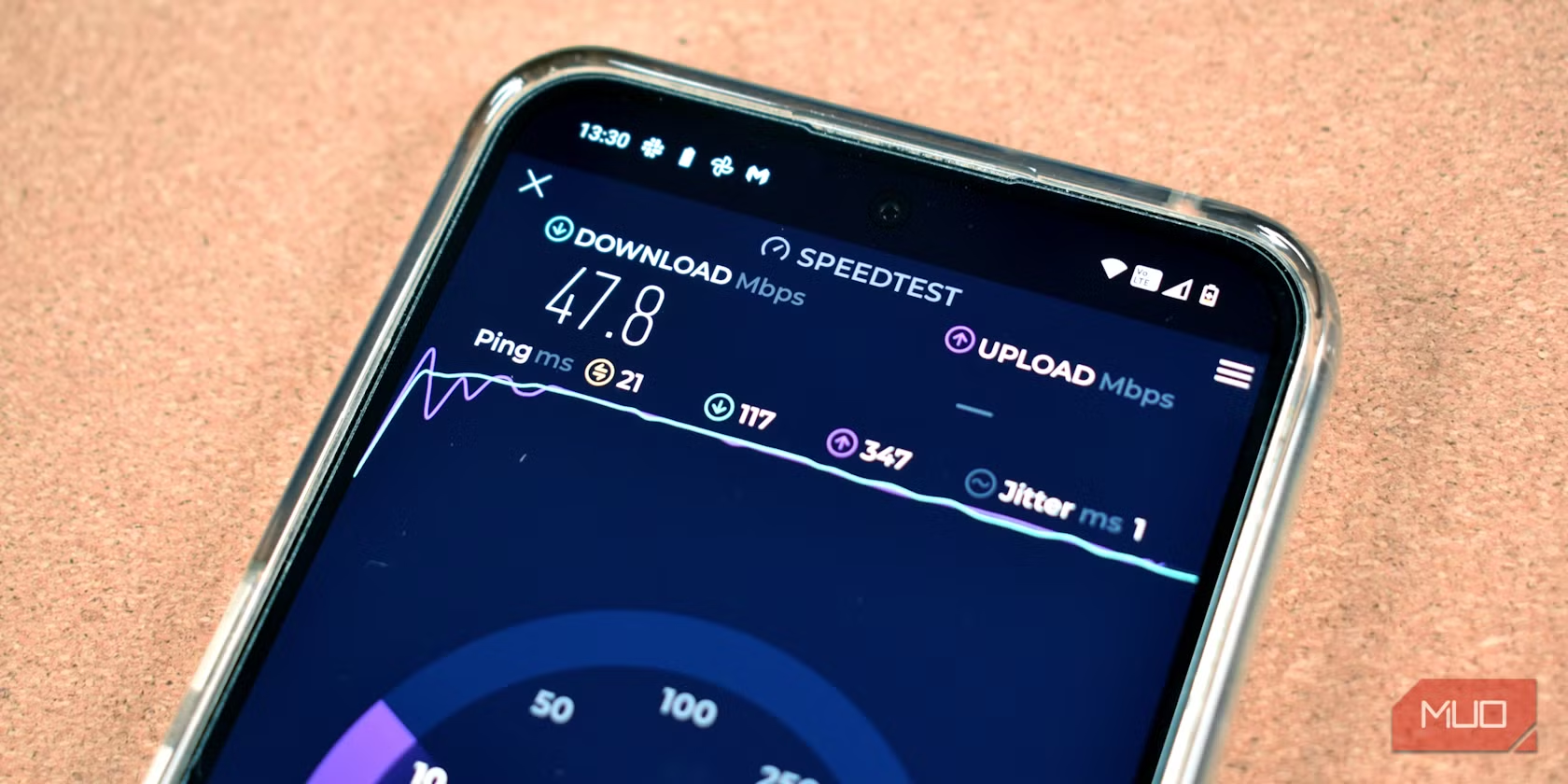
Yes, any VPN adds overhead because your traffic is encrypted and routed through a remote server. However, a premium VPN with a modern protocol like WireGuard usually adds only a 5–15% speed reduction — often imperceptible for everyday browsing. If you notice heavy slowdowns, try switching to a closer server or a different protocol. For streaming or large downloads, choose a service that offers unlimited bandwidth and fast server clusters.
Do I need a VPN on public Wi‑Fi if I only check email or browse news?
Yes, even light browsing exposes your IP address and metadata, and a malicious hotspot can inject malware into unencrypted pages. Email accounts protected by HTTPS are relatively safe, but your login session could still be hijacked without a VPN. It’s safest to keep the VPN on any time you are connected to a public network.
How often should I update my VPN app?
Install updates as soon as they become available. VPN developers frequently patch security vulnerabilities and improve protocol support. Most apps allow automatic updates; enable that option in your device’s app store settings.
Conclusion
Using a VPN on public Wi-Fi is crucial. It protects your data. You can browse safely and keep information private. Setting up a VPN is easy. Just follow simple steps. Always choose a reliable VPN service. Public Wi-Fi is risky without protection.
Stay safe and enjoy your online activities. Remember, your privacy matters. Protect it with a VPN. Secure browsing is just a few clicks away. Stay informed and browse confidently.
https://www.youtube.com/watch?v=nHWT59HZk10owse safely and keep information private. Setting up a VPN is easy. Just follow simple steps. Always choose a reliable VPN service. Public Wi-Fi is risky without protection.
Stay safe and enjoy your online activities. Remember, your privacy matters. Protect it with a VPN. Secure browsing is just a few clicks away. Stay informed and browse confidently.
Start protecting your data today — connect your VPN before every public Wi‑Fi session.
https://www.youtube.com/watch?v=nHWT59HZk10 Watch the video above for a quick visual walkthrough, then put these tips into action the next time you log onto an open network. Your data is worth the extra step — make a VPN a permanent part of your public Wi‑Fi routine.

Similar Posts