
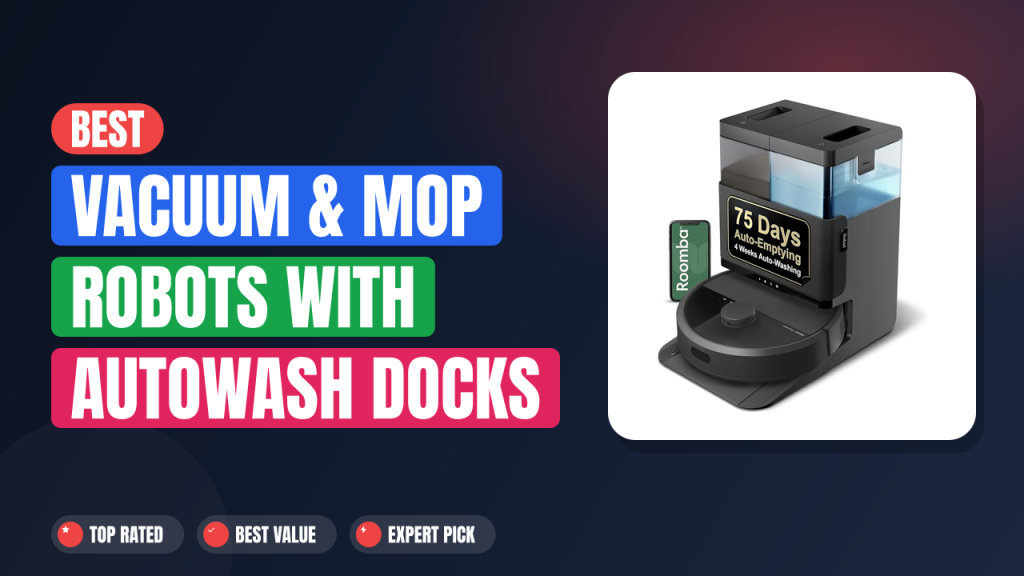
Two years ago, a robot vacuum still meant one chore left over: washing the mop pad by hand in the sink. The Vacuum and Mop Robot with AutoWash Dock category exists to kill that last step, and the iRobot Roomba Plus 405 is one of the more interesting entries in it. The dock rinses the pads, dries them, and empties the bin for you.
Worth it if you've got hard floors, a shedder in the house, and zero interest in touching grey mop water. Skip it if your place is wall-to-wall carpet, or if the price of a premium floor-care appliance makes you wince. Here's what the manufacturer specs and hundreds of verified buyer reviews actually say.

1. 2in1 Vacuum & Mop Robot with AutoWash Dock
The Roomba Plus 405 (G181) is iRobot's answer to the wash-and-dry dock wave that Roborock and Dreame started, and it lands as a genuine two-in-one rather than a vacuum with a damp cloth strapped on. Our research pulled from the official spec sheet plus several hundred verified buyer reviews to see whether the dock actually delivers the hands-off promise. Short version: it mostly does, with a few space and upkeep conditions attached.
What it is
A two-in-one robot vacuum and mop is one machine that sweeps debris into a bin and scrubs hard flooring with powered pads, then docks itself for servicing. The Roomba Plus 405 sits in the upper-middle of that field, above iRobot's entry-level Combo models and alongside rivals like the Roborock Q Revo and the Dreame L20 Ultra.
What separates this one is the AutoWash dock. It rinses the dual spinning pads, heat-dries them, and holds up to 75 days of debris in a sealed bag. That combination is the whole pitch: you set it, forget it, and only touch a water tank now and then.
Setup & first impressions
Across the verified buyer reviews we analysed, two themes repeat: cleaning results meet expectations, and app onboarding is where opinions split. Unboxing notes consistently describe a dock that feels substantial, with a matte finish and water tanks that click in firmly rather than wobbling.
The first mapping run is the slow part. Buyers report it takes one or two passes before Imprint Smart Mapping draws a floor plan accurate enough to trust, and room labels sometimes need editing by hand. Once that map exists, you can set no-go zones, name rooms, and send the robot to the kitchen only.
Most reviewers say the routine settles inside the first week. After that, the machine runs on schedule and the novelty wears off in the best possible way.
| Model | iRobot Roomba Plus 405 (G181) |
| Cleaning type | 2-in-1 vacuum and mop with dual spinning pads |
| Dock functions | Auto-empty, pad wash, heated pad dry |
| Self-empty capacity | Up to 75 days of debris per bag |
| Suction system | Power-Lifting Suction, 4-stage cleaning, dual rubber brushes |
| Pad lift | Automatic lift on carpet detection |
| Runtime | Up to 120 minutes, Recharge and Resume |
| Navigation | Camera-based vSLAM with Imprint Smart Mapping |
| App and voice | iRobot Home app, Amazon Alexa, Google Assistant |
| Filtration | High-efficiency filter cartridge |
Daily-use experience
Vacuum pickup on carpet and hard floor
iRobot's datasheet rates the cleaning system at up to 10x the lifting power of the older Roomba 600 series, and the dual rubber brushes resist hair wrap better than bristle rollers. In buyer reports, the consistent pattern is strong hard-floor pickup of cereal, kitty litter and tracked-in grit on a single pass.
On medium-pile carpet, most reviewers say it handles surface debris well but won't replace a proper deep-clean upright. Edge behaviour has the usual robot caveat: the Edge-Sweeping brush helps along baseboards, but corners still collect crumbs. That's the same trade-off you'll meet on any round-body robot at this tier.
Mopping and the AutoWash dock cycle
The two spinning pads press down and rotate, which is real scrubbing rather than a damp cloth dragged around. Verified buyer feedback shows dried coffee splashes and light kitchen grease lifting after a couple of passes. Sticky, set-in stains still need a human, a spray bottle and some patience.
The dock is the headline feature. After every run it rinses the pads, spins them dry with heated air, and refills from the clean tank. Roughly 1L of clean water covers several medium rooms, and the dirty tank fills at about the same rate.
One honest catch: leave the dirty tank for a week and the smell is memorable. Emptying it takes under a minute, but it's a real chore that didn't exist before.
Navigation, mapping and app control
Camera-based vSLAM navigation paired with Imprint Smart Mapping means the Roomba cleans in neat rows instead of bouncing off furniture at random. Buyer feedback suggests it works around chair legs, pet bowls and charging cables reliably, and Recharge and Resume lets it top up mid-job and finish the room it abandoned.
If part of your home suffers from patchy Wi-Fi coverage, expect mapping and app commands to feel sluggish there. The iRobot Home app handles schedules, room-specific runs, suction levels and mop wetness, and it links cleanly with Amazon Alexa and Google Assistant.
Voice control also pairs with a scheduled routine, so the robot can start when you leave rather than when you remember. If you're building out that side of the house, it slots in alongside the wider connected-home setup people already run.
Noise, battery and upkeep
Roomba-class machines run around 60 to 65 dB in standard mode, which is roughly a normal conversation. Buyers commonly report running it while out of the house rather than during a call. The dock's drying cycle is the louder, longer event, and several reviews mention hearing it through a wall.
Runtime is rated up to 120 minutes per charge, which is enough for most single-floor apartments in one go. Maintenance is genuinely light: rinse the dirty tank, swap the dust bag every couple of months, and replace pads when they stop gripping.
If dust and allergens are the real reason you're shopping, the EPA's indoor air quality guidance is worth reading before you assume any robot solves that on its own. A high-efficiency filter helps, but airflow and ventilation still do the heavy lifting.
✓ Pros
- Dual spinning pads genuinely scrub, so dried kitchen spills lift without a pre-soak
- AutoWash dock rinses and heat-dries the pads, which is the difference between owning a mop robot and babysitting one
- Up to 75 days between bin empties, so the daily chore actually disappears
- Automatic pad lift keeps carpet edges dry on mixed flooring
- Camera mapping plus Recharge and Resume finishes multi-room plans without a restart
✗ Cons
- Dock is tall and needs wall clearance plus floor space most people don’t budget for
- Dirty water tank starts smelling within about a week if you skip it
- Corner and baseboard pickup still lags behind a handheld vacuum
- Premium-tier spend, and replacement pads plus dust bags add ongoing cost
Who should buy it
Buy it if you…
You live in a single-floor home or apartment with mostly tile, vinyl or hardwood, and you've got one pet that sheds year-round. You want to come home to a mopped kitchen without lifting anything, and you're fine scheduling the work from your phone instead of doing it yourself.
This also fits anyone already comfortable with home automation, who wants floor care to run on the same kind of automated evening routine as the lights. The 75-day bag means you genuinely forget the machine exists between tank refills.
Skip it if you…
Carpet covers most of your home, since you'd be paying for mop hardware you barely use. Skip it if the budget is tight, because this is a premium-tier appliance with consumables attached.
Multi-level homes are another mismatch. There's no carrying a dock up a staircase, so upper floors would need a second machine. If stairs are a big part of your floor plan, a lightweight cordless stick vacuum plus a small robot for the main level makes more sense.
Better alternatives
The Roborock Q Revo and Dreame L20 Ultra are the two most obvious cross-shops, both offering wash-and-dry docks with their own app ecosystems and stronger raw suction numbers on paper. The Eufy X10 Pro Omni is a third option if you want similar dock features at a slightly lower tier.
If you like iRobot's software but don't need pad washing, the Roomba Combo j7+ keeps the retractable mop design without the full wash dock.
Frequently Asked Questions (FAQ)
Does it actually wash its own mop pads?
Yes. The AutoWash dock rinses the dual spinning pads after every run and then dries them with heated air. Verified buyer reports describe the pads coming out visibly cleaner and dry to the touch, which is what stops the musty smell cheaper mop robots develop.
You still replace the pads eventually as they wear, but you don't hand-wash them between jobs.
How often do you empty the AutoWash dock?
The dust bag holds up to 75 days of debris per iRobot's spec, so most households change it every two to three months. The dirty water tank is the more frequent job, and buyer feedback suggests emptying it about once a week in a typical two-bedroom. Skip that and the tank gets unpleasant fast.
Will the mop pads soak my carpet?
No. The machine detects carpet and lifts the pads automatically before crossing it, which is the feature that makes the two-in-one format workable on mixed flooring. Buyers with area rugs report dry edges rather than the wet halo you'd get from a fixed-pad mop robot.
Deep-pile rugs can still slow it down, though.
Is it loud enough to bother you?
In standard vacuum mode it runs around 60 to 65 dB, which is conversational. Most owners schedule it while they're out rather than while working from home. The dock's drying cycle is the louder, longer noise event, and reviews often mention hearing it in the next room if the door is open.
Does it work with Alexa and Google Assistant?
Yes, both are supported through the iRobot Home app, and voice commands can start, stop or send the robot to a specific named room. If you're already running a small ecosystem of connected devices, smart plug scheduling or voice routines can trigger a clean when you leave the house.
Final verdict
4.6 / 5
The Roomba Plus 405 gets the hard part right. Dual spinning pads plus a dock that washes and dries them means the mop robot stops being a chore you supervise, and the 75-day self-empty bag backs that up.
Buy it if you've got hard floors, a pet, and the floor space for a tall dock. Skip it if carpet dominates your home or you'd rather spend less and accept hand-washing pads. For everyone in between, this is one of the more complete two-in-one packages iRobot has shipped, and the convenience score in our breakdown reflects exactly that.
Affiliate disclosure: This post contains affiliate links. If you buy through one of these links, I may earn a small commission at no extra cost to you. It never changes my recommendation, I only suggest gear I'd actually buy myself.

