Best Web Hosting Service for WordPress: Top Picks for 2026
Lead SaaS Analyst at PCSaaS · Software Developer · 500+ Tools Tested · Google Ads & Analytics Certified · 8+ Years Experience
The best web hosting service for WordPress is Bluehost for beginners, SiteGround for speed and security, and WP Engine for fully managed hosting. Shared hosting is the cheapest way to start, while managed WordPress hosting adds automatic updates, daily backups and expert support. Look for fast load times, free SSL, 24/7 support and a money-back guarantee.
Choosing the best web hosting service for WordPress can be challenging. With so many options available, it’s hard to know which one to pick.
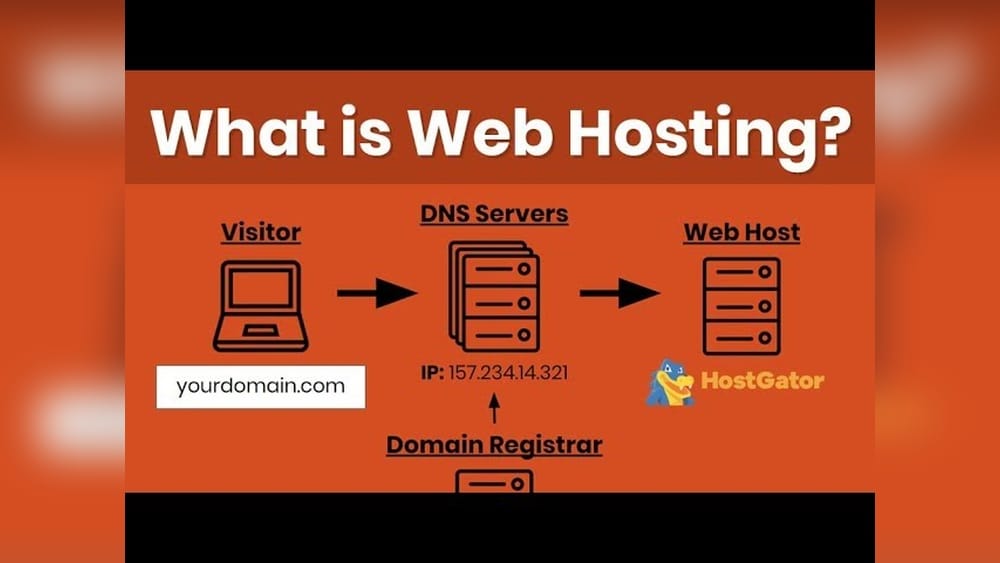
This guide will help you find the right fit for your WordPress site. A good web hosting service is crucial for your website’s success. It affects your site’s speed, security, and uptime. Whether you are a blogger, business owner, or developer, selecting the best hosting service can save you time and money. For more on this, see our guide on what is web hosting.
In this post, we will explore various web hosting services that work well with WordPress. We will focus on features, pricing, and user experience to help you make an informed decision. By the end, you will have a clear idea of which hosting service suits your needs best. Let’s dive in!
Key Features To Look For
Choosing the best web hosting service for WordPress can be overwhelming. To make this decision easier, focus on key features that enhance your site’s performance and security. Let’s delve into these essential aspects.
Speed And Performance
Speed is crucial for user experience. A fast-loading site keeps visitors engaged. Opt for hosting services that offer SSD storage. This type of storage speeds up data access. Look for services with a Content Delivery Network (CDN). A CDN helps to load your site quickly from any location. Hosting providers with high uptime guarantees ensure your site is always available.
In practice, you can test a host’s real-world speed by signing up for a short trial and running a simple page-load test. A common mistake is assuming low introductory prices guarantee good performance — some budget hosts oversell their servers, so check independent reviews for actual uptime and response times. Pair your hosting choice with a lightweight theme and image optimization to get the most out of your plan.
Security Measures
Security is vital for any website. Choose a hosting service with strong security features. Look for services offering daily backups. Regular backups protect your data. Ensure the provider includes SSL certificates. SSL certificates encrypt data and build trust with visitors. A good host also provides malware scanning and removal.
Customer Support
Reliable customer support is essential. Look for hosting services with 24/7 support. Check if they offer multiple support channels. These can include live chat, email, and phone support. Read reviews to gauge the quality of their support team. Good support can solve your problems quickly.
Scalability
Your website will grow over time. Choose a hosting provider that offers scalability. This means you can upgrade your plan as your site grows. Look for services with flexible plans. They should allow easy resource upgrades. Scalable hosting ensures your site can handle more traffic. It also helps to prevent downtime during peak times.
When evaluating scalability, ask about upgrade paths: can you move from shared to VPS or cloud without migrating manually? Some hosts offer seamless in‑account upgrades, while others require a full site transfer. Knowing this upfront saves time later. For further guidance on budget-friendly plans for newcomers, check our review of reliable starter options.
Shared Hosting
Shared hosting is a popular choice for many WordPress users. It is cost-effective and easy to manage. Shared hosting means multiple websites share one server’s resources. It is perfect for beginners and small websites.
Pros And Cons
Shared hosting has several advantages. It is the most affordable option. It requires less technical knowledge. Hosting providers handle server maintenance.
There are some downsides too. Sharing resources can affect performance. High traffic on one site can slow down others. Limited customization options may be a drawback for some users.
Top Providers
Several companies offer excellent shared hosting for WordPress.
Bluehost: Known for its reliable service. It offers a free domain for the first year.
SiteGround: Popular for its strong security features and fast loading times.
HostGator: Offers flexible plans and a user-friendly control panel.
InMotion Hosting: Provides excellent customer support and a money-back guarantee.
Each of these providers has unique features. Choose the one that best meets your needs.
A common mistake first-time users make is signing up for the longest term to get the lowest monthly rate, then realizing the renewal price jumps significantly. Always check the renewal price before committing. Also, shared hosting is ideal for under 10,000 monthly visitors; beyond that, you may notice slowdowns. If you anticipate rapid growth, consider starting with a VPS or hosting packages suited for growing businesses.
Managed WordPress Hosting
Choosing the right web hosting service for your WordPress site can be overwhelming. Managed WordPress hosting can simplify this process. Managed hosting means the hosting provider takes care of all technical aspects. This includes updates, backups, security, and speed optimization. It is perfect for those who want to focus on content creation rather than technical management.
Benefits
Managed WordPress hosting comes with many benefits. These make it an ideal choice for both beginners and experienced users.
Automatic Updates: Your WordPress site is always up-to-date.
Enhanced Security: Providers offer advanced security features to protect your site.
Daily Backups: Your data is safe with regular backups.
Faster Load Times: Optimized servers ensure your site loads quickly.
Expert Support: Dedicated support teams can solve any issues quickly.
Best Managed Hosting Providers
Here are some of the best-managed WordPress hosting providers. They offer excellent features and support.
Provider Features Price
WP Engine
Free CDN and SSL
Daily Backups
24/7 Support
Starting at $25/month
Bluehost
Automatic Updates
Free Domain for 1 Year
24/7 Support
Starting at $19.95/month
SiteGround
Free SSL and CDN
Daily Backups
Managed Security and Updates
Starting at $6.99/month
The trade‑off with managed hosting is cost: you pay a premium for convenience. However, if you run a business site where downtime means lost revenue, the expense is often justified. Before buying, verify whether the plan includes staging environments and a dedicated caching layer — both features that significantly improve development workflows and front‑end speed.

Credit: www.linkedin.com
VPS Hosting
VPS (Virtual Private Server) Hosting is a popular choice for WordPress users. It offers more control and flexibility than shared hosting. VPS hosting is like having your own mini-server. You get dedicated resources and better performance.
Advantages
One major advantage of VPS hosting is its reliability. Unlike shared hosting, your website gets its own resources. This means your site stays fast and responsive. Even during high traffic.
Another benefit is security. VPS hosting offers better security measures. Your site is isolated from others. This reduces the risk of hacking and malware.
Customization is also a key feature. You can install any software or application. Tailor your server settings to your needs. This level of control is great for advanced users.
Scalability is easier with VPS hosting. Start with basic resources. Upgrade as your site grows. This flexibility makes VPS hosting a great long-term solution.
Leading VPS Hosts
Several companies offer top-notch VPS hosting for WordPress. One of the best is Bluehost. They provide excellent customer support. Their VPS plans are affordable and reliable.
Another leading host is SiteGround. Known for their fast speeds and strong security. They offer managed VPS hosting. This means they handle server maintenance for you.
InMotion Hosting is also a great choice. They offer high performance and excellent uptime. Their customer service is top-rated. They provide a variety of VPS plans.
Lastly, consider A2 Hosting. They are known for their fast servers. Their VPS plans come with free site migration. They also offer 24/7 customer support.
When choosing a VPS, pay attention to the virtualization technology (KVM vs. OpenVZ) — KVM is generally more isolated and performs better. Also, some hosts offer unmanaged VPS plans that require you to handle server security and updates yourself, which is fine if you have sysadmin experience. If not, consider a managed VPS or a cloud platform with a more guided interface.
https://www.youtube.com/watch?v=n3DS3E_RDPA
Dedicated Hosting
Dedicated hosting provides a server solely for your website. This type of hosting offers unparalleled performance, security, and control. Unlike shared hosting, you do not share resources with others. This ensures your site always runs smoothly, even during traffic spikes.
Why Choose Dedicated Hosting
Dedicated hosting ensures high performance. Your website gets full access to server resources. This means faster load times and a better user experience. It also offers enhanced security. You are the only user on the server, reducing risk from other sites. Dedicated hosting allows full control. Customize settings to suit your needs. This flexibility is crucial for complex websites or those with high traffic.
Top Dedicated Hosting Services
Several top providers offer reliable dedicated hosting for WordPress. Each provides unique features and support. Here are some of the best:
Bluehost: Known for its excellent customer service. Offers robust security features and easy setup. Ideal for beginners and experts alike.
InMotion Hosting: Provides high performance and reliable uptime. Includes a free SSL certificate and daily backups. Great for businesses that need a stable online presence.
SiteGround: Offers outstanding speed and top-notch support. Provides advanced security features and easy WordPress integration. Suitable for websites that require high security and speed.
Choosing the right dedicated hosting service can significantly impact your WordPress site’s success. Consider these top providers to ensure optimal performance and security.
Dedicated hosting is best for sites receiving hundreds of thousands of visitors monthly, large e‑commerce stores, or mission‑critical applications. Be aware that you are responsible for server maintenance unless you purchase a managed dedicated plan. Factor in the cost of a server administrator if you lack the in‑house expertise.
 Visual overview of hosting types for WordPress sites.
Credit: mysterythemes.com
Cloud Hosting
Cloud hosting is a popular choice for WordPress websites. It offers reliability, scalability, and speed. Unlike traditional hosting, it uses multiple servers to manage your site. This means less downtime and better performance. It’s ideal for growing websites needing flexible resources.
Features Of Cloud Hosting
Cloud hosting has many features that benefit WordPress sites. The first is scalability. Easily upgrade or downgrade your resources as needed. You only pay for what you use. This makes it cost-effective.
Another key feature is reliability. With multiple servers, your website stays online even if one server fails. This minimizes downtime and ensures your site is always accessible.
Speed is also a top feature. Cloud hosting distributes your site across multiple servers. This means faster load times for visitors. A fast site improves user experience and SEO rankings.
Cloud hosting also offers high security. It uses advanced measures to protect your data. Regular backups ensure your site can be restored quickly if needed.
Best Cloud Hosting Providers
Several companies offer excellent cloud hosting for WordPress. One top provider is SiteGround. Known for great customer support and reliable service. They offer easy integration with WordPress. Their plans include free daily backups and SSL certificates.
Another leading provider is Bluehost. They are officially recommended by WordPress.org. Bluehost offers user-friendly features and 24/7 support. Their plans include free domain registration and automated backups.
HostGator is also a strong choice. They provide scalable solutions and excellent uptime. Their plans offer unlimited storage and bandwidth. HostGator also includes a free website builder.
Finally, consider Cloudways. They offer managed cloud hosting with top performance. Cloudways provides easy server management and security features. Their plans include free SSL certificates and 24/7 support.
Cloud hosting bills on a pay‑as‑you‑go model, which can be cost‑effective if you manage resource usage carefully. However, unexpected traffic spikes can lead to surprising bills if you haven’t set spending caps. Many providers offer burstable limits, so read the fine print about overage charges. For most WordPress sites, a well‑configured cloud plan offers the best balance of performance and flexibility.
Performance Monitoring and Uptime Testing
Even after you choose a hosting provider, you should actively monitor your site’s uptime and speed. Free tools like UptimeRobot or Pingdom can alert you if your site goes down. Run a speed test using Google PageSpeed Insights or GTmetrix after launching to verify your host’s actual performance. Many hosts offer performance dashboards — use them to spot resource limits before they cause slowdowns.
A good habit is to set a monthly calendar reminder to review your hosting metrics. If you consistently see response times above 500 ms or downtime exceeding 99.9 %, it may be time to upgrade your plan or switch providers. For a deeper dive into domain registration and management, see our dedicated guide.
Migrating Your WordPress Site
If you decide to switch hosts later, most reputable providers offer free migration assistance. Plugins like Duplicator or All‑in‑One WP Migration can also help you move your site yourself. Before migrating, always:
- Back up your entire site (files + database).
- Test the new environment with a staging copy.
- Update your DNS settings once the migration is complete.
- Monitor the site for 24 hours to catch any broken links or missing assets.
Smooth migration is a sign of a good host — avoid providers that charge extra for site transfers. The official WordPress.org hosting page provides a list of hosts that follow best practices for migration and support.
Budget-friendly Options
Choosing a web hosting service for your WordPress site on a budget can be tricky. You want reliability and good features without spending too much. Let’s explore some budget-friendly options that won’t break the bank.
Affordable Providers
Some web hosting services offer great value for money. They provide essential features at a lower cost. BlueHost, Hostinger, and SiteGround are popular choices. They offer solid performance and support at affordable prices.
BlueHost offers a free domain for the first year. Hostinger has low starting prices and good customer support. SiteGround is known for excellent uptime and speed. All these options are worth considering for budget-conscious users.
What To Expect
With budget-friendly web hosting, expect basic but reliable features. You will get limited storage and bandwidth. These are usually enough for small to medium websites. You may also get a free domain and SSL certificate.
Support is usually available 24/7 via chat or email. Some providers offer one-click WordPress installation. This makes setting up your site easier. Performance may not match premium options, but it will be adequate for most users.
Security features are often included. These can protect your site from common threats. Regular backups and updates ensure your site stays safe and functional. Budget-friendly options provide a good balance of cost and features.
 Managed WordPress hosting dashboard example.
Credit: www.brontobytes.com
Frequently Asked Questions
What Is The Best Web Hosting For WordPress?
The best web hosting for WordPress offers reliable performance, excellent customer support, and easy scalability. Popular choices include Bluehost, SiteGround, and WP Engine. These providers are optimized for WordPress, ensuring fast load times and secure hosting environments.
How Do I Choose A WordPress Hosting Provider?
Choose a WordPress hosting provider by considering performance, security, customer support, and pricing. Look for hosting with WordPress optimization, excellent uptime, and good reviews. Consider providers like Bluehost, SiteGround, and WP Engine for reliable and optimized hosting solutions.
Is Managed WordPress Hosting Worth It?
Yes, managed WordPress hosting is worth it for hassle-free maintenance, enhanced security, and better performance. It handles updates, backups, and optimizations, allowing you to focus on your website. Providers like WP Engine and Kinsta offer excellent managed hosting services.
What Are The Benefits Of Siteground For WordPress?
SiteGround offers excellent speed, security, and customer support for WordPress sites. It includes automatic updates, daily backups, and free SSL certificates. SiteGround’s performance is optimized for WordPress, ensuring fast load times and a reliable hosting experience.
Can I switch hosting providers later without losing data?
Yes, you can migrate your WordPress site to another host. Most providers offer free migration assistance or recommend reliable migration plugins. Follow the steps outlined in the “Migrating Your WordPress Site” section above to ensure a smooth transition with no data loss.
What is a money-back guarantee, and should I look for one?
A money-back guarantee allows you to test the service risk‑free for a set period (usually 30 or 45 days). If the host doesn’t meet your expectations, you can cancel and receive a full refund. It’s a smart safety net, especially if you’re trying a new provider for the first time.
Conclusion
Choosing the best web hosting for WordPress ensures your site’s success. Reliable hosting improves speed and user experience. It’s crucial for SEO and security. Research options and read reviews before making a decision. Focus on uptime, support, and pricing. These factors affect your website’s performance.
A good host makes managing your WordPress site easier. Invest time in choosing the right service. Your website deserves the best. Take the next step — evaluate your traffic needs, compare a few of the providers above, and pick the plan that aligns with your goals. Happy hosting!

Similar Posts