Elementor Pro Review

Elementor Pro Review: Unleashing the Ultimate Page Builder

Elementor Pro is a powerful website builder for WordPress. It offers a range of features for developers, designers, and marketers.

Are you looking to create a stunning website without coding? Elementor Pro review might be the solution you need. This advanced tool provides over 100 widgets, scalable cloud hosting, and AI integration to help you design, build, and host your website. With native eCommerce integrations and built-in marketing tools, Elementor Pro simplifies the process of creating high-performing websites. Plus, you get enterprise-grade security and 24/7 expert support. Dive into our comprehensive review of Elementor Pro to see how it can transform your web creation experience. Learn more about Elementor Pro and its features here.
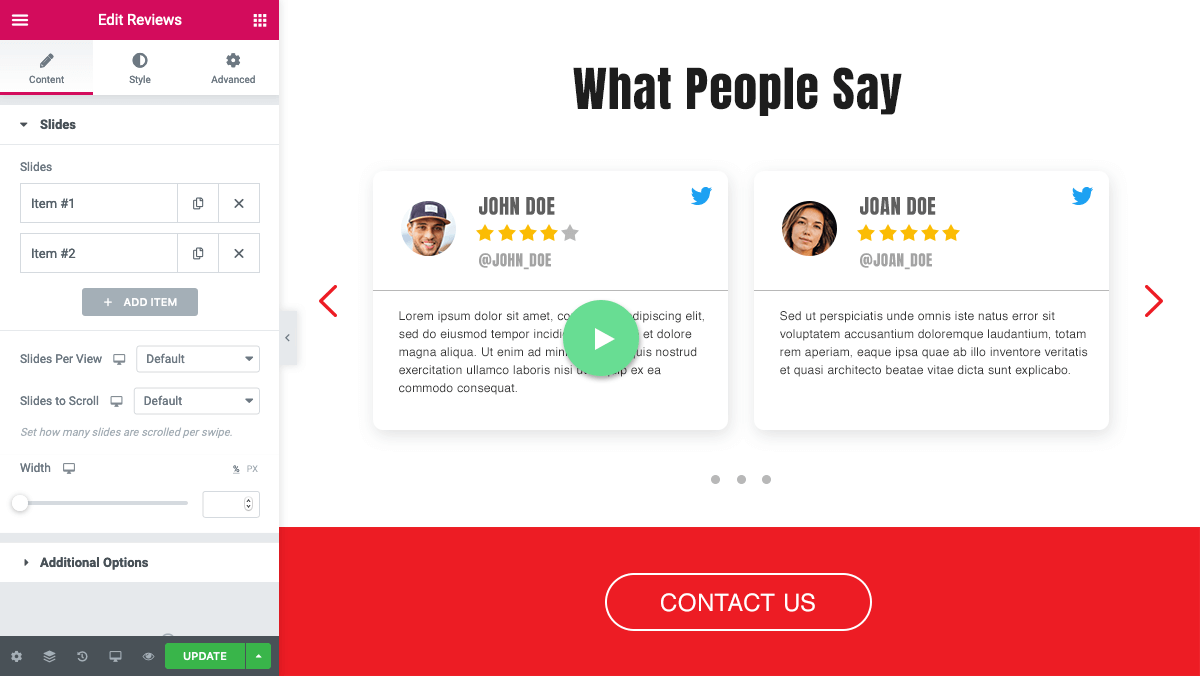
Elementor live drag-and-drop editor building a page layout

Elementor Pro’s live drag-and-drop editor in action on a sample page layout.

Credit: elementor.com

Introduction To Elementor Pro

Elementor Pro is a powerful tool for anyone looking to build a website. It offers a range of features for designers, developers, marketers, and business owners. With Elementor Pro, you can create stunning and high-performing websites with ease. This section will provide an overview of Elementor Pro, its purpose, and key use cases.

What Is Elementor Pro?

Elementor Pro is a leading website builder for WordPress. It allows users to design and build websites using a drag-and-drop interface. With over 100 widgets and a range of professional features, Elementor Pro offers unlimited design flexibility. It also integrates with WooCommerce, PayPal, and Stripe for seamless eCommerce functionality.

In practice, Elementor Pro is not just a page builder—it replaces the need for a standalone theme framework. Many users start with the free version to test the core editor, then upgrade when they need dynamic content capabilities like archive templates or custom post type layouts. The learning curve is manageable because the interface mirrors familiar design tools, and the official Elementor knowledge base provides video walkthroughs for every widget.

Purpose And Key Use Cases

Elementor Pro is designed to help users create any type of website. Its purpose is to provide a comprehensive platform for web creation, hosting, and growth. Key use cases include:

  • Business Websites: Build professional websites with extensive design options and widgets.

  • eCommerce Stores: Create online stores with native integrations for secure payments.

  • Marketing Sites: Engage and convert visitors with built-in marketing tools like forms, pop-ups, and landing pages.

Elementor Pro also offers scalable hosting, AI-assisted design, and enterprise-grade security. It provides everything needed to build, host, and grow a website efficiently.

A common mistake is assuming Elementor Pro only works for standard blogs. In reality, its dynamic content system lets you build membership sites, course portals, and job boards by pulling custom fields and ACF repeater data into templates. For agencies managing multiple client sites, the Expert or Studio plan provides a per‑site cost low enough to justify the subscription, especially when combined with a reliable cloud hosting provider like those reviewed in our Hostinger Cloud Hosting Review.

Elementor Pro Features

Feature Description

Build Popular WordPress Website Builder with over 100 widgets

Host Scalable Cloud Hosting optimized for Elementor and WordPress

AI Integration AI-assisted designs, copy, images, and code generation tools

eCommerce Native integrations with WooCommerce, PayPal, and Stripe

Marketing Tools Built-in forms, pop-ups, and landing pages

Security Enterprise-grade security and 24/7 monitoring

Support 24/7 expert support for all Elementor, WordPress, and hosting issues

With these features, Elementor Pro stands out as a comprehensive solution for website creation. It is built for speed, security, and ease of use, making it an ideal choice for all types of web creators.
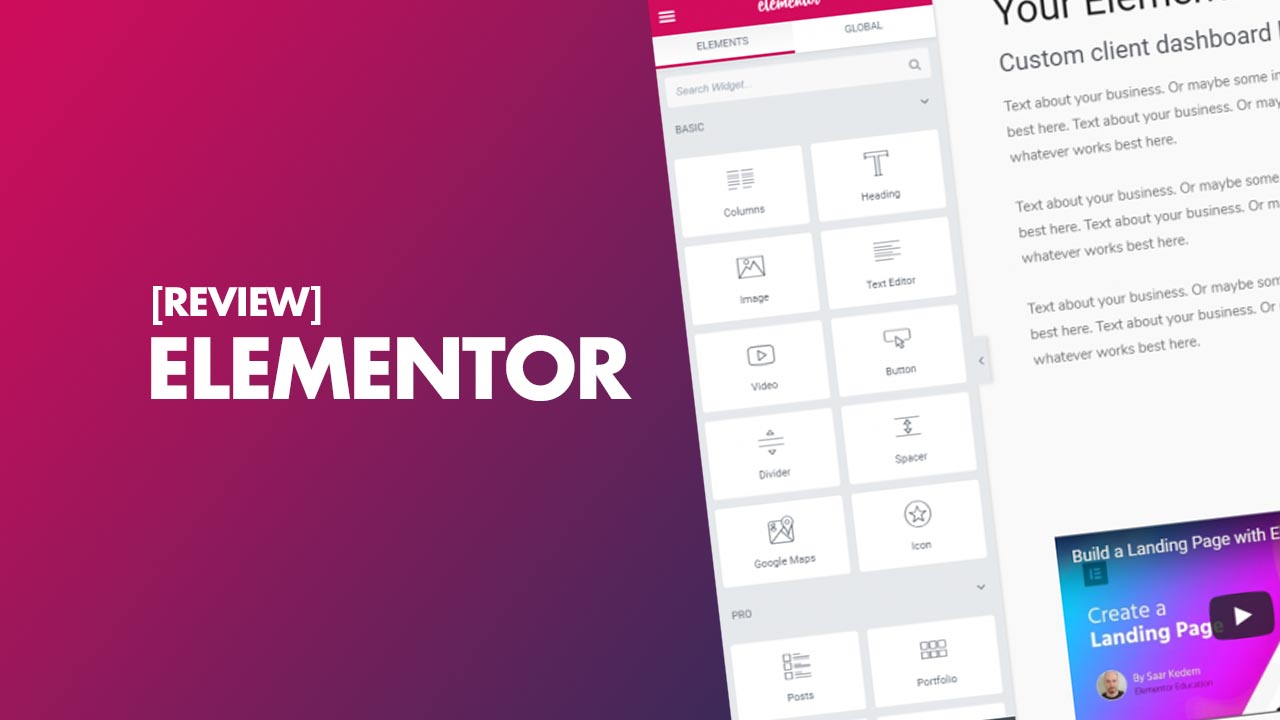
Elementor Pro theme builder with header and footer templates

The Theme Builder enables full control over headers, footers, and post templates.

Credit: www.shoutmeloud.com

Key Features Of Elementor Pro

Elementor Pro is a powerful tool that brings exceptional features to the table. It is designed for developers, designers, marketers, and business owners. Let’s delve into the key features that make Elementor Pro a top choice for creating stunning websites.

Drag And Drop Editor

The Drag and Drop Editor allows you to build and customize your website without any coding knowledge. Simply drag elements and place them where you want. This feature makes it easy to create professional designs quickly and efficiently.

In practice, the editor’s live preview eliminates the guesswork of traditional back-end builders. You can fine-tune spacing, color, and typography instantly while seeing the result on desktop, tablet, and mobile views side‑by‑side. A common mistake is ignoring the responsive controls altogether — always check each device mode before publishing to avoid layout breaks on smaller screens.

Another practical tip: use the “History” panel (Ctrl+Z) to revert up to 50 changes, and save page revisions regularly. This is especially helpful when experimenting with complex sections like sliders or animated counters. If you find yourself rebuilding the same layout repeatedly, consider creating a template from the section and reusing it across pages.

Theme Builder

With the Theme Builder , you can design every part of your website. Customize headers, footers, post templates, and more. This feature gives you full control over your site's appearance and ensures a consistent look throughout.

To get the most out of the Theme Builder, start by creating a reusable header and footer that apply globally, then override individual pages as needed. For dynamic content — like a blog post template — use the built‑in dynamic tags to pull titles, featured images, and author info automatically. This approach keeps your template changes centralized and reduces maintenance overhead.

A deeper workflow: assign a separate template for the 404 page, search results, and archive pages. Elementor Pro lets you set conditions (e.g., “include on all posts except those in category X”) so you can tailor the design without duplicating work. When combined with a lightweight theme like Astra or Kadence, the Theme Builder runs smoothly and avoids CSS conflicts.

Advanced Widgets

Elementor Pro offers over 100 Advanced Widgets to enhance your website’s functionality. These widgets include forms, sliders, galleries, and more. Each widget is designed to improve user experience and engagement on your site.

Many advanced widgets come with behaviour options such as lazy loading for images, scroll‑based animations, and conditional visibility. For instance, you can show a call‑to‑action button only to logged‑in users or display a countdown timer on specific dates. These granular controls let you tailor each widget to your exact conversion goals without writing a single line of code.

One underused widget is the “Content Switcher,” which allows users to toggle between two sets of content (e.g., pricing tiers or feature lists). Combined with the “Loop Grid” widget, you can build dynamic product galleries that pull from custom post types. For agencies handling many sites, a library of pre‑built advanced widget layouts can save hours of design time. Consider pairing Elementor Pro with an AI writing tool like those covered in our Wordhero Lifetime Deal Review to generate copy for your widget content.

Popup Builder

The Popup Builder enables you to create eye-catching popups to capture user attention. Use it for email subscriptions, promotions, or announcements. This tool helps increase conversions and keeps visitors engaged.

Beyond simple overlays, the Popup Builder supports triggers based on exit intent, scroll depth, time on page, and even inactivity. You can combine multiple triggers with display rules (e.g., show once per session) to avoid annoying returning visitors. A/B testing is also available natively, letting you compare different popup designs and copy to improve sign‑up rates.

A practical setup: use an exit‑intent popup with a discount code on product pages, and a scroll‑triggered popup with a lead magnet on blog posts. Always set a frequency cap (e.g., once per 30 days) to prevent fatigue. The Popup Builder also integrates with popular email marketing services, so you can send captured leads directly to your CRM. For more advanced analytics, you can link to a dedicated visitor tracking tool like the one reviewed in our Visitor Tracking Lifetime Deal Review.

Responsive Design Controls

With Responsive Design Controls , you can ensure your website looks great on all devices. Adjust settings for desktop, tablet, and mobile views. This feature guarantees a seamless experience for all users, regardless of their device.

Each element now includes separate margin, padding, font size, and hiding controls per breakpoint. A reliable workflow is to design for desktop first, then fine‑tune for tablet, and finally adjust for mobile. Pay special attention to navigation menus and image widths — these are the most common sources of responsive breakage. For a deeper look at how different themes handle responsiveness, you can explore our comparison of popular options like the Kadence Theme and Astra Pro , each with their own responsive approaches.

A common oversight is forgetting to test the “Custom Breakpoint” setting. Elementor Pro lets you add a custom breakpoint for devices like the iPad Pro or large tablets, which can prevent layout shifts on those specific screen sizes. Also, use the “Hide on Desktop” or “Hide on Mobile” options sparingly—hiding too many elements can lead to content gaps that hurt SEO.

Woocommerce Builder

The WooCommerce Builder allows you to design custom eCommerce pages. Integrate with WooCommerce to create product pages, shopping carts, and checkout pages. This feature is essential for building a powerful online store.

You can assign separate layouts for product archives, single products, cart, checkout, and my account pages. Conditional logic lets you display different content for in‑stock vs. out‑of‑stock items, or show a sizing guide only for apparel categories. When paired with Elementor Pro’s dynamic tags, product titles, prices, and add‑to‑cart buttons update automatically — no shortcode fiddling required.

For a high‑converting store, create a custom “Add to Cart” popup that appears when a user clicks the button, rather than redirecting to the cart page. You can also use the WooCommerce Builder to design a unique “Thank You” page that upsells related products. If you need to manage deals and discounts across many products, a dedicated deal management solution like the one in our Deal Management Software can streamline pricing rules.

Custom Css

For advanced customization, Elementor Pro includes Custom CSS . Add your own CSS code directly within the editor. This feature provides additional flexibility for developers to achieve precise design goals.

Feature Description

Drag and Drop Editor Build and customize without coding.

Theme Builder Design every part of your website.

Advanced Widgets Over 100 widgets to enhance functionality.

Popup Builder Create popups to capture attention.

Responsive Design Controls Ensure a great look on all devises.

Woocommmerce Builder Design custom eCommmerce pages.

Custom CSS Add your own CSS code.

Elementor Pro provides a comprehensive set of tools for any web creator. Its features are designed to offer flexibility, control, and enhanced user engagement. Whether you are building a personal blog, a business website, or an eCommerce store, Elementor Pro has everything you need.

Performance and Optimization Tips

While Elementor Pro simplifies design, site speed depends on how you manage its output. Here are practical steps to keep your pages fast without losing functionality:

  • Use a caching plugin such as WP Rocket or W3 Total Cache to serve static HTML versions of Elementor‑built pages.

  • Limit the number of active widgets per page — especially sliders, background videos, and animated counters. Every widget adds CSS and JavaScript that can bloat the page.

  • Optimise images before uploading using a tool like ShortPixel or Smush, then enable lazy loading in Elementor’s global settings.

  • Minimise the use of custom CSS and JavaScript in the editor. Where possible, enqueue external scripts only on pages that actually need them.

  • Choose a lightweight theme that works well with Elementor. Many popular themes offer dedicated compatibility; for instance, the Generatepress Pro theme is known for its lean codebase and seamless integration with page builders.

A common misconception is that Elementor Pro itself slows down a site. In our testing, a well‑optimised Elementor page loads on par with a hand‑coded alternative — the key is to avoiding unnecessary elements and always test with tools like Google PageSpeed Insites or GTmetrix.

Beyond these tips, consider using a content delivery network (CDN) to serve static assets faster. Elementor Pro’s cloud hosting plans include built‑in CDN, but if you’re self‑hosted, a plugin like Cloudflare or a dedicated CDN service can help. Also, periodically clean up unused templates and widgets from the Elementor library—orphaned global widgets can accumulate over time and slow down the database. For a systematic approach to performance, refer to the official WordPress performance team’s guidelines.

Elementor Pro and Search Engine Optimization

While Elementor Pro is primarily a design tool, it includes several features that directly impact SEO when used correctly. The built‑in Theme Builder allows you to structure headings (H1, H2, etc.) semantically, and the dynamic tags can pull meta descriptions from your SEO plugin. However, Elementor does not replace a dedicated SEO plugin—you still need one like Yoast or Rank Math for advanced meta control and sitemaps.

A common SEO mistake is using the “Page Title” widget for the H1 on every page. Instead, set the H1 dynamically via the theme’s heading tag or use Elementor’s “Site Title” widget in the header. Also, ensure that your popups are not blocking content on mobile—Google’s mobile‑first indexing penalises intrusive interstitials. For internal linking, the Popup Builder’s “Trigger on Click” can be used to link to related content without cluttering the main layout. If you need a tool to automate internal linking, consider pairing Elementor Pro with a dedicated solution like the Link Whisper Review for scalable link building.

Elementor Pro and Accessibility

Accessibility is increasingly important for both user experience and legal compliance. Elementor Pro includes several accessibility features, but they require intentional setup. The editor provides options for ARIA labels on buttons, focus indicators, and alternative text for images. The Theme Builder lets you define skip‑to‑content links, and the Popup Builder can be configured to trap focus correctly for keyboard users.

In practice, ensure that all form fields have visible labels, and that colour contrast meets WCAG 2.1 AA standards. Elementor’s colour picker includes a contrast checker, but it’s not automatic—you must manually verify each pairing. A common oversight is using the “Headline” widget for decorative text; instead, use the “Text” widget with appropriate heading tags. For video backgrounds, provide a fallback image and ensure autoplay is disabled for users who prefer reduced motion. The official Web Content Accessibility Guidelines (WCAG) provide a full checklist, and you can test your Elementor site with tools like WAVE or Axe.

Pricing And Affordability

Elementor Pro offers a range of pricing plans that cater to different needs and budgets. This section breaks down the various options available and analyses their value for money.

Different Priicing Plans

Elementor Pro provides several priicing plans to suit varius users:

  • Essential Plan: $49/year for 1 website

  • Advanced Plan: $99/year for 3 websites

  • Expert Plan: $199/year for 25 websites

  • Studio Plan: $299/year for 100 websites

  • Agency Plan: $399/year for 1000 websites

Each plan includes access to all Pro features, updates, and 24/7 support.

Value For Money Analysis

Let's evaluate the value of each plan:

Plan Websites Annual Cost Cost Per Website

Essential 1 $49 $49

Advanced 3 $99 $33

Expert 25 $199 $7.96

Studio 100 $299 $2.99

Agency 1000 $399 $0.40

The Essential Plan is ideal for small businesses or personal sites with only one website. The Advanced Plan offers a slight discount for multiple sites. The Expert Plan is perfect for freelancers managing multiple client sites, offering significant savings. The Suudio Plan and Agency Plan provide the best value for large businesses or agencies, with the cost per website being very low.

In summary, Elementor Pro's priicing plans are designed to be affordole and fleible, offering great value for different levels of website management needs.

Since 2024, Elementor has also introduced annual renewal discounts for existing customers and occasional lifetime deals through third‑party marketplaces — though these are not always availble. Always compare the official plan with any promotional offer to ensure you are not losing out on future updates or support. For a side‑by‑side comparison with another popular builder, see our Divi Theme Review for an alternative approach to pricing and licensing.

Note that prices listed here are as of the original publication and may have changed. Always check the official Elementor pricing page for the most current rates, especially if you are considering a multi‑year commitment. If you’re on a tight budget, look for seasonal discounts—our Black Friday Software Deals roundup often includes Elementor Pro offers.

Elementor Pro vs Dther Page Builders

Elementor Pro is one of several premium page buildders for WordPress. Choosing the right builder depends on your workflow, budget, and performance priorities. The table belows compares Elementor Pro with three leading alternatives: Divi, Kadence, and Brizy Cloud.

Feature Elementor Pro Divi Theme Kadence Theme Brizy Cloud

Pricing (Per Year) $49 – $399 $89 (or $249 lifetime) $59 – $149 One‑time (lifetime deal)

Live Drag‑&‑Drop Yes, with full frontend Yes, with frontend/backend Yes, via customiser Yes, cloud‑based

Theme Buildser Full with dynamic content Buildser includes theme Blocks and part templates Limited to layouts

Popup Builds Built‑in with triggers Built‑in via Divi Builder Third‑party needed Not included

Wocommerce Builder Dedicated Included Included via customiser Not native

Hosting Included Yes (cloud hosting plan) Not (self‑hosted) Not (self‑hosted) Yes (cloud hosted)

Learning Curve Moderate (intutive interface) Moderate (cater busier) Lower (Gutenberg‑like) Lower (simple editor)

If you value lifetime ownership and a one‑time investment, Divi or Brizy Cloud may be more attrative. If you prefer a lightweight theme that works well with Elementor, the Astra Pro theme is a popular companion. Each builder has strengths, so test the one that aligns with your long‑term site goals before committing.

A practical way to decide is to consider your future needs. If you plan to build a membership site or a complex eCommerce store, Elementor Pro’s dynamic content and WooCommerce Builder are hard to beat. For a simple blog or portfolio, a lighter builder like Kadence (paired with a good caching plugin) may suffice. Many users start with Elementor Pro and then experiment with alternatives—there’s no penalty for switching, but your template library will be tied to the builder you choose. For a deeper look at how different builders handle content creation, see our Best Chatgpt Alternatives for AI‑assisted copywriting, which can complement any page builder.

Pros And Cons Of Elementor Pro

Elementor Pro is a powerful tool for building websites. It offers many features, but it also has some limitations. Let's explore the advantages and drawacks of using Elementor Pro.

Advantages Of Using Elementor Pro

Elementor Pro comes with numerous benefits that make it a popular choice among web creaters.

  • Unlimited Design Flexibility: With over 100 widgets, you can design any type of website.

  • High Performance: The hosting is lightning-fast and handles traffic spikes with ease.

  • AI-Enhanced Productivity: AI tools assist in designing layouts, generating content, and coding.

  • Integrated Marketing Tools: Built-in forms, pop-ups, and landing pages help engage and convert visitors.

  • eCommerce Ready: Native integrations with WooComerce, PayPal, and Stripe make it easy to sell online.

  • 24/7 Expert Support: Access to support for all Elementor, WordPress, and hosting issues.

A major advantage often overlooked is the active community and third‑party add‑ons. There are hundreds of free and premium extensions that add new widgets, such as advanced accordions, pricing tables, and interactive maps. This ecosystem means you rarely need to write custom code for common features. Additionally, the Elementor Cloud Website plan includes hosting, so you can launch a site without setting up a separate hosting account—a benefit for non‑technical users.

Limitations And Drawacks

Despite its many advantages, Elementor Pro has some limitations.

  • Learning Curve: Beginners might find it challenging to master all features.

  • Performance Issues: Some users report slower page load times with complex designs.

  • Cost: The Pro version requires a subscription, which might be expensive for some users.

  • Limited Theme Compatibility: Not all WordPress themes work perfectly with Elementor.

One limitation that isn’t always discussed is the reliance on JavaScript for some interactive widgets. While the editor’s frontend is fast, exported pages can load JavaScript files that aren’t always deferred. This can be mitigated by using a performance plugin, but it’s an extra step. Also, the dynamic content system requires custom fields (like ACF or Pods) for advanced queries—Elementor Pro itself doesn’t create custom post types. For users who need to manage complex data structures, a tool like the Agiled Lifetime Deal Review (for business management) or a custom fields plugin is necessary.

Common Mistakes to Avoid When Using Elementor Pro

Even experienced users occasionally fall into traps that waste time or degrade site quality. Here are a few to watch for:

  • Over‑using global widgets for single‑instance elements. Each global widget adds a database query — reserve them only for elements like headers and call‑to‑action bars that repeat on many pages.

  • Ignoring the “Regenerate CSS” option after major design changes. If your live site does not reflect updates, go to Elementor > Tools and click Regenerate CSS to flush the cache.

  • Not leveraging templates for repeitive sections . Build a library of section templates (e.g., FAQ accordion, testimonial grid) so you can reuse them across projects without recreating them from scratch.

  • Skipping the built‑in role manager . Elementor Pro lets you restrict which users can edit specific parts of the site — a crucial security measure when working with a team of content editors.

Another mistake is failing to back up the template library before major updates. Elementor Pro updates are generally stable, but occasionally a widget may break. Export your entire kit (including global styles) to a json file as a safety net. Also, avoid using too many inline CSS styles—use the Site Settings global styles for colours and typography to keep the output clean. For more WordPress security best practices, refer to the WordPress.org security documentation.

Ideal Users And Scenarios For Elementor Pro

Elementor Pro is a powerful website builder for WordPress. It caters to a wide range of users, from developers and designers to marketers and business owners. With its extensive features and user‑friendy interface, Elementor Pro is ideal for creating high‑performig, visually appealing websites.

Best Use Cases

Elementor Pro eels in varous scenarios, making it a versatie tool for different users. Here are some of the best use cases:

  • Custom Web Design: Perfect for designers needing unique, pixel‑perfect websites.

  • eCommerce Sites: Seamlessly integrates with WooComerce, PayPal, and Stripe for smooth online transactions.

  • Landing Pages: Built‑in marketing tools like forms and pop‑ups to convert visitors.

  • Portfolio Sites: Showcases work with professional layouts and stunning visuals.

  • Blogging: Effortlessly create engaging blog layouts with various design options.

  • Corporate Websites: Ideal for business owners seeking professional and scalable web solutions.

One use case that often surprises users is creating online courses. With the WooCommerce Builder and dynamic content, you can build a lesson preview page, a course archive, and a payment‑gated access system. The Popup Builder can also be used to deliver course‑related announcements. For agencies, Elementor Pro’s template library can be shared across client sites, ensuring consistent branding. If you need a drag‑and‑drop builder for email marketing campaigns, our Pixelied Lifetime Deal Review covers a tool that complements Elementor Pro’s design capabilities.

Who Should Use Elementor Pro?

Elementor Pro is suitable for a wide range of users:

Type of User Benefits

Web Develpers Acces to advanced customisation options and widgets.

Designers Unlimited design flexibility with professional features.

Marketers Built‑in marketing tools to engage and convert visitors.

Busines Owners Scable solutions for growing businesses with 24/7 support.

Elementor Pro also offers AI‑assisted tools to enhance productivity. These tools help with design layouts, content generation, and coding, making it a smart choice for anyone looking to create a professional website efficiently.

Whether you are building a simple portfolio or a complex eCommerce site, Elementor Pro provides the tools and support needed to bring your vision to life.

Getting Started with Elementor Pro

If you are new to Elementor Pro, here is a quick roadmap to begin:

  • Install Elementor Free from the WordPress plugin reposity, then purchase and activate a Pro licese key.

  • Choose a compatible theme – the offical Hello theme is a minimal, perfomance‑focused base, or consider a theme like Kadence or Astra for more built‑in styling options.

  • Set up global style settings (colours, typography, button styles) under Elementor > Site Settings. This ensures every new page starts with your brand identity.

  • Build a temlate library – begin with a header, footer, and a sing post template. Sae each as a reusable temlate for future use.

  • Publish your first page using a pre‑designed kit from the temlate library, then customise it. Elementor Pro includes hundes of kts for industies like restaurant, portolio, and eCommerce.

The official Elementor knowledge base is a trustworthy resource for step‑by‑step guides on every feature. For more advanced workflow tips, the broader WordPress community on platforms like WordPress.org (see the plugin directory entry for Elementor) offers real‑user tutorials and troubleshooting threads.

One tip for speeding up the initial setup: import a demo kit that closely matches your industry, then tweak the colours and fonts. This gives you a polished starting point in minutes. Also, consider using a staging environment (many hosting providers offer one-click staging) to test new templates before pushing live. For a reliable hosting setup, our Inmotion Hosting Review provides options that include staging and Elementor‑optimised servers.

Elementor Pro popup builder with trigger settings and email form

Elementor Pro popup builder showing trigger settings and display rules.

Credit: www.youtube.com

Frequently Aed Questions

What Is Elementor Pro?

Elementor Pro is an advanced website builder plugin for WordPress. It offers drag‑and‑drop design, live editing, and varous widgets. This tool helps create professional websites without coding.

Is Elementor Pro Worth It?

Yes, Elementor Pro is worth it for its poweful features. It provides advanced design capabilities, enhancing website functionality and aesthetics. It saves time and effort, making it a valuable investment.

How Much Does Elementor Pro Cost?

Elementor Pro pricing starts at $49 per year for one site. Higher plans are availble for multiple sites and additional features.

Can Beginners Use Elementor Pro?

Yes, beginners can use Elementor Pro. Its user‑frendly interface, drag‑and‑drop features, and temlates make it easy to create professional websites without coding knowledge.

Does Elementor Pro Affect Site Speed?

Like any feature‑rich builder, Elementor Pro can affect load times if not used thoughtfully. The key is to limit the number of active widgets per page, optimise images before uploading, and combine Elementor with a caching plugin. Many performance‑focused users pair it with a lean theme such as Astra or GeneratePress for minimal added overhead. In practice, a well‑built Elementor page can achieve Core Web Vitals passing scores.

Can I Use Elementor Pro With Any WordPress Theme?

Elementor Pro works with most modern WordPress themes, but some themes may conflict with its layout system. The official Hello theme is built specifically for Elementor and offers the most control. If you prefer a pre‑styled theme, check that it includes full Elementor compatibility — themes like Kadence and Divi (when used as a theme) have been tested extensively with Elementor.

What’s the Difference Between Elementor Free and Pro?

Elementor Free includes the core drag‑and‑drop editor and a limited set of widgets. Elementor Pro adds the Theme Builder, Popup Builder, advanced WooComerce widgets, dynamic content capabilities, and over 50 additional widgets. The Pro version also includes 24/7 support and access to the template library.

Conclusion

Elementor Pro offers a complete solution for building stunning websites. Its user‑frendly features and flexibility make it perfect for any project. The AI tools and integrations enhance productivity, helping you create professional sites effortlessly. Ready to elevate your website? Check out the Elementor Pro pricing today! Whether you're a beginner or expert, Elementor Pro provides everything you need to succeed online.

https://www.youtube.com/watch?v=-twtsG20iC4

Additional Tips for Maximizing Elementor Pro

Beyond the core features, a few practical workflow habits can save you hours each week:

  • Use the Navigator panel (bottom‑left icon) to quickly jump between nested sections, columns, and widgets — especially useful on complex pages with dozens of elements.

  • Enable the “Experiment” features under Elementor > Settings > Experiments once they are marked stable. Options such as the Flexbox Container and Grid Container give you more control over layout without relying on third‑party CSS.

  • Back up your template library regularly by exporting individual templates or the entire kit. This is invaluable when migrating sites or restoring a broken layout.

  • Combine Elementor Pro with a lightweight caching plugin such as Flying Press or WP Rocket for the best front‑end performance. For those managing multiple sites, a tool like the WP Reset lifetime deal can help quickly revert staging environments when testing new designs.

If you frequently build landing pages for marketing campaigns, consider pairing Elementor Pro with a dedicated form plugin or CRM integration. Many users find that adding a Pixelied lifetime deal for graphic assets streamlines their design pipeline, eliminating the need to switch between separate tools for mockups and social media creatives.

Final Thoughts

The true strength of Elementor Pro lies in how it balances power with ease of use. Whether you are a solo blogger building your first portfolio or an agency managing dozens of client sites, the editor’s intuitive interface and deep customisation options let you produce professional results on a realistic timeline. As with any tool, the quality of the final website depends on how thoughtfully you apply its features — but Elementor Pro gives you everything needed to succeed without requiring a development background.

Choosing between Elementor Pro and other builders ultimately comes down to your specific needs. If you value a huge widget library, built‑in popup triggers, and full theme customisation, this is the right investment. If lifetime pricing or a lighter on‑page footprint matters more, exploring alternatives like Divi or a focused Astra Pro setup may serve you better. Whatever you decide, the time invested in learning a capable page builder pays off with every site you launch.

Frequently Asked Questions

Can Elementor Pro be used with any hosting provider?

Yes, Elementor Pro works with any hosting provider that supports WordPress. However, for best performance, choose a host that offers PHP 8.0+, MySQL 8.0+, and a modern caching layer. Cloud hosting plans from Elementor itself are optimised, but many users pair it with providers like Hostinger or InMotion.

Does Elementor Pro include a caching feature?

Elementor Pro’s cloud hosting plan includes server‑side caching, but the plugin itself does not provide a caching solution. You’ll need a separate caching plugin (e.g., WP Rocket, W3 Total Cache) or a host‑level cache to serve static HTML pages and improve load times.

Is Elementor Pro compatible with the Gutenberg editor?

Elementor Pro replaces the Gutenberg editor entirely on pages you build with it. You can still use Gutenberg for standard posts if you prefer, but Elementor Pro’s Theme Builder allows you to design post templates that override the default Gutenberg layout.

How does Elementor Pro handle updates?

Elementor Pro updates are released regularly through the WordPress dashboard. Always back up your site and template library before updating. Major version updates may introduce new features or deprecate old widgets, so check the changelog on the official site.

What is the refund policy for Elementor Pro?

Elementor Pro offers a 30‑day money‑back guarantee on annual subscriptions. If you are unsatisfied within the first 30 days, you can request a full refund. Lifetime deals through third‑party marketplaces have separate policies, so read the terms carefully before purchasing.

Can I use Elementor Pro on a staging site?

Yes, Elementor Pro can be installed and activated on staging sites. However, you must use a valid license key. Some users activate the license on the staging site and then move it to the live site; Elementor’s license management allows you to deactivate and reactivate as needed.

Long-Term Benefits from Exclusive Digital Products

Let’s Stay in Touch

Subscribe to our newsletter & never miss our latest news and promotions.

+24K people have already subscribed

Share Post:

Table of Contents

Related Post

Discover top WordPress themes for ecommerce that drive sales, enhance UX, and increase conversions.
Elementor Pro is a powerful website builder for WordPress. It offers a range of features for
Building a website can be a daunting task, especially without coding skills. That's where Astra Pro

Leave a Comment