
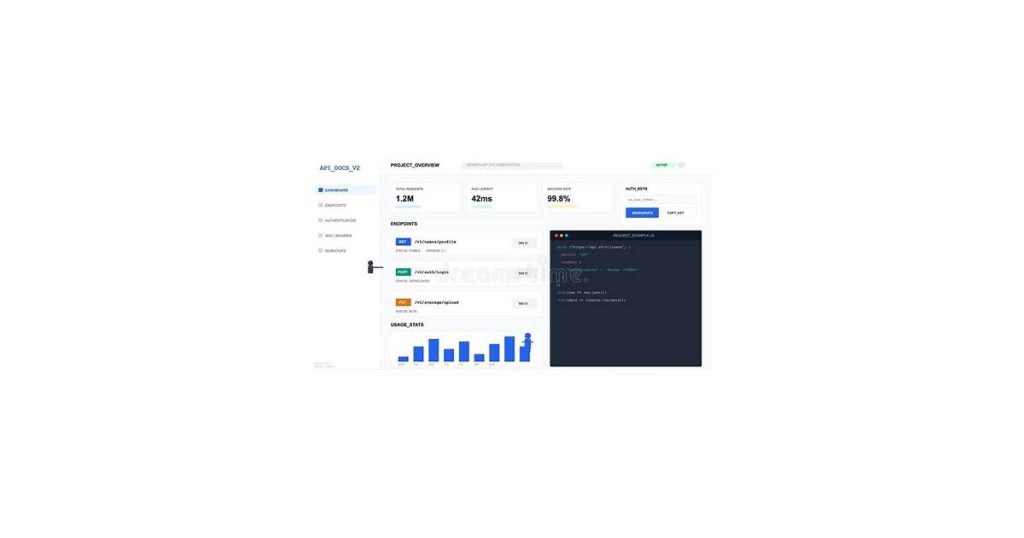
Integrating powerful SEO tools into your workflow just got easier with the Authority Radar API. Whether you’re a developer or a marketer looking to automate keyword tracking and domain analysis, understanding the Authority Radar API documentation is essential. This comprehensive guide will walk you through everything you need to know, from basic setup to advanced features.
By the end of this article, you’ll have a clear roadmap to leverage the Authority Radar API effectively, troubleshoot common issues, and optimize your implementation for maximum efficiency. Let’s dive in and unlock the full potential of this robust SEO tool.
Understanding the Authority Radar API documentation

The Authority Radar API is a tool designed to help developers and businesses assess the credibility and influence of websites, domains, or content creators. It provides actionable insights into authority metrics, enabling users to make informed decisions about partnerships, content strategies, or competitive analysis.
At its core, the API evaluates factors like domain trustworthiness, backlink quality, and social media presence to calculate an authority score. This score helps identify reliable sources, gauge competitive positioning, or filter out low-quality domains. Whether you’re building a content recommendation engine or vetting potential collaborators, the API simplifies the process by delivering data-driven results.
See also: Authority Radar SEO Tool: Boost Your Search Performance.
Core Features of the Authority Radar API
The Authority Radar API provides advanced tools for analyzing and tracking online authority metrics. It allows you to monitor domain rankings, backlink profiles, and content performance across multiple platforms. This is particularly useful for SEO professionals and marketers who need to assess competitive landscapes and optimize their strategies.
One key feature is its ability to generate domain authority scores, which help you gauge the credibility and influence of websites. These scores are calculated based on factors like backlink quality, traffic volume, and content engagement. Additionally, the API offers detailed breakdowns of backlink sources, enabling you to identify high-value referring domains.
The API also supports content performance tracking, providing insights into how articles or pages are performing in search engine results. You can monitor keyword rankings, click-through rates, and organic traffic trends over time. This data helps you refine your content strategy and focus on high-performing topics.
Finally, the Authority Radar API includes customizable reporting features. You can generate tailored reports that highlight specific metrics or trends, making it easier to share insights with stakeholders or clients. Its seamless integration with other tools ensures smooth workflows for data-driven decision-making.
See also: Authority Radar for SEO Professionals: Top AI Tools Compared.
Use Cases for the Authority Radar API
The Authority Radar API is a versatile tool for identifying and analyzing domain authority, making it invaluable for SEO professionals, marketers, and developers. One common use case is competitive analysis, where you can compare the authority scores of multiple domains to understand their relative strengths. This helps prioritize backlink opportunities or assess the competitive landscape.
Another practical application is monitoring domain authority over time. By integrating the API into your workflow, you can track changes in authority scores for your own site or competitors’ sites. This is particularly useful for evaluating the impact of SEO campaigns or identifying sudden shifts that may indicate algorithmic updates or penalties.
The API also supports content strategy decisions. For instance, you can use it to identify high-authority domains in your niche, which can guide guest posting or outreach efforts. Additionally, it can help validate the credibility of websites before partnering with them for collaborations or advertising.
Finally, developers can leverage the API to build custom tools, such as dashboards or alerts, tailored to specific business needs. Whether automating authority checks or integrating data into existing platforms, the API offers flexibility for advanced use cases.
See also: Authority Radar Backlink Monitoring: The Complete Guide f….
How to Get Started with the Authority Radar API
To begin using the **Authority Radar API**, you’ll need to sign up for an account, obtain your API key, and integrate the API into your application. Follow these steps to get started quickly.
First, visit the Authority Radar website and create an account. Once registered, navigate to the developer dashboard to generate your **API key**. This key is essential for authenticating your requests and accessing the API’s features.
Next, review the API documentation to understand the available endpoints, parameters, and response formats. The documentation provides detailed examples for common use cases, such as retrieving domain authority scores or analyzing backlink profiles.
Finally, integrate the API into your application using your preferred programming language. Most modern languages like Python, JavaScript, or PHP have libraries or frameworks that simplify API interactions. Test your implementation with sample queries to ensure everything works as expected.
Authentication and API Keys
To use the Authority Radar API, you authenticate requests with an API key included in the request headers. Each key is unique to your account and acts as both an identifier and access control mechanism.
You’ll find your API key in the Developer Dashboard after signing up. For security, treat it like a password—avoid hardcoding it in client-side applications or sharing it publicly. Rotate keys periodically via the dashboard if you suspect unauthorized access.
Include the key in the Authorization header of every request:
Authorization: Bearer YOUR_API_KEY- For testing, most tools (like Postman or cURL) let you add headers manually
- Invalid or missing keys return a
401 Unauthorizederror
Free tier keys have rate limits, while paid plans offer higher thresholds. Check your dashboard for real-time usage stats and throttling alerts.
Making Your First API Request
To make your first request to the Authority Radar API, you’ll need an API key and a basic understanding of HTTP requests. Start by signing up for an account to obtain your unique key, which authenticates your requests.
Most requests follow a simple structure: an endpoint URL, your API key as a header, and optional parameters for filtering results. Here’s an example using Python’s `requests` library:
import requests

url = "https://api.authorityradar.com/v1/search"
headers = {
    "Authorization": "Bearer YOUR_API_KEY",
    "Accept": "application/json"
}
params = {
    "query": "tech startups",
    "limit": 10
}

response = requests.get(url, headers=headers, params=params)
print(response.json())
This code fetches data for a search query, limiting the results to 10 entries. Replace `YOUR_API_KEY` with your actual key and adjust parameters like `query` and `limit` to suit your needs.
Always handle errors gracefully by checking the response status code. Common codes include `200` for success, `401` for unauthorized access, and `429` for rate limits. Refer to the documentation for a full list of statuses and their meanings.
Understanding API Parameters and Responses
The **Authority Radar API** uses specific parameters to fetch data and returns structured responses for analysis. Key parameters include domain, metric, and date_range, which allow you to tailor queries to your needs. Responses are delivered in JSON format, making them easy to integrate with your applications.
Key Parameters
When making a request, you’ll typically include parameters like:
domain: The website URL you want to analyze.metric: The specific data point, such as domain authority or backlink count.date_range: The time period for the data, if applicable.
These parameters ensure you retrieve precise and relevant data for your analysis.
Understanding Responses
API responses are structured JSON objects containing detailed information. For example, a query for domain authority might return:
{
  "domain": "example.com",
  "authority_score": 75,
  "backlinks": 1200
}
Each field corresponds to the requested metric, allowing you to extract and use the data efficiently.
Error Handling
If a request fails, the API returns an error code and message. Common errors include invalid parameters or exceeded rate limits. Always check the response status to handle exceptions gracefully.
Common Parameters: String, Optional, Latitude, Longitude
The Authority Radar API uses several common parameters to refine queries and retrieve precise results. The string parameter is essential for defining the search term, such as a business name or keyword. It ensures the API returns relevant data based on your input.
The optional parameter allows flexibility by letting you include or exclude specific details in the response. For example, you might choose to exclude certain fields to streamline the output or include additional metadata for deeper analysis.
Latitude and longitude parameters are crucial for location-based searches. By providing these coordinates, you can pinpoint results within a specific geographic area, making it ideal for queries like finding nearby businesses or verifying location accuracy.
Interpreting API Responses
The Authority Radar API returns structured data in JSON format, making it easy to parse and integrate into your applications. Each response contains key fields such as domain authority, page authority, and spam score, which are essential for evaluating website credibility and performance.
For example, a domain authority score ranges from 1 to 100, with higher values indicating stronger trustworthiness. Use this metric to compare websites or track changes over time. Page authority, similarly scored, helps assess the strength of individual pages, useful for SEO audits or content planning.
Spam score identifies potential risks, with lower scores indicating cleaner domains. This is particularly valuable for vetting websites before partnerships or ad placements. Always cross-reference these metrics with other data points for a comprehensive analysis.
Advanced Features and Customizations
The **Authority Radar API** offers advanced features and customization options to tailor its functionality to your specific needs. Beyond basic data retrieval, you can fine-tune queries, integrate custom metrics, and automate workflows for more precise insights.
One standout feature is the ability to filter results by **domain authority**, traffic range, or industry niche. This lets you focus on datasets that align with your goals. For instance, you could exclude domains below a certain authority threshold or prioritize sites in a specific sector.
Customizations extend to API response formats as well. You can choose between JSON, XML, or CSV outputs depending on your integration requirements. Additionally, the API supports pagination and rate limiting adjustments, ensuring seamless handling of large datasets without overloading your system.
For advanced users, the API allows the incorporation of bespoke algorithms to weigh metrics differently. This is particularly useful for creating proprietary scoring systems that reflect your unique business priorities.
Automation is another key advantage. By leveraging webhooks and scheduled calls, you can set up real-time updates or periodic data refreshes, reducing manual intervention and keeping your insights current.
Managing Radar Data
The Authority Radar API provides tools to efficiently manage and manipulate radar data, enabling you to filter, sort, and analyze it based on your needs. You can retrieve specific datasets by applying parameters such as time range, location, or radar type, ensuring you get only the most relevant information.
For example, you can query radar data for a particular region over a 24-hour period using the API’s filtering capabilities. This allows you to isolate critical patterns or anomalies in the data. The API also supports sorting functions, letting you organize results by intensity, altitude, or other measurable attributes.
Additionally, the API offers methods for transforming raw radar data into formats suitable for further analysis or visualization. Whether you’re integrating this data into a larger system or preparing it for reporting, the API streamlines the process with built-in conversion and aggregation tools.
Customizing Project Settings
The Authority Radar API allows you to tailor your project settings to match specific needs. Start by navigating to the project dashboard where you can adjust configurations such as API rate limits, data filters, and output formats.
Rate limits can be modified to control the frequency of API requests, ensuring optimal performance without overloading the system. Data filters let you narrow down results based on criteria like domain authority, traffic estimates, or specific keywords, refining the accuracy of your data retrieval.
Output formats are equally customizable. You can choose between JSON, XML, or CSV to suit your integration requirements. These settings are saved per project, allowing you to maintain consistency across multiple API calls.
Common Errors and Troubleshooting
The Authority Radar API occasionally returns errors, often due to incorrect parameters, rate limits, or authentication issues. Most can be resolved by checking your request structure or adjusting your usage pattern.
Authentication Failures
If you receive a 401 Unauthorized error, verify your API key is correctly included in the request headers. Common mistakes include:
- Missing the
Authorizationheader entirely - Using an expired or revoked API key
- Incorrectly formatting the key (e.g., omitting the “Bearer” prefix)
Rate Limit Errors
A 429 Too Many Requests response means you’ve exceeded API call limits. Solutions include:
- Implementing exponential backoff in your code
- Reducing request frequency by batching queries
- Checking your current usage against documented quotas
Parameter Validation Issues
400 Bad Request errors typically indicate invalid input. Check:
- Required fields (like domain URLs) aren’t empty
- Date formats match ISO 8601 (YYYY-MM-DD)
- Enumerated values (like report types) use exact documented terms
When debugging, always examine the error response body – it often contains specific details about what went wrong. For persistent issues, compare your requests against the API reference examples.
Understanding Error Codes
When using the Authority Radar API, encountering error codes helps identify issues quickly. These codes provide specific insights into what went wrong, allowing you to troubleshoot effectively.
The most common error is 400 – Bad Request, which indicates an issue with the request format, such as missing parameters or invalid input. Another frequent code is 401 – Unauthorized, signaling that the provided API key is invalid or missing. For rate-limiting issues, you’ll see 429 – Too Many Requests, which means you’ve exceeded the allowed number of calls within a given timeframe.
If you encounter 404 – Not Found, the requested resource or endpoint doesn’t exist. Lastly, 500 – Internal Server Error points to a server-side issue, requiring you to retry your request later. Always refer to the response details for more context on resolving these errors.
Troubleshooting Tips
If you’re encountering issues with the Authority Radar API, start by verifying your API key and authentication credentials. Incorrect or expired keys are a common cause of failed requests. Double-check the key in your code and ensure it matches the one provided in your account dashboard.
Next, review the API endpoint URLs and parameters you’re using. A misplaced character or incorrect parameter can lead to errors. Refer to the API documentation to confirm the correct syntax and supported values for each endpoint.
For rate limit errors, monitor your usage to ensure you’re not exceeding the allowed number of requests per minute or hour. Implement retry logic with exponential backoff to handle temporary limits gracefully. If you consistently hit the limit, consider upgrading your plan for higher thresholds.
When receiving unexpected responses, such as empty data or incorrect fields, validate the input data you’re sending. Ensure that your queries are formatted correctly and that the requested data is available in the API’s dataset. Logging the full request and response can help pinpoint discrepancies.
Finally, if issues persist, consult the API documentation for error code meanings and troubleshooting guides. Many common problems are explained there, along with steps to resolve them. If documentation doesn’t resolve the issue, reach out to support with detailed logs and steps to reproduce the error.
Best Practices for Using the Authority Radar API
To get the most out of the Authority Radar API, focus on efficient integration, proper error handling, and optimizing requests. These practices ensure smooth performance and reliable results.
Start by thoroughly reviewing the API documentation to understand its endpoints, parameters, and rate limits. This helps you structure requests correctly and avoid unnecessary errors. For example, if you’re querying domain authority scores, ensure you’re using the correct endpoint and passing valid domain names.
Implement robust error handling to manage unexpected responses. Check for common issues like invalid API keys, exceeded rate limits, or malformed requests. Logging errors can help you troubleshoot and refine your implementation over time.
Optimize your API usage by batching requests where possible. Instead of sending multiple individual queries, combine them into a single request to reduce overhead and stay within rate limits. Additionally, cache results for repeated queries to avoid redundant calls and improve efficiency.
Finally, monitor your API usage to identify trends and potential bottlenecks. Regularly review your integration to ensure it aligns with your application’s needs and the API’s capabilities.
Optimizing API Requests
Batch processing reduces overhead by grouping multiple requests into a single call. Instead of querying individual records, fetch data in chunks—the Authority Radar API supports up to 50 IDs per request. This minimizes network latency and speeds up response times.
Limit unnecessary fields using the select parameter to return only the data you need. For example, if you’re checking domain authority scores, exclude social metrics or backlink details unless required. Smaller payloads mean faster processing.
- Cache responses locally to avoid redundant calls for static data
- Set appropriate timeout thresholds (5-10 seconds for most use cases)
- Implement exponential backoff for retries during rate limits
Ensuring Data Security
The Authority Radar API prioritizes data security through encryption, secure key management, and access controls. These measures ensure that sensitive information, such as API keys, remains protected from unauthorized access or breaches.
Always store your API keys in secure environments, such as environment variables or encrypted vaults, rather than hardcoding them into your application. Avoid sharing keys in public repositories or unsecured communication channels.
Implement rate limiting and IP whitelisting to restrict API access to trusted sources. This prevents misuse and limits exposure to potential threats. Regularly rotate your API keys to minimize risks if a key is compromised.
Key Takeaways
- Sign up for an account and generate an API key to start using the Authority Radar API.
- Authenticate API requests using your unique API key in the Authorization header.
- Use parameters like domain, metric, and date_range to tailor API queries to your needs.
- API responses are in JSON format, containing fields like domain authority and backlink count.
- Advanced features include filtering by domain authority, custom response formats, and automation via webhooks.
- Track domain authority over time to evaluate SEO campaigns or detect algorithmic changes.
Frequently Asked Questions
What is the Authority Radar API?
The Authority Radar API is a tool that assesses website credibility and influence by evaluating factors like domain trustworthiness, backlink quality, and social media presence. It calculates an authority score to help identify reliable sources, gauge competitive positioning, or filter low-quality domains.
How do I get started with the Authority Radar API?
To start, sign up for an account on the Authority Radar website, generate your API key from the developer dashboard, and integrate the API into your application using your preferred programming language. Test your implementation with sample queries to ensure proper functionality.
What are the core features of the Authority Radar API?
The API offers domain authority scores, backlink source breakdowns, content performance tracking, and customizable reporting. It helps monitor keyword rankings, click-through rates, and organic traffic trends, making it ideal for SEO professionals and marketers.
How does authentication work with the Authority Radar API?
Authentication requires an API key included in the request headers. The key acts as an identifier and access control mechanism. Include it in the Authorization header as ‘Bearer YOUR_API_KEY’. Invalid or missing keys return a 401 Unauthorized error.
What are common use cases for the Authority Radar API?
Common use cases include competitive analysis, monitoring domain authority over time, guiding content strategy, validating website credibility, and building custom tools like dashboards or alerts for specific business needs.
How do I handle errors with the Authority Radar API?
Common errors include 401 Unauthorized (authentication issues) and 429 Too Many Requests (rate limits). Verify your API key, ensure correct formatting, and adjust your usage pattern to resolve these errors. Check the response status code for specific error details.
Limitations to Consider
- Free tier has rate limits that may restrict usage
- Requires API key management and periodic rotation for security
- May have a learning curve for users unfamiliar with API integration
Conclusion
The **Authority Radar API documentation** provides a comprehensive guide to leveraging its powerful features for tracking, analyzing, and managing domain authority metrics. From authentication and endpoints to practical use cases, this guide equips you with the knowledge to integrate the API seamlessly into your workflows.
Whether you’re monitoring competitor domains, optimizing SEO strategies, or automating authority tracking, the API offers flexibility and precision. Its intuitive design ensures developers of all skill levels can implement it effectively.
Take the next step by experimenting with the API’s capabilities in your own projects. Dive deeper into the documentation, test its endpoints, and discover how it can enhance your domain analysis toolkit.
Affiliate disclosure: This article contains affiliate links. If you buy through them, we may earn a commission at no extra cost to you.

