Best Hosting for a Blog: Top Picks for Speed and Reliability
Lead SaaS Analyst & Software Developer at PCSaaS · Software Developer (GitHub @Ratankarmakar) · Google Ads & Analytics Certified · 500+ SaaS Tools Tested · 8+ years in software engineering, B2B SaaS evaluation, AppSumo deal auditing, and performance marketing
Explore the best hosting for a blog with affordable, high-performance options for smooth content creation and growth.
It ensures your site runs smoothly and loads quickly. Choosing the right hosting can be a challenge. With so many options, it’s easy to feel overwhelmed. The best hosting for a blog offers reliability, speed, and support. It should fit your budget and needs.
From beginners to seasoned bloggers, everyone needs a hosting service they can trust. In this post, we will explore top hosting services tailored for bloggers. This will help you make an informed decision. Whether you’re just starting or looking to switch, this guide is for you. Let’s dive in and find the perfect hosting for your blog.
This guide covers everything from shared hosting plans to managed WordPress solutions, along with practical tips on security, scalability, and migration—so you can choose a host that grows with your audience.

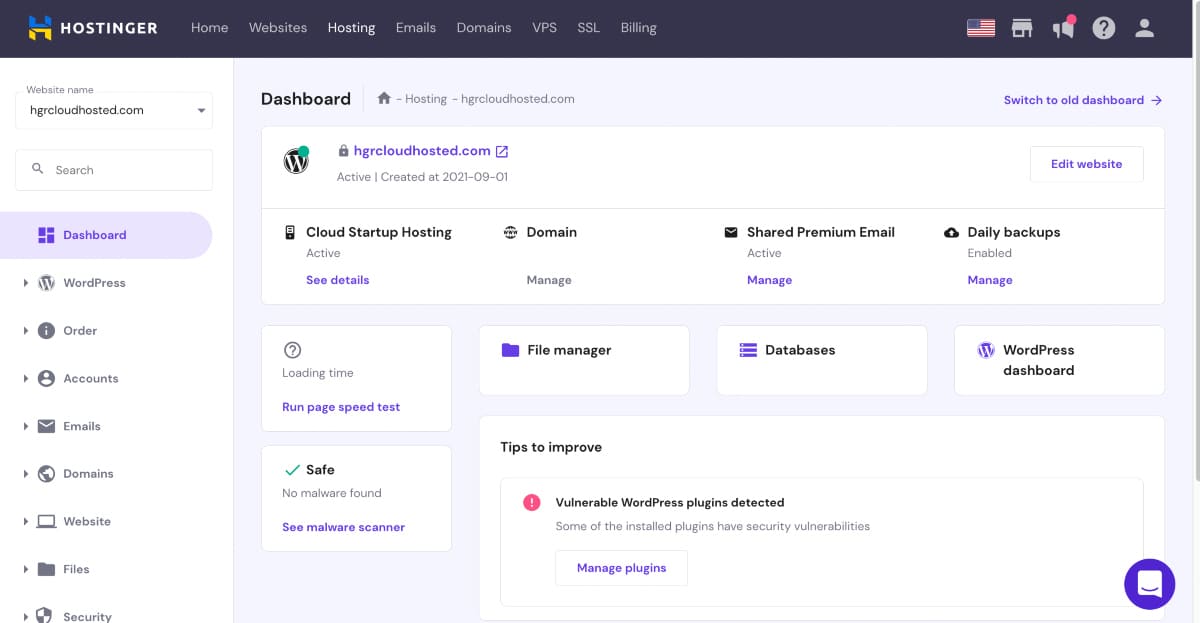
A visual rundown of the hosting providers compared in this guide.
Credit: wp101.com
Introduction To Blog Hosting
Starting a blog is an exciting journey. But choosing the right hosting is crucial. The host you select can affect your blog's performance and success. This guide will help you understand the importance of blog hosting. It will also highlight key factors to consider.
Importance Of Choosing The Right Host
Selecting the right host is vital for many reasons. A good host ensures your blog is always online. This means readers can access your content anytime. It also affects your blog's loading speed. Faster loading times keep readers happy. Search engines also rank faster blogs higher.
A reliable host also provides strong security. This protects your blog from hackers. It keeps your data safe. Finally, the right host offers excellent customer support. This is important if you run into any issues.
Over the long haul, a host that supports fast growth and easy monitization—such as one-click installs and good analytics—will save you headaches down the road. Many bloggers find that their initial host becomes a bottleneck as traffic scales, so choose wisely from the start.
Key Factors To Consider
There are several factors to consider when choosing a host:
Uptime: Look for a host with a high uptime guarantee. This ensures your blog is always accessible.
Speed: Choose a host known for fast loading times. This improves user experience and SEO.
Security: Ensure the host offers strong security features. This includes SSL certificates and malware protection.
Customer Support: Opt for hosts with 24/7 support. This helps resolve any issues quickly.
Scalability: Pick a host that can grow with your blog. This means you can upgrade your plan as your blog grows.
Pricing: Compare different hosts to find one within your budget. But don't compromise on essential features.
To help you compare, here's a table summarizing key features of popular hosts:
Host Uptime Speed Security Customer Support Scalability Pricing
Host A 99.9% Fast Strong 24/7 High $$
Host B 99.8% Moderate Moderate 24/7 Medium $
Host C 99.7% Slow Weak Limited Low $
Choosing the right host is a crucial step in your blogging journey. Consider these factors carefully to make the best choice.
For a new blog, prioritise uptime and support. As your blog gains trafic, speed and scalability become more important. Keep a close eye on how your host handles resource surges.

Choosing the right host is the first step for any blogger.
Credit: www.blogtyrant.com
Shared Hosting
Shared hosting is a popular choice for new bloggers. It is affordable and easy to set up. Many hosting providers offer shared hosting plans that cater to beginners.
Benefits Of Shared Hosting
Shared hosting is cost-effective. You share server resources with other users. This makes it cheaper than other hosting types.
It is user-friendly. Most providers offer simple control panels. These control panels help you manage your website easily.
Shared hosting includes basic features. You get a domain name, email accounts, and website builders. These features are essential for new bloggers.
Shared hosting plans come with customer support. You can get help anytime you need it. This is important if you are new to blogging.
When your blog starts growing—perhaps several thousand visitors per month—shared hosting resources can become strained. That is the moment to evaluate an upgrade to a VPS or managed WordPress plan.
Top Shared Hosting Providers
Bluehost is a top choice. They offer affordable plans and great customer support. Their plans include a free domain for the first year.
HostGator is another popular option. They provide reliable hosting and easy-to-use control panels. HostGator also offers a 45-day money-back guarantee.
SiteGround is known for its excellent performance. Their shared hosting plans include daily backups and free SSL certificates. They also have a strong reputation for customer service.
InMotion Hosting offers fast and secure shared hosting. They provide a 90-day money-back guarantee. InMotion Hosting also includes free website migration.
A2 Hosting is a great choice for speed. Their shared hosting plans come with SSD storage. A2 Hosting also offers anytime money-back guarantee.
Each of these providers excels in a diferent area—some focus on ease of use, others on performance. For example, those chasing speed often prefer A2 Hosting’s turbo servers over Entry-level hostgator, while beginners gravitate to Bluehost’s one-click WordPress installation.
A common practical observation is that the cheapest shared plans often limit the number of monthly visitors or storage space. If you expect to publish media-heavy posts, consider a plan with at least 10 GB of SSD storage from the outset. For a side-by-side comparison of entry-level budgets, our best budget hosting for bloggers guide can help you find the sweet spot between cost and headroom.
https://www.youtube.com/watch?v=L-58Vk3HZgU
Vps Hosting
VPS Hosting, or Virtual Private Server Hosting, offers a middle ground. It provides more control and resources than shared hosting. But it is not as expensive as dedicated hosting. VPS Hosting is ideal for bloggers who need more power. It's suitable when your blog grows beyond the limits of shared hosting.
Advantages Of Vps Hosting
VPS Hosting has several advantages:
Dedicated Resources : Your blog gets its own resources. This means faster load times and better performance.
Scalability : Easily upgade resources as your blog grows. No need for server migration.
Enhanced Security : Better security features compared to shared hosting. Protects your data and sensitive information.
Customization : You get more control over your server settings. Install software and configure settings as you wish.
Cost-Efective : More affordable than dedicated hosting. Yet, it offers similar benefits in terms of performance.
VPS hosting is a solid step for sites that outgrow shared resources but don't yet require a full server. It works well for blogs running custom plugins, heavy media, or moderate e-commerce.
Best Vps Hosting Options
Here are some of the best VPS hosting options available:
Hosting Provider Features Starting Price
Bluehost 24/7 support, Free domain for the first year, SSD storage $19.99/month
HostGator Full root access, Weekly backups, 99.9% uptime guarantee $23.95/month
InMotion Hosting Free site migration, High availability, SSD storage $17.99/month
DigitalOcean Scalable compute, Block storage, Kubernetes support $5.00/month
These VPS hosting providers offer great performance and support. They are perfect for growing blogs.
Prices listed may have changed; always check the provider’s current offers. For the best value, look for plans that include automatic backups and a control panel for easy management.
As of 2026, some providers have adjusted their pricing and feature sets; it is wise to verify current rates directly. Typical use cases for a VPS include blogs that receive 10 000+ monthly visits, run custom caching solutions, or host membership sites. If you expect to handle occasional traffic surges—such as from a viral post—a VPS with burstable CPU credits (like DigitalOcean’s droplets) can save you from over-provisioning.
VPS hosting offers a solid ugrade path for growing blogs.
Credit: cybernews.com
Dedicated Hosting
Dedicated hosting stands out as a top choice for bloggers needing robust performance. It provides an entire server dedicated solely to your blog. This ensures optimum speed, security, and reliability. Let’s dive into why dedicated hosting might be the perfect fit for your blog.
Why Choose Dedicated Hosting
Dedicated hosting offers unparalleled performance. Your blog won’t share resources with others. This means faster load times and better user experience. Dedicated hosting is also more secure. You control the server, reducing the risk of attacks.
Customization is another key benefit. You can configure the server to meet your blog’s specific needs. Whether it’s software, security settings, or storage, you have full control. This flexibility can be crucial as your blog grows.
Support is also top-notch with dedicated hosting. Providers offer 24/7 support to help with any issues. This ensures that your blog remains online and functional, providing a seamless experience for your readers.
Dedicated hosting is overkill for most new blogs, but it becomes essential for high-traffic sites that demand maximum performance and zero resource contention. Bloggers with large media libraries or membership platforms often find it worthwhile.
Leading Dedicated Hosting Services
Several companies offer excellent dedicated hosting services. One popular option is Bluehost. They provide reliable uptime, excellent support, and various plans to suit different needs.
Another top choice is HostGator. Known for their powerful servers and responsive customer service, they are a favorite among bloggers. Their flexible plans make it easy to scale as your blog grows.
InMotion Hosting also deserves a mention. They offer high-performance servers and top-tier customer support. Their plans are designed to cater to both small and large blogs.
Lastly, consider SiteGround. They are known for their excellent performance and security features. Their dedicated hosting plans are ideal for bloggers seeking a balance of power and ease of use.
Choosing the right dedicated hosting service can make a significant difference. It ensures your blog is fast, secure, and always available to your readers.
For those considering a move to dedicated infrastructure, check out our website hosting comparisons to see how different providers stack up on specs and support.
Keep in mind that dedicated servers start around $80–$150 per month, which is a significant jump from VPS pricing. Before committing, realistically assess whether your traffic and resource needs justify the cost—some blogs perform just as well on a high-tier VPS with proper caching.
Cloud Hosting
Cloud hosting has become a popular choice for bloggers. It offers flexibility, scalability, and reliability. This hosting type uses multiple servers to balance the load. This ensures your blog stays online, even during traffic spikes. Let’s explore the features of cloud hosting and some recommended providers.
Features Of Cloud Hosting
Cloud hosting offers several advantages. First, it provides scalability. You can easily increase or decrease resources based on your needs. This is especially useful for blogs with varying traffic levels.
Second, cloud hosting ensures high availability. Multiple servers share the load, reducing the risk of downtime. If one server fails, others take over, keeping your blog online.
Third, cloud hosting offers flexibility. You can choose from a range of configurations and services. This allows you to tailor your hosting to your specific needs.
Finally, cloud hosting is cost-effective. You pay only for the resources you use. This makes it a budget-friendly option for many bloggers.
One common mistake is underestimating monthly costs during traffic spikes; set a budget cap or use auto-scaling limits to avoid surprises. Cloud hosting works best for bloggers who expect irregular surges or run multi-site networks.
Recommended Cloud Hosting Providers
Several providers offer excellent cloud hosting services. Here are a few to consider:
Amazon Web Servics (AWS): AWS is a leading cloud hosting provider. It offers a wide range of services and configurations. AWS is known for its reliability and scalability.
Google Cloud Platorm (GCP): GCP provides robust cloud hosting solutions. It integrates well with other Google services. GCP is also known for its excellent performance and security.
Microsoft Azure: Azure is another top cloud hosting provider. It offers a variety of services and configurations. Azure is popular for its flexibility and integration with Microsoft products.
DigitalOcean: DigitalOcean is a user-friendly cloud hosting provider. It offers simple, scalable solutions for bloggers. DigitalOcean is known for its ease of use and affordability.
For a more managed cloud experience, many bloggers turn to platorms like Cloudways that sit on top of infrastructure from AWS, GCP, or DigitalOcean. You can read our full Cloudways hosting reviews for a detailed breakdown.
Managed WordPress Hosting
Choosing the right hosting for your blog is crucial. Managed WordPress Hosting offers a streamlined way to manage your WordPress site. This type of hosting ensures that your website runs smoothly, with minimal effort on your part.
Pros Of Managed WordPress Hosting
Automatic Updates: Your WordPress site stays updated without manual intervention.
Enhanced Security: Managed hosts offer advanced security features to protect your site.
Better Performance: Optimized servers ensure fast loading times.
Expert Support: Get help from WordPress experts whenever needed.
Daily Backups: Your data is backed up daily, ensuring you never lose important information.
The main trade-off is that you have less access to server-level customization. However, for most bloggers, the convenience and peace of mind outweigh the loss of control.
Top Managed WordPress Hosts
Host Key Features Price
WP Engine High performance, robust security, daily backups Starts at $25/month
SiteGround Great support, free SSL, daily backups Starts at $6.99/month
Bluehost Free domain, automatic updates, 24/7 support Starts at $19.95/month
Kinsta Google Cloud Platform, free migrations, 24/7 support Starts at $30/month
Each of these hosts offers unique features and benefits. Choose one that fits your needs and budget.
Before committing, take advantage of free trials or money-back guarantees to test performance. A good managed host will also provide a staging environment—see our best WordPress hosting monthly options for flexible billing.
Scalability: Planning for Growth
Your hosting choice today should accommodate your blog tomorrow. Scalability means you can increase resources—storage, bandwidth, CPU—without migrating to a new provider.
Most hosts offer tiered plans. The key is to know your upgrades path before you need it. Shared hosting users typically move to a VPS, then to a dedicated server or cloud cluster.
When evaluating scalability, look for:
Straightforward upgade path (no forced migration)
Ability to add CDN and caching layers
Resource limits that align with your traffic forecasts
For budget-conscious bloggers, see our best budget hosting for bloggers guide to find scalable plans that won’t break the bank.
Performance And Speed
The performance and speed of your blog hosting are crucial. They affect user experience and SEO rankings. Fast-loading pages keep visitors happy and improve search engine visibility. Let’s explore why speed is vital and which hosting providers offer the best performance.
Importance Of Speed For Seo
Website speed is a ranking factor for search engines. Google considers page load time in its algorithms. Faster sites rank higher in search results. This means more traffic and visibility for your blog. Slow websites frustrate users. They increase bounce rates and reduce engagement.
A quick-loading site provides a better user experience. Readers stay longer and view more pages. This can lead to higher conversion rates and better retention.
Google’s own research, documented in their performance guide, shows that a second delay in mobile load time can reduce conversions by up to 20%. For bloggers, this directly translates to less ad revenue and fewer newsletter sign-ups.
Hosting Providers With Fast Speeds
Choosing a hosting provider with fast speeds is essential. Here are some top choices known for their performance and speed:
Hosting Provider Key Features Performance Rating
SiteGround
SSD storage
Free CDN
SuperCacher technology
Excellent
Bluehost
SSD storage
Free SSL certificate
Resource protection
Very Good
A2 Hosting
Turbo Servers
Free SSD
Free CDN
Excellent
InMotion Hosting
SSD storage
Free SSL
Max Speed Zones
Very Good
These providers offer excellent speed and performance. They ensure your blog loads quickly and runs smoothly.
Beyond the server itself, a content delivery network (CDN) can dramatically cut load times for global audiences. Our cheap WordPress hosting roundup highlights plans that bundle free CDN access.
Testing Your Blog’s Speed
To measure actual performance, use tools like Google PageSpeed Insights, GTmetrix, or WebPageTest. Run tests from different geographic locations and compare results before and after making optimisations. A common mistake is relying solely on the host’s advertised speed—real-world performance depends on your theme, plugins, and content size. Many managed hosts include a built‑in performance dashboard; for shared hosting, consider adding a lightweight caching plugin and image compression service. For a deeper look at how different hosts handle WordPress optimisations, our best website hosting for bloggers guide includes real‑world loading benchmarks.
Reliability And Uptime
Reliability and uptime are crucial factors for any blog. They ensure that your blog remains accessible to readers at all times. A hosting service with high uptime and reliability can significantly enhance your blog’s performance and user experience.
Why Uptime Mtters
Uptime refers to the time your blog is available online. High uptime means your blog is rarely down. Frequent downtime can frustrate readers. It can also affect your search engine rankings. High uptime ensures readers can access your content anytime. This builds trust and reliability.
Most hosts guarantee 99.9% uptime, which equates to about 8.7 hours of downtime per year. For a blog that generates revenue, even a few hours of downtime can cost sales and readership. Monitor your host’s actual uptime using external tools like UptimeRobot.
Hosts Known For High Uptime
Several hosting providers are known for their high uptime. These hosts ensure your blog stays online with minimal disruptions. Examples include SiteGround, Bluehost, and WP Engine. These providers offer reliable hosting services with high uptime rates. Choosing a host with a strong uptime record can benefit your blog.
For a deeper comparison of uptime guarantees, check our A2 Hosting vs HostGator article, where we break down performance metrics side by side.
Security and Backup Essentials
A fast blog is useless if it’s vulnerable to attacks. Security should be baked into your hosting choice, not considered separately.
Essential security features include:
Free SSL certificate (HTTPS)
DDoS protection
Malware scanning and removal
Automatic daily backups
Many managed WordPress hosts include these out of the box. For shared hosting, you may need to install a security plugin or pay for add-ons.
Backups are your safety net. Look for hosts that offer one-click restore and off-site storage. Our Hostinger Web Hosting Reviews show how budget hosts still provide robust backup options.
Beyond Host-Level Security
Even with a secure host, you should implement a few additional layers. Use a strong, unique password and enable two‑factor authentication (2FA) for your WordPress admin. Install a security plugin like Wordfence or Sucuri to monitor login attempts and file changes. Regularly update your themes and plugins to patch known vulnerabilities. For guidance on picking the right security plugin, the OWASP cheat sheet series provides a vendor‑neutral reference for web application security best practices.
Custmer Support
Choosing the best hosting for a blog involves many factors. Among these, customer support is crucial. Good support can save you time and stress. It helps fix issues quickly. In this section, we will explore the role of support in hosting and identify hosts known for their excellent customer service.
Role Of Support In Hosting
Custmer support plays a vital role in hosting. If your blog faces downtime or technical problems, you need immediate help. Quick support means your site will be back online fast. It also means less frustration for you.
Good customer support can also help with setup and customization. Many bloggers are not tech experts. Having a support team that guides you through the process can be invaluable. They can help you with installation, updates, and even security issues.
There are several ways to access support:
Email
Live Chat
Phone Support
Knowledge Base
Each method has its own advantages. Live chat and phone support offer immediate help. Email support is useful for less urgent issues. A knowledge base allows you to solve problems on your own.
Before signing up, try reaching out to support with a pre-sales question. Notice how quickly and helpfully they respond. This test often reveals the quality of post-sale support you’ll receive.
Hosts With Excellent Custmer Service
Some hosting providers are known for their exceptional support. Here are a few:
Host Support Features
Bluehost 24/7 support via phone, chat, and email. Extensive knowledge base.
SiteGround 24/7 support with instant response. Highly rated customer service.
WP Engine Expert WordPress support. Available 24/7 for all plans.
These hosts offer reliable support and have received positive feedback from users. They provide multiple support channels and have a reputation for solving issues quickly.
When choosing a hosting provider, consider their support services. Good support can make a big difference in your blogging experience.
For a side-by-side look at support responsiveness, our best shared hosting for WordPress article ranks providers by chat response time and resolution rate.
Community and Knowledge Base Resources
Beyond official support, many hosts maintain extensive knowledge bases, forums, and community tutorials. These resources can help you troubleshoot common issues without waiting for a ticket. For example, SiteGround’s knowledge base includes step‑by‑step guides for WordPress performance tuning, and Hostinger’s community forum shares real‑world solutions from other users. Our Hostinger Business Web Hosting coverage highlights how their self‑help articles often resolve issues faster than chat support. Before committing to a host, browse their documentation to see how well they explain common tasks like setting up a staging site or configuring a CDN.
Migration Tips: Switching Without Downtime
If you decide to move to a new host, a smooth migration is crucial to avoid losing search rankings or breaking your site.
Steps to migrate your blog:
Back up everything – files, database, email accounts.
Set up the new hosting account and upload your site.
Update DNS records to point to the new server’s IP.
Test the site on the new host before making DNS live.
Once confirmed, lower the TTL on your DNS and switch.
Many hosts offer free migration services. Check our best website hosting for bloggers guide for providers that include white-glove migration.
Frequently Asked Questions
What Is The Best Hosting For A Blog?
The best hosting for a blog depends on your needs. Generally, WordPress hosting is a popular choice. It's optimized for blogging.
How Do I Choose Blog Hosting?
Choose blog hosting based on speed, reliability, and support. Look for hosts with good uptime, fast loading times, and helpful customer service.
Is Shared Hosting Good For Blogs?
Yes, shared hosting is good for small blogs. It's affordable and easy to set up. However, it may have limited resources.
Can I Switch Hosting Providers Later?
Yes, you can switch hosting providers later. Most hosts offer migration services. Ensure your new host supports your blogging platform.
How often should I back up my blog?
At a minimum, daily automated backups are recommended. Many managed hosts include this in their plans. For shared hosting, use a plugin or enable your host’s backup feature.
What is a good uptime percentage for a blog?
Look for 99.9% uptime or better. Anything below that can lead to noticeable downtime for your readers.
Conclusion
Choosing the best hosting for your blog is crucial. It impacts speed, security, and user experience. Reliable hosting ensures your blog runs smoothly. Take the time to research and compare options. Focus on features that meet your needs. Remember, good hosting supports your blog's growth.
Happy blogging!

Similar Posts