Marky Lifetime Deal Review: Ultimate Guide to Boost Your Workflow
Lead SaaS Analyst at PCSaaS · Software Developer · 500+ Tools Tested · Google Ads & Analytics Certified · 8+ Years Experience
In today’s fast-paced digital world, managing social media can be overwhelming. Marky Lifetime Deal Review and Small business owners often struggle to keep up with the constant demand for fresh, engaging content.
Enter Marky, an AI-powered tool that promises to simplify social media marketing. Marky is designed to make content creation and scheduling a breeze. Imagine generating 30 days of content in just five minutes.
With Marky, you can create on-brand posts, complete with captions, graphics, and videos, all tailored to your unique voice and style. Plus, it integrates seamlessly with major social media platforms like Facebook, Instagram, and LinkedIn.
Whether you’re a solo entrepreneur or running a social media agency, Marky offers a cost-effective solution to .enhance your online presence. Ready to dive in? Check out the Marky Lifetime Deal to see how it can transform your social media strategy.
Marky’s lifetime deal gives you lifetime access to an AI tool that creates 30 days of on-brand social media content in about five minutes, with captions, graphics and videos for Facebook, Instagram, LinkedIn and more. Prices start at $79 one-time for 3 brands and 300 posts a month, with a 60-day money-back guarantee.
One-time payment from $79 · Lifetime access · No monthly fees
Introduction To Marky
Marky is an innovative AI-powered tool designed to streamline social media marketing. It helps small business owners and social media agencies generate and schedule content efficiently.
What Is Marky?
Marky harnesses the power of AI to automate social media marketing tasks. This tool allows users to create on-brand content quickly and easily. With Marky, you can generate 30 days of social media content in just five minutes. The platform supports major social media platforms such as Facebook, Instagram, LinkedIn, Pinterest, X/Twitter, TikTok, and Google Business.
Feature Description
AI-powered content generation Quickly create captions, graphics, images, and carousels.
Customizable design templates Use your brand’s colors and fonts.
AI-generated video content Convert images to video content easily.
Comprehensive analytics dashboard Track your social media performance.
Purpose And Target Audience
Marky is designed for small business owners and social media agencies. The tool helps them boost their visibility and connect with their audience through efficient social media marketing. With Marky, you can:
Generate on-brand social media content in minutes.
Train AI to understand your unique voice and brand.
Schedule posts automatically to multiple platforms.
The platform offers various license tiers to cater to different needs. Here are the pricing details:
License Tier Price Details
Tier 1 $79 3 brands, 300 posts/month, single post scheduling per day
Tier 2 $169 6 brands, 3,000 posts/month, multiple daily post scheduling
Tier 3 $449 50 brands, unlimited posts/month, agency dashboard, 25 white-label accounts
Tier 4 $699 100 brands, unlimited posts/month, agency dashboard, 25 white-label accounts
Marky also offers a 60-day money-back guarantee and lifetime access upon purchase. This makes it a cost-effective alternative to hiring a social media manager.
Getting Started with Marky
Setting up Marky for your business is straightforward, but a few deliberate steps ensure you get the most from the AI from day one. After creating your account, the platform prompts you to define your brand identity—upload your logo, select brand colors, and set preferred fonts. This initial configuration helps the AI generate on-brand visuals automatically.
Next, train the AI on your voice by providing sample captions or past posts. The more examples you feed it, the closer the generated captions will match your tone. In practice, spending 20–30 minutes on this step saves hours of manual editing later. For small business owners who already have a solid online presence, integrating Marky with your existing content workflow can be done in under an hour. If you need broader digital marketing strategies, consider exploring small business marketing approaches that complement your social media scheduling.
Once your brand profile is set, you can immediately generate a month’s worth of posts. Marky also offers a media library where you can store frequently used images. For teams, setting up client accounts with white-label access is equally simple—just add clients under the agency dashboard and assign permissions.
During setup, a common mistake is skipping the brand voice training. Without at least three sample posts, the AI tends to produce generic captions that don’t reflect your unique tone. Taking an extra 10 minutes to paste in your best-performing past captions dramatically improves output quality. Additionally, if you manage seasonal promotions, update your brand profile with relevant keywords each quarter to keep content timely. If you need to further optimize your content strategy, exploring best free keyword research tools can help you align posts with what your audience is searching for.
Key Features Of Marky
Marky is an AI-powered tool designed to automate social media marketing, content creation, and scheduling. It offers a range of features to help businesses create engaging content quickly and efficiently. Below, we explore some of the key features of Marky that make it a valuable tool for any social media strategy.
Advanced Task Management
Marky excels in advanced task management by allowing users to generate up to 30 days of social media content in just five minutes. This includes captions, graphics, images, and carousels. The tool also allows for scheduling and publishing content across multiple platforms, ensuring your social media presence is always active and engaging.
A common mistake new users make is trying to schedule every post without reviewing the context. While Marky’s AI is smart, a quick glance at the generated captions ensures they align with current events or promotions. Using the bulk-edit feature, you can tweak captions for an entire batch in one go, saving even more time.
Collaborative Tools
With Marky, collaboration becomes seamless. The platform supports collaborative tools that enable team members to work together effortlessly. Users can manage client review and approval processes on a white-labeled interface, making it easy for agencies to handle multiple clients.
In practice, agencies handling more than a handful of clients benefit most from the white-label approval flow. Instead of emailing back and forth, clients see drafts inside your branded dashboard and approve with a single click. This reduces approval cycles from days to hours.
Customizable Workflows
Marky offers customizable workflows to cater to the unique needs of each business. Users can create content that aligns with their brand’s colors and fonts, access design templates, and upload images to a custom media library. This ensures that all content is consistent with the brand’s identity.
If you run a service business that posts similar types of content weekly, you can save recurring templates—like “Monday Motivation” or “Client Spotlight”—and reuse them with fresh AI-generated captions. This brings consistency without starting from scratch each time.
Integrations With Popular Apps
Marky integrates with major social media platforms, including Facebook, Instagram, LinkedIn, Pinterest, X (formerly Twitter), TikTok, and Google Business. This enables users to integrate with popular apps and streamline their social media marketing efforts across multiple channels.
For even deeper integration, you can connect Marky with tools like Google Drive or Dropbox to pull images directly. If you already use visitor tracking analytics to understand your audience, combining that data with Marky’s scheduling can help you time posts for maximum engagement.
Intuitive User Interface
The platform features an intuitive user interface that simplifies the content creation and scheduling process. Users can easily navigate through the various features, making it accessible even for those with limited technical skills.
License Tier Price Brands Generated Posts/Month Daily Post Scheduling
Tier 1 $79 3 300 Single
Tier 2 $169 6 3,000 Multiple
Tier 3 $449 50 Unlimited Multiple
Tier 4 $699 100 Unlimited Multiple
Marky is a cost-effective solution for businesses and agencies looking to streamline their social media marketing efforts. With its AI-powered features and user-friendly interface, it simplifies the process of content creation and scheduling, making it easier to maintain an active and engaging social media presence.
Advanced Tips for Using Marky Effectively
Even with an intuitive tool, small workflow tweaks can significantly boost your results. Here are several practical strategies that experienced users employ:
Batch-create by theme: Instead of generating random posts, create content around recurring themes (product features, customer stories, industry tips). Marky’s AI produces more relevant results when you feed it a focused topic.
Use the video conversion feature for repurposing: Convert a single blog post into short-form video clips for TikTok or Instagram Reels. This extends the life of your long-form content.
Schedule in bursts, not daily: If you train the AI on a month’s worth of posts, schedule them all at once. Then review the analytics dashboard weekly to see what resonates, and adjust the following month’s batch.
Leverage white-label for client reports: Agencies can export branded performance reports directly from the dashboard, saving hours of manual reporting.
Combine with other AI tools: Pair Marky with an AI writing assistant like Letterly to draft longer-form captions or blog posts, then bring those into Marky for scheduling. Similarly, using an automated content generation platform can feed Marky with raw material.
A common pitfall is neglecting to update the brand voice training after rebranding or launching new product lines. Revisit the AI training every few months to keep the generated tone fresh and aligned with current marketing goals.
For best results, treat the first month as a testing phase. Generate a 30-day batch, schedule it, and note which post types (carousels vs. single images, educational vs. promotional) receive the highest engagement. Then, adjust your brand voice training and template choices accordingly. Over time, the AI learns from your feedback and produces content that increasingly matches your audience’s preferences. Regularly reviewing your analytics dashboard helps you identify which post types perform best. Pair that insight with SEO forecasting tools to plan future content themes.
Pricing And Affordability
Marky’s pricing structure makes it a standout choice for businesses of any size. The tool offers a range of lifetime deals that provide significant value, ensuring that both small businesses and agencies can benefit from its features without breaking the bank.
Lifetime Deal Overview
Marky offers four distinct license tiers, each designed to cater to different business needs. Here’s a breakdown of what each tier includes:
License Tier Price Features
License Tier 1 $79 (originally $516)
3 brands
300 generated posts per month
Single post scheduling per day
License Tier 2 $169 (originally $1,032)
6 brands
3,000 generated posts per month
Multiple daily post scheduling
License Tier 3 $449 (originally $7,164)
50 brands
Unlimited generated posts per month
Multiple daily post scheduling
Agency dashboard
25 white-label advanced accounts
License Tier 4 $699 (originally $13,164)
100 brands
Unlimited generated posts per month
Multiple daily post scheduling
Agency dashboard
25 white-label advanced accounts
Cost-benefit Analysis
Investing in Marky provides numerous benefits compared to traditional social media management methods. Here’s a quick cost-benefit analysis:
Time Savings: Create 30 days of content in just five minutes, reducing the need for a full-time social media manager.
Consistency: Ensure all content is on-brand by training the AI on your brand’s voice and style.
Scalability: Manage up to 100 brands and schedule unlimited posts, ideal for growing businesses and agencies.
Cost-Effective: One-time payment for lifetime access, providing long-term savings.
Flexibility: Upgrade or downgrade between license tiers within 60 days of purchase, ensuring you only pay for what you need.
As of 2026, the lifetime deal model remains a powerful value proposition. Compare the one-time cost of Tier 2 ($169) to hiring a freelancer for even a single month—the savings compound with every month you use the tool. Agencies that upgrade to Tier 3 or Tier 4 often report recovering the investment within two months of client onboarding. Marky’s official product page provides the most current feature details and any deal updates.
With a 60-day money-back guarantee, Marky offers a risk-free opportunity to streamline your social media marketing. The combination of powerful features and flexible pricing makes it a valuable tool for any business looking to boost their social media presence efficiently.

Marky’s AI dashboard with scheduled posts across multiple platforms.
Credit: www.linkedin.com
The main scheduling interface displaying a month of posts across platforms.
One-time payment from $79 · Lifetime access · No monthly fees
Marky vs. Competitors
Several social media management tools compete in the lifetime deal space, but Marky stands out for its combination of AI-driven content generation and direct scheduling. The table below compares Marky with two common alternatives: manual scheduling tools (like Buffer) and text-only AI tools (like Blogify).
Feature Marky Buffer (Lifetime Deal) Blogify (Lifetime Deal)
AI-generated graphics & captions Yes No (manual upload only) No (text only)
Image-to-video conversion Yes No No
White-label agency dashboard Yes (Tier 3+) No No
Bulk content generation (30 days in 5 min) Yes No Text-only generation
Social platform integrations 7 major platforms 5 platforms None (publishing not included)
Brand voice training Yes No Yes (text only)
Analytics dashboard Yes Yes No
If your priority is visual content and video, Marky is the clear choice. For businesses that need a pure AI writing engine to feed into another scheduler, a tool like Blogify or Letterly might be a better fit. Many marketers find it effective to combine Marky for visuals and scheduling with a dedicated text tool for longer posts—then pull everything together inside Marky’s calendar.
Who Should Use Marky?
Marky is designed to help users automate their social media marketing efforts. This AI-powered tool is perfect for creating and scheduling content quickly and efficiently. But who exactly would benefit the most from using Marky? Let’s explore the ideal users and the best use cases for this innovative tool.
Ideal Users
Marky caters to a range of users who need to manage social media effectively. Here are the primary groups that will benefit the most:
Small Business Owners: Those who need to maintain a consistent social media presence but lack the time and resources.
Content Creators: Individuals who need to produce high-quality content regularly to engage their audience.
Social Media Managers: Professionals managing multiple social media accounts and requiring efficient content scheduling.
Marketing Agencies: Agencies that handle social media for various clients and need a streamlined process for content creation and scheduling.
Best Use Cases
Marky is versatile and can be applied in various scenarios. Here are some of the best use cases for this tool:
Automated Content Generation: Generate 30 days of social media content in just five minutes, including captions, graphics, images, and carousels.
On-Brand Content Creation: Train the AI to understand your brand’s voice and style, ensuring all generated content is consistent with your brand identity.
Efficient Scheduling: Schedule posts across multiple social media platforms, such as Facebook, Instagram, LinkedIn, TikTok, and more, with ease.
Client Management: For agencies, manage multiple clients, review content, and get approval through a white-labeled interface.
Marky simplifies social media marketing with its AI-powered features, making it a valuable tool for anyone looking to enhance their social media presence efficiently.
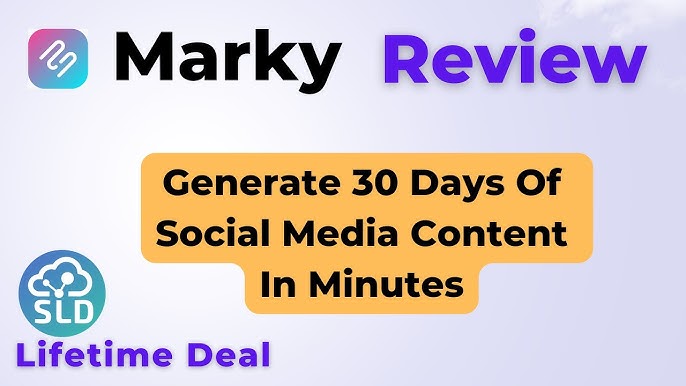
Video walkthrough demonstrating how to create and schedule posts in Marky.
Credit: www.youtube.com
Video step-by-step guide on generating and scheduling content with Marky.
Frequently Asked Questions
What Is Marky Lifetime Deal?
The Marky Lifetime Deal offers a one-time payment for lifetime access. It’s perfect for long-term savings.
How Does Marky Benefit Users?
Marky provides advanced features and tools. It helps streamline your workflow and increase productivity.
Is Marky Lifetime Deal Worth It?
Yes, the Marky Lifetime Deal is cost-effective. You get premium features without recurring fees.
How To Purchase Marky Lifetime Deal?
Visit the official Marky website. Select the lifetime deal option and complete the purchase process.
Can Marky generate images from scratch?
Marky does not generate images from text prompts like DALL·E; instead, it creates graphics by combining your brand templates with AI-written captions and overlays. You can upload your own images or choose from its built-in stock photo library.
Does Marky support video content?
Yes. Marky can convert a sequence of images into a short video with AI-generated transitions and captions, ready to post directly to platforms like Instagram Reels and TikTok.
Is there a limit on how many posts I can schedule in advance?
The limit depends on your tier. Tier 1 allows single daily scheduling, while Tier 2+ permits multiple posts per day. For unlimited posts per month, choose Tier 3 or Tier 4.
How does the white-label feature work for agencies?
After upgrading to Tier 3 or Tier 4, you can create up to 25 white-label accounts. Clients see your agency’s logo and branding on their dashboard, review and approve posts, and never know you’re using Marky behind the scenes.
What happens if I don’t use all my generated posts in a month?
Unused generated posts roll over? No—Marky counts against your monthly limit, but you can store them in drafts and schedule them later as long as you stay within your tier’s scheduling limits. It’s best to generate only what you plan to use each month.
Can I connect multiple social accounts from the same platform?
Yes. For example, you can manage three different Facebook pages under one brand in Tier 1, or up to 100 brands in Tier 4. Each brand can have its own set of connected profiles per platform.
Does Marky support carousel posts on Instagram?
Yes. When creating a post, you can select the carousel format and upload multiple images. Marky will generate a caption that flows across the slides and schedule the carousel as a single post.
Can I cancel my subscription after purchasing the lifetime deal?
No cancellation is needed—lifetime deals are one-time payments. However, upgrades or downgrades are allowed within the first 60 days via the 60-day money-back guarantee.
How does the 60-day money-back guarantee work?
If you are not satisfied within 60 days of purchase, contact Marky’s support or the marketplace (e.g., AppSumo) for a full refund. After that period, the deal is final.

Performance analytics view in Marky, tracking post reach and engagement.
Credit: www.linkedin.com
Performance metrics view for analyzing which posts drive the most engagement.
Maximizing ROI with Marky
To get the most value from your Marky lifetime deal, focus on consistent usage and continuous improvement. Here are strategies that experienced users apply:
- Track key metrics: Monitor the analytics dashboard weekly for post reach, engagement rate, and follower growth. Use this data to refine your content mix.
- Automate cross-posting: Schedule the same content adapted for each platform (e.g., shorter captions for Instagram, longer for LinkedIn) using Marky’s platform-specific settings.
- Integrate with other systems: Connect Marky with your CRM or email marketing platform to align social media campaigns with overall sales funnels. For example, promote a lead magnet on social and track conversions through your lead generation tools.
- Recycle top-performing content: Use the analytics to identify your best posts, then regenerate them with fresh visuals and updated calls to action using Marky’s duplication feature.
- Plan for seasonality: Create templates for holidays, product launches, and industry events. The U.S. Small Business Administration offers guidance on effective social media strategies for small businesses at sba.gov.
By following these steps, you can reduce the per-post cost to near zero while maintaining a consistent and engaging online presence. You can also explore complementary lifetime deals such as Rybbit for additional marketing automation.
Next Steps to Boost Your Workflow with Marky
Now that you understand the features, pricing, and ideal use cases, here’s a simple action plan to get started:
Choose your tier – Start with Tier 1 or 2 if you’re a solo business; agencies should jump to Tier 3 for the white-label dashboard.
Complete the brand setup – Upload your logo, colors, and at least 3-5 sample posts to train the AI.
Generate your first batch – Use the “Create 30-day plan” feature and review the output before scheduling.
Set up your analytics – Connect your social accounts and review the dashboard after the first week to identify top-performing post types.
Scale with integrations – Combine Marky with other tools in your stack, such as a visitor tracking system for audience insights or a project management platform to coordinate team approvals.
Get started now: claim your Marky lifetime deal today and automate your social media workflow. To further scale your content production, consider integrating with best AI tools for SEO to automate keyword research.
Conclusion
Marky simplifies social media marketing for small businesses and agencies. With AI-powered content generation and scheduling, it saves time and effort. You can manage multiple brands and clients with ease. Want to boost your social media game? Check out the Marky Lifetime Deal today.

Similar Posts