Web Hosting Comparisons: Find the Best Services for Your Site
Lead SaaS Analyst & Software Developer at PCSaaS · Software Developer (GitHub @Ratankarmakar) · Google Ads & Analytics Certified · 500+ SaaS Tools Tested · 8+ years in software engineering, B2B SaaS evaluation, AppSumo deal auditing, and performance marketing
Discover detailed web hosting comparisons to help you choose the right provider with the best performance and pricing.
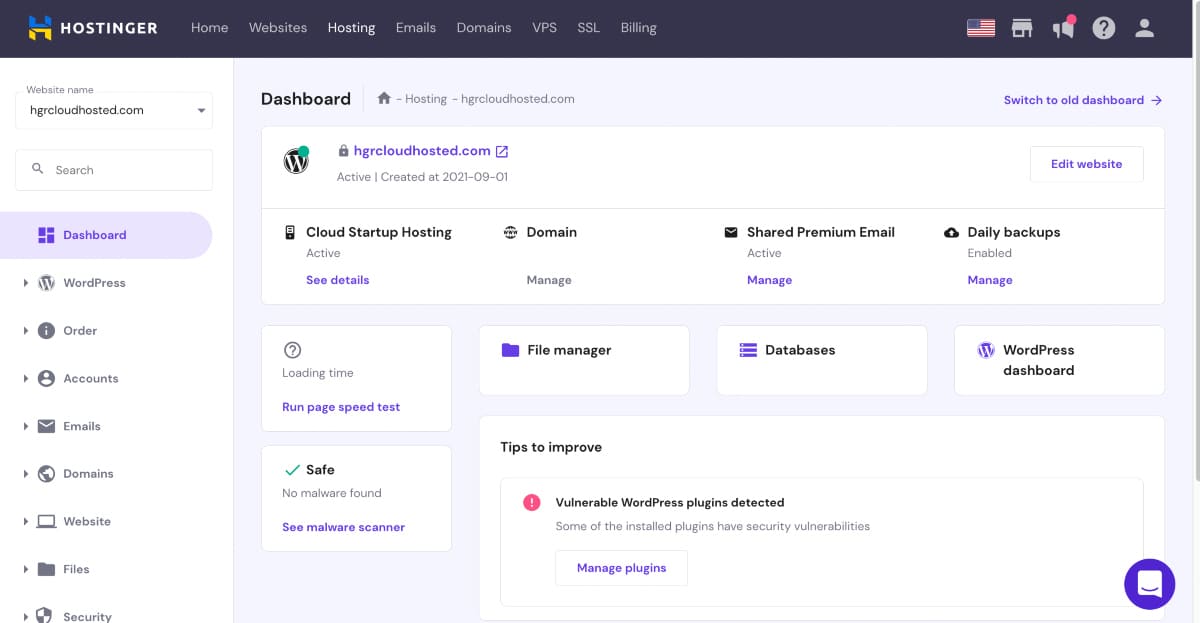
This blog will help you compare the top web hosting services available. Web hosting comparisons are crucial for anyone looking to build a website. Whether you are a beginner or a seasoned developer, understanding the differences between hosting providers can save you time, money, and frustration.
In this blog, we will highlight key features, pricing, and performance metrics that matter most. By the end, you will have a clearer picture of which web hosting service best fits your needs. Ready to find the perfect web hosting solution? Let's dive in and explore the options together.

Example of a side-by-side web hosting comparison matrix highlighting plan features and pricing.
Credit: b2evolution.net
Introduction To Web Hosting
Web hosting is the backbone of every website. It stores your site's data and makes it accessible on the internet. Without web hosting, your website would not exist online. Understanding web hosting is crucial for anyone who wants to create a website. This post will dive into the importance of web hosting and the different types available.
Importance Of Web Hosting
Web hosting is essential because it affects your site's performance. A good web host can make your site load faster. Faster loading times improve user experience and help with SEO. Slow websites frustrate users and cause them to leave. This increases your bounce rate.
Web hosting also ensures your site's availability. A reliable host keeps your site online most of the time. Downtime can damage your reputation and cause you to lose visitors. Security is another key aspect. A good web host provides security features to protect your data. This can prevent attacks and keep your site safe.
Running a direct comparison helps you identify which provider delivers the best performance for your budget. For example, a beginner might prioritize budget-friendly shared hosting to minimize upfront costs, while a growing store needs resources that scale easily. Regularly comparing renewal prices and support quality can save you from expensive surprises later.
Types Of Web Hosting
There are several types of web hosting to choose from. Each type serves different needs and budgets. Here are the main types:
Shared Hosting: Multiple websites share the same server resources. This is affordable but can affect performance.
VPS Hosting: Virtual Private Server hosting offers dedicated resources on a shared server. It provides better performance and flexibility.
Dedicated Hosting: A single server dedicated to your website. This provides the best performance and security but is costly.
Cloud Hosting: Websites use resources from multiple servers. This ensures high availability and scalability.
Below is a table summarizing the types of web hosting:
Type Performance Cost Best For
Shared Hosting Low Low Small websites
VPS Hosting Medium Medium Growing websites
Dedicated Hosting High High Large websites
Cloud Hosting High Varies Scalable websites
Understanding these types will help you choose the best web hosting for your needs. Each type offers unique advantages. Consider your website's requirements before making a decision. A good rule of thumb: if you expect sudden traffic spikes or plan to add e‑commerce functionality soon, look for a plan that lets you upgrade without a full server migration. Many providers now offer seamless scaling, making it easier to start small and grow.
Shared Hosting
Shared hosting is a popular choice for new websites. It offers a cost-effective solution for hosting. In shared hosting, multiple websites share the same server resources. This makes it an affordable option for beginners. But it also means sharing bandwidth, disk space, and other resources. Understanding the benefits and drawbacks is crucial.
Pros And Cons
Shared hosting has several advantages. It's budget-friendly. This makes it ideal for small businesses and personal sites. Setup is easy and requires little technical knowledge. Most providers offer user-friendly control panels. This simplifies website management. Shared hosting plans often include customer support.
There are also some downsides. Sharing resources can lead to slower website performance. High traffic on one site can affect others on the same server. Security risks are higher. If one site gets hacked, others could be vulnerable too. Limited customization options can be a drawback for advanced users.
In practice, many beginners overestimate the capacity of shared hosting. A common mistake is installing heavy plugins or media files without considering server limits. If your site attracts a few thousand daily visitors, you’ll likely need to upgrade sooner than expected. Planning ahead can avoid sudden performance drops.
Best Providers
Many companies offer reliable shared hosting services. Bluehost is a top choice. It provides a free domain for the first year. Their 24/7 support is highly rated. HostGator is another popular option. They offer flexible plans and a 45-day money-back guarantee. SiteGround is known for excellent uptime and security features. Their customer service is also exceptional.
https://www.youtube.com/watch?v=eIFQdytm_Yg
Video walkthrough comparing shared, VPS, and dedicated hosting environments.
Vps Hosting
VPS Hosting stands for Virtual Private Server Hosting. It offers a middle ground between shared hosting and dedicated hosting. With VPS hosting, you get a virtual server that mimics a dedicated server but within a shared hosting environment. This means you get dedicated resources without the high cost of a dedicated server. VPS hosting is ideal for businesses needing more control and resources than shared hosting offers.
Pros And Cons
VPS hosting has many advantages. You get dedicated resources, which means better performance and reliability. You have more control over your server settings, allowing for customization. It's also more secure than shared hosting because your data is isolated from others.
But, there are drawbacks too. It is more expensive than shared hosting. Managing a VPS requires technical knowledge. Without proper management, you could face downtime or security issues.
Best Providers
Several providers offer excellent VPS hosting services. One of the top providers is Bluehost. They offer great performance, customer support, and competitive pricing. Another excellent choice is HostGator. They provide flexible plans, strong uptime, and good customer service.
InMotion Hosting is also a good option. They offer reliable VPS hosting with robust features. DigitalOcean is popular for its developer-friendly environment. Their scalable infrastructure and easy-to-use interface make them a favorite among developers.
When should you move to VPS? If your site regularly exceeds 10,000 visitors per month or you need to install custom software, VPS is a natural next step. Look for providers that offer unmanaged and managed tiers so you can start with full control and later hand over server maintenance if needed.
Pricing comparison of various web hosting plans – note that rates change frequently, so always verify current offers.
Credit: prowebmarketing.com
Dedicated Hosting
Dedicated hosting is a powerful option for businesses with high traffic. It offers exclusive resources for your website. This means better performance and security. But it also comes with higher costs. Understanding its pros and cons helps make the right choice.
Pros And Cons
Dedicated hosting offers numerous advantages. Your website gets its own server. This results in faster load times. It also enhances security. You control the server settings. Customization is at your fingertips.
Yet, there are downsides. Dedicated hosting is more expensive. It requires technical expertise. Managing a server needs time and effort. This can be challenging for small businesses. Weighing these factors is essential.
Best Providers
Several companies excel in dedicated hosting. Bluehost is a popular choice. They offer reliable uptime and customer support. HostGator is another strong contender. They provide flexible plans and robust security.
InMotion Hosting is ideal for businesses. They focus on performance and speed. Liquid Web is known for its premium service. They cater to large enterprises. Choosing the right provider depends on your needs and budget.
A high-traffic website like an e‑commerce store or a membership site often justifies the cost of dedicated hosting. In practice, you’ll want to review the provider’s hardware specifications (CPU, RAM, storage type) and whether they include proactive monitoring. Many dedicated plans also come with a service‑level agreement (SLA) that guarantees compensation for downtime.
Cloud Hosting
Cloud hosting is a popular choice for many websites today. It uses a network of virtual servers to host your site. This means your website uses multiple servers rather than a single one. This method improves reliability and scalability. Many businesses prefer cloud hosting for its flexibility and performance.
Pros And Cons
Cloud hosting offers several benefits. One major advantage is scalability. You can easily adjust your resources as your traffic grows. This ensures your site stays fast and responsive. Cloud hosting also provides high uptime. Since multiple servers are involved, your site stays online even if one server fails.
There are some downsides too. Cloud hosting can be more expensive. Costs can increase with more traffic and resource needs. It also requires a good understanding of server management. Beginners may find it challenging to manage a cloud hosting environment.
Best Providers
Several companies offer excellent cloud hosting services. Amazon Web Services (AWS) is a top choice. It provides a wide range of features and excellent performance. Google Cloud Platform is another strong option. It offers reliable and scalable hosting solutions. Microsoft Azure is also popular. It integrates well with other Microsoft services and products.
Other notable providers include DigitalOcean and Vultr. They offer affordable and flexible cloud hosting plans. These companies provide great support and easy-to-use interfaces. Choosing the best provider depends on your specific needs and budget.
For most site owners, the pay-as-you-go model of cloud hosting is both a blessing and a trap. A sudden traffic spike can inflate your monthly bill unexpectedly. Set billing alerts and consider reserved instances if you have a stable baseline. A solid understanding of load balancing and auto‑scaling can help you get the most out of scalable cloud solutions.
Managed Hosting
Managed hosting is a type of web hosting service. The provider handles the server management tasks. This includes updates, security patches, and backups. It’s ideal for those who want to focus on their website content rather than technical details.
Pros And Cons
The main advantage is convenience. You don’t need to worry about server maintenance. The provider ensures your site runs smoothly. Managed hosting also includes enhanced security. They monitor for threats and apply fixes quickly.
The downside is cost. Managed hosting is more expensive than unmanaged options. You also have less control over server configurations. Some advanced users may find this limiting.
Best Providers
Several companies specialize in managed hosting. WP Engine is a leader for WordPress sites. They offer fast speeds and excellent support. Kinsta is another top choice. They use Google Cloud infrastructure for high performance. SiteGround also provides managed solutions with great customer service.
When choosing a managed host, look for features like one‑click staging environments, automated daily backups, and dedicated caching layers. Many users find that the extra cost pays for itself in saved time and reduced downtime. For example, the official SiteGround platform includes free SSL, CDN, and managed updates that can prevent common security issues for non‑technical website owners.
Key Features To Consider
Choosing the right web hosting is crucial for your website's success. There are several key features to consider. These features impact your website's performance, security, and support. Here, we break down the most important aspects.
Performance
Performance is vital for user experience. A fast-loading website keeps visitors engaged. Page load time and uptime are critical metrics. Look for hosting with a guaranteed uptime of 99.9% or higher.
Page Load Time: Faster load times improve user satisfaction.
Uptime Guarantee: Ensure your site is always accessible.
Bandwidth: Enough bandwidth ensures smooth data transfer.
Also, consider the type of storage. SSD storage is faster than traditional HDD storage. It improves your website's speed and reliability.
Security
Your website's security is non-negotiable. It protects your data and your visitors' information. SSL certificates are a must. They encrypt data between your site and users.
SSL Certificates: Encrypt data to protect user information.
Firewall Protection: Prevent unauthorized access to your website.
Automatic Backups: Regular backups ensure data recovery in case of loss.
Look for hosting providers that offer DDoS protection . This helps defend against cyber-attacks. Security features give peace of mind.
Support
Reliable support is essential. It helps resolve issues quickly. Look for hosting with 24/7 customer support . This ensures help is available whenever you need it.
24/7 Customer Support: Access help at any time.
Live Chat: Get instant support through live chat.
Knowledge Base: Access guides and tutorials for self-help.
Consider the support options available. Phone, email, and live chat are common. A comprehensive knowledge base is also beneficial. It allows you to find answers on your own.
Scalability
Not every host makes it easy to upgrade. Before committing, check how quickly you can move from shared to VPS or from VPS to dedicated. Some providers allow a seamless in‑account upgrade, while others require a manual migration. A host that offers instant resource scaling can save you from downtime during a growth surge. For small business hosting needs, look for a plan that includes a clear upgrade path.
Control Panel and Ease of Use
The control panel is your daily interface. cPanel is the industry standard, but some budget hosts use proprietary dashboards. If you are new to web hosting, a simplified panel with one‑click installs (like Softaculous) can make launching a site much easier. Experienced developers may prefer a bare‑bones interface with full root access. Always test the demo before signing up for a long‑term contract.

Historical comparison of top web hosting services from 2015 – the industry has evolved significantly since then.
Credit: maheshone.com
Price Comparison
Choosing the right web hosting service can be challenging. One of the key factors to consider is the price. This section will provide a detailed Price Comparison to help you make an informed decision.
Budget-friendly Options
For those on a tight budget, there are several budget-friendly web hosting options available. These plans are affordable and offer essential features.
Provider Price (per month) Features
Hostinger $0.99 1 Website, 100GB Bandwidth, 24/7 Support
Bluehost $2.95 1 Website, Free SSL, 50GB SSD Storage
iPage $1.99 Unlimited Websites, Free Domain, Free Email
Premium Options
For those who need advanced features and better performance, premium web hosting options are ideal. These plans are more expensive but offer superior service.
Provider Price (per month) Features
SiteGround $6.99 1 Website, Free SSL, Daily Backup, 10GB Storage
WP Engine $25.00 1 Website, 10GB Storage, 50GB Bandwidth, Free SSL
Kinsta $30.00 1 Website, Free SSL, Daily Backup, 25GB Storage
Mid‑Range Options
Between budget and premium, a mid‑range tier often delivers the best balance for growing sites. Managed WordPress plans from Hostinger or DreamHost, for example, typically cost $4–$12 per month and include staging, caching, and automated updates. These plans are worth a look if you want more performance than shared hosting without the full price of a premium managed solution.
Whether you are looking for affordable plans or premium services , there are many options. Choose the one that fits your budget and needs. Prices listed are promotional and may change upon renewal – always verify the current terms on the provider’s site.
Frequently Asked Questions
What Is The Best Web Hosting Service?
Choosing the best web hosting service depends on your needs. Some popular options are Bluehost, SiteGround, and HostGator.
How Does Web Hosting Work?
Web hosting stores your website's data on servers. When users access your site, their browser retrieves this data from the server.
Is Shared Hosting Good For Beginners?
Yes, shared hosting is cost-effective and user-friendly. It's ideal for beginners with small websites or blogs.
What Is The Difference Between Vps And Shared Hosting?
VPS hosting offers dedicated resources, while shared hosting shares resources among multiple users. VPS is more powerful and expensive.
How Do I Switch Hosting Providers Without Downtime?
Most reputable hosts offer free migration services. If you want to do it yourself, migrate during low‑traffic hours, keep both accounts active until DNS propagates, and test thoroughly before cancelling the old plan.
Can I Host Multiple Websites On One Plan?
Many shared and VPS plans allow multiple websites, but check the provider’s terms. Some budget plans cap the number of sites, while others offer unlimited domains with a higher tier.
What Is A Money‑Back Guarantee, And Why Does It Matter?
A money‑back guarantee lets you test the service risk‑free. Most hosts offer 30 to 45 days. Use this period to check speed, support response, and control‑panel usability before making a long‑term commitment.
Conclusion
Choosing the right web hosting is crucial for your website's success. Compare features, prices, and customer reviews. Consider your needs and future growth. Opt for reliable and secure hosting. This decision impacts your site's speed and user experience. Make an informed choice.
Your website deserves the best hosting. Happy hosting! Start comparing your top choices today and lock in the best deal for your needs.

Similar Posts