
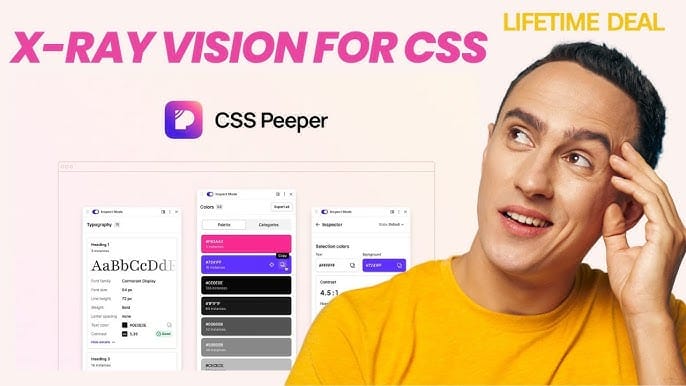
Css Peeper Lifetime Deal offers a one-time purchase for a tool that simplifies CSS inspection, helping designers analyze styles efficiently.
Whether you’re a designer, developer, or just someone who loves sleek web designs, this tool helps you save hours of frustration and speeds up your creative process. Now, here’s the best part: you can get lifetime access to CSS Peeper at an unbeatable price. This deal gives you all the features you need to explore and extract styles, assets, and typography effortlessly—without worrying about monthly fees. Ready to make your design work faster and easier? Check out the CSS Peeper Lifetime Deal and see how it can transform your workflow today.
 CSS Peeper in action inspecting a webpage’s design elements
Credit: www.youtube.com
Introduction To Css Peeper And Its Purpose
CSS Peeper is a handy tool for designers and developers. It allows you to quickly inspect website designs without writing any code. This tool helps you understand the design elements behind any website in seconds.
Saving time and effort is key when working on prototypes or design projects. CSS Peeper provides a clear view of colors, typography, images, and other style details. It makes analyzing and extracting design information simple and fast.
What Is Css Peeper? An Overview
CSS Peeper is a Google Chrome extension created to inspect website designs easily. It shows design properties like colors, fonts, and assets without digging into the code.
Instantly inspect any website element
Explore color palettes with semantic groups
Access typography details and hierarchy
Download images, SVGs, and icons directly
Switch between light and dark modes
The tool is perfect for developers and designers who want to analyze and replicate design elements quickly. It works smoothly inside Chrome and offers a user-friendly sidebar for inspection.
In practice, you can open CSS Peeper on any live site, hover over a heading, and immediately see the exact font-family, font-size, line-height, and color — all without touching the browser’s DevTools. This is especially useful when you are working on a redesign and need to match a competitor’s visual style precisely.
Why Designers And Developers Need Css Peeper
Designers and developers often spend hours searching through code. CSS Peeper saves time by showing all style information visually.
Speed up the design process: No need to write or find CSS code manually.
Better collaboration: Share exact colors, fonts, and assets with your team.
Easy asset management: Download images and icons without extra tools.
Improved prototype quality: Use accurate design details for realistic mockups.
The tool improves efficiency and makes design inspection accessible for all skill levels.
A common mistake beginners make is trying to copy styles by manually inspecting the DOM in DevTools, which can be overwhelming. CSS Peeper strips away the clutter and presents only the design-relevant properties, making it far easier to grab what you need for a mood board or style guide.
The Value Of A Lifetime Deal For Css Peeper Users
The CSS Peeper lifetime deal offers full access to all features for a one-time price. This deal includes future updates under the Ultra plan.
Feature Included in Lifetime Deal
Lifetime access Yes
All future updates Yes
Export color palettes Yes
Smart inspections & contrast checker Yes
Download images, SVGs, icons Yes
Personalized typography units Yes
Users gain long-term value by paying once and avoiding monthly fees. The deal includes email support and access to beta features. It suits new users only and requires activation within 60 days.
If you are already paying for a monthly design subscription, switching to a one-time purchase like this can free up budget for other tools — for example, a design asset library that provides stock resources alongside your inspection workflow.
Key Features That Make Css Peeper Unique
CSS Peeper offers a simple yet powerful way to inspect website designs instantly. It removes the need to dig through complex code. With this tool, designers and developers can quickly analyze and extract design elements. The focus is on speed, clarity, and ease of use. Below are the standout features that set CSS Peeper apart.
Visual Inspection: Effortlessly Extract Design Properties
CSS Peeper lets you inspect any element visually without opening developer tools or writing code. Just hover over parts of a webpage to see detailed design information. This includes:
CSS styles applied to elements
Box model details like margin, padding, and borders
Hierarchy of styles from the page
This visual approach speeds up understanding and replicating designs for prototyping or development.
For example, when you hover over a button, CSS Peeper immediately shows you the background gradient, border radius, box shadow, and hover state transitions — all in one panel. This eliminates the back-and-forth of toggling between the Elements and Computed tabs in DevTools.
Seamless Css Exploration Without Code Diving
Users can explore CSS properties without navigating complex code files . CSS Peeper extracts and organizes styles for easy review. It breaks down styles into readable sections:
Feature Description
Semantic Color Groups Displays colors grouped by purpose and usage
Typography Hierarchy Shows font styles and text sizes in order
Layout Density Switcher Adjusts spacing and layout view for clarity
This structure helps users focus on design details without technical distractions.
A practical tip: use the semantic color groups to build a brand palette in minutes. Colors are automatically labelled by role (e.g., “primary”, “background”, “text”), saving you from manually naming each hex code when you export them to your design tool.
Quick Access To Colors, Fonts, And Dimensions
CSS Peeper provides instant access to key design elements. Easily view and copy:
Color palettes with semantic grouping
Font families, sizes, and weights
Element dimensions and spacing
Users can export color palettes or preview typography styles quickly. This saves time during design review and handoff.
Beyond basic copying, you can also preview how a font pair looks in context — seeing the heading and body text side by side helps you decide whether the combination works for your project before you commit to it in your CSS.
Asset Extraction: Simplifying Resource Gathering
Gathering website assets is fast and simple with CSS Peeper. It allows users to browse and download:
Images
SVGs
Icons
All assets are accessible without searching through files or code. This speeds up prototypes and presentations.
One common use case is grabbing a hero image or an icon set from a competitor’s landing page for inspiration. Instead of right-clicking and saving each file individually, you can open the asset panel in CSS Peeper, preview all images, and batch download the ones you need — all while the page stays fully interactive.
User-friendly Interface Designed For Speed And Clarity
The interface of CSS Peeper is clean and intuitive. It includes features like:
Sidebar mode for quick access to design info
Dark mode for comfortable long sessions
Smart inspection toggles for precise element selection
Advanced contrast checker for accessibility review
This design ensures users focus on what matters most: the design itself.
The contrast checker is particularly valuable for teams that need to meet WCAG guidelines. You can check foreground/background combinations directly on the inspected page, flagging issues before they reach production. This is a feature that many full-price design tools charge extra for.
Pricing And Affordability Breakdown
Understanding the pricing structure of CSS Peeper helps choose the right plan. This breakdown highlights options from free to lifetime deals. It clarifies what features come with each and evaluates value for money.
Free Version Vs Pro Upgrade: What You Get
The free version of CSS Peeper offers basic inspection tools. Users can explore colors, typography, and layout density.
Inspect elements without code
Preview color palettes
Basic typography information
Sidebar mode for easy access
The Pro upgrade or lifetime deal adds advanced features:
Export color palettes and semantic color groups
Advanced contrast checker and issue scanner
Access to beta features and smart inspections
Browse and download images, SVGs, and icons
Email support and knowledge base access
If you find yourself frequently exporting colors or needing to download assets, the free version will feel limiting after a few weeks. The Pro upgrade removes those barriers and is well worth the upgrade for regular users.
Details Of The Lifetime Deal: Cost And Benefits
Plan Price Features Included License Duration
Lifetime Deal (Tier 1) $29 (one-time)
All Ultra plan updates
Export and advanced inspection tools
Dark mode and layout density switcher
Download assets like images and icons
Google Chrome required
Lifetime access with 60-day activation window
The deal includes all future updates under the Ultra plan. The license does not support upgrades or downgrades. Only new users qualify for this offer.
As of 2025, this lifetime deal remains available on AppSumo, though the price may change in future promotions. If you’re on the fence, consider that $29 is roughly the cost of two months of a typical subscription-based design tool — and you get permanent access here.
Comparing Lifetime Deal With Subscription Models
Subscription models usually charge monthly or yearly fees. They may cost more over time but offer flexible plans.
Subscriptions: pay repeatedly, cancel anytime
Lifetime Deal: one payment, permanent access
Subscriptions might include more tier options
Lifetime Deal locks in features at purchase time
Lifetime deals suit users wanting long-term access without recurring fees. Subscriptions fit those needing short-term or adjustable use.
For a deeper look at how other tools compare, check out our analysis of similar one-time purchase tools, which explains the trade-offs between subscriptions and lifetime models in the SaaS space.
Is The Lifetime Deal Worth It For Your Workflow?
Consider how often you inspect websites and use design assets. The lifetime deal saves money if you use CSS Peeper regularly.
Need advanced color and typography analysis?
Require downloading images, SVGs, and icons?
Want to avoid monthly or annual fees?
If yes, the lifetime deal offers strong value . It helps speed up design work and prototype creation. For occasional users, the free version may suffice.
If you are a freelance designer or a small agency owner, the lifetime deal is a no-brainer. You can install it on your primary machine, use it daily, and never worry about a subscription renewal. Larger teams, however, should note that the license is per user — so you might need multiple purchases.
 CSS Peeper’s advanced contrast checker and asset download panel
Credit: www.youtube.com
Pros And Cons Based On Real-world Usage
CSS Peeper offers a simple way to inspect website designs without coding. Users find it helpful for quick design analysis and asset extraction. This section highlights the main advantages and limitations from actual user experiences. It also compares CSS Peeper with other popular inspection tools.
Advantages: Time-saving And Intuitive Design Insights
Instant Inspection: Quickly view CSS properties of any webpage element.
Easy Asset Access: Download images, SVGs, and icons without hassle.
Color Palette Analysis: Extract and export color groups for design consistency.
Typography Details: Preview font styles and hierarchy clearly.
User-Friendly Interface: No coding knowledge needed to explore design details.
Time Efficiency: Speeds up prototyping and design replication processes.
These features save designers and developers valuable time. The intuitive design makes it accessible for beginners.
In practice, the biggest time-saver is the ability to grab a complete color palette from any site in under 30 seconds. Instead of manually sampling each color with a picker, CSS Peeper groups them semantically and lets you export them as a CSS snippet or a JSON file for use in your design system.
Limitations: Features To Watch Out For
Browser Restriction: Works only on Google Chrome, limiting browser flexibility.
License Restrictions: Lifetime deal applies only to new users without upgrades or downgrades.
Basic Inspection: Lacks deep debugging tools for complex CSS issues.
Dependency on Web Standards: Some styles might not display correctly on non-standard websites.
Limited Customization: Fewer options for exporting or modifying extracted data.
Users should consider these limits before relying solely on CSS Peeper for advanced tasks.
If you work primarily in Firefox or Safari for development, you will need to switch to Chrome when using CSS Peeper. This is a minor inconvenience, but the tool is stable enough that many users keep Chrome open specifically for inspection tasks.
User Feedback And Common Experiences
Aspect Positive Feedback Areas for Improvement
Ease of Use Simple interface, fast learning curve Needs more tutorials for beginners
Functionality Good for quick design checks Limited advanced features
Performance Stable and responsive in Chrome Occasional glitches with complex layouts
Support Email support and knowledge base Could improve response times
How Css Peeper Stands Against Other Inspection Tools
CSS Peeper focuses on design inspection rather than full code debugging. It is lighter and easier than developer tools in browsers.
Compared to Chrome DevTools: CSS Peeper is simpler but less detailed.
Compared to Stylebot: Peeper offers better asset management and color analysis.
Compared to Webflow Inspector: CSS Peeper is more affordable with a lifetime deal.
For users needing fast, visual design inspection, CSS Peeper fits well. For deep development tasks, other tools may be better.
For a broader perspective on lifetime deals, our review of other similar one-time purchase tools highlights how CSS Peeper compares in terms of value and feature set.
Specific Recommendations For Ideal Users And Scenarios
CSS Peeper is a useful tool designed for quick inspection of website styles. It suits various users who want to analyze design elements without coding. This section highlights who benefits most and the best situations to use CSS Peeper effectively.
Best For: Web Designers Seeking Faster Style Inspection
Web designers often spend too much time digging through code to find styles. CSS Peeper speeds this process up by showing styles visually and instantly. It is perfect for:
Quickly identifying color palettes used on a site
Understanding typography hierarchy without code
Downloading assets like images, SVGs, and icons effortlessly
Designers can save time and focus more on creativity than code details.
If you are a designer who frequently creates mood boards or style guides, CSS Peeper can cut your research time in half. You can gather all the visual elements from a reference site in one sitting, then import them directly into your design tool of choice.
When Developers Benefit Most From Css Peeper
Developers find CSS Peeper handy when they need to:
Inspect styles without leaving the browser
Check contrast and accessibility with built-in scanners
Preview layout density and switch inspection modes quickly
This tool helps streamline the debugging and styling process with easy access to CSS details.
During a recent project, I used CSS Peeper to verify that a client’s existing site used consistent spacing units. The layout density switcher let me toggle between the original design and a more compact version, helping me propose a cleaner grid without manually editing any CSS.
Use Cases: From Rapid Prototyping To Competitive Analysis
CSS Peeper fits many scenarios, including:
Use Case Benefit
Rapid Prototyping Quickly extract colors, fonts, and assets to build designs faster
Competitive Analysis Analyze competitor websites’ design styles to inspire your projects
Client Presentation Show clear style breakdowns without complex code explanations
For competitive analysis, you can export the full color palette and typography stack of a rival site in minutes. This data is invaluable when you are pitching a new brand direction or trying to differentiate your own product.
Who Should Consider Upgrading To The Lifetime Deal
The Lifetime Deal suits users who want long-term access without recurring fees. Ideal candidates include:
Frequent users who inspect multiple websites daily
Design teams needing consistent style inspection tools
Agencies managing many client projects simultaneously
The deal offers all future updates and features under one payment. It works only on Google Chrome and requires new users without existing accounts.
If you are already using other lifetime-licensed tools, like a video inspection tool or a social media analytics suite, adding CSS Peeper to your stack keeps your workflow consistent and eliminates subscription fatigue.
Conclusion: Unlocking Ultimate Design Insights With Css Peeper
CSS Peeper offers a simple, fast way to inspect website designs. It removes the need to dig through complex code. This tool helps designers and developers see colors, typography, and assets clearly. The lifetime deal gives long-term access to these benefits. It supports better design decisions and speeds up workflows.
Summary Of Benefits And Key Takeaways
Instant Inspection: View any website’s design elements without coding.
Color Analysis: Extract and export color palettes easily.
Typography Details: Browse text styles and hierarchy at a glance.
Asset Access: Download images, SVGs, and icons directly.
Time-Saving: Accelerate prototype creation and design review.
All-Inclusive Plan: One lifetime purchase covers all features and updates.
Support & Security: Backed by a 60-day money-back guarantee.
Final Thoughts On The Lifetime Deal Value
For $29, the lifetime deal offers strong value. It grants unlimited use of the Ultra plan. Updates come automatically with no extra costs. This deal suits new users who want a reliable design inspection tool. The requirement of Google Chrome is a small trade-off for seamless functionality. The money-back guarantee adds a safety net. This deal removes monthly fees forever. It is a smart choice for designers who want lasting tools.
How To Get Started With Css Peeper Today
Visit the CSS Peeper deal page on AppSumo.
Purchase the lifetime deal for $29.
Install the CSS Peeper extension on Google Chrome.
Create a new account as an eligible user.
Activate your license within 60 days after purchase.
Start inspecting websites and extracting design details.
Use the sidebar mode for smooth navigation. Explore semantic color groups and typography hierarchy easily. Experiment with advanced contrast checking for accessibility. Reach out to email support if needed. CSS Peeper offers a straightforward start to improving your design workflow.
 CSS Peeper Lifetime Deal details on AppSumo
Credit: ltdhunt.com
Frequently Asked Questions
Is Css Peeper Free?
CSS Peeper is free to use forever. You can upgrade to Pro for advanced features and enhanced productivity.
How To Use Css Peeper?
Install the CSS Peeper Chrome extension. Click its icon on any webpage to instantly view and extract CSS styles visually.
What Is The Css Peeper Lifetime Deal?
The CSS Peeper Lifetime Deal offers permanent access to this Chrome extension. It lets users inspect website styles quickly without ongoing fees. This deal is ideal for designers wanting to save time and money on CSS inspection tools.
How Does Css Peeper Simplify Css Inspection?
CSS Peeper visually displays CSS properties like colors, fonts, and sizes. It eliminates the need to dig through complex code. Users can inspect styles with simple clicks, making the design process faster and more efficient.
Can I Use CSS Peeper on Any Website?
Yes, CSS Peeper works on any public website loaded in Google Chrome. It does not require access to the site’s source code or server — just navigate to the page and click the extension icon. However, styles loaded from external sources or rendered via JavaScript may sometimes show incomplete properties.
Does CSS Peeper Include a Color Contrast Checker?
Yes, the Pro version (included in the Lifetime Deal) has an advanced contrast checker. It evaluates foreground and background color pairs against WCAG AA and AAA standards, flagging any combinations that fail. This is a critical feature for accessibility-conscious designers and developers.
What Happens After the 60-Day Activation Window?
If you do not activate your license within 60 days of purchase, the deal may expire and you will lose access to the Lifetime Deal. Activation is a one-time step — after that, you have permanent access. Make sure to complete it as soon as you buy the deal.
Is CSS Peeper Available for Firefox or Edge?
No, CSS Peeper is currently a Google Chrome extension only. There is no official version for Firefox, Edge, or Safari. If you need cross-browser inspection, you will need to use Chrome exclusively for this tool or rely on alternative extensions for other browsers.
Additional Tips for Getting the Most Out of CSS Peeper
Once you have the extension installed, a few small workflow adjustments can make it even more powerful:
- Use keyboard shortcuts: Press
Ctrl+Shift+P(Windows) orCmd+Shift+P(Mac) to toggle the sidebar quickly. - Export your findings: When you finish inspecting a site, export the color palette and typography list as a JSON file. This can be imported into tools like Figma or Sketch via plugins.
- Combine with screenshot tools: Take a full-page screenshot of the site you are inspecting, then use CSS Peeper to annotate the styles directly on the image. This is great for client feedback.
- Keep an eye on updates: The Lifetime Deal includes future Ultra plan updates, so occasionally check for new features like additional export formats or improved contrast analysis.
For a comprehensive comparison of other lifetime-licensed tools, see our analysis of a similar deal for creative assets. It covers what to look for when evaluating one-time purchases versus subscriptions.
Conclusion
CSS Peeper saves time by showing website design details quickly. It helps you explore colors, fonts, and images with ease. No coding skills needed to inspect any site element. This lifetime deal offers full access and future updates. Enjoy a smoother design process without complex tools. Try CSS Peeper today and see how simple design inspection can be.

