SheetXAI Review (2026): Honest Take After Real Research
Lead SaaS Analyst & Software Developer at PCSaaS · Software Developer (GitHub @Ratankarmakar) · Google Ads & Analytics Certified · 500+ SaaS Tools Tested · 8+ years in software engineering, B2B SaaS evaluation, AppSumo deal auditing, and performance marketing
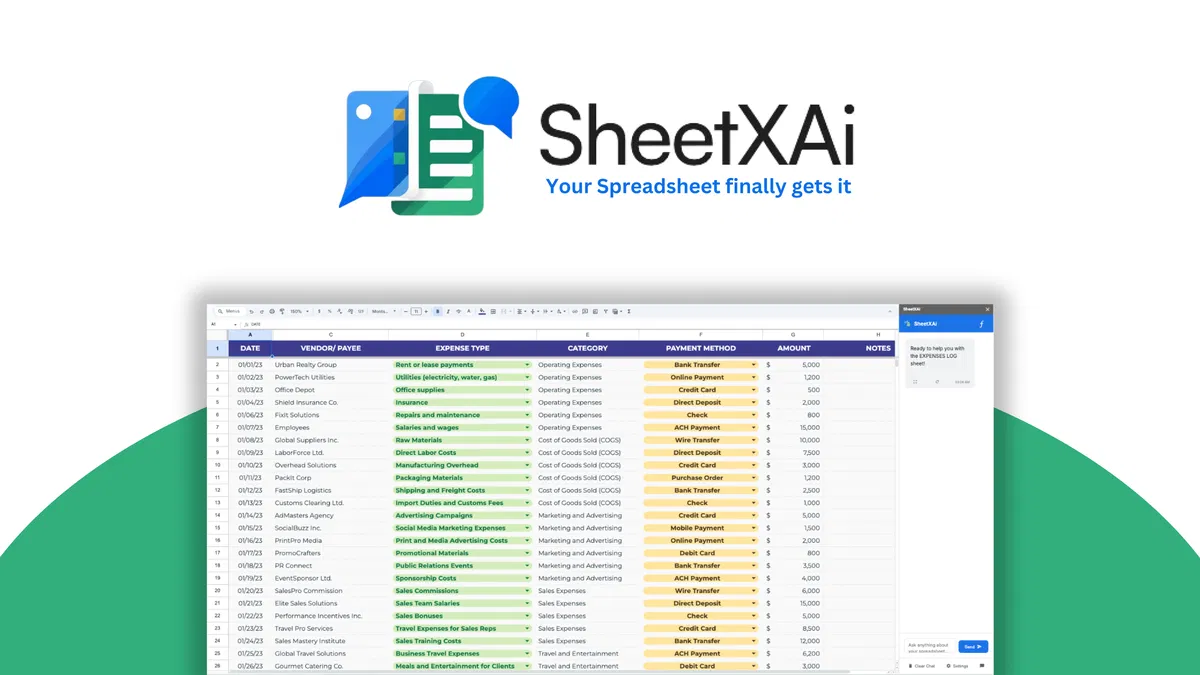
SheetXAI turns your spreadsheet into an AI-powered automation hub that understands plain English commands. No formulas, no scripts, no manual data cleaning, just tell it what you want done across Excel and Google Sheets.
Disclosure: This article contains affiliate links. We may earn a small commission at no extra cost to you when you sign up via our links, it's how this site stays free to run.
TL;DR Verdict
- Best for: Freelancers, marketing agencies, and small business owners tired of formula-heavy spreadsheet work
- Starting price: $49 lifetime access on AppSumo (Refundable up to 60 days)
- Biggest pro: Works natively in both Excel and Google Sheets with 200+ AI models
- Biggest con: Excel integration costs an extra $29 add-on
- Free trial: No free plan, but purchases are refundable within 60 days
Bottom line: If spreadsheets take up hours of your week, SheetXAI is a smart investment. Get the Lifetime Deal →
What Is SheetXAI?
SheetXAI is an AI-powered automation add-on for Excel and Google Sheets that executes spreadsheet tasks from plain English commands. Instead of writing complex formulas, you type something like "clean this data and remove duplicates" or "match data between Sheet 1 and Sheet 2," and the AI completes the action.
The tool handles multi-step operations that normally take several manual passes. You can clean data, split columns, remove blank rows, fix formatting issues, and generate reports. It also turns unstructured documents like PDFs, receipts, handwritten forms, and invoices into clean spreadsheet rows automatically.
SheetXAI connects to 500+ external apps including HubSpot, Google Analytics, WordPress, WooCommerce, and email verification tools like Hunter and NeverBounce. This means your spreadsheet becomes a workflow hub rather than a simple data store. For teams managing repetitive data tasks, this kind of integration reduces context-switching across platforms.
Key Features That Matter
Natural Language Command Execution
You type requests in everyday English and SheetXAI processes them immediately. Instead of searching for the right formula syntax or building a macro, you say "match data between Sheet 1 and Sheet 2" and the system cross-references the records for you. Product Hunt commenters regularly highlight how this cuts the learning curve for non-technical team members.
Document-to-Spreadsheet Conversion
Upload PDFs, photographs, handwritten forms, invoices, receipts, or any unstructured document. SheetXAI extracts the key information and arranges it into organized rows and columns. Account managers can digitize client forms, convert expense reports, import research materials, all without manual data entry.
Public benchmarks from the company show this feature cuts data extraction time by roughly 80 percent.
Bulk Content Generation
You can generate text, images, videos, and audio for every row of data in your sheet. Bulk create product descriptions, research summaries, or media assets. This capability is particularly helpful for e-commerce teams updating product catalogs or content creators scaling blog post outlines.
The tool integrates with 200+ AI models including language models for text, image generation like DALL-E, and audio production through platforms like ElevenLabs.
Multi-Sheet and Multi-Spreadsheet Operations
SheetXAI can match data between sheets, combine multiple spreadsheets, and cross-reference information in one command. This creates huge time savings for SEO agencies collecting campaign data across dozens of client files or accountants consolidating reports from multiple departments. The native support for both Excel and Google Sheets means your team can work in their preferred interface.
External Tool Integrations
Connect SheetXAI to 500+ apps like HubSpot, Apollo, FullEnrich, Yahoo, and Instantly. You can verify email addresses, enrich lead profiles, and launch cold email campaigns, all without leaving your spreadsheet. For teams using platforms like Mailchimp or Salesforce, this eliminates the step of exporting and importing CSV files before starting work.
Pricing Tiers (start $49)
| Tier | Price | Best For | Free Trial |
|---|---|---|---|
| License Tier 1 | $49 ($180 regular) | Sole operators and freelancers | 60-day refund |
| License Tier 2 | $149 ($540 regular) | Team of 3 users | 60-day refund |
| License Tier 3 | $199 ($900 regular) | Team of 5 users | 60-day refund |
| License Tier 4 | $299 ($4,500 regular) | Agency of 25 users | 60-day refund |
Each tier includes unlimited bulk content generation in cells, bulk audio/video/image generation, bulk scraping and image analysis, 100+ LLMs for media generation, and native Google Sheets support. The Excel add-on module costs an extra $29 one-time. You can also purchase 5,000 one-time credits for $59 if you need additional usage beyond your tier's limits.
All licenses are lifetime purchases with 60-day refund guaranteed through AppSumo's "We Got Your Back" policy. You activate your license within 60 days of purchase. During the active day period, you can upgrade to a higher tier but can only downgrade within 60 days of purchase.
How SheetXAI Stands Out (Pros vs Cons)
Pros
- Works natively in both Excel and Google Sheets without switching platforms
- Handles multi-step automation like data cleaning, deduping and report generation
- Integrates with 500+ third-party tools through a single interface
- Supports bulk content creation across text, images, opt and videos
- Document-to-sheet conversion for PDFs, forms, and images
Cons
- Excel integration costs an extra $29 one-time fee
- No free-trial, only the 60-day refund policy
- Some users report occasional API limits on heavy scraping tasks
- BYOK (bring your own key) required for 200+ AI models
Who Should Use SheetXAI?
Customer success managers currently spending 10-plus hours per week manually matching spreadsheet data across tools like Airtable. You can automate expense reports, sales lists, or client onboarding spreadsheets with one command per task.
Marketing teams (5-15 people) running cold email campaigns who need to enrich leads, verify emails, and launch outreach directly from their spreadsheet. Agencies juggling multiple client work can fire up a few sheets simultaneously across Google Sheets with a single integration.
Small business owners who hate Excel formulas but need to organize inventory, sales, and customer records. You can ask SheetXAI to "find duplicate contacts" or "generate product images" and the AI handles it.
Skip this tool if you only use Excel on a desktop without Google Sheets access, you will need to pay the extra $29 Excel add-on to unlock companion features.
Alternatives for Now
Google Gemini in Google Sheets gives you AutoML-style functions but it is limited to single-spreadsheet operations. SheetXAI handles multiple sheets and multiple documents at once.
Microsoft 365 Copilot works only within the Microsoft ecosystem and cannot process external documents or produce image content. SheetXAI supports both ecosystems and multiplan content generation.
Zapier requires you to set up workflow rules and triggers first. SheetXAI does the same inside your spreadsheet now without leaving the platform.
Final Verdict
SheetXAI turns your spreadsheet into an AI-powered command center logic. The plain English interface speeds every repetitive spreadsheet task, from data cleaning to content generation. At $49 lifetime, this is one of the most affordable spreadsheet automation tools available.
If you are tired of formula hunting and want to finish table work in minutes not hours, grab the lifetime deal today. Get the Lifetime Deal →
Frequently Asked Questions
Does SheetXAI have a free plan?
There is no free plan. However AppSumo offers a 60-day, full-refund guarantee. You get lifetime access after purchase, and you can cancel within the refund window to get your money back.
How does SheetXAI compare to Google Workspace's built-in AI?
Google's built-in AI only works inside Google Sheets. SheetXAI also works with Microsoft Excel, supports 200+ LLMs, and handles external integrations like HubSpot and Apollo.io. Google's AI cannot generate images, audio, or video directly in cells.
Can you cancel my monthly subscription anytime?
SheetXAI is a lifetime purchase. There is no monthly recurring subscription. You pay once and own the license forever.
Give it at least 60 days for a valid refund if needed.
Is the lifetime price worth it at $49?
For anyone spending multiple hours per week on spreadsheet tasks, the answer is yes. Custom campaign management, bulk contact case, and bulk document conversion easily justify the one-time cost compared to monthly $20 tools that do less.
Are the add-on credits (5,000 units) for specific features?
Yes. The one-time credit packs are applied to premium AI-powered features like high-accuracy image analysis, advanced web scraping, and high-volume data enrichment. Each task consumes credits at a stated rate, so the basic allowance fit most moderate users.

Similar Posts





















