
Disclosure: This article contains affiliate links. If you buy through them, we may earn a commission at no extra cost to you.
Audio Forge AI requires a modern multi-core processor, 8GB RAM, 10GB disk space, and Windows 10/11 or macOS 10.14+. Meeting these ensures smooth performance for noise reduction, audio restoration, and real-time processing—critical for podcasters, musicians, and editors who need reliable software that won’t lag during intensive tasks.
Audio Forge AI system requirements include a modern multi-core processor, at least 8GB of RAM, 10GB of free disk space, and compatibility with Windows 10/11 or macOS 10.14+. Meeting these ensures smooth performance, faster processing, and the ability to handle complex audio tasks effectively, making it essential for optimal use of the software.
What Is Audio Forge AI?

Audio Forge AI is an advanced audio processing tool designed to enhance, repair, and optimize audio files with precision and efficiency. It leverages artificial intelligence to automate complex audio editing tasks, making it a powerful solution for both professionals and enthusiasts. Whether you’re cleaning up background noise, restoring old recordings, or improving audio clarity, Audio Forge AI simplifies the process with intuitive controls and AI-driven algorithms. Before using it, ensure your setup meets the Audio Forge AI system requirements for optimal performance.
The core functionalities of Audio Forge AI include noise reduction, audio restoration, equalization, and dynamic range compression. It’s particularly useful for podcasters, musicians, and audio engineers who need to produce high-quality audio without spending hours on manual adjustments. The system’s AI capabilities adapt to the unique characteristics of each audio file, ensuring tailored results for every project.
See also: Audio Forge AI User Interface Guide: Essential Tips.
Understanding the Three-Step Engine
Audio Forge AI relies on a sophisticated three-step engine to deliver its advanced audio processing capabilities. The first step involves audio analysis, where the system evaluates the input file to identify key characteristics such as frequency range, dynamic range, and noise patterns. This foundational analysis ensures the subsequent steps are tailored to the specific audio file.
The second step, enhancement processing, applies a series of algorithms to improve audio quality. This includes reducing background noise, balancing frequencies, and enhancing clarity. The system intelligently adapts its processing based on the initial analysis, ensuring optimal results without over-processing or distortion.
Finally, the third step focuses on output optimization. Here, Audio Forge AI fine-tunes the enhanced audio to match the desired output format or device. Whether it’s adjusting for a specific playback system or ensuring compatibility with streaming platforms, this step guarantees the final product meets professional standards.
See also: Audio Forge AI Supported File Formats: A Complete Guide.
Key Features of Audio Forge AI
Audio Forge AI stands out with its AI-powered noise reduction that adapts to different audio environments—whether you’re cleaning up a muffled podcast recorded in a basement or removing wind interference from outdoor interviews. Unlike basic noise gates that simply cut off quiet sounds, the system analyzes frequency patterns to isolate and eliminate unwanted noise while preserving vocal clarity.
Its real-time processing works without perceptible latency, letting you monitor cleaned audio through headphones during recording sessions. The adaptive learning feature remembers your preferences for specific microphone setups or room acoustics, applying those adjustments automatically in future sessions.
- Multitrack AI processing: Apply different noise profiles to individual tracks in a podcast or music project
- Vocal isolation: Extract clean dialogue even from crowded recordings like panel discussions
- Hardware acceleration: Leverages GPU power to handle demanding tasks without CPU overload
The software includes smart audio restoration tools that go beyond standard EQ—automatically repairing clipped audio, filling gaps in damaged recordings, and enhancing vintage audio formats like cassette or vinyl rips while maintaining their characteristic warmth.
See also: Audio Forge AI Integration with DAWs: A Complete Guide.
Audio Forge AI System Requirements
To ensure Audio Forge AI runs smoothly, your system should meet specific hardware and software requirements. For optimal performance, a modern multi-core processor (Intel i5 or equivalent AMD Ryzen) is recommended. The software benefits from having at least 8GB of RAM, though 16GB or more is ideal for handling larger projects or complex audio processing tasks.
Storage is another critical factor. Audio Forge AI requires a minimum of 10GB of free disk space for installation, but additional space is necessary for storing project files, audio samples, and temporary files. An SSD is highly recommended to reduce load times and improve overall responsiveness.
On the software side, Audio Forge AI is compatible with Windows 10 and 11 (64-bit) or macOS 10.14 and later. A dedicated GPU is not mandatory but can enhance performance, especially when working with visualizations or real-time effects. Ensure your system has the latest drivers installed for both your audio interface and graphics card.
Lastly, Audio Forge AI relies on a stable internet connection for activation, updates, and certain cloud-based features. While offline functionality is available, periodic internet access is required for licensing verification and accessing the latest features.
Functional Requirements
Audio Forge AI relies on several core functionalities to perform its audio processing tasks. The system must support real-time audio streaming with low latency to enable seamless processing during recording or live playback. This requires stable buffering capabilities and efficient memory management to handle continuous audio data flows.
The software needs robust audio format compatibility, including standard formats like WAV, MP3, and FLAC, with support for both importing and exporting. Batch processing capabilities are essential for users handling multiple files simultaneously, requiring parallel task management.
- Noise reduction and audio enhancement algorithms
- Multi-track editing and mixing functionality
- Plugin support for third-party VST/AU effects
- Automation for parameter adjustments over time
- Spectrogram visualization for detailed frequency analysis
Hardware acceleration support, particularly for GPU-optimized processing, significantly improves performance for AI-powered features like voice cloning or music separation. The system must maintain audio synchronization across all operations, preventing drift during complex edits or effects chains.
Common Non-Functional Requirements
When evaluating the Audio Forge AI system, non-functional requirements play a critical role in ensuring the platform operates efficiently and meets user expectations. Performance is a key consideration, particularly for users handling large audio files or running complex processing tasks. The system should deliver fast processing speeds without compromising output quality, even when dealing with high-resolution audio.
Scalability is another essential factor. As projects grow in complexity or volume, Audio Forge AI must handle increased demands seamlessly. This includes accommodating multiple simultaneous users or processing tasks without degradation in performance. Usability is equally important, with features like an intuitive interface, clear documentation, and accessible controls ensuring users of varying skill levels can navigate the system effectively.
Additionally, reliability and stability are crucial for professionals relying on Audio Forge AI for critical audio work. The system should maintain consistent operation, minimizing crashes or errors that could disrupt workflows. Finally, compatibility with various hardware configurations ensures users can integrate the platform into their existing setup without extensive modifications.
Practical Applications of Audio Forge AI
Audio Forge AI streamlines audio production tasks across multiple industries. Podcasters use it to clean up inconsistent vocal tracks—removing background noise, mouth clicks, and plosives in minutes rather than hours. Music producers leverage its AI-driven mastering to polish rough mixes, applying adaptive EQ and compression tailored to each track’s dynamics.
In film post-production, the tool handles dialogue isolation and background noise reduction, particularly useful for scenes shot in uncontrolled environments. Audiobook narrators rely on its real-time processing to minimize editing time, while voice actors use it to match tone and pacing across different recording sessions.
- Content creators: Auto-levels volume across social media clips
- Restoration specialists: Removes tape hiss and vinyl crackle from archival recordings
- Game developers: Batch-processes hundreds of sound effects with consistent loudness
- Educators: Enhances lecture recordings with clear vocal emphasis
Audio Playback and Mixing
Audio Forge AI is designed to handle a wide range of audio playback and mixing tasks, making it a versatile tool for both casual users and professionals. The software supports multiple audio formats, including WAV, MP3, FLAC, and AAC, ensuring compatibility with most files you’ll encounter. Its playback engine delivers high-quality sound reproduction, allowing you to hear every detail in your audio tracks.
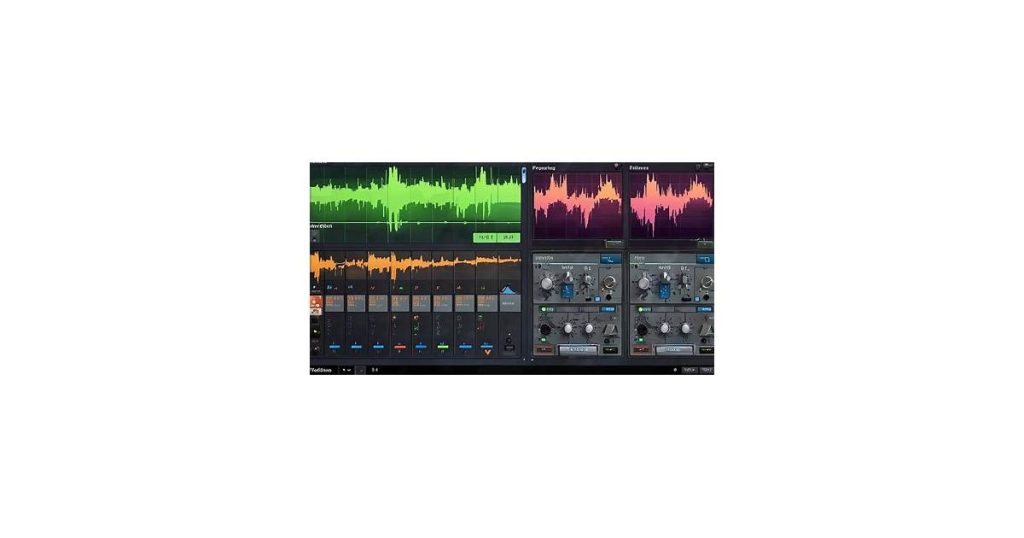
For mixing, Audio Forge AI offers intuitive controls and features like volume adjustment, panning, and equalization. You can layer tracks, apply effects, and fine-tune settings to achieve the desired mix. The system’s real-time processing ensures that changes are applied instantly, giving you immediate feedback as you work. Whether you’re editing podcasts, music, or sound effects, Audio Forge AI provides the tools to create polished, professional results.
Content Creation and Publishing
Audio Forge AI streamlines content creation and publishing by automating time-intensive audio editing tasks. Whether you’re producing podcasts, audiobooks, or video content, the software eliminates the need for manual adjustments like noise reduction, clipping, and equalization. This allows creators to focus on crafting their narrative rather than getting bogged down in technical details.
For publishers working with tight deadlines, Audio Forge AI’s batch processing feature is invaluable. It enables simultaneous editing of multiple audio files, ensuring consistency across episodes or chapters. This is particularly useful for serialized content, where maintaining a uniform sound quality is essential.
Integration with popular publishing platforms further simplifies workflows. After editing, files can be exported in formats optimized for platforms like YouTube, Spotify, or Audible, reducing the need for additional conversion tools. This seamless transition from editing to publishing minimizes downtime and keeps projects on schedule.
Potential Benefits and Limitations
Audio Forge AI offers significant advantages for users looking to streamline audio editing tasks. Its AI-driven features can automate repetitive processes like noise reduction, audio enhancement, and voice isolation, saving time and effort. For creators working on podcasts, music, or video projects, this can lead to faster turnaround times and improved consistency in audio quality. Additionally, its user-friendly interface makes advanced editing accessible even to those with limited technical expertise.
However, there are potential limitations to consider. The AI system relies heavily on computational power, meaning users with older or less capable hardware may experience performance issues. While the software excels at handling many common audio tasks, it may struggle with highly complex or niche editing requirements that still demand manual intervention. Furthermore, the cost of the software and any ongoing subscription fees could be a barrier for hobbyists or small-scale creators.
Ultimately, Audio Forge AI is best suited for users who value efficiency and simplicity in audio editing but may not fully replace the need for traditional tools in specialized scenarios.
Advantages of Audio Forge AI
Audio Forge AI offers a seamless audio enhancement experience, whether you’re editing podcasts, music, or voice recordings. Its AI-driven tools simplify complex tasks like noise reduction, pitch correction, and audio restoration, saving hours of manual work. Even beginners can achieve professional-grade results without needing extensive audio engineering knowledge.
The system is optimized for efficiency, allowing users to process large files quickly without compromising on quality. Unlike traditional audio editing software, Audio Forge AI intelligently adapts to different audio types, ensuring consistent results across various formats and genres.
Its intuitive interface makes it accessible for users with varying skill levels. Whether you’re a seasoned producer or a casual creator, the platform provides tools that are easy to navigate yet powerful enough for advanced customization. Additionally, Audio Forge AI supports a wide range of audio formats, ensuring compatibility with most workflows.
For those concerned about system requirements, Audio Forge AI is designed to run smoothly on most modern computers, making it a practical choice for both personal and professional use. Its lightweight architecture ensures that users can focus on creativity rather than dealing with technical limitations.
Limitations and Risks
Audio Forge AI delivers powerful audio processing, but its performance hinges on meeting specific hardware and software requirements. Systems with insufficient RAM, outdated CPUs, or incompatible operating systems may experience processing delays, crashes, or reduced output quality. The software’s AI models are resource-intensive, meaning older machines might struggle with real-time processing or complex tasks like noise removal for lengthy recordings.
Specific risks include audio artifacts when processing heavily distorted source material, particularly with aggressive noise reduction settings. The AI may also misinterpret certain audio elements – for example, mislabeling intentional vinyl crackle as unwanted noise. There’s no batch processing for certain advanced features, requiring manual adjustments to multiple files.
Users should note that while the AI adapts to various audio types, it performs best with clear vocal recordings and studio instrumentals. Poor quality source material (e.g., recordings with extreme clipping or low bitrates) often yields suboptimal enhancements regardless of system specifications.
Who Can Benefit from Audio Forge AI?
Audio Forge AI is designed for creators and professionals who need efficient audio processing tools. Podcasters, for instance, can use it to clean up background noise or enhance vocal clarity, saving hours of manual editing. Musicians and producers benefit from its ability to refine tracks, remove imperfections, or generate audio samples for creative projects.
Content creators, such as YouTubers or filmmakers, can leverage Audio Forge AI to improve sound quality in their videos, ensuring professional-grade audio without extensive technical expertise. Audiobook narrators and voice actors also find it invaluable for polishing recordings and maintaining consistency across long-form projects.
Even businesses and educators can use Audio Forge AI to enhance webinars, training materials, or presentations. Its intuitive interface and advanced features make it accessible to both seasoned professionals and beginners looking to elevate their audio work.
Beginners and Professionals
Audio Forge AI caters to both newcomers and seasoned producers by offering adjustable complexity. Beginners benefit from preset templates and guided workflows that handle technical processing automatically—like noise reduction or vocal tuning—while still allowing room to tweak results. The interface highlights essential controls and hides advanced parameters until needed.
For professionals, features like batch processing of multitrack sessions and detailed spectral editing provide surgical control. The AI accelerates repetitive tasks (aligning takes, matching room tones) without limiting manual overrides. Engineers working in post-production or music production can integrate it into existing DAW workflows via VST/AU/AAX support.
Key differences in usage often come down to workflow preferences: home podcasters may rely on one-click mastering presets, while film sound mixers might use the same tools for isolating dialogue from location recordings with custom AI training.
Specific Use Cases
Audio Forge AI excels in scenarios where precision and efficiency are paramount. For podcast producers, it simplifies the process of cleaning up noisy recordings, ensuring clear voice quality even in less-than-ideal environments. Musicians and audio engineers benefit from its ability to isolate specific instruments or vocals, making remixing and mastering more intuitive. Additionally, content creators working with video can leverage its seamless synchronization of audio tracks, eliminating tedious manual adjustments.
In educational settings, Audio Forge AI proves invaluable for producing high-quality lecture recordings, removing background distractions like shuffling papers or distant chatter. For archivists and historians, it offers advanced restoration capabilities, breathing new life into degraded or damaged audio files. Finally, businesses using AI-driven voice assistants or customer service systems can utilize Audio Forge AI to enhance speech clarity, improving overall user experience.
Questions to Consider Before Using Audio Forge AI
Before integrating Audio Forge AI into your workflow, it’s essential to evaluate whether it aligns with your needs and technical setup. Here are some key questions to consider:
- Does my computer meet the minimum Audio Forge AI system requirements? Check processor, RAM, and storage specifications to ensure compatibility.
- What type of audio projects will I be working on? Audio Forge AI excels in certain tasks, such as noise reduction or audio enhancement, but may not be ideal for every use case.
- Do I have the necessary software or plugins to complement Audio Forge AI? Some features may require additional tools for seamless integration.
- How steep is the learning curve? Assess whether you’re comfortable with AI-driven tools or if you’ll need time to adapt.
- What is my budget? Consider the cost of the software itself, potential updates, and any additional hardware upgrades.
- Will I need ongoing support or training? Determine if the vendor offers reliable customer service or resources to help you get started.
Answering these questions upfront can help you make an informed decision and avoid potential frustrations down the line.
Audio Forge AI Pricing and Cost Factors
Audio Forge AI operates on a subscription model with tiered pricing based on usage and features. The entry-level plan typically covers basic audio processing needs for individual creators, while professional tiers unlock advanced tools and higher processing limits. Some vendors may offer one-time purchase options for specific modules, though these often lack ongoing updates.
Budgeting should account for more than just the base subscription. Projects requiring extensive processing time may trigger overage fees, and certain premium sound libraries or AI voice packs often carry additional costs. Enterprise clients should inquire about volume discounts and API access, which frequently require custom quotes.
The system requirements directly impact cost efficiency. Running Audio Forge AI on underpowered hardware leads to longer processing times, effectively increasing per-project expenses. Conversely, meeting or exceeding recommended specs reduces render times and improves workflow throughput.
Compatibility and Integration
Before installing Audio Forge AI, it’s essential to ensure your system meets the software’s requirements. The application is optimized for modern operating systems, including Windows 10 and macOS Big Sur or later. Older versions may lack the necessary drivers or libraries, leading to performance issues or complete incompatibility.
Audio Forge AI relies heavily on GPU acceleration for processing tasks efficiently. NVIDIA GPUs with CUDA support or AMD GPUs with OpenCL compatibility are recommended. Integrated graphics cards, while functional, may struggle with complex audio transformations, resulting in slower processing times.
Integration with existing workflows is straightforward, but users should verify compatibility with their preferred DAWs (Digital Audio Workstations). Audio Forge AI supports common formats like WAV, MP3, and FLAC, ensuring seamless import and export. However, proprietary formats used by certain DAWs might require additional conversion steps.
Lastly, ensure your system has sufficient RAM (8GB minimum, 16GB recommended) and storage space. Large audio files and temporary processing data can quickly consume resources, potentially causing crashes or delays if your hardware falls short.
Frequently Asked Questions
How much does Sound Forge cost?
Sound Forge offers both subscription and one-time purchase options. Subscription plans start at $9.99/month, while perpetual licenses for Sound Forge Pro are available for a one-time fee of $299. Discounts may be available for upgrades or bundled packages.
Does forge use AI?
Yes, Audio Forge AI leverages AI to enhance audio editing tasks. It uses advanced algorithms for tasks like noise reduction, audio restoration, and automated editing, making the process faster and more efficient. AI enables the tool to deliver professional-quality results with minimal manual intervention.
Conclusion
Audio Forge AI delivers advanced audio processing capabilities, but its performance hinges on meeting the system requirements. The software demands a modern multi-core processor, sufficient RAM (16GB recommended), and a dedicated GPU for intensive tasks like AI-based noise reduction. Storage space varies depending on your project scale, though an SSD is strongly advised for optimal performance.
If your hardware aligns with these specifications, Audio Forge AI offers a compelling suite of tools for professionals needing precise audio enhancement. The investment in capable hardware pays off through faster processing and smoother workflows. For those with older systems, performance may be inconsistent, making a hardware upgrade worth considering before committing.
Ultimately, Audio Forge AI is a strong option for audio professionals prioritizing AI-driven editing—provided their setup meets the demands.

