
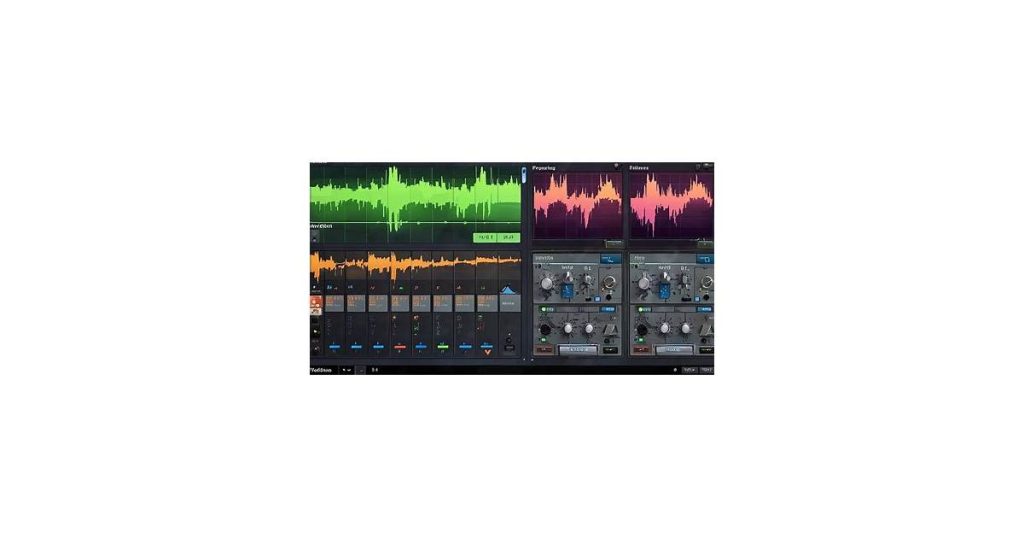
Audio Forge AI supported file formats include WAV, MP3, FLAC, AIFF, AAC, and OGG. Understanding these formats ensures compatibility with your workflow, prevents errors, and helps you choose the best format for tasks like editing, mastering, or sharing audio files efficiently.
Audio Forge AI Supported File Formats Overview

Audio Forge AI is a versatile tool designed to streamline audio file management and enhancement. Its primary purpose is to simplify tasks like editing, converting, and optimizing audio files for various applications, making it a valuable resource for both professionals and hobbyists. The platform leverages advanced algorithms to ensure high-quality results, whether you’re cleaning up recordings, adjusting volume levels, or preparing files for distribution.
One of Audio Forge AI’s standout features is its broad compatibility with supported file formats. This flexibility allows users to work seamlessly with a wide range of audio types, from common formats like MP3 and WAV to more specialized options. By supporting diverse formats, the tool ensures that users can integrate it into their existing workflows without unnecessary file conversions or compromises in audio quality.
For more details, visit: Audio Forge AI Features Overview.
What is Audio Forge AI?
Audio Forge AI is a cutting-edge audio editing software designed to streamline tasks like noise reduction, voice enhancement, and mastering. It leverages artificial intelligence to deliver professional-grade results with minimal manual effort. Whether you’re cleaning up podcast recordings, improving music tracks, or preparing audio for video projects, Audio Forge AI simplifies the process.
Key features include advanced AI-driven tools for removing background noise, balancing audio levels, and enhancing voice clarity. The software supports a wide range of file formats, making it versatile for various workflows. Its intuitive interface caters to both beginners and experienced audio engineers, offering powerful capabilities without overwhelming complexity.
See also: Audio Forge AI Software: Features, Setup, and Usage Guide.
Why File Formats Matter
Understanding supported file formats is crucial when using Audio Forge AI. Different formats store audio data in unique ways, affecting quality, compatibility, and processing efficiency. For instance, uncompressed formats like WAV or AIFF retain high fidelity but consume significant storage, while compressed formats like MP3 or AAC sacrifice some quality for smaller file sizes.
Using an unsupported format can lead to errors or incomplete processing, wasting time and effort. Additionally, certain formats are better suited for specific tasks—lossless formats for editing and mastering, compressed formats for sharing or streaming. Knowing which formats Audio Forge AI supports ensures seamless integration into your workflow and maximizes the tool’s potential.
See also: Audio Forge AI System Compatibility: A Comprehensive Guide.
Supported File Formats
Audio Forge AI works with a broad range of audio file types, ensuring compatibility with most recording and production workflows. The tool supports standard formats like WAV and AIFF for uncompressed, high-fidelity audio, as well as MP3 and AAC for compressed files where smaller file sizes are prioritized.
For professionals working with studio recordings or mastering projects, Audio Forge AI maintains support for FLAC files, delivering lossless compression that preserves audio quality. The software also handles OGG Vorbis files, commonly used in game audio and streaming applications.
- WAV/AIFF – Uncompressed formats ideal for editing and archiving
- MP3 – Compressed format with adjustable bitrates
- AAC – Advanced audio coding with better quality than MP3 at similar bitrates
- FLAC – Lossless compression format preserving original audio data
- OGG Vorbis – Open-source alternative to MP3 with efficient compression
Batch processing capabilities allow conversion between these formats while applying AI enhancements, making it simple to adapt files for different distribution platforms or playback devices.
Common Audio Formats
Audio Forge AI supports a range of widely used audio formats, ensuring compatibility with most editing and playback needs. MP3 is perhaps the most recognizable format, known for its balance of quality and file size. It uses lossy compression, which reduces file size by removing some audio data, making it ideal for streaming and sharing.
WAV, on the other hand, is a lossless format that preserves the full quality of the original audio. It’s commonly used in professional settings where sound fidelity is critical, such as music production or film editing. However, WAV files tend to be much larger than MP3s, which can be a consideration for storage and transfer.
AAC, or Advanced Audio Coding, is another popular format, often used by Apple devices. It offers better sound quality than MP3 at similar bitrates, making it a preferred choice for many users. Like MP3, AAC uses lossy compression, but it’s more efficient, resulting in smaller files with comparable quality.
These formats—MP3, WAV, and AAC—cover a broad spectrum of audio needs, from casual listening to professional production. Audio Forge AI’s support for these formats ensures flexibility and accessibility for users across various applications.
Lossless Audio Formats
Audio Forge AI supports lossless audio formats like FLAC (Free Lossless Audio Codec) and ALAC (Apple Lossless Audio Codec). These formats preserve the original audio quality without sacrificing file size as much as uncompressed formats like WAV or AIFF. FLAC is widely compatible across platforms and devices, while ALAC is favored by Apple users due to seamless integration with iTunes and Apple devices.
Lossless formats are ideal for audiophiles, music producers, and archivists who prioritize audio fidelity. Unlike lossy formats such as MP3 or AAC, which discard some audio data to reduce file size, FLAC and ALAC retain every detail of the original recording. This makes them perfect for editing, mastering, or storing high-quality audio files in Audio Forge AI.
Specialized Formats
Audio Forge AI supports a range of specialized file formats, catering to both professional and niche audio needs. Among these are AIFF (Audio Interchange File Format) and OGG, which offer distinct advantages depending on the use case.
AIFF is a high-quality, uncompressed audio format commonly used in professional audio production. It’s ideal for tasks requiring pristine sound fidelity, such as music mastering or sound design. Audio Forge AI ensures seamless compatibility with AIFF files, preserving their integrity during editing and exporting processes.
OGG, on the other hand, is a compressed, open-source format popular for its efficient storage and streaming capabilities. It’s widely used in gaming, podcasts, and online media due to its balance of quality and file size. Audio Forge AI handles OGG files with precision, making it easy to optimize audio for platforms that favor this format.
Whether you’re working with the uncompressed clarity of AIFF or the compact efficiency of OGG, Audio Forge AI provides the tools to manage these formats effectively.
Working with File Formats

Audio Forge AI supports a wide range of audio file formats, making it versatile for various workflows. Whether you’re importing WAV, MP3, FLAC, or AIFF files, the software ensures compatibility and maintains audio quality. For projects requiring specific formats, Audio Forge AI provides seamless conversion tools. Simply load your file, select the desired output format, and export without compromising on fidelity.
Handling less common formats is equally straightforward. Audio Forge AI can process OGG, AAC, and even MIDI files, catering to diverse needs. The software also allows for batch processing, enabling you to convert multiple files simultaneously, saving time on repetitive tasks. This feature is particularly useful when preparing audio for different platforms or devices.
When exporting, you can customize settings such as bitrate, sample rate, and compression levels to match your project requirements. Whether you’re optimizing for streaming quality or archiving high-resolution audio, Audio Forge AI gives you the flexibility to tailor your output precisely.
Importing Files
Audio Forge AI supports a wide range of audio file formats, making it easy to import and work with your existing recordings. Supported formats include WAV, MP3, FLAC, AIFF, and OGG, among others. To import a file, simply navigate to the “File” menu and select “Open.” You can also drag and drop files directly into the workspace for quicker access.
For batch processing, Audio Forge AI allows you to import multiple files simultaneously. Select “Import Multiple Files” from the menu, then choose the files you want to work with. The software organizes them into a single project, streamlining your workflow for editing or mastering multiple tracks at once.
If you encounter unsupported formats, consider converting them to a compatible type using third-party tools before importing. This ensures seamless integration into your Audio Forge AI projects.
Converting Files
Audio Forge AI simplifies format conversion by supporting common file types like WAV, MP3, FLAC, and AIFF. To convert between formats, import your file, then select File > Export and choose your desired output format from the dropdown menu. The software preserves audio quality during conversion, though lossy formats like MP3 may introduce minor artifacts depending on your bitrate settings.
Batch conversions handle multiple files at once—useful for converting an entire album or sound library. Just drag your files into the batch processor, set the output format, and specify a destination folder. The software automatically maintains original filenames while appending the new extension.
For specialized workflows, Audio Forge AI also supports:
- High-resolution formats (e.g., 24-bit/96kHz WAV)
- Broadcast standards (BWF for metadata compatibility)
- iOS-compatible formats (AAC, CAF)
Note that some formats, like FLAC, may not support embedded metadata during conversion. Check the software’s format guide for details on limitations.
Exporting Files
Audio Forge AI supports exporting projects to common audio formats like WAV, MP3, AAC, and FLAC. WAV files deliver uncompressed quality for professional editing or archiving, while MP3 shrinks file sizes for sharing or casual listening. The software preserves metadata like track titles and artist info when converting between formats, ensuring your files stay organized.
For video work, you can export audio stems separately or embedded in formats like MP4 and MOV. Batch exporting saves time when processing multiple files—just set your preferred format, bitrate, and destination folder. The interface shows estimated file sizes before export, helping you balance quality and storage needs.
- Lossless: WAV, FLAC, AIFF (ideal for mastering)
- Compressed: MP3, AAC, OGG (smaller files, wider compatibility)
- Video: MP4, MOV, AVI (with audio tracks intact)
Integration with Cloud Services
Audio Forge AI seamlessly integrates with popular cloud storage platforms such as iCloud and Google Drive, streamlining your workflow and ensuring your files are always accessible. Whether you’re collaborating with a team or working across multiple devices, this integration allows you to import and export audio files directly from your cloud storage. This eliminates the need for manual downloads or uploads, saving time and reducing clutter on your local device.
When using iCloud or Google Drive, Audio Forge AI maintains compatibility with its supported file formats, ensuring no loss of quality during transfers. This is particularly useful for professionals who rely on high-fidelity audio for projects. Additionally, the integration supports automatic syncing, so any changes made to your files are instantly updated across all connected devices.
For teams working remotely, this cloud integration fosters collaboration by allowing easy sharing of audio files. Whether you’re uploading a mix for feedback or downloading raw tracks for editing, Audio Forge AI ensures the process is smooth and efficient.
Backing Up Files
Ensuring your audio files are securely backed up is crucial, especially when working with tools like Audio Forge AI. Cloud services offer a reliable and accessible solution for safeguarding your work. Platforms such as Google Drive, Dropbox, or OneDrive allow you to upload and store your audio files in supported formats, ensuring they’re protected from data loss or hardware failure.
To back up your files, simply export them from Audio Forge AI in a compatible format like WAV, MP3, or FLAC. Most cloud services provide straightforward upload options—drag and drop your files into the platform or use their dedicated apps for automatic syncing. This not only secures your projects but also makes them accessible from any device with an internet connection.
For added peace of mind, consider enabling versioning features available on some cloud platforms. This allows you to retain previous iterations of your audio files, making it easy to revert to an earlier version if needed.
Syncing Across Devices
Audio Forge AI simplifies syncing audio files across multiple devices by supporting a wide range of file formats. Whether you’re working on a desktop, laptop, or mobile device, you can seamlessly transfer and access your projects. The platform ensures compatibility with common formats like WAV, MP3, FLAC, and AIFF, making it easy to pick up where you left off, regardless of the device you’re using.
Syncing is particularly useful for collaborative projects or when switching between workstations. For example, you can start editing a podcast on your office computer, save it in MP3 format, and continue refining it later on your tablet during your commute. Audio Forge AI’s cloud integration further enhances this process, allowing you to store and retrieve files from anywhere without worrying about format mismatches or data loss.
Tips for Optimizing Audio Files
When working with Audio Forge AI, optimizing your audio files ensures smoother processing and better results. Start by choosing the right file format. Audio Forge AI supports common formats like WAV, MP3, and AIFF. For high-quality audio, WAV is often the best choice due to its lossless nature, while MP3 can be useful for smaller file sizes.
Pay attention to bitrate and sample rate. Higher bitrates (e.g., 320 kbps for MP3) preserve more detail, while a sample rate of 44.1 kHz is standard for most audio projects. Avoid unnecessary compression unless file size is a priority, as it can degrade audio quality.
Organize your files systematically. Use clear naming conventions and folder structures to avoid confusion, especially when handling multiple tracks. Before importing into Audio Forge AI, trim silence or unwanted noise at the start and end of files to save processing time.
Finally, always keep backups of your original files. Even with powerful tools like Audio Forge AI, it’s safer to retain unedited versions in case you need to start over or make adjustments later.
Choosing the Right Format
Audio Forge AI supports a wide range of file formats, but selecting the right one depends on your specific needs. For high-quality audio projects like music production or podcasting, WAV or AIFF files are ideal due to their lossless nature. These formats preserve the original sound quality, ensuring your recordings remain crisp and detailed.
If storage space or file size is a concern, consider compressed formats like MP3 or AAC. While they sacrifice some audio fidelity, they’re perfect for streaming, sharing, or distributing content where smaller file sizes are more practical. For editing flexibility, FLAC offers a balance between compression and quality, making it a solid choice for archiving or intermediate projects.
Always consider your end goal: if your audio is destined for platforms like YouTube or Spotify, their preferred formats and compression standards should guide your choice. Matching the format to your workflow ensures efficiency without compromising on quality.
Managing Storage Space
Balancing audio quality with storage efficiency is key when working with Audio Forge AI. Start by choosing the right file format for your project. Lossless formats like WAV or FLAC preserve every detail but consume significant space, while lossy options like MP3 or AAC trim non-essential data to reduce file size. For voice recordings, consider OGG at 64-96kbps; for music, 192-256kbps MP3 often strikes a practical balance.
Batch processing can help optimize storage. Convert older projects to smaller formats once editing is complete. Keep high-quality masters for active work, then archive completed files in compressed formats with clear labeling. Audio Forge AI’s batch export feature lets you process multiple files at once with consistent settings.
- Delete unused takes immediately – the “undo” buffer can silently consume GBs
- Use spectral view to identify silent sections for trimming before exporting
- Store raw recordings separately from processed versions
- Consider external drives or cloud storage for archived projects
Frequently Asked Questions
What are common file formats?
Common audio file formats supported by Audio Forge AI include MP3, known for its compression and compatibility; WAV, offering high-quality, uncompressed audio; FLAC, providing lossless compression; and AAC, a popular format for mobile devices. These formats cater to various needs, from high fidelity to efficient storage.
What is the best file manager for Android?
For managing files on Android, Solid Explorer and CX File Explorer are top choices. Solid Explorer offers a dual-pane interface, cloud storage support, and robust file management features. CX File Explorer stands out for its clean interface, built-in media player, and seamless integration with external storage devices. Both apps are highly rated for their functionality and ease of use.
What are the basic file methods in Java?
In Java, basic file handling methods include `createNewFile()` for creating a new file, `delete()` for removing a file, `exists()` to check if a file exists, and `renameTo()` for renaming or moving a file. These methods are part of the `java.io.File` class and are commonly used for managing files in Java applications.
Is Files by Google free to use?
Yes, Files by Google is completely free to use. It helps you manage, clean, and optimize your device’s storage efficiently, making it easier to organize files and free up space.
Conclusion
Understanding Audio Forge AI’s supported file formats is essential for seamless audio management and workflow efficiency. Whether you’re editing, converting, or enhancing audio files, knowing which formats are compatible ensures you can work without interruptions. This knowledge also helps you prepare files correctly before importing, reducing the risk of errors or delays.
By familiarizing yourself with the supported formats, you can optimize your projects for quality and compatibility across various platforms. Whether you’re handling WAV, MP3, or FLAC files, Audio Forge AI’s versatility allows you to focus on creativity rather than technical hurdles. Ultimately, mastering this aspect of the software empowers you to achieve professional results with ease.

