Clawdia Lifetime Deal: Simplify Contracts, Proposals & Legal Documents
Lead SaaS Analyst at PCSaaS · Software Developer · 500+ Tools Tested · Google Ads & Analytics Certified · 8+ Years Experience
The Clawdia Lifetime Deal gives businesses lifetime access to Clawdia, an AI assistant that drafts, reviews and simplifies contracts, proposals and legal documents. This review covers its document tools, safeguards, pricing and who should use it.
Unlock the Clawdia Lifetime Deal now! Boost productivty and save big—limied time offer. Don’t miss out, transform your workflow today!
Imagin having a reliable legal assistant that helps you create customized contracts, NDAs, and agreements without the usual headaches or high costs. Clawdia is designed to save you time, money, and stress by simplifyiing complex legal tasks with easy-to-use tools and clear explanations.
Whether you’re a freelancer, consultiant, or running a SAAS business, Clawdia gives you the power to draft, manage, and sign over 30 types of legal documents—all from one platform. Plus, with helpful videos and step-by-step guidance, you’ll feel confident every step of the way. Ready to take control of your legal needs and avoid costly mistakes? Don’t miss out on this opportunity. Check out the Clawdia Lifetime Deal now and see how it can transform your business legal process!
One-time payment · Lifetime access · No monthly fees
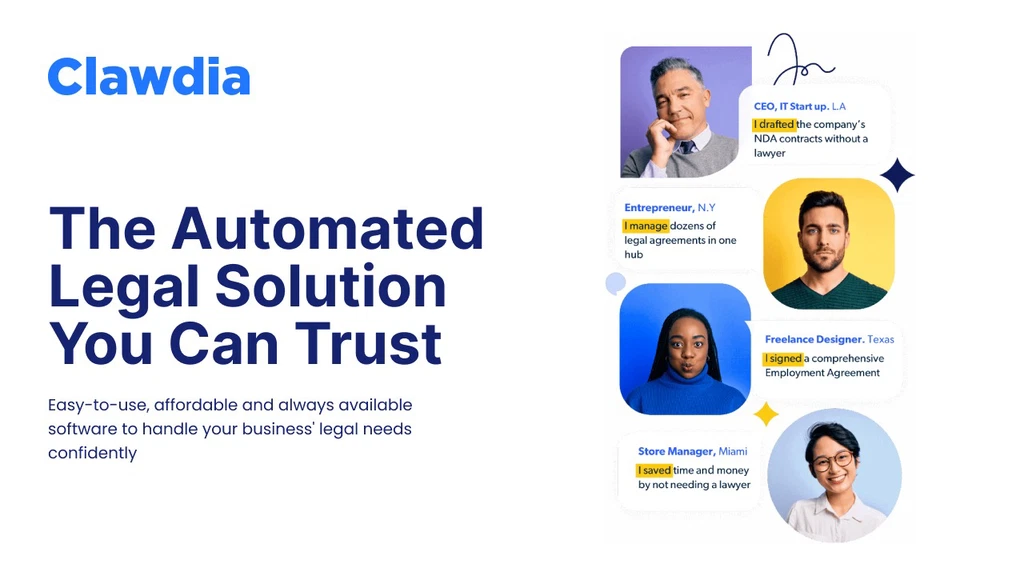 The central Clawdia dashboard provides quick access to customized templates, ongoing drafts, and signature tracking.
Main dashboard for creating and managing legal documents.
Credit: appsumo.com
Introduction To Clawdia Lifetime Deal
Clawdia Lifetime Deal offers a unique chance to own powerful legal software forever.
This deal provides a cost-effective way to access tools that simplify legal tasks.
Whether you are a freelancer, consultant, or SAAS owner, Clawdia helps secure your business growth.
What Is Clawdia And Its Core Purpose
Clawdia is a user-friendly legal software designed for business owners.
It helps create over 30 legal documents like NDAs and agreements quickly and easily.
Clawdia offers:
Contract drafting
Documentation management
Collaboration tools
E-Signature capabilities
It saves time and money by removing the need for expensive lawyers.
Videos included make legal learning simple and engaging.
Overview Of The Lifetime Deal And Exclusive Savings
The Lifetime Deal gives permanent access to Clawdia’s features.
This means no monthly fees or surprise costs.
Feature Lifetime Deal Benefits
Access Unlimied use for life
Documents Over 30 customizable legal templates
Collaboration Real-time team cooperation
E-Signature Secure and fast signing process
Support Continuous updates and help
Exclusive savings make this deal budget-friendly for small businesses.
It supports secure and efficient legal management anytime, anywhere.
 A straightforward cost breakdown illustrating lifetime savings versus typical recurring retainer fees.
Cost comparison of Clawdia Lifetime Deal against traditional services.
Credit: appsumo.com
Key Features That Set Clawdia Apart
Clawdia offers a suite of features designed to simplify legal processes for small businesses and freelancers. It combines automation, personalization, and security to meet diverse legal needs. The platform is built for easy use, even for those without legal backgrounds. Below are the key features that make Clawdia a reliable legal tool.
Automated Legal Document Creation And Management
Clawdia helps create over 30 types of legal documents automatically. These include NDAs, agreements, and other essential contracts. Automation saves time and reduces errors in document preparation.
Generate documents quickly with pre-built templates
Manage all legal documents in one place
Reduce dependency on expensive legal services
In practice, this questionnaire-driven flow prevents the common error of omitting standard boilerplate clauses, such as severability or jurisdiction definitions, which non-lawyers frequently skip when copy-pasting from web snippets.
Personalied Contract Tailoring For Business Needs
Each contract adapts to specific business requirements. Clawdia lets users customize terms and clauses easily. This ensures contracts fit unique situations and avoid generic pitfalls.
Modify contract language based on project type
Adjust payment terms, timelines, and obligations
Ensure legal clarity and relevance for your business
If you run specialized agencies or tech consultancies, combining smart clause generation with prompting smart generative models can help you articulate nuanced project deliverables before locking them into Clawdia’s structured contract fields.
Secure Digital Signing And Storage Solutions
Clawdia offers a secure platform for signing and storing documents digitally. This reduces paper use and speeds up contract finalization. All signed documents are safely stored online for easy access.
Legally binding e-signatures included
Encrypted storage protects sensitive data
Access contracts anytime from any device
Digital signatures generated through the system follow standard cryptographic authentication protocols referenced by the National Institute of Standards and Technology, ensuring that tamper-evident audit stamps accompany every completed document.
In-depth Legal Topic Explanations And Guidance
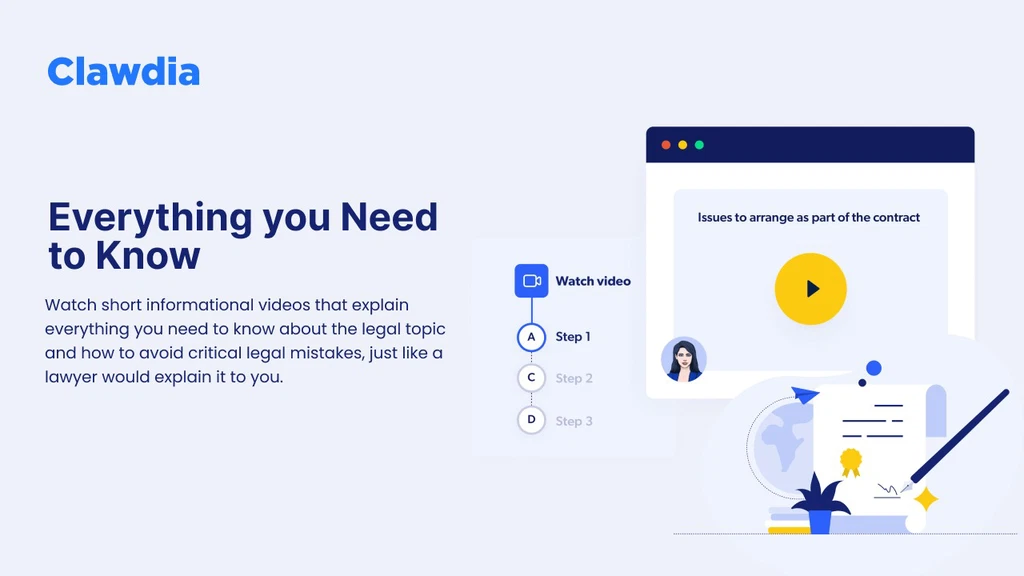
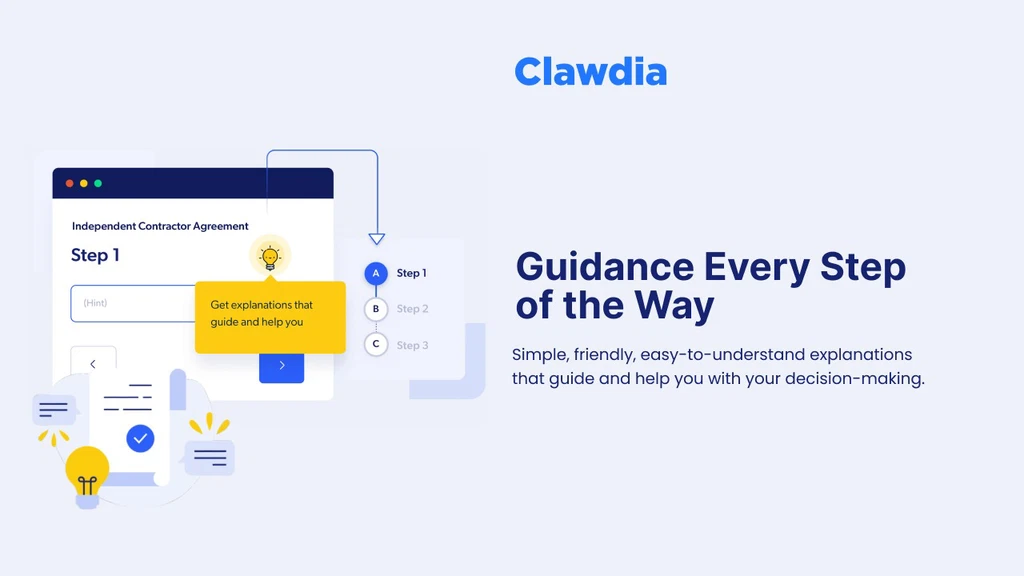
Clawdia provides clear explanations of complex legal topics. Video tutorials and guidance help users understand contract details and legal terms.
Step-by-step videos simplify legal concepts
Answers common legal questions for businesses
Supports confident decision-making without a lawyer
User-friendly Interface Designed For Non-legal Professionals
The interface is simple and intuitive. Clawdia avoids legal jargon and uses plain language. This makes it easy for anyone to create and manage contracts.
Clean design with guided workflows
Quick navigation to important features
Accessible for users with little legal knowledge
https://www.youtube.com/watch?v=ueK9vGH0h-4
Getting the Most Out of Clawdia’s Templates
To truly harness Clawdia’s power, take a moment to review each template’s built-in guidance. A common mistake is racing through the pre-filled fields — adjust clauses like termination terms and payment schedules to match your specific situation. For instance, if you’re a freelance designer, tailor the scope-of-work section to clearly define deliverables. Pairing this with similar legal compliance tools helps you cover both contract and privacy obligations in one workflow. Over time, saving custom versions as your own templates will cut drafting time even further.
Step-by-Step: How to Draft and Execute a Contract in Clawdia
Creating and executing an enforceable business agreement inside Clawdia takes just a few structured steps. The platform is engineered to walk users through a guided legal intake rather than presenting an intimidating blank page.
- Select the Target Agreement Template: From your dashboard, choose from the repository of business documents—such as a Non-Disclosure Agreement (NDA), Master Services Agreement (MSA), or Independent Contractor Agreement.
- Complete the Interactive Intake Questionnaire: Clawdia prompts you with plain-language questions concerning your business name, client identification, project timelines, payment milestones, and governing state laws.
- Review Contextual Guidance Videos: If you encounter an unfamiliar term like indemnification, liquidated damages, or non-solicitation, click the adjacent tutorial link to view an explainer breakdown before finalizing the clause.
- Inspect and Fine-Tune the Output: Review the drafted text in the side-by-side preview panel. Check that payment schedules, revision limits, and intellectual property transfers accurately reflect your verbal negotiations.
- Send for Digital Signature: Enter the counterparty’s email address and assign signature placeholders. Clawdia automatically notifies the recipient, records delivery timestamps, and issues a legally binding PDF copy to both parties once fully executed.
Core Document Categories Supported by Clawdia
Clawdia covers the primary legal touchpoints modern digital companies encounter on an ongoing basis:
- Client & Commercial Agreements: Master services agreements (MSAs), statements of work (SOWs), independent consulting contracts, and service level agreements (SLAs).
- Intellectual Property & Confidentiality: Mutual and unilateral non-disclosure agreements, IP assignment deeds, and proprietary rights acknowledgments.
- Corporate & Partnership Governance: Co-founder agreements, advisor agreements, memorandum of understanding (MOU) documents, and operating guidelines.
- Employment & Contractor Paperwork: Independent contractor agreements, freelance deliverables agreements, and intern engagement forms.
Picing And Affordability Breakdown
The pricing structure of Clawdia Lifetime Deal offers clear benefits for small businesses and freelancers. It combines simplicity with cost savings, making legal document management accessible. Understanding the payment model, costs compared to traditional services, and the overall value helps evaluate this tool effectively.
One-time Payment Structure Of The Lifetime Deal
Clawdia Lifetime Deal requires a single upfront payment . This means no recurring fees or subscriptions. Pay once and access all features for life.
Access to 30+ legal document templates
Unlimied contract drafting and e-signing
Collaboration tools included
Ongoing updates without extra cost
This payment model suits businesses wanting long-term legal support without ongoing expenses.
Comparison With Traditional Legal Service Costs
Service Type Typical Cost Clawdia Lifetime Deal Cost Advantage
Custom Contract Drafting $200 – $500 per document Included in one payment Save hundreds per document
Legal Consultations $100 – $300 per hour Unlimied use of templates Zero hourly fees
Document Management Software $20 – $50 monthly One-time fee Eliminates monthly charges
Traditional services quickly add up. Clawdia bundles legal tools and templates at a fixed price.
Value Proposition For Small Businesses And Freelancers
Clawdia delivers strong value for entrepreneurs with limited budgets. Key benefits include:
Cost Efficiency: No recurring fees reduce financial pressure.
Time Savings: Ready-made templates speed contract creation.
Legal Confidence: Clear, reliable documents reduce risks.
Ease of Use: User-friendly interface needs no legal expertise.
For freelancers and small businesses, Clawdia acts as a practical legal assistant. It covers multiple document types and supports secure business growth affordably.
Return on Investment: How Quickly Clawdia Pays for Itself
Even one or two custom contracts drafted through a lawyer can cost more than the entire lifetime deal. For a typical freelancer who creates three client agreements and two NDAs per year, Clawdia pays for itself within the first month. Add in the time saved — roughly two hours per document — and the ROI becomes even clearer. This makes it a smart buy for anyone who regularly deals with marketing automation for proposals or other recurring business paperwork.
Teams focused on automating prospective client outreach often find that rapid contract turnaround prevents deals from going cold, closing proposals days faster than competitors who rely on external counsel for routine revisions.
AI drafting and review in minutes
Pros And Cons Based On Real-world Usage
Clawdia offers a practical legal tool for businesses, freelancers, and consultants. Users report both strong benefits and some challenges after daily use. This section explores advantages , limitations , and customer feedback to help you decide if Clawdia suits your needs.
Advantages: Time-saving And Legal Confidence Boost
Clawdia saves significant time by providing ready-to-use legal documents. It includes over 30 templates like NDAs and agreements, cutting down hours of manual drafting.
Fast contract creation: Generate legal papers quickly with simple customization.
Legal confidence: Users feel more secure with properly structured documents.
All-in-one platform: E-Sign, collaborate, and store documents in one place.
Cost-effective: Much cheaper than hiring a lawyer for basic contracts.
Accessible anytime: Cloud-based software available 24/7 for urgent needs.
This combination reduces stress and errors during business negotiations.
Limitations: Feature Scope And User Learning Curve
Clawdia focuses mainly on essential legal documents, which limits advanced customization. Some users find the feature scope narrower than large legal platforms.
Limitation Details
Limited advanced features Does not cover complex legal needs like litigation support.
User learning curve Some beginners need time to navigate tools and templates.
Template rigidity Customization options can feel restrictive for unique contracts.
Users suggest patience during the initial setup to fully benefit from the platform.
Customer Feedback And Common User Experiences
Feedback highlights a mostly positive user experience with occasional hurdles.
Easy to use: Most users find Clawdia intuitive after a short trial.
Helpful videos: Instructional content improves understanding of legal terms.
Reliable support: Customer service responds promptly to issues.
Document security: Users trust Clawdia to keep contracts safe online.
Room for improvement: Some want more templates and deeper customization.
The overall sentiment praises Clawdia as a useful legal sidekick for small businesses.
Who Should Avoid the Clawdia Lifetime Deal
While Clawdia fits many, it’s not ideal for enterprise legal departments needing deep negotiation tools, audit trails, or multi-juredictional compliance monitoring. Similarly, businesses that frequently require court-ready litigation support documents may outgrow its scope. If your primary need is real-time editing with multiple stakeholders — consider exploring remote collaboration solutions built for team-based document work.
Clawdia vs. Alternative Legal Platforms
Understanding how Clawdia positions itself against standalone electronic signature tools and legacy legal software clarifies where it delivers the most value:
| Feature / Metric | Clawdia Lifetime Deal | Standalone E-Sign (e.g., DocuSign) | Legacy Legal Portals (e.g., LegalZoom) |
|---|---|---|---|
| Pricing Model | Single one-time lifetime payment | Recurring monthly subscription ($15–$65/mo) | Per-document fee or recurring legal plan |
| Document Generation | Interactive questionnaires & 30+ templates | Upload existing files only (no drafting) | Comprehensive multi-state legal library |
| Educational Video Content | Built-in contextual video explainers | Minimal (basic UI tutorials only) | Articles and paid attorney access |
| Integrated E-Signatures | Included with unlimited signatures | Core focus with advanced routing | Separate addon or third-party sign |
| Target Audience | Freelancers, startups, indie hackers | Mid-market to enterprise sales teams | Consumers and traditional brick-and-mortar |
| Best For | Low-overhead end-to-end contract drafting | Complex corporate approval chains | Business formation and registered agent needs |
Practical Contract Workflows for Modern Digital Business Models
Different modern business setups require distinct documentation paths. Clawdia provides solid templates, but pairing them with the right operating procedures ensures you stay fully protected:
1. Digital Communities and Membership Platforms
Entrepreneurs focused on selling digital subscriptions and memberships deal with recurring user transactions, terms of purchase, and intellectual property protection. Using Clawdia, founders can draft clean terms of service and acceptable use policies that specify cancellation windows and user rights before granting access to premium content.
2. Influencer Partnerships and Creator Marketing
When agencies and brands handle social media sponsorships, vetting independent creative partners requires explicit agreements on content turnaround dates, usage rights, paid amplification clauses, and FTC compliance mandates. Clawdia’s contractor and licensing frameworks let you lock down exclusivity windows without back-and-forth legal expenses.
3. Performance Marketing and Affiliate Networks
Affiliate program managers and marketers monetizing performance-based marketing deals need binding agreements outlining commission triggers, prohibited keyword bidding, and cookie expiration guidelines. Standardizing these terms in Clawdia protects businesses from affiliate fraud while setting clear expectations for promotional partners.
4. E-Commerce and Custom Storefronts
Online retailers building customized storefront experiences handle customer data, third-party logistics, and supplier agreements. Establishing standard vendor supplier agreements and website privacy terms ensures compliance with electronic commerce consumer protections.
Who Should Consider The Clawdia Lifetime Deal?
Clawdia fits perfectly for those needing simple, reliable legal tools. It helps businesses handle contracts, agreements, and legal documents without stress. This lifetime deal suits users who want affordable, easy legal support anytime.
Ideal Users: Freelancers, Small Business Owners, And Startups
Freelancers benefit from quick contract creation and secure agreements with clients. Small business owners manage legal paperwork smoothly, saving time and money. Startups gain legal clarity while focusing on growth, avoiding costly mistakes.
Freelancers: Secure client deals and NDAs
Small Business Owners: Manage contracts and proposals efficiently
Startups: Create essential legal documents with ease
Best Scenarios For Leveraging Clawdia’s Legal Tools
Use Clawdia for:
Drafting NDAs to protect sensitive information
Creating contracts for clients or partners
Generating proposals that include clear legal terms
Collaborating on documents with e-sign and sharing features
Its 30+ document types cover most business needs, all in one place. Video guides simplify the legal process, even for beginners.
How Clawdia Supports Business Growth Without Legal Risks
Clawdia helps businesses grow safely by reducing legal errors. The software offers:
Feature Benefit
AI-powered document creation Quick, accurate legal documents
e-Signature and collaboration tools Faster approvals and teamwork
Video tutorials Clear guidance on legal topics
Cost-effective lifetime access Long-term savings and convenience
Clawdia acts like a legal partner, keeping business secure and compliant. It removes worry about legal missteps, letting users focus on growth.
 The integrated digital signing portal allows both parties to execute agreements without third-party software.
E-signature workflow in Clawdia for quick contract signing.
Credit: appsumo.com
Frequently Asked Questions
What Is The Clawdia Lifetime Deal?
The Clawdia Lifetime Deal offers a one-time purchase for unlimited access to Clawdia’s legal AI tools. It helps users create, manage, and understand contracts and proposals efficiently, without recurring fees.
How Does Clawdia Simplify Legal Contract Management?
Clawdia automates contract creation, tracking, signing, and storage. Its AI-powered platform reduces legal complexity, saving time and avoiding costly mistakes for freelancers and businesses.
Who Benefits Most From The Clawdia Lifetime Deal?
Freelancers, small businesses, and startups benefit greatly by using Clawdia. It offers affordable, reliable legal support for contracts, NDAs, and business agreements, enhancing growth and compliance.
Is The Clawdia Lifetime Deal Cost-effective?
Yes, it eliminates recurring subscription costs with a single payment. Users get lifetime access to all features, making it a budget-friendly solution for ongoing legal needs.
Can I use Clawdia for international contracts?
Clawdia’s templates are primarily built around common-law frameworks used in the U.S. and similar jurisdictions. If you need documents that adhere to specific country regulations, you may need to combine Clawdia’s base templates with local legal review – or supplement with multilingual contract support for non-English clauses.
How does Clawdia handle data privacy and compliance?
The platform stores documents with encryption and follows standard data protection practices. For formal GDPR or CCPA compliance audits, cross-reference Clawdia’s security documentation against the latest regulatory guidance from the U.S. Small Business Administration or your local authority. It’s always wise to pair the tool with branding resources that help you present a professional, trustworthy image when sharing signed documents.
Are digital signatures completed through Clawdia legally enforceable?
Yes. Clawdia generates electronic signatures designed to meet the legal framework established by the United States Electronic Signatures in Global and National Commerce Act (ESIGN) and the Uniform Electronic Transactions Act (UETA). The system captures identity markers, email verification, and completion timestamps, making executed agreements enforceable in standard commercial contexts under rules overseen by the Federal Trade Commission .
Can I export generated contracts to Microsoft Word or PDF?
Yes. Once you complete the guided drafting questionnaire, you can download documents as standard PDF files for archiving or export editable text drafts if you need to perform client-specific offline redlining before sending the final version for execution.
Does the Clawdia lifetime license include future template releases?
The lifetime license grants ongoing access to the platform and any core template maintenance updates pushed by the developers. If you purchase the single-tier deal, your account retains drafting and e-signing privileges for all templates currently available in the system catalog.
Conclusion
Clawdia makes legal tasks simple and affordable for your business. It helps create contracts, proposals, and more without stress. The clear videos teach important legal tips in easy language. You get tools to sign and manage documents all in one place. Save time and avoid costly mistakes with Clawdia’s support. Try it today and handle legal work with confidence and ease.

Similar Posts