Prowd Lifetime Deal: Simplify Video Creation with 4 Unique Tools
Lead SaaS Analyst at PCSaaS · Software Developer · 500+ Tools Tested · Google Ads & Analytics Certified · 8+ Years Experience
Grab the Prowd Lifetime Deal and create stunning videos fast with 4 tools—perfect for founders and creators who value simplicity.
That’s exactly what Prowd Lifetime Deal offers you — four powerful, easy-to-use video tools designed to turn text, URLs, stats, and images into engaging videos in minutes.
Prowd is a set of four micro video tools offered as a one-time $49 lifetime deal. Text-to-Video, URL-to-Video, Stats-to-Video and Image-to-Video create videos in about 2 to 5 minutes, with custom branding, 40+ music tracks, Unsplash images and watermark-free MP4 exports, plus a 60-day money-back guarantee.
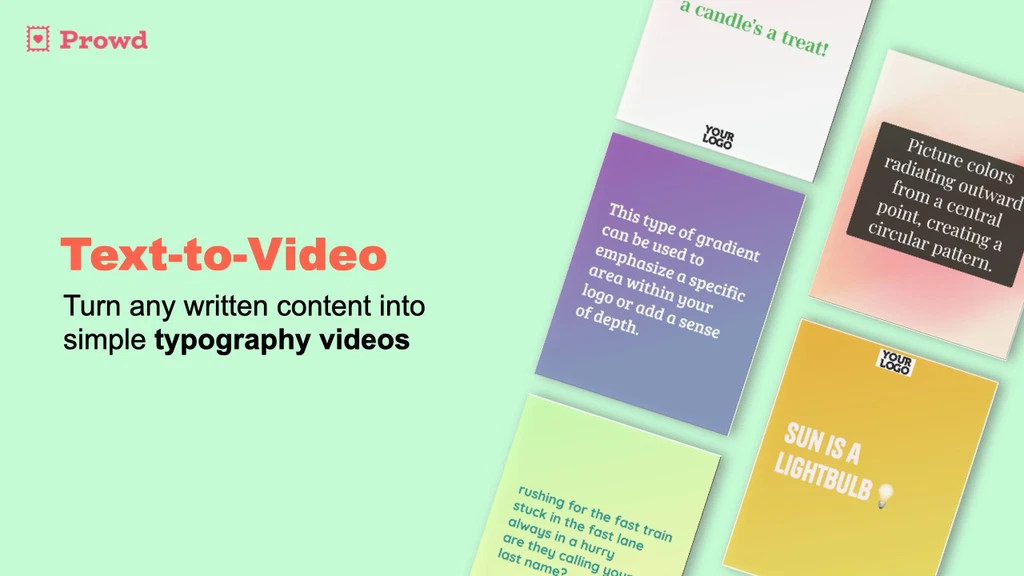
Credit: appsumo.com
The main Prowd interface where users pick the tool that matches their source content.
Introduction To Prowd Lifetime Deal
Prowd offers a simple and fast way to create videos. It provides four unique tools designed to make video creation accessible to everyone.
With Prowd, you can produce eye-catching videos in minutes, not hours. The focus is on speed, simplicity and professional-looking results.
What Is Prowd?
Prowd is a set of micro video tools created for speed and ease. It is not a full video editor but a collection of focused tools that turn content into video quickly.
Text-to-Video: Turn text into engaging videos in about 5 minutes.
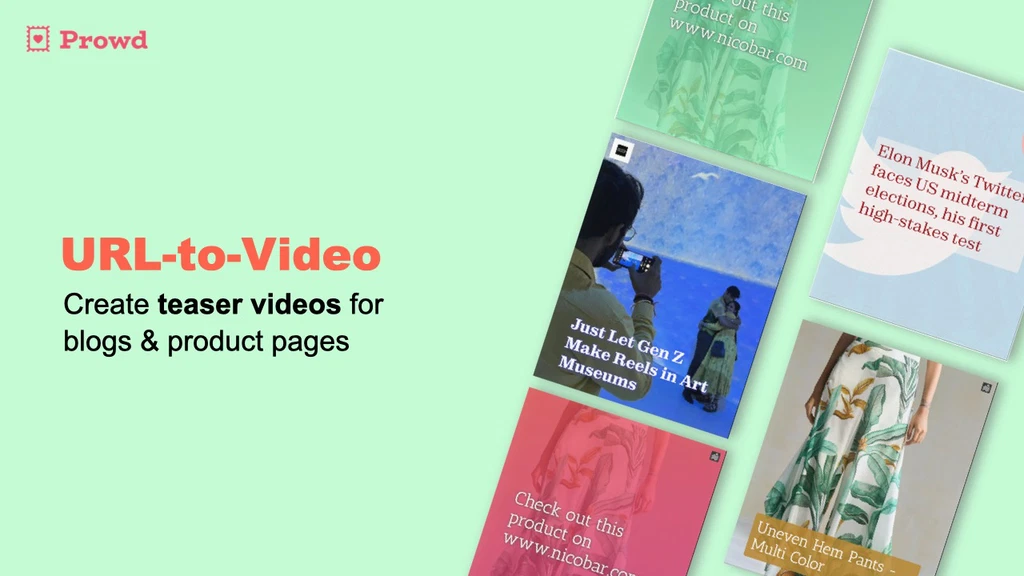
URL-to-Video: Create videos from web content fast, roughly 4 minutes.
Stats-to-Video: Visualize numbers and data quickly, around 3 minutes.
Image-to-Video: Convert images into videos in just 2 minutes.
The core purpose of Prowd is to provide fast, bloat-free, and effective video tools for users without editing experience.
For example, a social media manager can take a blog post URL and within four minutes have a teaser video ready to post.
Hurry! Only a few licenses left—grab yours NOW!
Overview Of The Prowd Lifetime Deal
The Prowd Lifetime Deal offers permanent access to all current and future tools with a single payment of $49.
| Payment | One-time payment of $49 |
| Access | Lifetime use of all 4 video tools |
| Updates | All future plan updates included |
| Extras | 40+ music tracks, custom branding, MP4 exports |
| Refund | 60-day money-back guarantee |
This deal appeals because it offers:
No recurring fees or subscriptions
Access to new tools planned for release
Simple user interface suitable for beginners
Fast video creation that saves time
Users appreciate Prowd’s speed and ease, making it a practical choice for quick video projects without a learning curve.
The 60-day money-back guarantee is a key element for risk-free trial – you can test every tool thoroughly before committing.
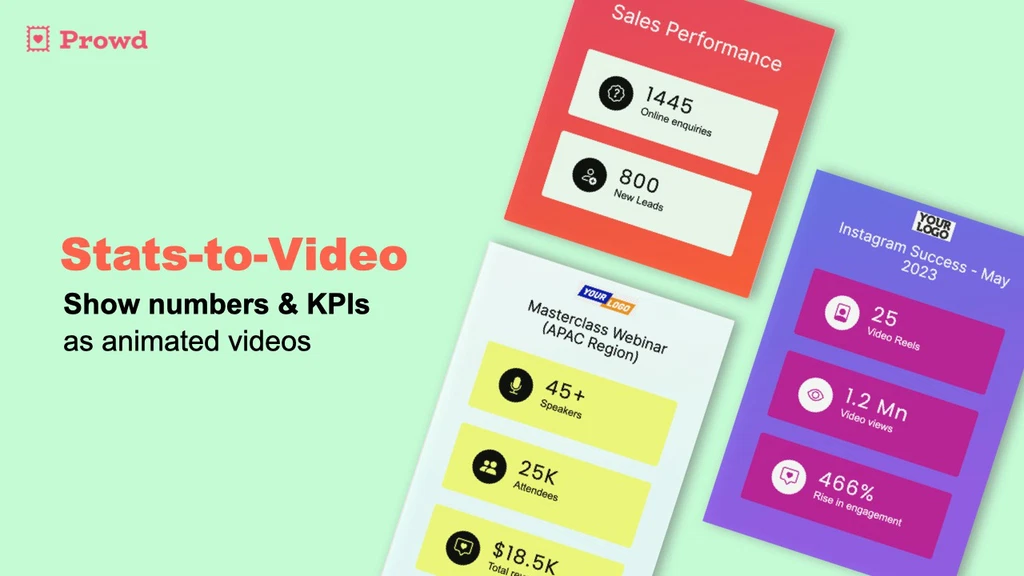
Credit: appsumo.com
The Stats-to-Video tool automatically turns spreadsheets or numbers into a short animated video.
Key Features Of Prowd And Their Benefits
Prowd offers a suite of simple, fast video tools designed for creators who want to make engaging videos without complex software.
The key features focus on speed, ease of use, and flexibility. These help users produce high-quality videos in minutes.
Intuitive Interface
Prowd’s interface is clean and straightforward. Users find no learning curve, allowing them to start creating immediately.
Simple layout with clear tool options
Minimal clicks to generate videos
Fast navigation between tools
This simplicity means users save time and avoid frustration. Creating videos becomes a quick, enjoyable process.
Advanced Analytics Integration
The Stats-to-Video tool turns numbers into compelling video content within minutes. It helps users present data in a visual, engaging way.
Transforms statistics into visual stories
Creates videos in about 3 minutes on average
Supports better engagement on social media
These analytics videos help marketers and businesses communicate insights effectively, boosting audience engagement.
A common mistake is dumping raw numbers into a video. Prowd’s tool helps you choose the most impactful figures to feature.
Custom Branding And Music
Prowd allows adding custom branding such as logos and colors to videos. Users can also add music from a library of 40+ tracks.
| Custom branding (logo and colors) | Maintains brand consistency |
| Music library | Enhances video engagement |
| Save and edit videos later | Provides flexibility and control |
These options help users create videos that fit their style and marketing goals.
Deal expires soon! Lock in lifetime access before it’s gone!
Integration And Resources
Prowd integrates with popular resources like Unsplash for images, which speeds up video creation.
Direct access to free, high-quality images
Export videos instantly as MP4 without watermarks
Supports importing URLs and text for quick video generation
These integrations reduce the need to switch between apps, streamlining the video production process.
In practice, having direct access to Unsplash means you never need to leave the editor to find a suitable image.
https://www.youtube.com/watch?v=aK05MCfuCNQ
Pricing And Affordability Breakdown
Prowd’s pricing model centers on simplicity and long-term value. This section breaks down the costs and what you get.
Detailed Breakdown Of The Deal
The Prowd Lifetime Deal requires a one-time payment of $49. This payment grants lifetime access to all four video tools and future updates.
Access to 4 powerful video creation tools: Text-to-Video, URL-to-Video, Stats-to-Video, Image-to-Video
Ability to add music with 40+ tunes
Save videos for later editing
Export videos without watermarks
Custom branding options (logo and colors)
Instant MP4 exports
All future updates included
This deal is limited to one code per user and must be redeemed within 60 days of purchase. It also includes a 60-day money-back guarantee.
Comparing Prowd To Monthly Subscriptions
| Payment Type | One-time payment ($49) | Monthly or yearly fees ($15+/month) |
| Access Duration | Lifetime access | Access only while subscribed |
| Tool Access | All current and future tools | May limit features or tools |
| Updates | Free updates included | Updates included during subscription |
| Refund Policy | 60-day money-back guarantee | Varies by provider, often no refund |
Long-Term Savings
Paying once for Prowd avoids recurring fees. This saves money over time.
For example, a $15 monthly subscription totals $180 annually. Prowd’s $49 lifetime cost is less than a third of one year of such a subscription.
Users gain access to multiple tools designed for speed and simplicity without extra charges.
Save hundreds of dollars within the first year
No surprise price hikes or renewals
Access to future tools adds ongoing value
Ideal for freelancers, solopreneurs, and marketers on a budget
The deal’s affordability and included features make it a smart choice for fast, easy video creation.
Pros And Cons Based On Real-world Usage
Prowd offers a simple, fast way to create videos with four unique tools. Users value its speed and simplicity, though it is not a full editor.
Advantages
Speed: Videos take just minutes to create, from 2 to 5 minutes per tool.
Simplicity: The interface is intuitive, with no steep learning curve.
Focused Tools: Four micro tools target specific video types: Text-to-Video, URL-to-Video, Stats-to-Video, and Image-to-Video.
Customization: Users can add music, custom branding, and export videos without watermarks.
Cost-effective: One-time payment for lifetime access at a low price point.
Flexibility: Great for freelancers, social media marketers, and solopreneurs needing quick content.
Common Limitations
Not Full Video Software: Lacks advanced editing features found in tools like Adobe Premiere.
Resolution: Some users want higher resolution output for professional use.
Animation Smoothness: Animations can feel a bit basic or choppy at times.
Feature Scope: Current tools focus on simplicity, which limits complex video projects.
Upcoming Features: Planned tools like text scrollers and listicle videos are not yet available.
User Reviews
| cr8tivNomad | Enjoys the simplicity and speed | 5/5 stars |
| supastarpr | Impressed by speed and results | 5/5 stars |
| prati | Finds Prowd extremely simple to use | 5/5 stars |
| franz dambo | Values the tool for quick videos | 5/5 stars |
| olivetree | Appreciates the focus on simplicity | 5/5 stars |
Summary: Users love Prowd’s fast, simple video creation. Some want better resolution and smoother animations.
Selling FAST—click here to secure your deal TODAY!
Who Should Consider The Prowd Lifetime Deal?
Prowd Lifetime Deal suits individuals and businesses wanting fast, simple video creation. It fits founders, freelancers, marketers and creators.
This section breaks down who benefits most, industry uses, and tips to get the most value.
Ideal Users
Freelancers: Need quick, professional videos for clients without heavy software.
Social Media Marketers: Create scroll-stopping content fast to boost engagement.
Solopreneurs: Save time and money by producing videos without hiring editors.
Busy Founders: Prefer speed and simplicity for marketing videos.
Content Creators: Use text, URL, stats, or images to generate various video types.
Users seeking a lightweight, intuitive tool rather than complex editing suites benefit most.
If you’re also looking for a way to generate script ideas quickly, consider drafting them with an AI tool first, then turning them into video with Prowd.
How Different Industries Use Prowd
| Marketing Agencies | Create quick campaign videos | Save hours on video production |
| Education | Make explainer videos from lessons | Enhance learning with engaging visuals |
| Startups | Produce pitch videos or product demos | Present ideas professionally |
| eCommerce | Turn product images and stats into videos | Increase sales with attractive content |
| Nonprofits | Share impact stories using video | Communicate messages clearly |
For further guidance on creating effective promotional videos, start with a clear script and one message per video.
Recommendations To Get The Most Value
Explore all four tools: Text-to-Video, URL-to-Video, Stats-to-Video, and Image-to-Video.
Plan videos ahead: Use scripts or outlines to speed creation.
Add branding elements: Use custom logos and colors to maintain brand consistency.
Use royalty-free music: Choose from 40+ tunes to enhance videos.
Save drafts: Edit videos later for refinement and updates.
Stay updated: Watch for new tools like word changers and listicle videos.
Test formats: Create videos for different platforms to find what works best.
Following these tips ensures fast, efficient video production with professional results.
Credit: appsumo.com
The Image-to-Video tool lets you upload a photo, add captions, and export a shareable clip in minutes.
How To Unlock And Make The Most Of The Prowd Lifetime Deal
The Prowd Lifetime Deal offers a unique chance to access simple, fast video creation tools forever.
Step-by-Step Guide To Claiming The Deal
Visit the Deal Page: Go to Prowd on AppSumo.
Purchase the Lifetime Deal: Pay a one-time fee of $49 for lifetime access. This price includes all four tools and future updates.
Redeem Your Code: You must redeem your code within 60 days after purchase to activate your account.
Create Your Account: Follow the instructions to set up your Prowd account and link it to the deal.
Start Using Prowd Tools: Access the four video tools: Text-to-Video, URL-to-Video, Stats-to-Video, and Image-to-Video.
Remember, the deal is not stackable and includes a 60-day money-back guarantee.
Tips For Getting The Most Out Of Prowd
Use Each Tool for Its Strength: Text-to-Video: Create videos from blog posts or scripts in about 5 minutes.
Stats-to-Video: Turn numbers and data into clear videos quickly.
URL-to-Video: Convert web page content into engaging videos in 4 minutes.
Image-to-Video: Make fast slideshows from images in 2 minutes.
Save and Edit Later: Use the save feature to improve your videos over time.
Add Custom Branding: Insert your logo and colors for professional looks.
Export Without Watermarks: Export videos as MP4 files without any branding marks.
Explore Future Tools: Watch for updates like Word Changer and Listicle Video tools to expand your options.
Keep videos simple and focused for better engagement on social media.
Support And Resources
Prowd offers reliable support to help users get the most out of the software:
| Email Support | Contact the Prowd support team by email |
| User Community | Access feedback and tips from other users |
| Product Updates | Receive free updates that add new tools |
| Demo Videos | Watch demo videos on the Prowd website |
Use these resources to solve problems and improve your video creation skills.
Conclusion
Prowd offers simple tools to make video creation fast and easy. You can create videos from text, URLs, stats and images in just a few minutes.
A final tip: before exporting your first video, test each tool with content you already have — you will quickly see which tool fits each type of content.
Frequently Asked Questions
What Is Prowd Lifetime Deal?
Prowd Lifetime Deal offers one-time payment access to Prowd’s software. It eliminates recurring subscription fees. Users get full features for life. This deal is ideal for budget-conscious buyers wanting long-term software use.
How Does Prowd Lifetime Deal Save Money?
The deal requires a single upfront payment. No monthly or yearly fees apply afterward. Users avoid price hikes and subscription renewals. It provides lifetime access at a fraction of regular costs.
What Features Are Included In Prowd Lifetime Deal?
The deal includes all four video tools: Text-to-Video, URL-to-Video, Stats-to-Video and Image-to-Video. Users also get custom branding, 40+ music tracks, watermark-free MP4 exports, save-and-edit, and all future updates.
Can I Upgrade Or Cancel After Purchasing Prowd Lifetime Deal?
Upgrades depend on the deal terms but are often included. Cancellation isn’t required since it’s a lifetime purchase, not a subscription.
Is Prowd Suitable For Professional Video Editing?
Prowd is designed for speed and simplicity, not for complex timelines or multi-layer editing. Professional editors should use full editing software for advanced projects.
Does Prowd Support Subtitles?
As of 2026, Prowd does not natively generate subtitles. You can manually add text overlays using the editor.
Are There Any Upcoming Features For Prowd?
Yes, Prowd’s team is actively working on new features based on user feedback. Those include text scrollers and listicle videos.

Similar Posts