
Discover how Ui Replicator transforms UI cloning! Read this Ui Replicator Lifetime Deal Review now!
With just one click, you can clone any website’s layout and styles. This saves hours of manual work, allowing you to focus on your projects. UI Replicator is a powerful tool for web developers and designers. It exports files directly into .HTML and .CSS formats, making the replication process seamless. This tool supports all major browsers, ensuring you can use it on any platform. Whether you’re prototyping or incorporating parts of existing websites, UI Replicator offers fully customizable outputs. With its one-time payment plans and lifetime access, it’s a cost-effective solution. Ready to speed up your web design process? Check out the UI Replicator Lifetime Deal today!
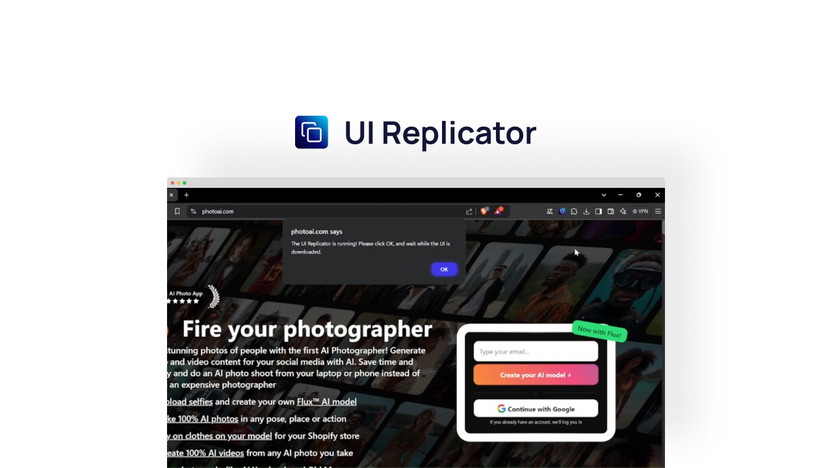
Credit: appsumo.com
Introduction To Ui Replicator Lifetime Deal
Are you tired of recreating websites from scratch? UI Replicator can help.
This tool allows you to clone any website’s layout and styles with a single click.
It’s perfect for developers and designers looking to save time and effort.
Read on to learn more about the Ui Replicator Lifetime Deal.
Overview Of Ui Replicator
UI Replicator is a web design tool that simplifies the process of website replication.
With one click, you can clone any site’s interface, saving hours of manual work.
The tool allows for seamless export of files directly into .HTML and .CSS formats.
It supports all major browsers and is designed for both developers and designers.
Here are the main features of UI Replicator:
- One-click website replication
- Export files directly into
.HTMLand.CSSformats - Fully customizable outputs
- Support for all major browsers
Purpose Of The Lifetime Deal
The Lifetime Deal for UI Replicator offers significant savings and benefits.
It provides lifetime access to the tool, including all future updates.
This deal is available in three different plans:
| Plan | Price | Regular Price | Seats | Features |
|---|---|---|---|---|
| Plan 1 | $9 | $20 | 1 seat license | Unlimited clones, Download HTML, CSS, and JS files |
| Plan 2 | $18 | $200 | 10 seat licenses | Unlimited clones, Download HTML, CSS, and JS files |
| Plan 3 | $27 | $400 | 20 seat licenses | Unlimited clones, Download HTML, CSS, and JS files |
The Lifetime Deal also includes a 60-day money-back guarantee.
This means you can try UI Replicator for two months to ensure it meets your needs.
Don’t miss out on this opportunity to streamline your web design process.
Visit the UI Replicator page on AppSumo to choose a plan and make a purchase.

Credit: www.youtube.com
Key Features Of Ui Replicator
Ui Replicator is a web design tool that simplifies the replication of websites. This tool saves developers and designers significant time and effort. Below are the key features that make Ui Replicator a must-have for anyone in web development.
User-friendly Interface
Ui Replicator offers a user-friendly interface that is easy to navigate. You can clone any website’s layout and styles with a single click. This simplicity makes it accessible for both beginners and experts alike.
Advanced Automation Capabilities
The tool comes with advanced automation capabilities. It allows users to export files directly into .HTML and .CSS formats. This ensures seamless integration into your projects and speeds up the development process.
Customization Options
Ui Replicator provides fully customizable outputs. Developers have full control over the final code, making it easy to modify and adapt to specific project requirements. This feature is particularly useful for those needing precise control over their web designs.
Integration With Other Tools
The tool supports integration with all major browsers. It is a browser-based tool that can be used on any platform. This flexibility ensures that you can work on your projects from anywhere, at any time.
Pricing And Affordability
Investing in UI Replicator can be a game-changer for web developers and designers. Let’s dive into the pricing details to understand its affordability.
Lifetime Deal Cost Breakdown
UI Replicator offers three lifetime plans:
| Plan | Cost | Regular Price | Seat Licenses | Features |
|---|---|---|---|---|
| Plan 1 | $9 | $20 | 1 | Unlimited clones, Download HTML, CSS, and JS files |
| Plan 2 | $18 | $200 | 10 | Unlimited clones, Download HTML, CSS, and JS files |
| Plan 3 | $27 | $400 | 20 | Unlimited clones, Download HTML, CSS, and JS files |
Comparative Analysis With Subscription Models
Subscription models often require monthly or annual payments. UI Replicator’s lifetime deal eliminates these recurring costs.
- Monthly subscriptions can range from $10 to $50.
- Annual subscriptions can cost between $100 and $500.
- Lifetime deals offer a one-time payment, saving long-term costs.
Value For Money
UI Replicator provides exceptional value for money:
- One-time Payment: Pay once and get lifetime access.
- Unlimited Clones: Create as many clones as needed.
- Flexible Plans: Choose a plan that suits your needs.
- Future Updates: Receive all future updates for free.
With prices starting at just $9, UI Replicator is affordable and offers great value for web developers and designers.

Credit: www.youtube.com
Pros And Cons Of Ui Replicator
Understanding the pros and cons of UI Replicator can help you decide if it suits your needs. Below, we explore both the benefits and the limitations of this tool.
Advantages Of Using Ui Replicator
- One-Click Website Replication: UI Replicator allows you to clone any website’s layout and styles with a single click, saving hours of manual work.
- Export Formats: Easily export files into .HTML and .CSS formats, giving you full control over your project.
- Browser Compatibility: The tool supports all major browsers, so you can use it on any platform.
- Customization: Fully customizable outputs make it perfect for developers who need precise control over their final code.
- Time-Saving: Ideal for rapid prototyping or incorporating elements from existing websites, speeding up the development process significantly.
- Lifetime Access: One-time payment plans offer lifetime access and include all future updates.
- Cost-Effective: Various pricing plans start as low as $9, making it an affordable solution for individuals and teams.
Potential Drawbacks And Limitations
- Limited Seats: Lower-tier plans come with limited seat licenses, which might not be sufficient for larger teams.
- Support for Complex Websites: While great for simple sites, replicating more complex websites might require additional adjustments.
- Learning Curve: Beginners may face a learning curve when customizing exported code to fit their specific needs.
| Plan | Price | Seats | Unlimited Clones | Download Files |
|---|---|---|---|---|
| Plan 1 | $9 | 1 seat | Yes | HTML, CSS, JS |
| Plan 2 | $18 | 10 seats | Yes | HTML, CSS, JS |
| Plan 3 | $27 | 20 seats | Yes | HTML, CSS, JS |
UI Replicator offers a 60-day money-back guarantee, allowing you to try the tool risk-free. This policy ensures you have ample time to determine if it meets your needs.
Ideal Users And Scenarios
The UI Replicator is a powerful tool designed to simplify web design. It is perfect for those who want to clone website layouts and styles with a single click. This section will discuss who can benefit the most from this tool and the best use cases for its application.
Who Can Benefit The Most
UI Replicator is a versatile tool that can benefit a wide range of users:
- Web Developers: Save time by avoiding manual coding. Focus on refining and customizing the final product.
- Web Designers: Quickly replicate website layouts. Incorporate elements into your own projects with ease.
- Freelancers: Deliver projects faster. Increase your productivity with one-click website replication.
- Agencies: Streamline your workflow. Manage multiple projects without the hassle of recreating websites from scratch.
Best Use Cases For Ui Replicator
UI Replicator is ideal for various scenarios, including:
- Rapid Prototyping: Quickly create prototypes by cloning existing websites. Make necessary adjustments to suit your project’s needs.
- Incorporating Elements: Use parts of existing websites in your own projects. Save time by avoiding manual copying of code and styles.
- Learning and Inspiration: Analyze and learn from the code of other websites. Gain inspiration for your own designs.
- Client Projects: Deliver client projects faster. Clone their competitors’ websites and customize them to create unique designs.
By understanding the ideal users and scenarios, you can make the most of UI Replicator. This tool is designed to boost productivity and streamline the web design process.
Frequently Asked Questions
What Is Ui Replicator Lifetime Deal?
Ui Replicator Lifetime Deal offers lifetime access to Ui Replicator for a one-time fee. It’s a cost-effective way to enjoy all features without recurring payments.
How Does Ui Replicator Work?
Ui Replicator allows users to replicate and automate UI tasks. It simplifies complex processes by mimicking user interactions, saving time and reducing errors.
Is Ui Replicator Suitable For Beginners?
Yes, Ui Replicator is user-friendly and suitable for beginners. Its intuitive interface and detailed tutorials help users get started quickly and efficiently.
What Are The Main Features Of Ui Replicator?
Ui Replicator includes task automation, error reduction, and an intuitive interface. It also offers detailed tutorials and customer support for users.
Conclusion
UI Replicator is a valuable tool for web developers and designers. It saves time, simplifies tasks, and boosts productivity. With just one click, you can replicate any website’s layout and styles. This tool is perfect for rapid prototyping and customizing projects.Ready to simplify your web design process? Check out the UI Replicator Lifetime Deal now! This could be the solution you need to streamline your workflow and enhance your projects. Give it a try and see the difference it makes.

