Antivirus With Ransomware Protection for Small Business: 2026 Guide
Lead SaaS Analyst at PCSaaS · Software Developer · 500+ Tools Tested · Google Ads & Analytics Certified · 8+ Years Experience
For most small businesses, Bitdefender offers the strongest mix of ransomware protection, layered controls, and central management. Microsoft Defender for Business is the best fit if your team already uses Microsoft 365. Sophos and Trend Micro are solid options too, but Bitdefender leads on layered protection for teams that can manage it.
These four business products address endpoint ransomware risk, but they suit different environments and management styles. I would compare their fit with your device mix and IT capacity, then pair endpoint protection with a separate recovery plan.
See current plans and pricing
Small-Business Ransomware Protection: The Top Picks at a Glance
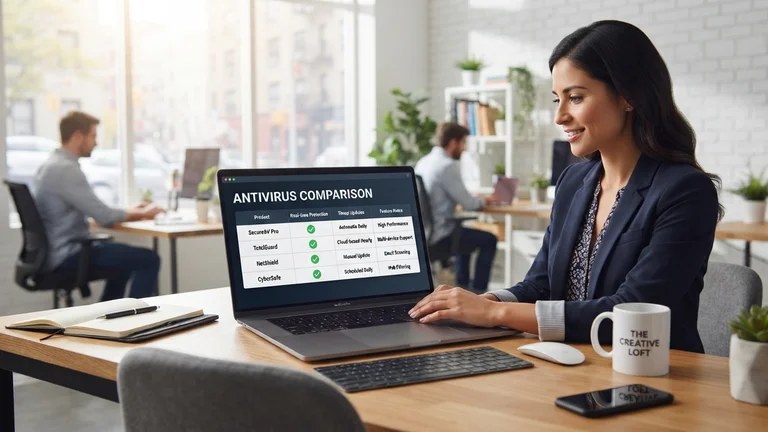
Bitdefender GravityZone Business Security Premium is my overall pick. Here is how the four products compare.
| Product | Best for | Standout strength | Trade-off |
|---|---|---|---|
| Microsoft Defender for Business | Small teams already using Microsoft tools | Business-focused endpoint protection with centralized security management | Best fit requires comfort with Microsoft’s management environment |
| Bitdefender GravityZone Business Security Premium | Teams wanting layered endpoint controls | Central console for managing endpoint policies and security visibility | The breadth of controls may take time to configure and manage |
| Sophos Intercept X Advanced | Businesses prioritizing ransomware detection and response | CryptoGuard is designed to detect ransomware behavior and protect files | Teams should assess whether they can manage its response and policy settings |
| Trend Micro Worry-Free Business Security Services | Small teams seeking cloud-based administration | Cloud management supports security oversight without a local management server | Its feature set and fit depend on the selected service and device mix |
Microsoft Defender for Business is the most natural starting point when staff already work in a Microsoft environment. Bitdefender GravityZone Business Security Premium may suit a business that wants central control over endpoint policies. Sophos Intercept X Advanced emphasizes endpoint detection and response, while Trend Micro Worry-Free Business Security Services centers on cloud-based administration.
Those differences matter more than a broad claim that one product stops every attack. A small office with a few managed PCs may value straightforward oversight. A business with several endpoints and someone responsible for security may prefer more control over detection and response. None of these products should be treated as a substitute for backups that can be restored after an incident.
Before choosing, match the exact product plan to your operating systems, device inventory, and management needs. Product bundles and availability can change, so confirm the included features and supported devices with the vendor.
How I Evaluated These Small-Business Antivirus Options
I compare ransomware prevention, behavioral detection, remediation, and file recovery as separate capabilities. I also weigh how much work a small team must do to deploy the software, manage policies, and respond to alerts. A product that detects suspicious encryption is not automatically a recovery solution, so I judge each layer on its own.
For prevention and detection, I look for documented controls that can identify suspicious activity, not just known malware signatures. For remediation, I consider whether the product can isolate an affected device or help an administrator investigate and contain an incident. For recovery, I distinguish file rollback or restoration features from a separate backup system. An endpoint tool cannot restore data it never retained.
Microsoft Defender for Business: Best for Microsoft-Centric Small Teams
Best for: Small businesses already using Microsoft 365 that want endpoint protection and administration in the Microsoft security portal. Microsoft Defender for Business is a business-focused endpoint security product.
What stands out
Microsoft Defender for Business combines next-generation antivirus with endpoint detection and response (EDR). EDR monitors endpoint activity for suspicious behavior and gives administrators tools to investigate alerts and respond. Microsoft also documents automated investigation and remediation, vulnerability management, and centralized security management through the Microsoft Defender portal. Those controls can reduce the workload of a small team, but they still need someone to review alerts and manage policies.
Its ransomware defenses include behavior-based threat detection and Controlled folder access, which can block untrusted apps from changing protected folders. That can help limit file damage, but it is not a promise that every ransomware attack will be stopped. I recommend treating it as an endpoint protection layer, not a recovery tool: Microsoft Defender for Business does not replace a separate backup and tested restore process.
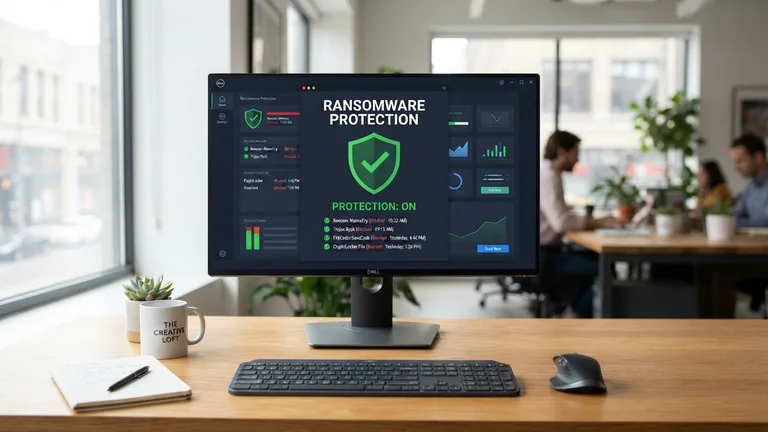
Microsoft lists several platforms among its supported platforms. Before rollout, compare the supported versions with your device inventory; a business with Linux systems or unusual device configurations may need another coverage plan. Microsoft’s Defender for Business overview describes its protections and licensing options.
The trade-off
The main advantage is fit with Microsoft services. If your team already uses Microsoft 365 Business Premium, managing endpoint security alongside other Microsoft tools can be simpler than adding a separate vendor console. Standalone licensing is another route for eligible small businesses, but the best choice depends on the services and licenses you already pay for. Plan availability and terms can change, so compare the current Microsoft licensing details before purchasing.
Setup still takes work. Devices must be onboarded, security policies configured, and alerts assigned to someone who can act on them. Leaving default settings untouched or ignoring detections weakens the practical value of the product. Review Microsoft’s deployment guidance and decide who owns policy changes and incident response before enabling protection across the business.
Microsoft Defender for Business: Pros & Cons
Pros
- Business-focused endpoint protection with EDR and automated investigation
- Centralized management through the Microsoft Defender portal
- Included with Microsoft 365 Business Premium
- Controlled folder access can help protect selected files from unauthorized changes
Cons
- Requires onboarding and deliberate policy configuration
- Endpoint protection does not replace backup or file recovery
- Businesses with unsupported or mixed operating systems may need additional coverage
My verdict: I would shortlist Microsoft Defender for Business if your team already runs Microsoft 365 and can assign someone to manage endpoint policies and alerts. Businesses that need a simpler managed service, broader coverage for their device mix, or recovery included in the same workflow should compare the other picks.
Bitdefender GravityZone Business Security Premium: Best for Layered Endpoint Controls
Bitdefender GravityZone Business Security Premium is a business endpoint security platform for small organizations that want centralized control over multiple devices. Its management console and layered detection tools can help a small IT team set policies and review alerts, but setup and alert handling still need an owner.
What stands out
The GravityZone console gives administrators a central place to manage endpoint security policies and see device status and security events. That can be useful when staff work across several PCs: instead of configuring each endpoint separately, an administrator can apply consistent rules and investigate alerts from one management environment.
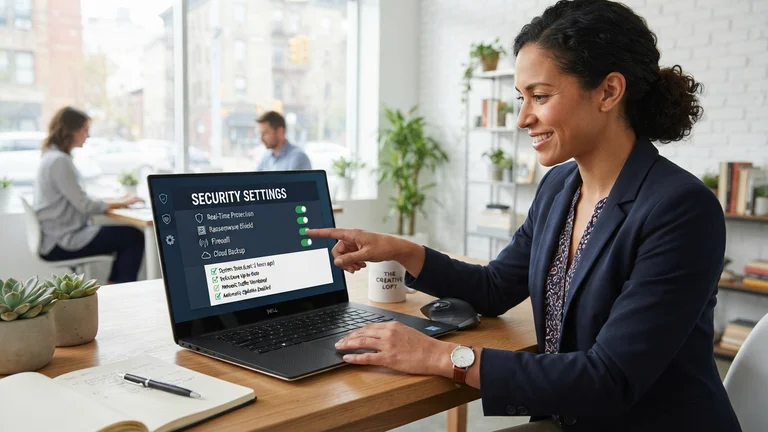
Bitdefender’s business security materials describe multiple protection layers, including Advanced Threat Defense, which uses behavioral analysis to identify suspicious activity. The practical value is that detection can consider what a process does, not only whether a file matches a known threat signature. For ransomware defense, that complements conventional malware detection. It does not guarantee that every attack will be stopped or that encrypted files can be restored. Bitdefender GravityZone business security
A managed policy approach can also help reduce inconsistent settings across company devices. I would map the existing device inventory, decide which endpoints need the same protections, and assign an administrator to review alerts before rollout. That makes it easier to spot gaps and avoid treating a console as a substitute for response procedures.
The trade-off
Centralized management adds work as well as control. Before buying, decide who will deploy the agent, maintain policies, and triage alerts. A small team without a security administrator may find that the platform’s visibility is useful only if someone has time to act on it.
Plan selection matters, too. Feature availability can differ by edition, so compare the exact protections and management capabilities included in the edition you intend to buy. Do not assume that every ransomware-related control, response feature, or recovery option is included in every GravityZone plan. Endpoint protection also does not replace a separate backup strategy: backups need suitable access controls and restoration tests to support recovery.
Bitdefender GravityZone Business Security Premium: Pros & Cons
Pros
- Centralized endpoint policies and security visibility
- Advanced Threat Defense adds behavioral analysis
- Designed for business endpoint management rather than a home-only setup
Cons
- Requires an administrator to deploy policies and manage alerts
- Feature availability differs across editions
- Endpoint detection does not replace protected, tested backups
My verdict: I would shortlist Bitdefender GravityZone Business Security Premium for a small business with several endpoints and a designated person who can manage policies and alerts. A team without that capacity should favor a simpler managed arrangement, and any business that needs dependable file recovery should pair endpoint protection with a separate backup plan.
See current plans and pricing
Sophos Intercept X Advanced: Best for Managed Endpoint Response
Sophos Intercept X Advanced is business endpoint security managed through Sophos Central, a centralized console for administering protected devices and reviewing security alerts. Its ransomware-focused protection includes CryptoGuard, which detects and helps stop ransomware activity. I’d consider it when someone in-house or an IT provider can monitor alerts and coordinate response, rather than expecting the software to manage incidents on its own.
What stands out
Sophos describes CryptoGuard as protection against ransomware behavior, alongside exploit prevention and other endpoint defenses. The practical advantage is a shared place to oversee security across a small organization’s PCs. An administrator can review alerts centrally instead of relying on each employee to notice a problem. Sophos documents its endpoint protection and management features.
Central visibility matters when an incident affects more than one employee or device. An IT lead or service provider can use alerts to investigate which endpoints need attention, coordinate containment, and communicate next steps. That workflow can be more manageable than handling each device separately, particularly for a business with remote staff.
Sophos Intercept X Advanced is endpoint protection, not a complete recovery plan. Detection and response can limit damage, but they do not guarantee that encrypted files can be restored. Keep backups separate, restrict who can alter them, and test restoration so recovery does not depend on an endpoint alert resolving the incident.
The trade-off
Sophos Intercept X Advanced’s controls and alerts are most useful when someone has the time and security knowledge to configure policies, review detections, and follow an incident through. A small business without that capacity may need an IT provider or managed security support; buying endpoint software alone does not provide a staffed response team.
Before choosing a license, verify that the precise Sophos plan covers the operating systems and device types in your business, and determine whether the support and response services you need are included or separately licensed. Those details affect whether the deployment fits a mixed-device team and who will be responsible when an alert arrives.
Sophos Intercept X Advanced: Pros & Cons
Pros
- CryptoGuard provides ransomware-focused endpoint protection
- Sophos Central supports centralized administration and alert review
- Can fit a business with internal IT or an external support provider
Cons
- Policies and alerts require informed administration
- Endpoint protection does not replace a separate, tested backup
- Licensing, support, and operating-system coverage need to match the deployment
My verdict: I would shortlist Sophos Intercept X Advanced for a small business that wants centralized endpoint visibility and has IT staff or a provider to manage response. I would skip it as a stand-alone answer for a team with no one responsible for alerts, configuration, and file recovery.
Trend Micro Worry-Free Business Security Services: Best for Straightforward Cloud Management
Best for: smaller organizations that want to manage endpoint security through a cloud service rather than maintain a separate on-site management server. Trend Micro Worry-Free Business Security Services is a business-focused endpoint security option, but the selected edition’s exact platform and ransomware features matter.
What stands out
A cloud console can simplify routine administration when staff work across locations. An administrator can use one management interface to oversee enrolled endpoints and review security status, instead of relying on someone at each office to manage protection locally. That can suit a small team with a part-time IT lead or an outside support provider.
The key distinction is between prevention and remediation. Endpoint security aims to detect or block suspicious activity before it damages files, then respond to threats on the device. File restoration is a separate job: a security service should not be treated as a substitute for backups that the business can recover if files are encrypted, deleted, or otherwise lost.
I would assess the ransomware protections in the specific Worry-Free package being quoted, rather than assume every edition includes the same controls. Ask whether it includes behavior-based detection. Ask what actions it can take when it flags a threat. And ask whether it can roll back changed files or only quarantine and remove malicious software. Those distinctions affect how much damage may be limited, and what work remains after an incident.
For a business with Windows PCs alongside other operating systems, get the supported-platform list for the exact subscription and confirm that the same management and protection features apply to each device type. Also ask how new devices are enrolled, who receives alerts, and whether the support plan includes help with security incidents. A cloud console is useful only if someone reviews its warnings and follows through.
The trade-off
A straightforward cloud-management model does not remove the need to configure policies and assign alert responsibility. Before purchasing, ask for a demonstration of the administration workflow, including how the team handles a detected threat and how it distinguishes urgent alerts from routine notifications.
Clarify renewal terms and support coverage as well. A low-friction deployment can still create work if the business has no owner for ongoing alert review, or if response assistance is outside the subscription. Keep a separate backup plan and test file restoration; endpoint detection and backup solve different parts of ransomware risk.
Trend Micro Worry-Free Business Security Services: Pros & Cons
Pros
- Cloud-based administration can help oversee endpoints across locations
- Business-focused endpoint security rather than a consumer-only antivirus plan
- A fit for teams that prefer centralized administration
Cons
- Ransomware controls and supported platforms must be matched to the selected edition
- Someone still needs to review alerts and manage policies
- Endpoint protection does not replace a separate, tested backup
My verdict: I would consider Trend Micro Worry-Free Business Security Services for a small organization that wants cloud-based endpoint administration and can assign someone to manage alerts. I would skip it as the sole ransomware safeguard if the business has no tested recovery plan or cannot establish which protections its chosen edition includes.
How to Choose Ransomware Protection for Your Business
Choose protection by matching it to the devices you run, the time your team can spend managing alerts, and how quickly you need to restore work after an attack. A small office with standard Windows PCs may need a different setup from a business with remote staff, mixed operating systems, and no in-house IT support.
- Start with your devices and management capacity. Build an inventory of business PCs, laptops, servers, operating systems, and remote workers. A PC is a personal computer, such as a business desktop or laptop. Note any equipment that cannot run the same security agent, such as specialist devices or systems managed by another provider. If a device is missing from the security console, it may be outside the protection and monitoring you expect.
Then decide who will manage the service. A small team with limited IT time may value straightforward deployment, central policy controls, and clear alerts. A business with dedicated IT support may benefit from more detailed endpoint detection and response (EDR). EDR helps staff investigate suspicious activity and take action on affected devices. More advanced controls can improve visibility, but they also require someone to review alerts and respond.
- Compare prevention and recovery as separate capabilities. Ransomware protection is not one feature. Assess whether the software detects suspicious behavior, blocks unauthorized changes to protected files, can roll back or remediate activity, and gives administrators useful incident details. These capabilities address different stages of an attack; a detection alert alone does not restore encrypted files.
Ask what happens when a device is compromised: Can an administrator isolate it, identify related activity, and see which files or devices may be affected? Is rollback available, and what does it cover? Treat specific recovery claims as capabilities to evaluate, not as a substitute for a separate restore plan.
Backups are a complementary safeguard, not an antivirus feature. Keep backup copies access-controlled so that an attacker using a compromised employee account cannot easily alter or delete them. Test restoring important files and systems; a backup that has never been restored may not meet your recovery needs. For example, decide who can start a restore and whether the business can access a clean copy if a user’s account or computer is compromised.
- Compare the full cost and operational work. Look beyond the headline subscription amount. Count the endpoints and user licenses you need, identify which capabilities require a higher tier, and account for contract length, renewal terms, support, and onboarding. Ask whether staff can deploy the agent themselves, how policies are applied to new devices, and what help is available when an alert needs investigation.
A low-cost plan can be poor value if it leaves out a control your team needs or requires more administration than you can provide. Conversely, advanced alerting may add little if no one can act on it. Compare options using the same device inventory and recovery priorities, then choose the simplest setup that covers your environment and assigns clear responsibility for response.

What Antivirus Can—and Cannot—Do Against Ransomware
Antivirus can detect suspicious activity and block some ransomware before it encrypts files, but no endpoint product can guarantee that every attack or data-loss event will be prevented. Protection works best alongside reliable backups, restricted access, timely updates, and a clear response plan.
Plan for backup and restoration
- Keep separate backups of essential business data, such as accounting records, customer files, and operational documents. A backup that ordinary endpoint credentials can alter or delete may be exposed during an attack too.
- Use access controls that limit who can manage backups, and keep a protected or disconnected copy where practical. Separate backup credentials from everyday employee accounts.
- Test restoration regularly. A successful backup job does not prove that the right files can be recovered quickly or that restored data is usable. Include a realistic test of the information your business needs to resume work.
- Treat endpoint recovery features and backups as different layers. File rollback may help reverse some changes, but a separate backup gives you another path if files remain encrypted or devices need rebuilding.
Prepare a basic response
- Keep operating systems, browsers, business software, and security tools updated. Apply patches promptly, especially when they address security flaws.
- Give employees only the access their jobs require. Use multifactor authentication for important accounts and remote access where available, particularly for accounts that can reach business data or backups.
- Tell staff how to report suspicious activity, such as unexpected file changes, ransom messages, or unusual security alerts. Make the reporting route clear and discourage employees from trying to investigate or clean an affected device themselves.
- If ransomware is suspected, isolate affected devices from the network to limit further spread. Avoid actions that could destroy useful evidence, such as wiping a device before the incident is assessed.
- Contact the person or provider responsible for IT or security, preserve relevant alerts and messages, and follow the recovery plan. Restore from a known-good backup only after the affected systems and access risks have been addressed.
- Do not assume that paying a ransom will restore files or prevent another attack. The CISA ransomware guide advises organizations not to pay; prioritize containment, expert support, and recovery from protected backups instead.
Which Option Fits Your Small-Business Situation?
Choose based on the devices you need to protect, who will manage alerts and policies, and how quickly your business must recover files. The recommendations below are starting points: the exact plan determines included features, supported operating systems, and available support.

| Your situation | Product to investigate | Why it may fit | Qualification to verify |
|---|---|---|---|
| Your team already works in Microsoft 365 | Microsoft Defender for Business | It may fit your existing Microsoft administration and security workflow, especially if your subscription includes Defender for Business. | Check your current Microsoft licensing, covered devices, and which controls your team can manage. |
| You have someone who can manage endpoint policies centrally | Bitdefender GravityZone Business Security Premium | Its centralized endpoint controls may suit a team that wants to manage protection across multiple business devices. | Confirm support for your device mix and whether your staff can handle alerts and policy changes. |
| You have an IT provider or security staff to monitor endpoint alerts | Sophos Intercept X Advanced | It is worth considering when your business can make use of more advanced endpoint protection and response controls. | Establish who will monitor alerts and whether any managed-service relationship is included or contracted separately. |
| Your team has little in-house IT capacity | Trend Micro Worry-Free Business Security Services | Its cloud-management approach may be easier to administer than a setup that depends on local security expertise. | Check that the service covers every operating system and device your staff use, and identify who handles incidents. |
| Your business already uses Splashtop for computer support | Splashtop Shield for Business | The add-on may keep antivirus and anti-scam protection within a remote-support environment your team already uses. | Verify that your active Splashtop business subscription qualifies and that its protection fits your endpoint needs. |
A low headline price should not decide the purchase if nobody has time to respond to warnings, maintain policies, or confirm that devices are protected. Centralized controls matter more when employees work across several PCs or locations; a managed-service relationship matters when your staff cannot review alerts themselves.
For Microsoft-heavy teams, compare the protection and administration already available through your Microsoft licensing before adding another console. For a business with staff who can manage security, compare the policy and response controls in Bitdefender GravityZone Business Security Premium and Sophos Intercept X Advanced. For a small team without that capacity, prioritize straightforward administration or a clearly defined provider relationship.
None of these endpoint options replaces a separate, tested backup. Match the product to your device mix and support capacity, then verify who owns alert response and file recovery before committing.
Final Verdict
For antivirus with ransomware protection for small business, I recommend Bitdefender GravityZone Business Security Premium as the overall pick for teams that can manage endpoint security themselves. Its focus on layered endpoint controls makes it the strongest fit when prevention and detection are the priority. But it cannot replace a recovery plan. And it does not remove the need to assign someone to review security alerts.
Choose Microsoft Defender for Business if your company already relies on Microsoft and wants its security administration to fit that environment. Sophos Intercept X Advanced is a better match when managed endpoint response is central to your decision. Trend Micro Worry-Free Business Security Services suits a small team that values straightforward cloud management.
Before buying, decide who will handle alerts and who will restore files after an incident. Keep a separate backup, restrict access to it, and test recovery; endpoint protection and backup address different parts of ransomware risk. A business with no one able to monitor alerts should prioritize a clear support arrangement rather than choosing solely by feature list.
My verdict: I would choose Bitdefender GravityZone Business Security Premium as the overall pick for a small business with someone responsible for security management; Microsoft Defender for Business is an alternative for a Microsoft-centered team.
Sources and Further Reading
- Defender for Business overview (microsoft.com)
- deployment guidance (learn.microsoft.com)
- Bitdefender GravityZone business security (bitdefender.com)
- CISA ransomware guide (cisa.gov)
Frequently Asked Questions
What is the best antivirus with ransomware protection for a small business?
Bitdefender GravityZone Business Security Premium is my overall pick for a small business with someone responsible for security management. I would choose it for a layered endpoint-protection approach, while Microsoft Defender for Business is a strong fit for a Microsoft-centered team. Neither replaces a separate backup and a tested recovery plan.
Does small-business antivirus protect against ransomware?
Small-business antivirus can help block or detect ransomware, including suspicious activity that basic signature-based scanning may miss. Protection is not a guarantee: an attack can still get through, and antivirus does not necessarily restore encrypted files. Pair endpoint security with restricted access, reliable backups, and a plan for responding to alerts.
What is the difference between business and home antivirus?
Business antivirus is designed for managing security across an organization’s devices, often with centralized controls and visibility for an administrator. Home antivirus usually focuses on protecting individual users and household devices. For a small business, choose a business product if you need to manage employee endpoints and respond to threats from one place.
Is Microsoft Defender for Business enough to protect a small business?
Microsoft Defender for Business can be enough for a small business that uses Microsoft tools and has someone who can manage security alerts. It provides business-focused endpoint protection, but endpoint security alone does not cover every risk. I would add a separate backup and make sure someone owns incident response and recovery.
Can antivirus recover files encrypted by ransomware?
Antivirus usually cannot decrypt files that ransomware has already encrypted. Removing or containing the malware can help prevent further damage, but file recovery generally requires a clean backup or another recovery method. Before an incident, keep backups protected from routine account access and test that important files can be restored.
Do small businesses need a separate backup for ransomware protection?
Yes, a small business should keep a separate backup because antivirus and backup serve different roles. Endpoint protection aims to prevent or detect an attack; backup supports recovery if files are lost or encrypted. Restrict access to backup copies and test restoration, since a backup that cannot be recovered does not meet business needs.

Similar Posts