Windscribe VPN Review 2026: A Practical Buy-or-Skip Guide
Lead SaaS Analyst at PCSaaS · Software Developer · 500+ Tools Tested · Google Ads & Analytics Certified · 8+ Years Experience
Windscribe is worth considering in 2026 if you want a free VPN tier and flexible paid options. Its free plan includes 10GB of data a month with email verification, plus servers in 10 countries. Pro adds unlimited data and 69 locations. Speed and streaming vary by location, so it suits budget-conscious users more than buyers who want guaranteed speeds.
Windscribe is a solid pick for privacy-minded users who want a free plan and flexible paid options. Its free plan gives you 10GB of data a month once you verify your email. Speed and streaming can vary by location, though. It fits budget-conscious users who value flexibility, not buyers who want the fastest speeds and the simplest plan.
Windscribe VPN: The Verdict for Buyers
Who Windscribe suits
Windscribe VPN may suit people who want a configurable VPN and are comfortable choosing features and locations to suit their needs. Its free plan is a useful way to try the service: it includes 10GB of monthly data with email verification and access across 10 countries. That makes it a practical fit for occasional browsing or travel, but a limited choice for someone who streams or downloads heavily.
The paid plans suit users who want more choice than one fixed package. With Build-A-Plan, you pick the parts you want and pay for those. That helps if you like to tailor things. If you prefer one simple all-in-one plan, the extra choice will not help much.
Windscribe is also worth a look if you are fine with streaming and speed varying by location. One reported streaming result does not guarantee access to a given service or library. And one speed test cannot predict your speeds on another network. It can suit everyday browsing and the odd stream. But if you need reliable access to one catalog, do not treat any VPN as a guarantee.
Who may want another VPN
Look at alternatives if you need fast human support, guaranteed streaming, or a specific privacy model you can check against your needs. With those priorities, read the support details, terms, and privacy documents closely. A broad reputation claim is not enough.
Think of the free plan as a limited option, not a full paid VPN, if you use a VPN a lot. Pro is the better choice for regular use. Free makes sense when its data allowance and locations cover your needs. Just remember: not every server gives the same speed or streaming access.
Try Windscribe Free for light use, if you like a VPN you can customize. Consider Pro if its plan options fit your regular needs. Skip it if guaranteed streaming, fast human support, or a specific privacy model is essential.
How I Evaluated Windscribe
This 2026 review weighs Windscribe’s published specifications and policies alongside independent reviews and owner reports. I did not run live tests, so there is no personally tested subscription tier, review date beyond the 2026 review period, app version, device, baseline connection, selected protocol, test location, or repeated-run count to report.
What the tests can and cannot show
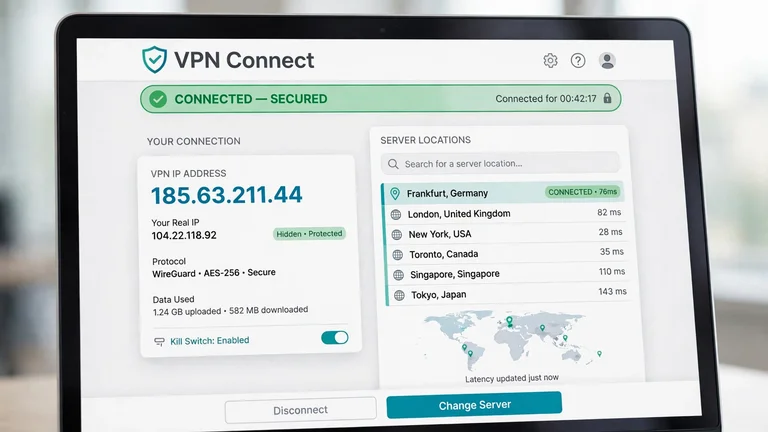
Speed figures in third-party reviews are snapshots, not a promise of the speed you will get. Without a shared baseline, protocol, server, location, device, and repeatable method, results from separate reviews cannot be treated as a direct comparison. I therefore avoid presenting reported speed-loss figures as my own measurements or as a forecast for your connection.
What Windscribe Does Well in Everyday Use
Windscribe’s practical strengths are its range of connection choices and controls for tailoring traffic. Those features are useful if you want a VPN you can adjust for different tasks; they cannot guarantee predictable streaming access.
Apps, server selection, and protocol choices
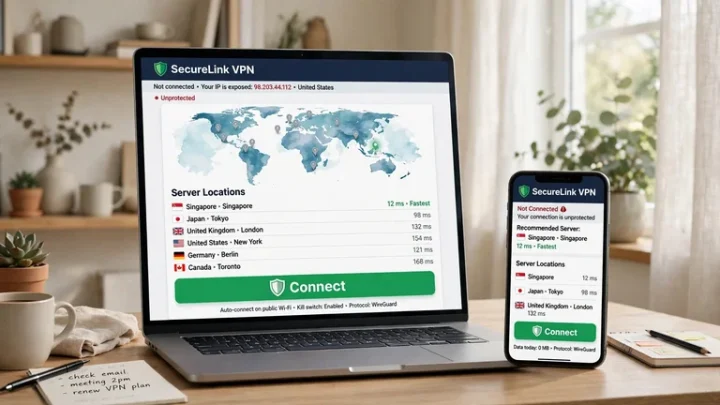
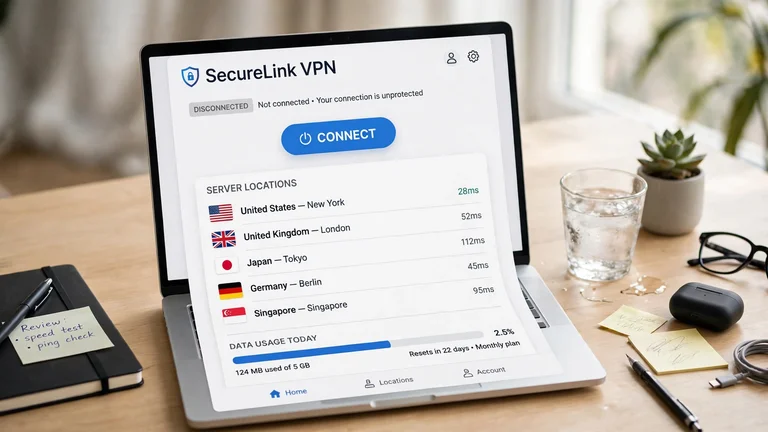
Windscribe lists servers across 69 locations. Its apps let you choose a location and protocol rather than requiring you to use one fixed connection method. That flexibility is useful when you want a nearby server for routine browsing, or need to try another protocol when a network blocks or interferes with a connection. The trade-off is that choosing manually can take more effort than leaving the VPN on its default settings.
Windscribe supports WireGuard and OpenVPN, among other protocol options. WireGuard is a sensible starting point for everyday use; OpenVPN can be useful when compatibility or network restrictions matter more than keeping setup simple. Windscribe also lists Stealth and WStunnel for restrictive networks. These options do not promise that the VPN will connect in every country or on every network, and a more specialized protocol may not be the best choice for speed.
The app experience is built around selecting a location and connecting, with additional settings available when you need them. Starting with automatic or nearby-server selection, then changing one setting at a time if a particular network or app causes trouble, can help identify whether the issue is the server, protocol, or another setting.
R.O.B.E.R.T. and connection controls
R.O.B.E.R.T. Is Windscribe’s configurable DNS-level filtering feature. It can block categories of domains, including categories selected by the user, before a browser or app connects to them. Windscribe describes its R.O.B.E.R.T. Controls as customizable, which makes them more useful than a single all-or-nothing blocker.
DNS filtering can also cause friction. A site may rely on a domain that falls into a blocked category, and apps do not always behave like browsers when a required domain is blocked. If a page or service stops working, temporarily changing the relevant filter is a practical troubleshooting step; the filtering behavior is not guaranteed to be identical across every site or app.
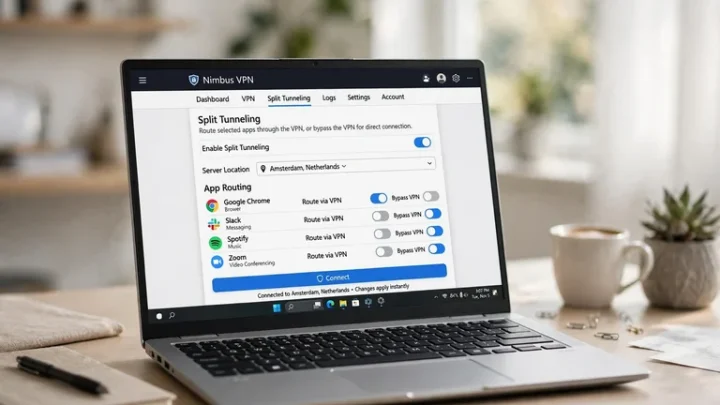
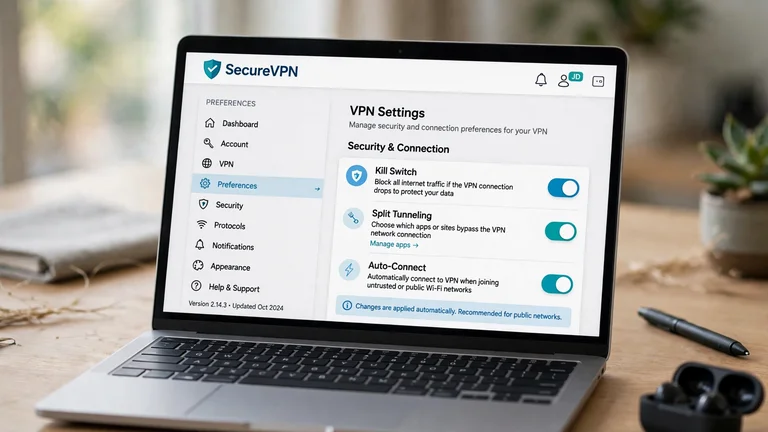
Split tunneling can route selected apps or traffic outside the VPN while other traffic stays in the tunnel. That is useful if, for example, you need one local-network app to use your regular connection while keeping browser traffic on the VPN. Available controls differ by platform and app, so a setting found on one device may not appear in the same form on another.
Windscribe’s Firewall is a kill-switch-style control that blocks internet traffic outside the VPN tunnel. It can reduce the chance of an accidental direct connection if the VPN disconnects. Windscribe documents the Firewall feature, but a firewall setting does not make every device or network configuration foolproof; users should understand how it behaves before relying on it for a sensitive task.
Streaming and speed in context
Windscribe’s server and protocol choices give users options to try for streaming, but they do not establish reliable access to Netflix or any other particular library. Streaming platforms change how they detect VPN connections, and access can differ by server and service. Treat Windscribe as a VPN with streaming potential, not as a guarantee that a chosen show or catalog will be available.
Speed claims need the same caution. A result is meaningful only when it includes a test date, starting connection, location, protocol, and method; without those details, a precise speed or speed-loss figure is not a sound expectation for your own connection. For ordinary browsing, begin with a nearby location and WireGuard, then compare another server only if the connection is noticeably slow. Long-distance routing and network congestion can affect latency, which matters more for gaming or video calls than for basic browsing.
- Server choices across 69 locations
- WireGuard, OpenVPN, and specialized protocol options
- Configurable DNS filtering and a Firewall control
- Free plan includes 10GB of monthly data
- Pro and Build-A-Plan give buyers paid options
- Firewall adds a connection-control feature
- R.O.B.E.R.T. blocking can interfere with some sites or apps
- Split tunneling and other controls differ across apps
- Streaming access and connection speed are not guaranteed
- Free data can be restrictive for frequent streaming
- Access to specific services is not guaranteed
- Support may not suit users who need live assistance
Windscribe’s configurable controls may suit users willing to adjust protocols or filters when needed. Dependable access to a specific streaming catalog may matter more than that flexibility for some buyers.
Windscribe’s Privacy and Security: What to Verify
Windscribe’s privacy policy describes what account and operational data the service retains, while its security features reduce specific risks rather than guarantee anonymity. The scope of any audit matters: a review of an app or server component cannot prove that every part of a VPN is secure or that every user is unidentifiable.
Logging policy and independent scrutiny
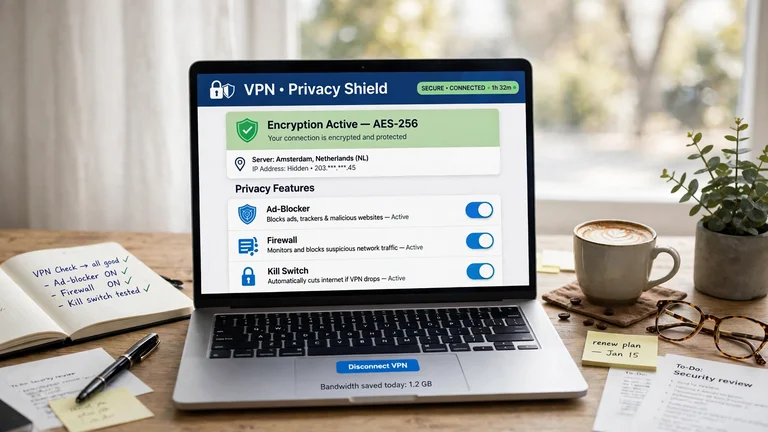
Windscribe says it does not retain browsing history or VPN connection logs. The exact scope of connection data should be checked in Windscribe’s current official privacy policy. It does retain limited operational information, including a rolling record of bandwidth use and the time of the last activity, which helps manage account limits and prevent abuse. The Windscribe privacy policy explains its data practices; readers should distinguish those operational records from a history of websites visited. IPs are network addresses used to identify a device’s connection, and the policy’s current description of related data is worth checking directly.
Account registration requires a username and password, while an email address is optional. An email can help with account recovery, so omitting it trades convenience for less identifying account information. The free plan’s data allowance and account rules are separate from the privacy policy: a bandwidth limit does not mean Windscribe records the content of browsing sessions.
Independent scrutiny is useful only when its scope is clear. An audit of a particular app, codebase, or infrastructure component does not certify every Windscribe app, server, policy, or future update. Look for the auditor, publication date, assessed systems, and report findings before treating an audit as evidence for a specific claim. A broad statement that a VPN is “audited” is not proof of complete anonymity or ongoing review.
Windscribe’s jurisdiction is relevant if your threat model includes government data requests or cross-border intelligence sharing. Jurisdiction should be weighed alongside the provider’s data-retention practices and the level of privacy your situation requires.
Protocols, encryption, and leak protection
Windscribe offers protocol options intended to help connections work on restrictive networks. The official protocol documentation describes its connection options. WireGuard is a modern protocol designed for efficient encrypted tunnels; OpenVPN is a widely used, configurable protocol. The protocol choice affects compatibility and connection behavior, but using a VPN does not make every activity private from websites, apps, or an account you sign into.
Windscribe’s Firewall is its network kill switch. When enabled, it blocks internet traffic outside the VPN tunnel, helping prevent a device from sending traffic over an ordinary connection if the tunnel disconnects. That can reduce the risk of an IP or DNS leak during an interruption. It cannot stop tracking through cookies, protect a compromised device, or hide information you provide directly to a website. DNS protection likewise helps keep domain lookups inside the VPN connection; it is not a guarantee against every form of tracking.
Enabling the Firewall can help when privacy matters more than uninterrupted connectivity; users should check that the chosen app and settings match their needs. No single setting proves that an entire session is leak-free, and a VPN cannot replace secure device practices.
Windscribe’s stated data-minimization policy and configurable Firewall make it a reasonable choice for everyday privacy. A VPN alone is not enough when the threat model requires protection from device compromise, account tracking, or every form of legal and network surveillance.
Where Windscribe Falls Short
Windscribe’s main drawbacks are limited free access, support that is not built around live human chat, and performance that can change with the server route and service you use. Those limits matter most if you need immediate troubleshooting, consistent access to a particular streaming library, or privacy assurances for a high-risk situation.
Support and troubleshooting
Windscribe provides help articles, an AI chatbot called Garry, and a way to submit a support request. A connection problem during a time-sensitive task may therefore take longer to resolve than with a provider that has live agents.
The chatbot can help with common setup questions, but it is not a substitute for a support specialist when an issue involves a specific device, network, or account. Windscribe may not suit users who need urgent, step-by-step assistance or guaranteed rapid troubleshooting.
Performance, plan limits, and privacy trade-offs
Windscribe’s speed and streaming access are not fixed properties of the service. They can differ by location, server route, protocol, and streaming platform. A nearby server may work well for everyday browsing, while a distant route or a service that blocks VPN traffic may produce slower connections or fail to load the desired catalog. Reviews report different outcomes, so access is use-case dependent rather than assured for every service.
The free plan also has a meaningful data ceiling. Windscribe Free includes 10GB of data per month with email verification; without verification, the allowance is 2GB per month. Free server access covers 10 countries, while Windscribe’s network spans 69 locations. That makes the free tier useful for occasional browsing or trying the apps, but less suitable for frequent HD streaming or leaving a VPN connected all day.
Consider these limits before choosing:
- Frequent streaming: A monthly data cap can run out quickly, and access to a particular library may change with the route or service.
- Travel or remote work: The lack of live human chat can be frustrating if a blocked connection needs immediate attention.
- High-risk privacy needs: A VPN protects the traffic routed through its tunnel, but it does not secure a compromised device or prevent account-based tracking. Windscribe is based in Canada, which may also matter to people whose threat model includes government or legal access to provider-held information.
For targeted surveillance or a need for a documented response process for urgent incidents, a provider with a better fit for those support and assurance requirements may be preferable. For ordinary privacy on public Wi-Fi, these limits are less likely to outweigh Windscribe’s flexibility.
Windscribe’s support articles, AI chatbot, and support requests may work for users comfortable troubleshooting without live human help. It may not suit buyers who require immediate assistance or need a VPN as part of a higher-assurance security plan.
Windscribe Plans, Specifications, and Value
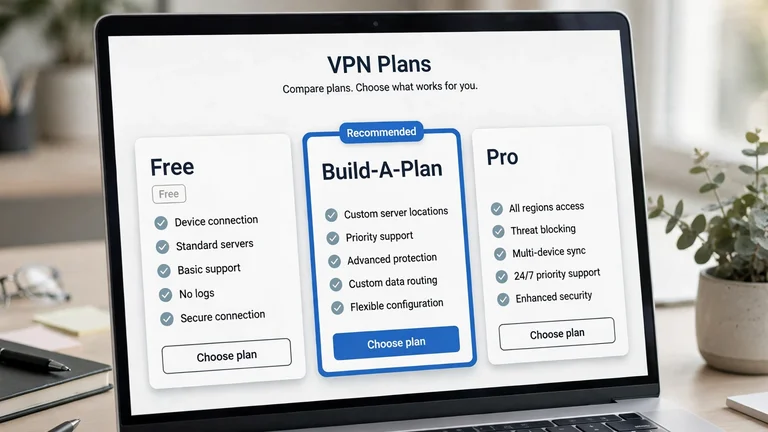
Windscribe’s Free plan is useful for light, occasional VPN use, while Pro is the more practical choice for regular streaming or unrestricted data. The key decision is whether the free allowance covers your monthly use and whether you need access beyond its smaller server selection.
| Tier | Data allowance | Locations | Device or feature access | Billing term |
|---|---|---|---|---|
| Free, email verified | 10GB per month | 10 countries | VPN access; limited data | Free |
| Free, no email verification | 2GB per month | 10 countries | VPN access; limited data | Free |
| Pro | Unlimited data | 69 locations | Unlimited simultaneous connections | Monthly or annual |
| Build-A-Plan | Plan-dependent | Selected locations | Customized access | Monthly |
Free plan versus Pro
Windscribe Free gives you up to 10GB per month when you verify an email address; without verification, the allowance is 2GB. That is enough for occasional browsing on public Wi-Fi or a short trip, but regular video streaming can use the allowance quickly. Free access also covers 10 countries, rather than the 69 locations available with Pro.
Windscribe Pro removes the monthly data cap and expands location access. Its unlimited simultaneous connections can make it a better fit for a household using the VPN across several devices. The trade-off is paying for capacity you may not need: if you mainly want protection for occasional browsing, the free tier may be adequate.
Windscribe has listed monthly and annual billing for Pro. Prices can change, so compare the current options on Windscribe’s plan page before subscribing rather than relying on an undated rate. The annual option can suit consistent use; monthly billing is more flexible if you are still deciding whether Windscribe fits your routine.
Build-A-Plan and refund terms
Build-A-Plan is Windscribe’s customizable option for people who want selected locations rather than the full Pro package. It may be worth considering if you only need a small set of locations, but its value depends on the current selection rules and total cost. Compare that total with Pro before choosing it, especially if you expect your needs to expand.
Refund eligibility and purchase conditions matter most if you are paying before you have decided whether the apps, locations, and support meet your needs. Read Windscribe’s current refund policy before buying; do not treat a refund as a substitute for checking the plan details. For a low-commitment trial, the free tier avoids a subscription, but its data and location limits remain.
Windscribe Free is suited to light use, while Windscribe Pro is for people who need unlimited data and broader location choice. Build-A-Plan is most relevant when its selected locations and current total cost suit a narrower need.
How Windscribe Compares With Proton VPN and NordVPN
Windscribe’s clearest distinction is plan flexibility: it has a free tier and lets paid users build a plan around selected locations. Proton VPN is another option with free and paid service, while NordVPN uses paid subscriptions without a permanent free VPN tier.
| Decision point | Windscribe | Proton VPN | NordVPN |
|---|---|---|---|
| Free plan | Yes; 10GB monthly with email verification and servers in 10 countries | Yes; free service has fewer choices than paid plans | No permanent free VPN tier |
| Customization | Build-A-Plan lets users select locations | Free and paid plan tiers | Standard subscription options |
| Streaming | Supported, but access can change | Supported, but access can change | Supported, but access can change |
| Support | Online help and chatbot support | Online help and support requests | Online help and live chat support |
| Pricing structure | Free, Pro, and Build-A-Plan | Free and paid plans | Paid subscription terms |
Windscribe’s free allowance is 2GB per month without email verification and 10GB with verification. Its free servers cover 10 countries, while Pro includes access across 69 locations. Those limits make the free plan useful for occasional browsing, but not a like-for-like substitute for a paid plan if you need more data or location choice. Windscribe’s plan options show how its paid and customizable choices are structured.
When does Proton VPN make more sense?
Proton VPN suits shoppers who want a free option from a provider with a broader privacy-focused product ecosystem, or who prefer a conventional free-versus-paid plan choice over selecting locations individually. The free tier is a meaningful point of comparison, but its available features and locations are more limited than paid access. Streaming access is not guaranteed, and a VPN connection does not ensure that every service or library will work.
Compare the exact free and paid inclusions on Proton VPN’s plan page, especially if you expect to move from free use to a subscription.
When is NordVPN the better fit?
NordVPN may suit buyers who prioritize a more conventional paid subscription and want live chat support rather than Windscribe’s chatbot-led support. Its simpler plan structure can be easier to evaluate if you do not need Build-A-Plan, but it does not provide Windscribe’s permanent free tier.
NordVPN may be a better fit if live support and a straightforward paid subscription matter more than a free option or location-level plan customization.
Proton VPN may suit shoppers who value a free plan and a choice between free and paid service. Windscribe may fit better when its data allowance, location selection, or Build-A-Plan matches the user’s needs.
Streaming libraries, access, and connection performance can change as services update their restrictions and VPN providers adjust their networks. Streaming compatibility is a practical advantage, not a guarantee; compare current plan terms before paying.
Should You Buy Windscribe VPN?
Windscribe is worth considering if you want a usable free tier, customizable plan options, and features such as its Firewall. It may not suit users who need consistent access for a particular service or responsive support; those priorities make comparing alternatives sensible.
Buy it if
Windscribe Free suits people who want to try a VPN without committing to a paid plan. Its 10GB monthly data allowance is enough for light browsing, but regular streaming or large downloads can use it up quickly. Windscribe Pro is the better fit for ongoing use beyond that free allowance. Build-A-Plan makes sense if you want to choose locations rather than pay for a broader plan, though the value depends on the current terms.
Windscribe’s basic VPN settings and performance can be assessed on the user’s own devices, which matters for streaming or other services where access can change.
Skip it if
Choose another provider or compare options first if you need a particular streaming library to work consistently, or if you rely on live support when troubleshooting. Windscribe’s plan flexibility is useful, but it does not remove the need to assess service access and support for your own needs. Readers with specific privacy requirements should examine the provider’s current policy and decide whether its jurisdiction and practices meet those requirements.
Before paying, review Windscribe’s current plan terms, try the service on the devices you intend to use, and read the refund rules that apply to your purchase. That helps you judge both everyday usability and whether a paid tier fits your budget.
Windscribe Free, Pro, or Build-A-Plan may suit buyers whose needs match their respective limits and structure. It may not suit users for whom dependable access or hands-on support is essential.
Final Verdict
Windscribe is a good choice for people who want a configurable VPN, useful privacy controls and a free tier for occasional use. In this Windscribe VPN Review, Windscribe Pro is my overall pick for regular users who want the service’s paid features; Windscribe Free makes more sense for light browsing, while Build-A-Plan suits buyers who prefer to select only the options they need.
The main trade-offs are a free plan that can feel limiting for frequent streaming, performance that can change with the server and route, and support that may not work for someone who expects live help. Windscribe’s privacy policy and Canadian base also deserve consideration: a VPN can reduce what your internet provider sees, but it does not make you anonymous or remove the need to trust the provider.
I recommend Windscribe Pro if its feature set fits your routine and you are comfortable evaluating streaming access for your own services. Choose Free for modest use, or skip Windscribe if guaranteed access and immediate support are essential.
My verdict: I would choose Windscribe Pro as the best all-round fit among its tiers, with Windscribe Free as the sensible no-cost starting point. See Windscribe’s plans before deciding which structure suits you.
Sources and Further Reading
- R.O.B.E.R.T. Controls (windscribe.com)
- Firewall feature (windscribe.com)
- Windscribe privacy policy (windscribe.com)
- Windscribe’s plan page (windscribe.com)
- refund policy (windscribe.com)
Related reading:
- Trust.Zone VPN Review: Privacy and Value in 2026
- Avast Premium VPN Review 2026
- IPVanish VPN Review 2026: Is It Worth Buying?
Frequently Asked Questions
Is Windscribe VPN worth it in 2026?
Windscribe VPN is worth considering if you want flexible plans, a free tier for limited use, and privacy tools such as its Firewall and R.O.B.E.R.T. The free plan has a 10GB data limit, so regular streaming or large downloads are better suited to a paid option. Windscribe may not suit users who need guaranteed streaming access or immediate live support.
Is Windscribe VPN safe and trustworthy?
Windscribe VPN protects traffic through encrypted VPN connections and includes a Firewall that can block network traffic when the VPN disconnects. Those features reduce some exposure, but they do not make you anonymous or prove every part of the service is secure. Windscribe is based in Canada, so privacy-conscious users should read its privacy policy and consider whether they trust the provider with their traffic.
What is the difference between Windscribe Free and Pro?
Windscribe Free is the no-cost tier with a 10GB data limit, while Windscribe Pro is the paid option for users who need more regular VPN use. Build-A-Plan lets users tailor a subscription around selected locations rather than choosing the standard plan structure. Compare the location access and data needs you require before choosing; the free tier is more restrictive.
Does Windscribe work with Netflix and other streaming services?
Windscribe can work with Netflix and other streaming services, but access is not guaranteed across every server, account, or viewing session. Streaming platforms regularly change how they detect VPN connections. Windscribe may be a useful option for occasional viewing, but it is not a dependable way to access a specific country’s catalog every time.
Does Windscribe keep logs?
Windscribe says it does not retain browsing history or VPN connection logs. The exact scope of connection data should be checked in Windscribe’s current official privacy policy. That policy is relevant to privacy, but a provider’s statement is not the same as anonymity: Windscribe still operates the service, and users must decide whether they trust its policies and jurisdiction.
Is Windscribe good for torrenting?
Windscribe may be a workable choice for torrenting when you select an appropriate server. The Firewall can help prevent traffic from continuing outside the VPN if the connection drops. A VPN is not a substitute for checking the legality and safety of the files you download.
Does Windscribe work in China?
Windscribe includes a Circumvent Censorship feature intended to help users connect on restricted networks, but no VPN can promise dependable access in China at all times. Network blocks and service availability can change, and setup may require extra troubleshooting. Windscribe should not be the sole connection option for a trip where uninterrupted access is essential.

Similar Posts