What is the best VPN for a whole house in 2026
Lead SaaS Analyst at PCSaaS · Software Developer · 500+ Tools Tested · Google Ads & Analytics Certified · 8+ Years Experience
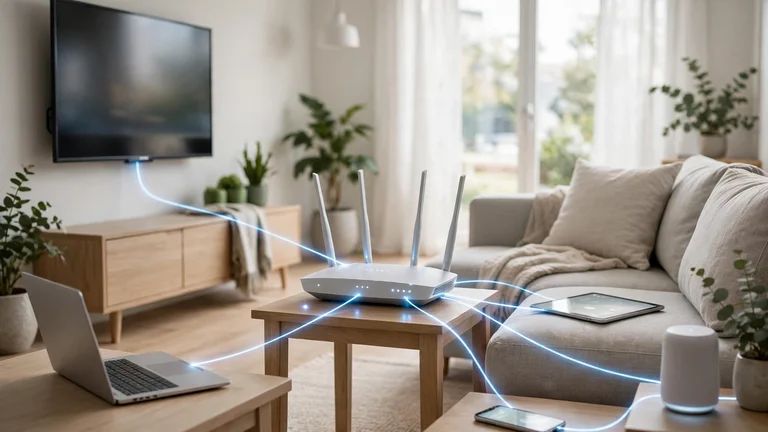
NordVPN is the best VPN for a whole house in 2026. It covers your home two ways: apps for individual devices and router configuration for network-wide coverage. A router setup needs compatible hardware and some configuration, so it suits households willing to set up their network once and protect every device on it.
See current plans and pricing
The Best VPNs for a Whole House at a Glance
The right pick depends on what you want. Do you prefer VPN apps on each device, or VPN routing for the whole network? A router can reach devices without VPN apps. But it needs compatible hardware, and it takes more setup.
| Pick | Best for | Whole-home approach or router support | Standout strength | Main trade-off |
|---|---|---|---|---|
| NordVPN | Balanced home use | Apps or compatible router | Broad device and router options | Router setup takes extra work |
| Surfshark | App-based coverage for households with many devices | Apps; router setup where supported | One account allows 10 devices | App coverage has a device limit |
| ExpressVPN | Router-based coverage | Apps or Aircove router | Dedicated router option | Router hardware is a separate setup |
| Proton VPN | Privacy-focused homes | Apps or compatible router | 10 connections | Router configuration takes technical steps |
| IPVanish | App-based coverage | Apps or compatible router | App and router options | Router compatibility affects setup |
| CyberGhost | Streaming-focused households | Apps or compatible router | Streaming-oriented service | Router setup may take extra work |
How I Evaluated VPNs for Whole-Home Use
I checked each VPN against manufacturer specs and support pages, independent reviews, and owner reports. I did not run my own speed, stability, or leak tests. Speed claims can vary a lot from one home to the next. I looked at router setup and compatibility on their own, apart from app usability and device limits. I also weighed how clearly each provider explains router support, connection limits, privacy audits, and plan terms.
NordVPN: Best for a Balanced Whole-Home Setup
Best for: households wanting a general-purpose option. NordVPN gives you both: apps for each device, and router configuration for the whole network. You can protect phones and laptops directly, or route devices through a VPN-enabled router. Router setup needs a supported router model and some configuration.
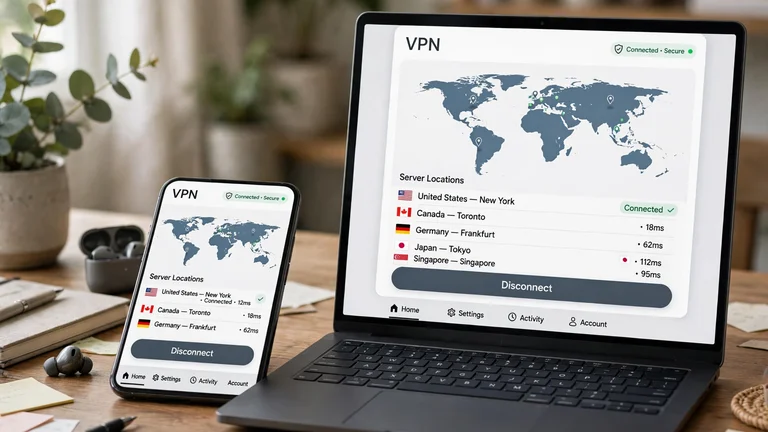
Apps are easier to manage on personal devices. A router, on the other hand, can cover smart TVs and gadgets that cannot install VPN software. That split is what makes NordVPN flexible. Its Threat Protection tools add controls in compatible apps. But a router connection does not turn them into whole-network malware protection. A VPN also does not replace device updates, strong passwords, or phishing protection.
The trade-off is effort. Router setup can take manual steps. And the features or protocols in the app may differ from what the router supports. Connection limits come from your plan, so count the devices that need app connections at the same time. Do not assume a router install removes account limits.
- Offers both individual-device apps and router configuration
- NordLynx is available in the apps
- Threat Protection tools add security controls in compatible apps
- Router setup takes more work than installing an app
- Router support and available protocols depend on the model and configuration
- App-based protections do not automatically carry over to every router-connected device
My verdict: I recommend NordVPN for households that want both app-based protection and a router option. If you want the simplest router setup, or you need a specific device limit, compare the alternatives first.
Surfshark: Best for Households With Lots of Devices
Best for: households with many personal devices. Surfshark allows up to 10 simultaneous connections on one account. That makes its apps a practical fit for a family’s phones, laptops, and tablets. Its network spans 100 countries, so you get a wide choice of VPN locations.
Surfshark supports router use, but setup needs a compatible router. A router connection does not always remove the account’s device limit. And a router needs enough processing power, which affects VPN performance.
- One account supports 10 simultaneous device connections
- Apps suit households with several personal devices
- Router use is supported
- Network spans 100 countries
- Router setup requires compatible hardware and configuration
- Router performance depends partly on the hardware
- The 10-connection limit may constrain a large household
My verdict: Surfshark suits households that can fit their personal devices within the 10-connection limit and prefer apps. Pick another setup if you need more connections or router-wide coverage.
ExpressVPN: Best for a Straightforward Router Setup
Best for: readers who want a simpler router-led setup. ExpressVPN’s Aircove is dedicated router hardware with its own app. It is different from manually configuring ExpressVPN on a compatible third-party router.
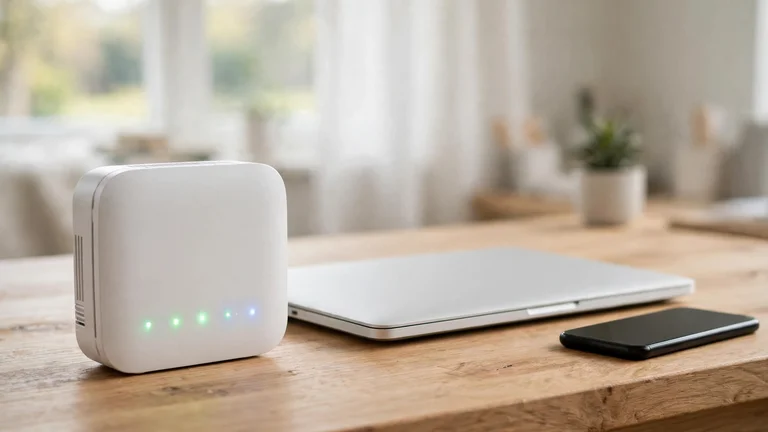
A purpose-built router can cut down setup work. The catch: you lose your choice of hardware, and it may cost more than using a router you already own. Third-party router support depends on the model. Review ExpressVPN’s Aircove details and its current guidance for compatible routers, plan requirements, and available features.
Router coverage does not mean every device is safe from malware or phishing. Keep device security and software updates in place. And test local printing and device discovery after you change network routing.
- Aircove provides a dedicated router-and-app route to whole-home VPN coverage
- Device groups can use different VPN locations
- Router-level coverage can include devices without VPN apps
- Aircove means choosing dedicated hardware rather than any router
- Third-party router setup depends on model compatibility and configuration
- Router coverage does not replace device security
My verdict: I recommend ExpressVPN when a straightforward, router-led setup matters more than hardware choice. Choose a different approach if you want to keep your current router without checking compatibility, or you would rather not buy dedicated equipment.
Proton VPN: Best for Privacy-Focused Homes
Best for: households that prioritize privacy features.
Proton VPN is a privacy-focused service with Secure Core routing, which sends traffic through multiple VPN servers. Its apps have publicly available source code. The paid plan supports up to 10 devices, which makes it a better fit than the free tier for households using VPN apps across several phones, computers, and tablets.
The free plan covers only a limited set of servers. That is fine for trying the service on one personal device. It is less flexible for a household that wants to pick from many server locations, or route all home traffic through a VPN. Router-wide coverage needs a compatible router and firmware, plus a plan that allows the setup. A router VPN can cover devices without apps, but it does not block phishing or replace device security.
- Secure Core adds a multi-server routing option
- Public app source code supports independent inspection
- Paid plan allows up to 10 devices
- Free plan has a limited server selection
- Router-wide setup requires compatible hardware and configuration
- Router coverage is less straightforward than installing apps
My verdict: I recommend Proton VPN for privacy-conscious households that are comfortable configuring a VPN. If your priority is getting every device online with little setup, choose a simpler option.
IPVanish: Best for App-Based Coverage Across Many Devices
Best for: app-based coverage across a large device mix. IPVanish has apps that household members can install on their own devices. That makes it a practical choice for families who prefer apps over router setup.
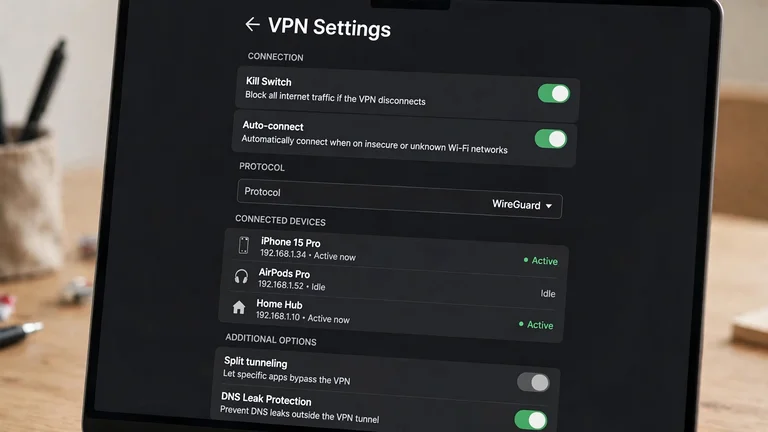
The app approach leaves out devices without a supported VPN app. A VPN-enabled router can cover more of the network, but setup needs router support and more work. IPVanish has servers in many locations. Still, location availability alone does not prove you can access a particular streaming service.
There is also a privacy caveat worth knowing. Records from 2016 showed IPVanish provided connection data to U.S. Authorities despite its no-logs claim at the time, as Ars Technica reported.
- One account plan covers 10 devices
- Apps support major desktop, mobile, and Fire TV platforms
- App installation avoids router configuration
- Devices without a compatible app are not covered by this approach
- Router-wide coverage requires separate configuration
- Its 2016 logging record is a relevant privacy concern
My verdict: I recommend IPVanish when app convenience matters more than covering every connected device through the router. For a home with smart devices that cannot run apps, choose a router-based setup instead.
CyberGhost: Best for a Streaming-Focused Household
Best for: households where streaming is a priority.
CyberGhost’s streaming-optimized server choices make it worth a look for homes that use a VPN mainly for streaming. Streaming availability can change, though, and app features vary by platform.
CyberGhost’s account plan covers up to seven devices. That sets a clear limit for app-based coverage. A compatible router can extend VPN coverage to devices without CyberGhost apps. But router setup needs manual configuration and VPN-client support. It also takes more setup than installing apps, and router hardware and VPN settings affect speed.
- Streaming-optimized server choices in the app
- App-based coverage for up to seven devices on one account plan
- Compatible-router setup can cover devices without VPN apps
- Streaming access is not guaranteed
- Router setup requires a compatible VPN client and manual configuration
- The seven-device account limit can constrain app-based coverage in a larger household
My verdict: I would consider CyberGhost for a household that prioritizes streaming and can work within its app device limit. For whole-home coverage, pick it only if your router supports VPN-client configuration and you are comfortable setting it up.
How to Choose the Right VPN for Your Whole House
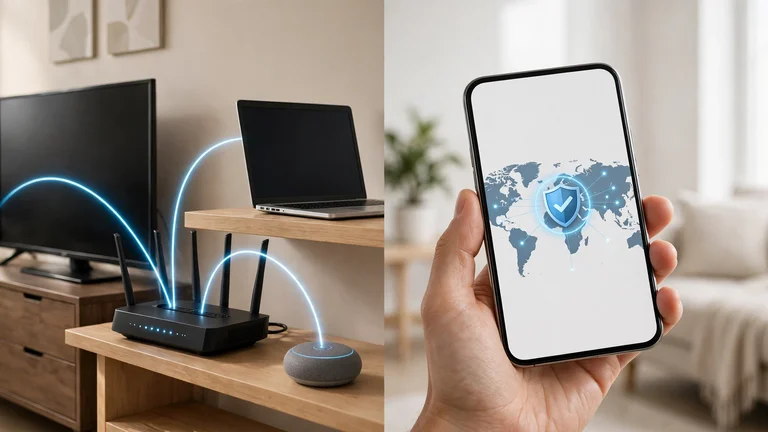
Pick router-level VPN coverage for devices that cannot run VPN apps. Install apps when you want simpler controls and selective protection. Router-level coverage needs VPN-client support on your exact router. Mesh systems and ISP-supplied gateways can limit what you can configure.
| Approach | What it covers | Main trade-off |
|---|---|---|
| VPN on a router | Devices routed through that router, including many smart-home devices | More setup; router capability and routing rules matter |
| VPN apps | Devices with a compatible app, controlled individually | Devices without apps remain outside the VPN |
| Mixed setup | Selected devices through the router, others through apps | More flexibility, but more settings to manage |
Router support or apps on each device?
A router VPN can cover connected devices that lack VPN software. But it does not guarantee every device uses the tunnel. Mesh or ISP systems may not support the setup you need. With apps, you can switch protection on or off per device. The downside: you have to install and maintain them one by one.
How many devices need the VPN at once?
Count the phones, computers, televisions, and other devices that will use apps at the same time. Surfshark’s account plan covers 10 devices, while CyberGhost’s plan covers seven. Router connections and device limits follow each plan’s terms. A router does not always bypass a limit.
What matters for speed, privacy, and price?
For gaming and video calls, use a nearby server and watch latency. Real-world speed depends on your home connection, router hardware, and settings. Compare renewal terms too. A VPN encrypts traffic to its server. But it cannot block every threat, prevent phishing, or stop a compromised smart device from being compromised.
Which VPN Fits Your Household?
Choose based on how your devices connect and how much setup you want to manage:
- A home full of personal devices: IPVanish suits households that prefer installing apps rather than configuring the router; its plan has a simultaneous-connection policy. Consult IPVanish’s official site for its current connection limit and terms.
- Smart-home devices without VPN apps: Use a VPN-compatible router so those devices can connect through the VPN. The router’s VPN-client support must match the provider’s setup instructions.
- Minimal setup: I’d consider ExpressVPN for a router-based setup, but compare its supported router options with the work involved in manually configuring your existing hardware.
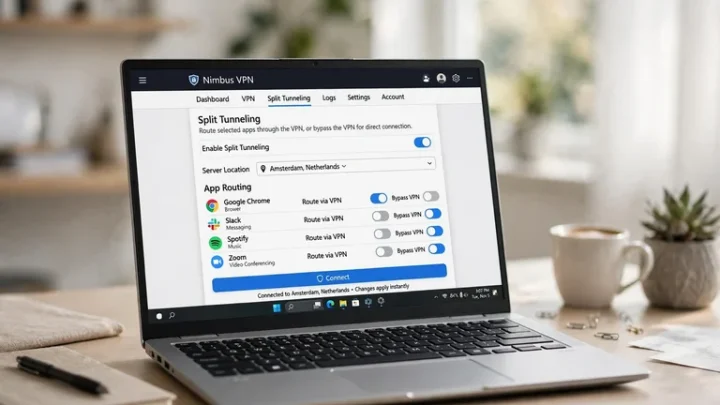
- Gaming, work calls, or video meetings: Try a nearby server, then route latency-sensitive devices outside the VPN if the connection suffers. A VPN can add latency, so whole-network coverage may not suit every activity.
- Privacy-first or budget-conscious homes:Proton VPN is the privacy-focused pick; Surfshark is the value-oriented option. A VPN can mask your public IP from sites and encrypt traffic to its server, but it does not make household members anonymous or prevent phishing.
Final Verdict
For most households, I recommend NordVPN as the best all-round choice for a whole-house setup. It supports router installation, which can cover devices that cannot run VPN apps. You can still use individual apps where that is more practical. The router must support a VPN client, and setup means configuring it.
Choose Surfshark if your priority is covering a busy household through individual apps. Pick ExpressVPN if you want to focus on a router-based setup. Proton VPN fits privacy-focused homes better, while IPVanish suits households that prefer app-based coverage. CyberGhost is worth considering when streaming is central — though streaming services may not accept a particular location.
A router VPN is not a replacement for device updates, strong passwords, or protection against phishing. It can also complicate local printing or smart-home discovery, so test those connections after setup. If you need gaming, work calls, and household devices to behave differently, a mixed setup may work better than routing everything through one VPN.
My verdict: What is the best VPN for a whole house? NordVPN is my overall pick for households that want a balanced router-and-app approach; choose another option when its setup better matches your devices and priorities.
See current plans and pricing
Sources and Further Reading
- ExpressVPN’s Aircove details (expressvpn.com)
Related reading:
- Trust.Zone VPN Review: Privacy and Value in 2026
- Avast Premium VPN Review 2026
- IPVanish VPN Review 2026: Is It Worth Buying?
Frequently Asked Questions
What is the best VPN for a whole house?
NordVPN is my overall pick for a whole-house VPN because it suits a balanced mix of router-level coverage and individual apps. Choose it when you want one service for household devices and can configure your router. Router compatibility affects whether the setup works and can affect local network access.
Can I put a VPN on my home router?
Yes, a home router can run a VPN client when its firmware supports that setup and the VPN service provides compatible configuration details. Installing a VPN on a router takes more configuration than installing an app on a phone or computer.
Does a VPN router protect every device in the house?
A VPN router covers devices whose traffic is routed through its VPN connection. It may not cover devices on a separate guest network, devices excluded by routing rules, or devices using a different connection. Test local printing and smart-home access after setup.
Is a router VPN better than installing VPN apps?
A router VPN can cover devices that cannot run VPN apps, while individual apps are easier to control device by device. I recommend a router for broad coverage and apps for selective use, such as leaving work calls outside the VPN. The router approach requires compatible hardware and can be harder to troubleshoot.
How many devices can use a home VPN at once?
The number of devices depends on the VPN provider’s simultaneous-connection policy and how the household connects. App installations may count devices individually; a router connection may be treated differently under a provider’s rules. Compare the plan’s device policy with the number of phones, computers, TVs, and other devices you’ll connect.
Will a whole-house VPN slow down my internet?
A whole-house VPN can reduce internet speed because traffic travels through an encrypted connection to a VPN server. Router processing power, VPN settings, server distance, and the number of active household devices affect performance. If calls or gaming become sluggish, test a nearby server or route fewer devices through the VPN.
Can a VPN protect smart-home devices?
A VPN router can route supported smart-home devices through the VPN even when those devices cannot run apps. That protects the connection to the VPN server, but it does not prevent malware, phishing, weak passwords, or device vulnerabilities. Keep firmware updated and test local discovery and control after setup.
Is there a free VPN for a whole house?
A free VPN can cover a whole house only if its service supports router configuration and its plan permits the household’s intended use. Free apps alone protect only devices where the app is installed. For router-wide coverage, compare router support and plan limits; Proton VPN is one option to assess for a no-cost starting point.

Similar Posts