Best VPN for multiple devices in a small household 2026
Lead SaaS Analyst at PCSaaS · Software Developer · 500+ Tools Tested · Google Ads & Analytics Certified · 8+ Years Experience
The best VPN for multiple devices in a small household is Surfshark. Its unlimited simultaneous connections cover phones, laptops and TVs under one plan. NordVPN is a solid backup with 10 connections. Proton VPN suits privacy-first homes. Bitdefender VPN fits homes that already use Bitdefender.
A small household should pick a VPN for the devices it actually uses, not just for the people who live there. Surfshark is the featured pick because it advertises unlimited connections, and that suits homes with lots of devices. NordVPN, Proton VPN and Bitdefender VPN fit different priorities. The right pick also needs apps that work on your household’s devices.
See current plans and pricing
The Best VPNs for a Small Household, at a Glance
A small household should choose a VPN based on its devices and the apps those devices support. Surfshark is the featured pick for homes with many devices. NordVPN is a balanced option for a mixed set of devices. Proton VPN has the strongest privacy message of the group. Bitdefender VPN is practical when a household already uses Bitdefender.
| Provider | Best for | Simultaneous connections | Longest term |
|---|---|---|---|
| Surfshark | Households with lots of devices | Unlimited | 2 years |
| NordVPN | Balanced mix of household devices | 10 | 2 years |
| Proton VPN | Privacy-focused households | 10 (paid plan) | Not stated in this article |
| Bitdefender VPN | Households already using Bitdefender | 10 | Not stated in this article |
For a household choosing one subscription, count the devices likely to connect together. Also note which platforms need apps. Shared devices can stay connected longer than personal ones, so include them in the count.
Connection limits, subscription inclusions and household-use terms can change. Before you subscribe, check the current plan details for the service you choose.
How I Evaluated VPNs for a Small Household
I compared the listed providers on connection limits, device apps, privacy information and setup options. I reviewed published product pages and supporting articles. I did not run hands-on tests. Connection counts, plan inclusions and device support were the main comparison points.
Surfshark: Best for a Household with Lots of Devices
Best for a household with lots of devices. Surfshark is a strong fit when several devices need to use the VPN together.
What stands out
Surfshark’s unlimited connections can suit a home where several devices need access together. The service advertises simultaneous connections without a device limit. That means no one has to choose which device stays connected. A household can connect phones, laptops, tablets and compatible TVs under one subscription, where supported.
Surfshark’s family VPN information describes using one subscription across household devices. Unlimited connections remove a common limit. They do not change which devices have compatible apps.
Surfshark’s longest subscription term is two years. A longer commitment may lower the effective cost per month. It also means paying for more months upfront. Review the renewal price and cancellation terms before you choose.
The trade-off
Unlimited connections solve the connection-count problem, not every household concern. People using shared accounts still need to follow the service’s account rules. A device without a supported app still needs another route, such as a VPN router. Privacy protections depend on the provider’s stated practices and any independent audits available for its service.
Pros
- Unlimited simultaneous connections
- Apps across common household platforms
- Simple coverage without counting devices
Cons
- Account rules still apply to sharing
- Some devices need router coverage
- Renewal price needs checking
My verdict: I recommend Surfshark for households that want one subscription to cover many devices. It also fits households that want simple device coverage without counting connections.
See current plans and pricing
NordVPN: Best for a Balanced Mix of Household Devices
Best for a balanced mix of household devices. NordVPN is a solid alternative, and our review covers the service in more detail.
What stands out
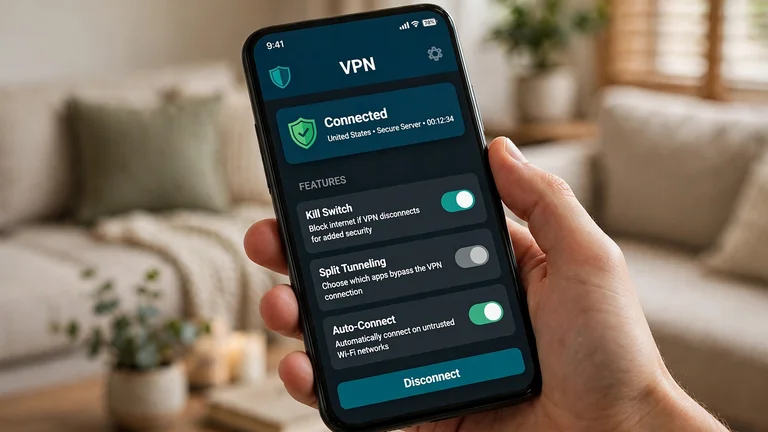
NordVPN suits households that want familiar apps across different operating systems. Install the app on supported devices and sign in with the same account. Connection limits apply to simultaneous use. So focus on the devices people expect to use together.
The 10-connection allowance is a simultaneous-use limit. It is not a promise that every device in the home can stay connected permanently. Shared TVs and always-on devices consume part of that allowance.
NordVPN’s longest subscription term is two years. A longer term can reduce the effective monthly cost. The household must also consider the renewal price and the total paid upfront.
The trade-off
NordVPN’s device allowance does not automatically mean every account-sharing arrangement is permitted. Households sharing one subscription should read the account terms. Check which uses the provider allows. Devices without apps, such as some smart TVs or game consoles, still require router coverage or a device with a compatible app.
Pros
- Familiar apps across operating systems
- 10 simultaneous connections
- Clear two-year term option
Cons
- 10-connection limit can be tight for large households
- Account-sharing rules need checking
- Some devices need router coverage
My verdict: I recommend NordVPN for a small household with a mix of supported devices. It works well when 10 simultaneous connections cover the devices people use together.
Proton VPN: Best for Privacy-Focused Households
Best for privacy-focused households. Proton VPN has a clear privacy message, and our review looks at the service in depth.
What stands out
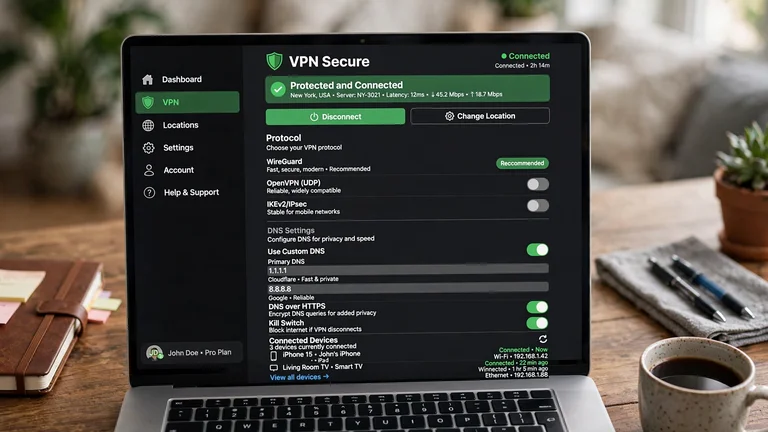
Proton VPN has apps for Windows, macOS, Linux, Android and iOS. People at home can connect laptops, phones and tablets. The account’s simultaneous connections allowance sets the practical device limit. On the paid plan, that limit is 10.
Proton VPN says its no-logs policy has undergone independent audits by Securitum. An auditor examined the service. The company says the findings support its no-logs claim.
For a household, each device needs a compatible app. People using the account rely on shared account information. Households should confirm who has access and how account changes are managed.
The trade-off
Proton VPN’s free and paid plans are not interchangeable. Compare the features in the plan you intend to use. Some features and device allowances differ between the free and paid plans.
Pros
- Independently audited no-logs policy
- Apps for Windows, macOS, Linux, Android and iOS
- 10 simultaneous connections on the paid plan
Cons
- Free and paid plans differ in features
- Household account sharing needs care
- Device allowance must cover expected use
My verdict: I would consider Proton VPN for a small household that prioritizes documented privacy practices. It works when the device allowance covers the devices expected to connect together.
Bitdefender VPN: Best for Households Already Using Bitdefender
Best for households already using Bitdefender. Bitdefender VPN can cover up to 10 devices at the same time.
What stands out
Bitdefender VPN can cover up to 10 devices simultaneously. The household needs to know how many devices will connect together. The practical test is whether 10 simultaneous connections cover the household’s active devices.
Bitdefender VPN is a service from Bitdefender, the security software company. I’d consider it when a household already uses Bitdefender antivirus or another Bitdefender security product. Bitdefender VPN is available as a separate service. A household can also consider Bitdefender Premium Security as a combined option.
The VPN supports Windows, macOS, Android and iOS apps. Those platforms cover common household laptops, phones and tablets.
A 30-day money-back guarantee is listed for the VPN. Bitdefender antivirus subscriptions can have terms of up to three years. The household should check the current VPN terms and cancellation policy before paying.
The trade-off
The main advantage is household convenience, not a special family account structure. Account access should be limited to people in the household, and sharing outside the household may be against the service’s terms.
Pros
- 10 simultaneous connections
- Fits households already using Bitdefender
- 30-day money-back guarantee listed
Cons
- No special family account structure
- Sharing outside the household may breach terms
- Device coverage depends on the 10-device allowance
My verdict: I’d choose Bitdefender VPN when a household already uses Bitdefender and wants its VPN from the same provider. It is most useful when the household’s simultaneous connections stay within the 10-device allowance.
How to Choose the Right VPN for Your Household
Choose a VPN by counting the connections your household expects to use together. Then match devices and applications to a plan. A plan can look inexpensive until you check renewal terms, connection limits and platform support.
Count simultaneous connections, not every device you own. List the phones, laptops, tablets, TVs and consoles that are likely to connect at the same time. Include shared devices that stay connected in the background.
Match the apps to your platforms. Look for suitable apps for each required system, including smart TVs and game consoles. Devices without a suitable app may need router coverage.
Agree on who can use the account. Read the account terms before sharing one subscription among household members. Confirm which uses the provider permits.
Compare the full term, not just the introductory offer. Review the renewal price, subscription length and cancellation terms before paying.
Choose router coverage only when it solves a real gap. A router can cover devices without compatible apps, but it adds setup work and may not suit every household.
Which VPN Fits Your Household Setup?
For two people sharing phones, laptops and a TV, NordVPN is the balanced-mix pick. For a device-heavy household, Surfshark’s unlimited connections are the practical advantage. For a privacy-first household, Proton VPN is the option to compare.
| Household setup | Consider |
|---|---|
| Many devices connecting together | Surfshark |
| Balanced mix of devices | NordVPN |
| Privacy-first household | Proton VPN |
| Already using Bitdefender | Bitdefender VPN |
A connection allowance does not tell you whether a service works on every device. Smart TVs may have limited or no native VPN apps, while game consoles often need a router or a device with a compatible app.
For a privacy-first choice, look for independently checked evidence, such as published audit reports, rather than relying on the provider’s claims alone.
Speed can be another trade-off when using a VPN. This article gives no sourced comparison figures. Compare the trial experience or published performance material from the providers before you decide.
My practical next step is to list the devices your household expects to connect, then compare each provider’s simultaneous connection allowance against that list.
Final Verdict
Surfshark is my overall pick for the best VPN for multiple devices in a small household. It offers unlimited connections, familiar apps and simple coverage for many devices. It avoids the need to count devices when choosing a plan.
Choose NordVPN if you want a balanced option across different household devices. Proton VPN is a better fit for households that prioritize documented privacy practices. Bitdefender VPN suits households that already use Bitdefender and want one provider for security and VPN coverage.
For a couple sharing phones, laptops and a TV, prioritize convenient apps and enough connections. A two-person household usually needs fewer simultaneous connections than a family with several devices.
My verdict: I recommend Surfshark for most small households seeking straightforward multi-device VPN coverage. When household priorities differ, choose the provider that best fits the devices, privacy needs and account terms you need.
See current plans and pricing
Sources and Further Reading
- Proton VPN’s download page (protonvpn.com)
- Proton’s audit information (protonvpn.com)
Frequently Asked Questions
What is the best VPN for a small household?
Surfshark is my best VPN pick for most small households because the recommendation prioritizes practical device coverage, the advertised unlimited simultaneous connections, and support for common household devices. The right choice still depends on the household’s devices and account terms.
How many devices should a household VPN cover?
A household VPN should cover the devices people expect to use together, not every device that has the app installed. Include phones, laptops, tablets, smart TVs and consoles in the simultaneous-connection count. Compare that count with the provider’s stated allowance.
Can one VPN account cover multiple people in the same home?
A Surfshark subscription can be shared under the provider’s account and use rules; review those terms before sharing. Other providers may restrict account sharing, so check the plan terms for each service.
Do VPN device limits mean simultaneous connections?
VPN device limits usually refer to how many devices can use a subscription at once, but providers may describe the rule differently. Read the plan terms to confirm whether the stated number means simultaneous connections or installed devices.
Should I install a VPN on every device or on a router?
NordVPN or another provider’s individual apps are usually simpler when household members want to control the VPN on their own devices. A router setup makes sense when a device has no supported app or when the household wants coverage for devices that cannot run the VPN directly.
Will a VPN slow down the internet if several people use it?
VPNs can reduce connection speed because traffic travels through an encrypted tunnel, and several simultaneous users can add load. The actual slowdown depends on the provider, server choice and connection quality.
Can I use a VPN on a smart TV or game console?
A smart TV can use a VPN when the provider supports its operating system; a game console may need a router-based setup or a device with a compatible app.

Similar Posts