Affordable Internet Security for Multiple Devices in 2026
Lead SaaS Analyst at PCSaaS · Software Developer · 500+ Tools Tested · Google Ads & Analytics Certified · 8+ Years Experience
For most households, Norton is the best affordable internet security for multiple devices. It covers up to 10 devices and bundles antivirus, a VPN, a password manager, and parental controls in one plan. Aura suits families who also want identity protection. TotalAV is worth a look if you want to compare entry-level and larger plans.
The right choice comes down to three things: device allowance, operating-system support, and renewal cost. Norton 360 is the top pick for households that want a broad security bundle in one subscription. Aura is the family-focused alternative. TotalAV is worth a look for entry-level and larger plans. Advertised limits do not mean every feature works the same on every device.
Key Takeaways
Best Internet Security on Multiple Devices: Our Picks at a Glance
Norton is the overall pick for households that want an all-in-one security suite. Aura is the family-focused alternative. TotalAV suits shoppers who want to weigh entry-level protection against a larger bundle. The best fit depends on the features your household will use, not just the number of devices a plan lists.
| Pick | Best for | Standout strength | Trade-off |
|---|---|---|---|
| Norton 360 | Households wanting a broad security bundle | Combines antivirus protection with other security tools | A larger suite may include features you do not need |
| Aura | Families looking beyond antivirus | Pairs security with identity-focused services | Compare the bundle’s included services with your household’s priorities |
| TotalAV | Shoppers comparing entry-level and larger plans | Gives buyers different bundle levels to weigh | Features and coverage depend on the selected plan |
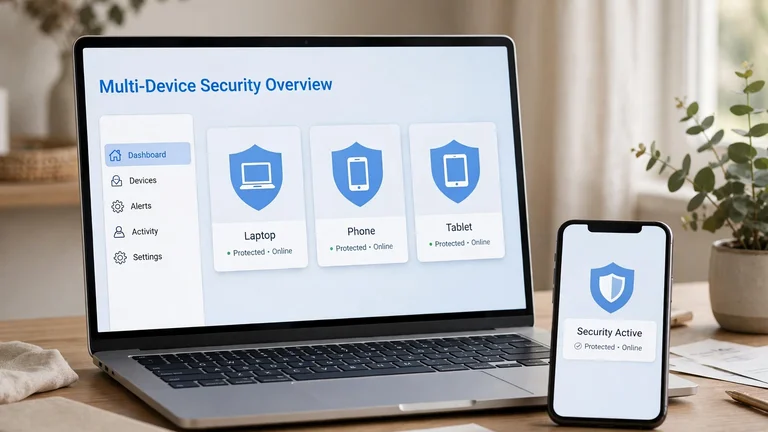
The table leaves out device counts and platform lists. Those details depend on the exact plan. Check the plan’s device allowance and its Windows, macOS, Android, and iOS support before you buy. Mobile apps do not always offer the same tools as desktop software, so features can differ by operating system.
An introductory offer and its renewal price are two different costs. A low first-term price may not show what you will pay to keep the plan. Compare the renewal amount. Then divide it by the number of devices your household will actually protect. A larger allowance adds little value if you will not use it.
For a mixed-device household, count computers, phones, and tablets separately. A plan’s stated device limit can mislead if some features are missing on a family member’s operating system. Norton, Aura, and TotalAV are the three picks to compare. Their plan names, allowances, features, and prices should match your device mix.
How We Evaluated These Multi-Device Security Suites
I compared Norton, Aura, and TotalAV on the factors that matter for a household: security features, operating-system support, device allowances, account management, and renewal terms. I did not run hands-on tests. My picks come from vendor specs, product docs, independent reviews, and owner reports — not my own malware-detection or speed tests.
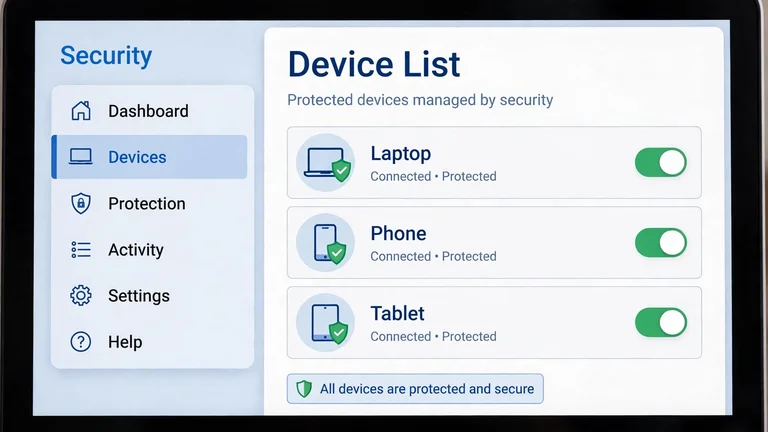
For Windows, macOS, Android, and iOS, I checked listed platform support. I also checked whether the same features work on every operating system. They often do not.
Norton: Best for Households Wanting a Broad Security Bundle
Best for: households that want one subscription for several computers and phones, plus bundled privacy and family tools.
Norton 360 Deluxe is the relevant multi-device plan here, with protection for up to 10 devices.
What stands out
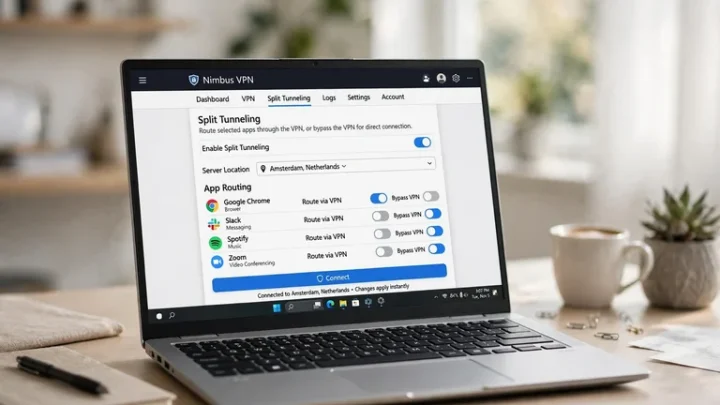
Norton 360 Deluxe brings several security tools together. That can cut the need to juggle separate subscriptions. Norton now lists device security, a VPN, a password manager, and parental controls among its suite features. The tools you get can differ by plan and platform. Norton 360 Deluxe’s current feature list describes the tier’s features.
Norton supports Windows, macOS, Android, and iOS. But the apps do not work in the same way. Windows and macOS get desktop security software. Android and iOS use mobile apps built for their systems. iPhones do not let antivirus apps scan the whole device the way desktop software scans a computer. So the iOS app does not protect in quite the same way as the Windows version. Norton’s mobile security details describe features available on each platform.
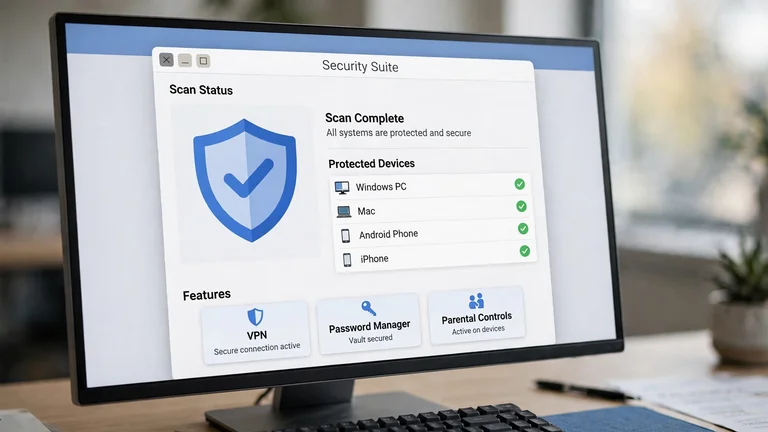
That difference matters in a mixed-device home. Norton can work well for a family with Windows laptops, a Mac, and smartphones. But the included features should match each person’s devices. Do not treat every install as the same. Its VPN can help protect your connection on public Wi-Fi. Parental controls are more useful for families that need to manage children’s online activity. A VPN does not replace antivirus protection. And a password manager does not protect a device from malware.
Norton’s bundled tools are a strength. But the suite can be more than a basic antivirus buyer needs. If you only want malware protection and already have a password manager or VPN, some of the added value may not matter. Compare the features you will actually use, not the number of tools in the bundle.
The trade-off
Norton’s plan names and included features can make it hard to compare tiers at a glance. The plan’s value still depends on the ongoing subscription cost. It also depends on whether its included tools suit your mix of devices.
The introductory offer and renewal price are separate figures. Compare the plan’s current renewal cost with the number of devices you expect to protect. Then divide that cost by the devices you will use. A low first-term price can be less appealing if the later charge changes your household’s yearly budget. Plan details and prices change, so review the current Norton 360 Deluxe terms before payment.
Norton also makes broad protection claims. But a single detection-rate figure cannot predict how every device will fare. Independent test results are tied to particular products, platforms, and test periods. The practical question is whether the suite’s coverage and features fit your household.
- Covers up to 10 devices
- Supports Windows, macOS, Android, and iOS
- Bundles a VPN, password manager, and parental controls
- Mobile app features differ from desktop protection
- Extra tools may be unnecessary for basic antivirus needs
- Renewal pricing can change the long-term value
My verdict: I recommend Norton 360 Deluxe for households that will use its broad toolset across a mix of devices and want one subscription to manage. I would skip it if you need only basic antivirus protection or would pay for bundled features you already have.
Aura: Best for Families Looking Beyond Antivirus
Best for: families who want device security alongside identity-related services. Its current plan details matter more than its brand name, so check the plan’s device allowance, included services, and renewal terms before choosing it.
What stands out
Antivirus and identity services protect in different ways. Antivirus helps defend supported devices against malicious software. Identity services focus on personal information and accounts.
The experience is not the same on every platform. Android security apps can provide mobile threat scanning and other device tools. iOS apps face platform limits that change what an antivirus app can do.
The family bundle makes the most sense when several household members will use its identity and safety tools.
Aura’s family and multi-device plan names, device allowances, and included services are specific to its current plans. Confirm the current plan details before choosing.
The trade-off
Aura is less compelling if the main goal is the lowest-cost antivirus subscription. Its identity services add value only when a household will use them.
For a family plan, count the devices that need coverage. Then decide whether identity monitoring and other included services justify the subscription cost.
- Combines antivirus with identity-related services
- Family and multi-device plans suit households with several users
- Supports desktop and mobile platforms
- Protection and features differ by operating system
- Identity services may be unnecessary for households seeking antivirus alone
- Plan allowances and renewal costs need comparison before purchase
My verdict: I recommend Aura for families who want identity services as well as antivirus and will use both parts of the bundle. I would skip it if device protection is your only priority or if its current device allowances and renewal cost do not fit your household.
TotalAV: Best for Shoppers Comparing Entry-Level and Larger Plans
Best for: shoppers comparing a basic antivirus plan with broader coverage for a household. TotalAV’s listed options include coverage for 10 devices and a larger option for 25, but the device limit and included tools are tied to the plan.

What stands out
TotalAV combines antivirus protection with web protection and additional security tools. That makes it worth comparing with a single-purpose antivirus subscription.
The available plans suit different household sizes, provided platform support matches the family’s devices.
TotalAV’s prices and renewal terms change. The available price figures do not point to one clear best-value plan.
The trade-off
TotalAV can be a practical choice when its entry-level plan covers your household and its included tools match the devices you use.
The first advertised price does not tell the whole affordability story. A low introductory offer may not reflect the renewal cost.
- Antivirus protection is paired with web protection and additional tools
- Listed coverage includes a 10-device option
- The best-value plan depends on how many devices your household actually uses
- Included features and support can differ by plan and operating system
- Introductory pricing alone does not show the renewal cost
My verdict: I recommend TotalAV for shoppers who want to compare a household-sized plan with a larger device allowance and are willing to compare plan options before buying.
How to Choose Software for Multiple Devices Without Paying for the Wrong Features
Choose a plan by matching its device allowance and operating-system support to your household. Then compare the renewal cost and the features you will use.
Count devices and check operating systems
Make a household inventory. Count each computer, phone, and tablet that needs protection. Include devices used by children and shared devices.
Match the plan to the actual platforms. Write down whether each device runs Windows, macOS, Android, or iOS. The specific subscription must support every platform you need.
Allow for the way you share devices. If family members use separate accounts, the provider’s license-assignment rules and account management matter.
Compare the full subscription cost
Compare the renewal price, not only the promotion. Record the amount charged for the first term and the recurring price after it. Divide the recurring price by the devices you will protect.
Pay for features you will use. A VPN can protect traffic on untrusted public Wi-Fi, while a password manager helps create and store unique passwords. Identity monitoring may suit some households, but skip extras you will not use.
Read the practical subscription terms. Rules on moving a license to a replacement device, sharing access with household members, and cancellation matter before you buy.
Before renewing an Internet Security Suite, compare the current device count and platform needs with the plan’s current terms.
Which Pick Fits Your Devices and Household?
Choose by counting the devices you actually use. Match each one to the plan’s supported platforms.
For a mixed Windows, Mac, and phone household: Start with Norton if you want a broad security bundle. Then compare its plan’s device allowance and included features with your device list.
For a family that wants extra identity services: Consider Aura when identity protection is a priority alongside device security. A family-oriented bundle makes sense when several members will use both parts.
For a tighter budget or a smaller device count: Compare TotalAV’s available plan options with the number and types of devices you need to protect. A smaller household may not need the largest plan.
The current plan’s device limit, platform support, included features, and renewal terms affect the value of any of these options. Introductory pricing can make a plan look cheaper than its recurring cost. Judge affordability over the period you expect to keep it.
Final Verdict
For affordable internet security for multiple devices, I recommend Norton as the overall choice for households that want a broad security bundle. Its appeal is the range of included protection and tools. It is less compelling if you would pay for features you already have or will not use.
Choose Aura if identity-related protection and family needs matter more to you than a traditional antivirus-first package. TotalAV is the better shortlist candidate if you are comparing entry-level and larger plans. Weigh the renewal cost and included features rather than judging by the initial offer alone.
Match the plan to the devices and operating systems in your household. A generous device allowance has little value if the plan misses a family member’s platform. A bundle is not a bargain when its extras go unused. The current device limit, platform support, renewal terms, and feature list are the key details before buying or renewing.
My verdict: I would choose Norton for most households seeking a broad, multi-device suite; pick Aura for family-focused identity needs or TotalAV when its plan and renewal terms better fit your budget.
Sources and Further Reading
- Norton 360 Deluxe’s current feature list (us.norton.com)
- Norton mobile security details (us.norton.com)
Frequently Asked Questions
What is the best affordable internet security for multiple devices?
Norton is the overall pick among affordable internet security options for multiple devices in this review. It covers up to 10 devices and bundles a VPN, password manager, and parental controls. I recommend it to households seeking broad protection in one subscription. Aura is a better fit when family identity features are a priority. TotalAV is worth comparing when its plan and renewal terms suit your budget.
Which internet security suite covers the most devices?
The internet security suite with the highest device limit depends on the specific plan, not just the provider’s name. Compare each plan’s stated allowance with the number of computers, phones, and tablets in your household. Supported operating systems also matter. A high device limit does not guarantee coverage for every platform.
Can I use one antivirus subscription on Windows, Mac, Android, and iPhone?
Norton, Aura, and TotalAV have plans for multiple devices. But supported platforms and features differ by plan and operating system. Windows, macOS, and Android can support antivirus functions. iPhone apps generally cannot scan the entire system like desktop antivirus software. Each platform’s included protections affect the fit of a subscription.
How do I protect all my family’s devices with one plan?
A family can use one multi-device plan if its device allowance and platform support cover everyone’s computers, tablets, and phones. Count devices first, including less-used ones. Then assign each to the account and install the correct app. A plan with family-focused identity features may suit households with those needs.
Is a multi-device internet security suite worth it?
A multi-device internet security suite is worthwhile when its covered devices match your household and you will use the included protections. A family that needs antivirus on multiple devices may benefit from one plan. Skip premium extras such as a VPN or password manager if you already have suitable tools.
What should I check before renewing an antivirus plan?
Norton, Aura, or TotalAV subscribers should compare the renewal price with the current plan’s device limit, supported platforms, and included features. A current device count and platform list show whether the renewal still covers the household’s mix. The lowest first-year offer is not always the best long-term value.

Similar Posts