UseArticle Review (2026): Honest Take After Real Research
Lead SaaS Analyst & Software Developer at PCSaaS · Software Developer (GitHub @Ratankarmakar) · Google Ads & Analytics Certified · 500+ SaaS Tools Tested · 8+ years in software engineering, B2B SaaS evaluation, AppSumo deal auditing, and performance marketing
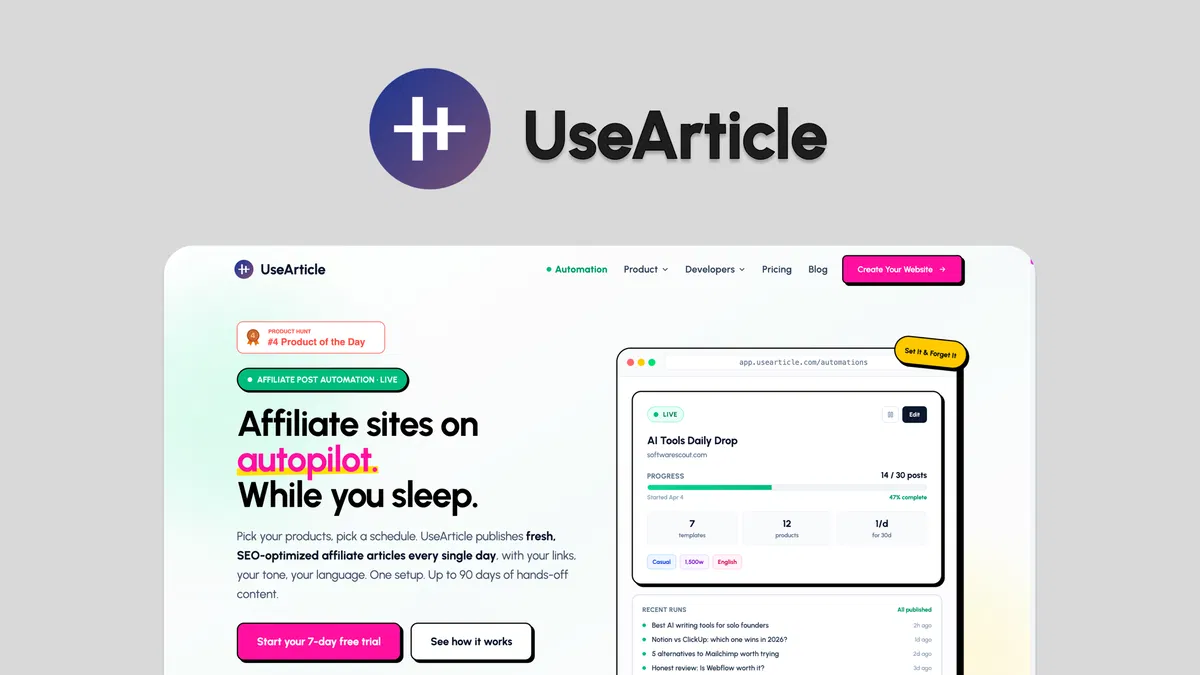
UseArticle turns a product URL into a finished, SEO-optimized affiliate post, then publishes it on a schedule you set once. That single loop is the entire pitch, and it is a genuinely different offer from the general-purpose AI writers that dominate this category.
Disclosure: This article contains affiliate links. We may earn a small commission at no extra cost to you when you sign up via our links, it's how this site stays free to run.
TL;DR Verdict
- Best for: Affiliate bloggers, niche site owners, and solopreneurs who need publishing volume without hiring writers.
- Headline price: $49 one-time for License Tier 1 on AppSumo (listed at $360), with Tier 2 at $119.
- Biggest pro: Real auto-publishing to your live site on a 90-day schedule, not just draft generation.
- Biggest con: Tier 1 caps you at 3 websites, 100 blogs, and only 2 daily automations.
- Trial status: No free plan, but AppSumo covers the purchase with a 60-day money-back guarantee.
Bottom line: if you already own a domain and a set of affiliate programs, Get the Lifetime Deal → is one of the cheapest ways to test automated publishing at scale.
What Is UseArticle?
UseArticle is an AI content automation platform built specifically for affiliate marketers, and it handles the full loop from product URL to live post. The vendor describes it as a way to schedule, generate, and auto-publish SEO-optimized affiliate content daily across any niche. The company was founded in September 2024 in Singapore, and the AppSumo listing carries the platform's Launchpad badge.
The job it solves is narrow and practical. Most affiliate site owners do not struggle to find products, they struggle to write about them consistently. A single product review can eat two to four hours once you factor in research, structure, internal links, formatting, and thumbnails.
Multiply that across forty products and you have accidentally taken on a part-time job.
UseArticle replaces that workflow with an automation. You pick products, choose a template and tone, connect your site, and it generates and publishes on a cadence you define. That places it closer to automated content publishing tools than to a chat-based writing assistant.
The distinction matters: drafting is the easy half, and getting posts out the door on time is the half that kills most affiliate sites.
Key Features That Matter
Daily auto-publishing on a set schedule
You configure an automation once and it keeps running without further input. According to the vendor, you can schedule posts up to 90 days ahead, and the system publishes fresh, SEO-tuned content to your site daily. For anyone running a niche site with a publishing target, this removes the biggest single bottleneck in the operation.
Thirteen affiliate article formats
The platform ships 13 templates covering product reviews, head-to-head comparisons, buying guides, and alternatives posts. Each format maps to a different search intent, so having comparison and alternatives layouts ready out of the box saves you from hand-building every structure. If you already write with a general assistant, this is the gap that AI drafting assistants leave wide open.
Built-in affiliate marketplace
You can search 90+ affiliate programs by niche, commission rate, and payout type from one dashboard. Adding a program lets you generate posts from it immediately, and your links and product data sit in a single organized hub. That is far less tab-switching than running the same process in a spreadsheet, which is roughly what managing partner links looks like without a dedicated system.
Editorial calendar with status tracking
Every automation gets a color-coded calendar showing generated, scheduled, and skipped posts by day. You see live progress for each automation, including posts completed and upcoming, and you can shift cadence without breaking anything already queued. Think of it as queuing posts in advance for a blog rather than a social feed.
Multi-site dashboard and automations
Tier 2 supports unlimited websites and up to 10 daily auto-publishing automations from one unified view. You can edit, pause, or scale any single automation without disrupting the rest. That matters when one niche underperforms and you want to move output elsewhere without rebuilding your whole setup from scratch.
BYOK, API access, and white-labeling
You can bring your own API key, connect through the API to n8n or custom stacks, and strip out UseArticle branding entirely. Auto-generated thumbnails and unlimited products come standard on both tiers. The BYOK option is the one power users care about most, because it moves generation costs onto your own provider rates instead of a platform credit system.
Teams already running automation workflow builders will find the API access the most useful part of the package.
Pricing Tiers (starts $49)
| Tier | Price | Best For | Free trial? |
|---|---|---|---|
| License Tier 1 | $49 one-time (listed at $360) | Solo bloggers running 1 to 3 niche sites | No, 60-day refund window instead |
| License Tier 2 | $119 one-time | Operators running multiple sites at volume | No, 60-day refund window instead |
| Standard vendor plan | Pricing on usearticle.com | Teams who miss the AppSumo window | Check the vendor site |
The AppSumo structure is simple: pay once, keep access for life. Tier 1 gives you 3 websites, 100 blogs per site, and 2 daily auto-publishing automations. Tier 2 lifts that to unlimited websites, unlimited blogs when you supply your own API key, and 10 automations.
Every feature on the list, including API access, custom domain support, priority generation, and branding removal, appears on both tiers, so you are effectively only buying scale. At $49 the entry point is low enough that a single affiliate site covering its own hosting costs is the only justification you need.
Pros and Cons
What works well
- Auto-publishes to your live site daily, not just generate drafts
- 90-day scheduling window lets you batch an entire quarter of content
- 13 templates cover the affiliate formats that pull real search traffic
- Marketplace with 90+ programs cuts manual link and product research work
- BYOK and n8n API access suit anyone with an existing automation stack
- $49 lifetime entry costs less than two months of most competing subscriptions
- White-label and custom domain support keep output on-brand for client projects
Where it falls short
- Tier 1 limits you to 3 websites and 2 daily automations
- The AppSumo listing shows just 2 reviews, so independent social proof is thin
- Nothing replaces editing if your niche needs original data or hands-on testing
- Google's spam policies still apply, and unreviewed mass publishing carries real risk
- No native social distribution, so getting content shared widely needs a second tool
- The vendor is young (founded 2024), so there is no long track record to lean on
Who Should Use UseArticle?
Solo affiliate bloggers publishing daily
If you run one to three niche sites and output is your bottleneck, Tier 1 was built for exactly this shape of business. You get 100 blogs per site and two daily automations, which is enough to keep a site looking active without a single manual writing session each week.
Content operators running several sites
Tier 2 is the volume play. Ten daily automations across unlimited websites means you can keep five niches fresh at once and push output toward whichever one is actually earning. Revenue tracking dashboards help you decide where that output should point next month.
Agencies selling affiliate content packages
White-labeling, custom domains, and multi-site management make this viable for client work. You build the automation once per client and let it run, then charge for strategy and editing rather than for drafting, which is where agency margins usually get squeezed hardest.
Who should skip it
If your authority comes from original research, lab testing, or expert interviews, an automated generator will not produce what your audience expects. The same applies if you rewrite every sentence before publishing, since that erases the time savings entirely. And if your income depends on one or two high-ticket programs, hand-written pillar content will outconvert volume publishing every time.
Alternatives to Consider
Copy.ai is a broader AI writing platform with more general marketing use cases, but it does not auto-publish to your blog on a schedule. Jasper offers stronger brand-voice controls and team workflows, though it bills monthly rather than as a one-time purchase. Article Forge focuses on long-form generation from keywords, but you still handle publishing, scheduling, and affiliate link management yourself.
Final Verdict
UseArticle is not a general AI writer, and judging it as one misses the point entirely. It is a publishing machine for affiliate sites, and the automation engine, marketplace, and 90-day scheduling window are genuinely useful when volume is what limits your growth. The trade-offs are real: thin independent reviews, tier caps, and the fact that search engines still expect helpful content no matter how it was produced.
For $49 in lifetime access with a 60-day refund window, the downside is small compared with what three months of a subscription alternative would cost.
If automated daily publishing fits your model, Get the Lifetime Deal →
Frequently Asked Questions
Does UseArticle have a free plan?
No. The AppSumo listing is a one-time lifetime purchase rather than a subscription with a free tier. What you get instead is a 60-day money-back guarantee, which functions as a risk-free trial period for most buyers.
How does UseArticle compare to Jasper or Copy.ai?
Those tools are general writing platforms that help you draft text. UseArticle starts from a product URL and ends with a published post, including scheduling, templates, and affiliate link management. If you already have a publishing workflow you trust, a general assistant covers the drafting step and nothing more.
Can I cancel anytime?
There is nothing to cancel. AppSumo lifetime deals are a single payment, so no recurring charge exists after checkout. Refund requests go through AppSumo within the 60-day window if the tool does not fit your workflow.
Is UseArticle worth the price?
At $49 it costs less than most AI writers charge per month. It pays for itself if the automation saves you a few hours of drafting, or if a single generated post earns one commission. Tier 2 at $119 only makes sense when you run multiple sites and need more than two daily automations.
Can UseArticle write for any niche?
The vendor states it supports any niche, and the marketplace covers 90+ affiliate programs across categories, confirmed on the official UseArticle site. Output quality still depends on the models behind your API key, so test one automation on your own topic before committing to a full 90-day schedule. If you sell physical products, looking at detailed write-ups like our coverage of budget tablets shows how much product specificity readers actually expect before they buy.

Similar Posts





















