Notion vs ClickUp: Which Workspace Fits in 2026?
Lead SaaS Analyst at PCSaaS · Software Developer · 500+ Tools Tested · Google Ads & Analytics Certified · 8+ Years Experience
ClickUp is better for structured project management, while Notion is better for documentation and flexible databases. Choose ClickUp when work needs owners, deadlines, and repeatable processes, or Notion when you need a flexible wiki and light planning. Use both only with a clear source of truth for each.
Notion vs ClickUp: The Short Answer
I recommend ClickUp when a team needs to assign work, track deadlines, and coordinate projects through repeatable workflows. Its project-management focus makes it the stronger fit when people need a clear view of task ownership, dependencies, and progress. The trade-off is a more structured workspace that can take longer to configure and learn.
Notion is the better choice when the main job is organizing documents, internal knowledge, notes, and flexible databases. Its document-centered approach lets teams connect written guidance with lightweight planning, without making project controls the center of the workspace. That flexibility can become a limitation when a team needs detailed oversight of complex projects.
The decision is less “Which tool has more features?” and more “Where should the team’s work live?” A product team managing handoffs and deadlines will usually benefit more from ClickUp’s task-focused structure. A small organization building a searchable wiki, meeting notes, and linked databases will usually find Notion easier to shape around its information. That is the core distinction in Notion vs ClickUp: structured execution or flexible knowledge work.
Team size alone does not settle the choice. A small team with dependencies, recurring processes, and several people accountable for delivery may need ClickUp’s operational structure. A larger team focused on shared documentation may prefer Notion, provided it can keep its pages and databases organized. For a team that needs both project control and a substantial knowledge base, using both is an option, but only if each has a distinct role and a clear source of truth.
My short answer: choose ClickUp for coordinated execution and Notion for knowledge work. The central trade-off is purpose-built work controls versus a flexible, document-centered workspace; the better fit depends on workflow complexity and information needs, not headcount alone.
At a Glance
ClickUp is the stronger starting point for structured project execution, while Notion is better suited to documentation and flexible knowledge management. The table highlights the provisional winner for each decision area; plan limits, settings, and product changes can affect which features are available to your team.
| Criterion | ClickUp | Notion | Provisional winner |
|---|---|---|---|
| Task and project management | Built for tracking assigned work, deadlines, dependencies, and project status. Gantt views support timeline planning; available views and controls can depend on plan and setup. | Databases can track tasks in board, calendar, and other views, but teams may need to configure properties and workflows themselves. | ClickUp for structured projects |
| Documentation | ClickUp Docs keeps written material alongside project work, which helps when a process guide needs to sit near its tasks. | Notion pages, nested content, and databases suit linked documentation, team wikis, and reference material. | Notion for knowledge bases |
| Automation | Supports workflow automation for reducing repeated actions; what teams can automate may depend on plan and configuration. | Can support automated workflows, but the right fit depends on the specific process and available integrations or plan features. | ClickUp for operational workflows |
| Reporting and visibility | Dashboards and workload-oriented views help teams review project progress and work distribution. Setup and reporting features may vary by plan. | Database views can summarize and filter tracked information, but teams may need to build their own reporting structure. | ClickUp for project oversight |
| Collaboration | Combines task discussions and docs around project work, making it practical when collaborators need to act on shared assignments. | Supports shared pages and databases, making it practical for teams editing and maintaining shared information. | Tie, based on the team’s work |
| Ease of use | Its project controls and configuration options can take time to learn and organize. | Flexible pages and databases are approachable for simple workspaces, but complex setups still need consistent structure. | Notion for a lighter start |
| Integrations | Connects project work with external services, including Slack and Zapier; integration availability can depend on the service and plan. | Also connects with external services such as Slack and Zapier; the useful choice depends on the team’s existing workflow. | Tie, based on required apps |
| AI | ClickUp Brain supports AI assistance within ClickUp workflows. Access and included capabilities can change by plan or add-on. | Notion AI can assist with work involving Notion content. Access and included capabilities can change by plan or add-on. | Tie, based on the AI tasks needed |
| Pricing and value | Paid plans and optional AI costs should be weighed against project controls the team will use. | Paid plans and optional AI costs should be weighed against documentation and database features the team will use. | Tie, based on total needs |
For a team managing owners, deadlines, and dependencies, ClickUp’s controls may justify its extra setup. For a team whose daily work centers on pages, a wiki, and connected databases, Notion is the more natural fit. The best overall choice in Notion vs ClickUp depends on the workflow the team needs to support most.
How I Evaluated ClickUp and Notion
I compared ClickUp and Notion across work coordination, knowledge management, automation, reporting, usability, integrations, AI, and total cost. I did not conduct hands-on tests, so I distinguish vendor-published capabilities from my recommendations about which workflows those capabilities suit.
For product capabilities, I used the vendors’ documentation and plan information, including ClickUp’s pricing page and Notion’s pricing page. These sources describe what each company says its product and plans include; they are not independent evidence of how a feature will feel in a particular workspace. I considered owner reports as context, but did not treat individual experiences as guarantees.
Project and Task Management: ClickUp Wins in Notion vs ClickUp
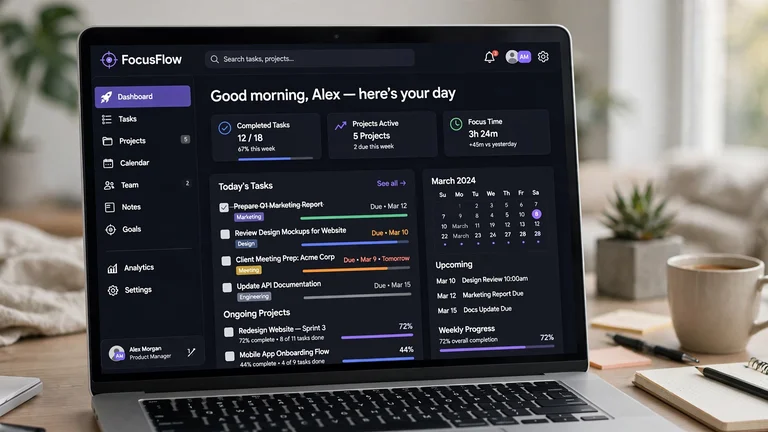
ClickUp is the stronger choice when a team needs to coordinate work across projects, with assigned tasks, dependencies, and capacity views. Notion can track work in databases, but building a reliable workflow requires more of the team to design and maintain its own structure.
| Project need | ClickUp | Notion | Winner |
|---|---|---|---|
| Representing work | Tasks, subtasks, and checklists | Database entries | ClickUp for hierarchy |
| Tracking progress | Statuses, owners, due dates, and priorities | Properties such as status, assignee, and date | ClickUp for workflow control |
| Planning views | List, Board, Calendar, Gantt, and Workload views | Table, Board, Calendar, and Timeline views | ClickUp for project planning |
| Dependencies | Tasks can be linked so prerequisite work is visible | Dependencies can be represented in database views | ClickUp for connected workflows |
| Capacity planning | Workload view helps surface assigned work | Requires a database setup suited to the team | ClickUp for workload visibility |
Workflow structure and task views
The practical difference is that Notion starts with a flexible task database, while ClickUp provides a more structured project workflow. In Notion, a team can create tasks as database entries, add properties for status, owner, and due date, then view the same information as a table, board, or calendar. That flexibility suits a small editorial calendar or a shared list of office tasks.
ClickUp organizes work into tasks and subtasks, with fields such as assignee, due date, priority, and status. ClickUp may suit teams that need structured project planning. For example, a launch team can use a board to move tasks through stages and a Gantt view to see how work is scheduled across the project.
Some advanced views and usage limits are plan-dependent in both products. ClickUp’s broader planning options can also add setup and navigation overhead; a team with one simple checklist may not benefit from configuring a more elaborate workspace.
Dependencies, recurring work, and capacity
ClickUp is better when one task cannot start until another is complete. ClickUp may suit teams that need structured project workflows.
Notion can connect task information in databases and present it in different views, including Timeline. That can be enough when the team mainly needs a shared schedule or a lightweight way to see what is in progress. A database, however, does not automatically create the same operational structure as a project workflow: teams must decide how to represent dependencies, recurring work, and capacity, then keep those conventions consistent.
ClickUp’s depth is useful for work with handoffs, blockers, and recurring stages, but it asks teams to adopt more structure. Notion is easier to shape around a simple process, although more of the planning logic rests on the workspace design.
My verdict: I recommend ClickUp for projects with dependencies, repeatable processes, or workload planning. I would choose Notion for straightforward task lists where flexible databases matter more than project controls. For Notion vs ClickUp, the deciding factor here is how much project structure the team needs.
Documentation and Knowledge Bases: Notion Wins in Notion vs ClickUp
Notion is the stronger choice when the main job is writing, organizing, and finding shared knowledge. Its flexible pages and database-linked content suit meeting notes, standard operating procedures, and a team handbook; ClickUp Docs are more compelling when reference material needs to sit close to active tasks and projects.
Writing and organizing team knowledge
Notion’s page-based workspace lets a team build a handbook with nested pages, keep meeting notes in a shared system, and connect documents to databases. Its block editor supports flexible page layouts, so an SOP can combine written steps with structured information without forcing every document into the same format. Notion Docs describes its docs and connected workspace. Notion’s pages and databases let teams organize written guidance alongside related information.
ClickUp Docs supports writing and formatting pages, embedding content, and organizing reference material alongside project work. That can be useful when a team needs a brief or process guide close to the tasks that use it. ClickUp’s Docs feature is designed to connect documentation with work in the platform. ClickUp’s Docs keep reference material close to the tasks and projects it supports.
| Documentation need | Notion | ClickUp | Better fit |
|---|---|---|---|
| Team handbook and nested reference pages | Flexible pages and hierarchy | Docs organized within workspaces | Notion |
| Meeting notes and SOPs | Pages can be shaped around the team’s structure | Docs can stay near related tasks | Notion for knowledge organization |
| Information linked to structured records | Pages can connect with databases | Docs can sit alongside projects and tasks | Notion for database-linked content |
| Reference material for active projects | Possible, but requires workspace conventions | Docs are close to project work | ClickUp |
Both products can support reusable document patterns through templates. I recommend setting a shared template for recurring meeting notes and SOPs, then deciding where each document belongs before the library grows. Otherwise, similar information can end up scattered across pages, Docs, and task descriptions.
Keeping documents connected to active work
Notion’s advantage is the relationship between pages and databases: a team can organize knowledge by project, topic, or owner while keeping documents connected to structured records. For example, a product team can maintain project notes and link them to a database of initiatives. The trade-off is that the team must design and maintain that structure.
ClickUp Docs suit teams that want a project brief, process guide, or reference document near the tasks it supports. That reduces the distance between instructions and execution, but ClickUp’s documentation structure may feel less natural for a knowledge base where readers browse across topics rather than follow project work.
Search helps in either workspace, but it cannot fix unclear naming or duplicate documents. Agree on a home for each type of information, use consistent page titles, and assign an owner to shared reference material. A team handbook, for instance, should have one canonical location rather than copies embedded in several project spaces.
My verdict: I recommend Notion for teams whose primary need is a searchable, connected knowledge base. I would choose ClickUp Docs when documentation mainly supports tasks already managed in ClickUp. In Notion vs ClickUp, Notion has the advantage when documents are the main workspace.
Automation and Operational Reporting: ClickUp Wins in Notion vs ClickUp
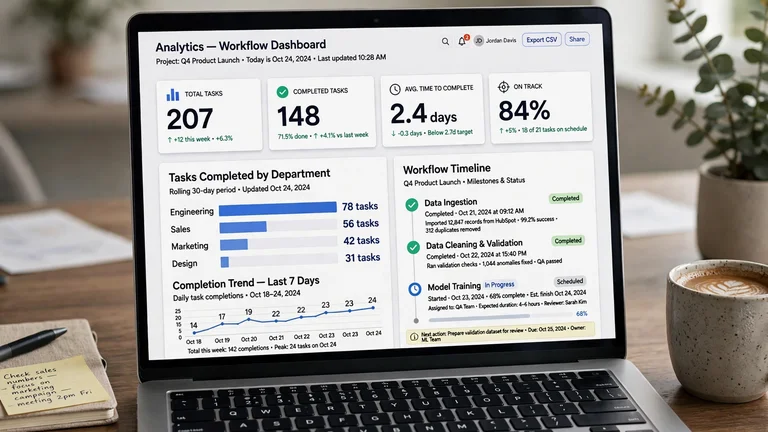
ClickUp is the stronger choice when a team needs task changes to trigger repeatable actions and managers need a shared view of work across projects. Notion can automate database workflows and summarize structured information, but ClickUp’s task-centered setup is better suited to operational coordination.
| Need | ClickUp | Notion | Winner |
|---|---|---|---|
| Route work after a status change | Automations can trigger actions from task changes | Database automations can act on database events | ClickUp |
| Summarize structured information | Dashboards and task views report on work | Database views, charts, and summaries show database information | Depends on scope |
| Track work across projects | Centralized task and dashboard views support broader oversight | Reporting is tied more closely to the databases and pages you organize | ClickUp |
| Keep reporting lightweight | Dashboard configuration can be more than a small team needs | Database views are a simpler fit for basic tracking | Notion |
Automating repeatable steps
Both products can reduce manual updates, but ClickUp has the edge when an automation needs to support a defined task workflow. For example, a team could set up a task-status change to trigger a follow-up action, such as assigning the next owner or moving work into a new stage. That reduces routine coordination, though the team still needs clear statuses and ownership rules.
Notion may suit teams whose processes center on databases. That works well for lightweight workflows such as updating a request record. For a workflow that spans multiple tools, a service such as Zapier may be needed; that adds another system to configure and maintain.
Winner: ClickUp for task-based automation. Notion is a reasonable fit when the process is simple and centered on a database. Neither tool’s automation removes the need to define what should happen when a task changes.
Seeing progress across projects
ClickUp may suit teams that need operational visibility across projects. Dashboards and task views can bring project information into a shared reporting space. The limitation is that useful reporting depends on teams keeping task statuses, owners, and other tracking fields up to date.
Notion may suit teams that need lightweight tracking. A content team, for example, can see which entries are in draft or ready for review when those stages are tracked in a database. That is useful visibility, but it is not the same as a broad operational dashboard spanning several active projects and team workloads.
Winner: ClickUp for cross-project visibility; Notion for simple database summaries. A small team tracking a handful of requests may not need a dedicated dashboard at all. A manager coordinating several projects is more likely to benefit from ClickUp’s consolidated views.
My verdict: I recommend ClickUp when recurring task changes and progress reporting are part of daily operations. I would choose Notion for simple, database-based tracking where a full dashboard would add setup without answering a real management question. This is one of the clearest Notion vs ClickUp differences for teams that need operational reporting.
Ease of Use and Adoption: Notion Wins for a Simpler Start
For a quick start, Notion is easier for most new users, while ClickUp’s broader project controls can take more deliberate setup and team guidance. A solo user can begin with notes or a basic page; a team rollout in either product needs shared rules if people are expected to organize work consistently.
| Adoption factor | Notion | ClickUp |
|---|---|---|
| First week for an individual | Start with pages, notes, and simple databases | Learn task structure and select useful views |
| First week for a team | Agree on page and database conventions | Configure workflows, statuses, and responsibilities |
| Main adoption risk | Content becomes inconsistent or hard to find | Too many controls make the workspace feel complex |
| Better fit | Lightweight, flexible workspaces | Structured project operations |
For an individual, Notion’s page-based workspace makes it straightforward to capture notes, create a simple knowledge base, or track a small project in a database. The low barrier to starting is valuable when someone wants a workspace that can evolve rather than a predefined project system. The trade-off is that flexible pages do not impose a shared structure: even a small team should agree on naming, where information belongs, and which databases are authoritative.
ClickUp can ask more of a new user because its task and project controls require choices. A team may need to decide which statuses to use, how work is assigned, and which views answer its day-to-day questions. If those decisions are left open, people can set up overlapping workflows or use the same workspace in different ways. A short orientation and a deliberately limited starting configuration can reduce that friction.
The learning curve depends on the role. Someone who only needs to read documentation may find ClickUp’s controls unnecessary, while a project lead may value the structure once it is configured. Notion’s open-ended approach can also become harder to navigate as pages and databases multiply, so a fast start does not remove the need for ongoing organization.
Winner: Notion for a quick, lightweight start; ClickUp for teams willing to invest in setup to support structured work. For example, a small group collecting meeting notes and tracking a few requests can start simply in Notion. A team coordinating work across defined stages may prefer ClickUp’s controls, provided it sets up a shared workflow and gives members enough guidance to use it. In Notion vs ClickUp, the easier start does not always mean the better fit for long-term project work.
- Pages and simple databases are approachable for new users
- Flexible structure suits notes and lightweight planning
- Teams can shape the workspace around their own conventions
- Well suited to wikis, documentation, and shared knowledge
- Flexible pages and databases can organize different kinds of information
- Supports lightweight planning alongside reference material
- Open-ended organization can make content inconsistent
- Growing workspaces need rules to stay easy to navigate
- Teams need to impose structure to keep pages and databases consistent
- Complex project coordination may need more task-management structure
- Structured task controls support defined workflows
- Teams can configure how work is organized
- A shared setup can make project processes more consistent
- Suits deadline-driven projects with clear owners and task dependencies
- Supports recurring workflows and team-level operational visibility
- Keeps project tasks and related work in one workspace
- More choices can increase onboarding effort
- Poorly planned configuration can make the workspace harder to use
- More configuration can mean a steeper start for a small team
- A complex workspace can make routine work harder to scan
My verdict: I recommend Notion for individuals and teams that want to start with lightweight pages and databases. I would choose ClickUp when the team needs structured project controls and is prepared to set them up and explain them.
Integrations and AI: Choose by Workflow
Notion is the better fit when integrations and AI need to support shared knowledge; ClickUp is stronger when they need to support project execution. Both connect with external tools and provide APIs, but the useful comparison is whether a connection supports the exact data and actions your workflow requires. For Notion vs ClickUp, choose based on where the connected information and work already live.
| Workflow | Notion | ClickUp | Better fit |
|---|---|---|---|
| Knowledge and reference material | Connects pages, databases, and workspace information | Keeps project documentation alongside tasks | Notion |
| Project coordination | Can link information to lightweight planning | Connects tasks, projects, and operational workflows | ClickUp |
| Third-party automation | API and services such as Zapier can connect workspace data | API and automation tools can connect work-management flows | Tie; compare the specific triggers and actions |
| AI-assisted work | Supports searching, summarizing, and working with knowledge | Supports assistance with task and project information | Depends on the work |
For integrations, start with the apps your team cannot replace, such as Slack, then inspect what each connection actually does. A Slack connection that sends notifications is different from one that can also update records. Check whether a must-have integration supports the right direction of sync, permissions, and plan. Notion documents its API for workspace connections; ClickUp documents its API. Zapier can also connect workflows, but third-party automation adds another place to manage permissions and troubleshoot failures.
Notion AI is the better fit for knowledge-centered work: finding information in a workspace, summarizing material, or helping draft and organize content. ClickUp Brain is better aligned with work-management tasks, such as summarizing project information and assisting with tasks and project context. The distinction is practical: a team writing and retrieving internal guidance will get more value from Notion AI, while a team coordinating active work will likely prefer ClickUp Brain. See the vendors’ descriptions of Notion AI and ClickUp Brain.
Access to AI features, available models, usage limits, and pricing can vary by plan and change over time. I would compare the specific AI tasks your team needs, not the tools’ feature labels: test whether the relevant plan can use the information you need and whether its limits suit routine work.
For a knowledge-focused team, choose Notion’s connected pages and AI-supported knowledge workflows. For a team that needs project information tied to task execution, choose ClickUp’s work-management-centered integrations and AI. Neither is a universal winner; a small team may prefer the simpler system that already holds its source information.
ClickUp vs Notion Pricing and Value
The better value depends on whether you need a work-management system or a knowledge workspace. Compare plans by the features your team will actually use, the number of paid seats, and whether AI or higher-level controls add cost; a low starting tier can be poor value if it leaves essential workflow needs unmet. In Notion vs ClickUp, compare the plans against the work each product will handle.

Compare the plans you would actually use
Notion’s Free plan is a practical starting point for individual notes and lightweight databases, while ClickUp Free Forever includes unlimited tasks. Their free limits matter differently: Notion’s free plan limits uploaded files to 5 MB per file, and ClickUp Free Forever has 60 MB of storage. A team that shares larger files or needs consistent administration may outgrow either free option for different reasons.
| Plan to compare | Better fit | Cost factors to include |
|---|---|---|
| Notion Free | Personal notes and a small knowledge base | File-upload limit; team requirements |
| ClickUp Free Forever | Individual or basic task tracking | Storage limit; collaboration needs |
| Notion Plus | Shared documentation and databases | Paid seats; required team features |
| Notion Business | Teams needing more advanced controls or AI access | Seat count; AI inclusion and limits |
| ClickUp Unlimited | Teams organizing projects and recurring tasks | Paid seats; required views and workflow features |
| ClickUp Business | Teams needing broader project oversight | Seats; automation, reporting, and AI needs |
Plan names and included features can change. I would use the Notion pricing page and ClickUp pricing page for the current monthly or annual billing basis before budgeting. Do not compare an annual-billing rate with a month-to-month rate as though they were equivalent.
Estimate the total cost of your setup
For a team of five, start with the number of people who need paid access, then multiply by the applicable per-seat rate and billing period. Repeat the calculation for your expected team size after growth. The same plan can have very different value for a solo user and a team that needs every member to collaborate in the workspace.
Next, list the features that affect your workflow. A project team may need automation, reporting, or time tracking; a documentation-first team may prioritize shared knowledge and AI access. Check whether the plan you are comparing includes the needed capability or whether it involves an additional charge. I would not assign a value to an add-on until you know who needs it and how often they will use it.
Third-party tools can change the total too. For example, if your team depends on Slack or Zapier to connect its workflow, include those services in your own budget rather than treating them as part of either platform’s plan. Avoid paying for overlapping systems unless each has a defined job.
ClickUp can be better value when a team will use its project-management features in one workspace. Notion can be better value when shared documentation and flexible databases are the main needs. A small team with straightforward work may get enough from a free plan; a team that needs permissions, reporting, or AI should compare the relevant paid plans and total seat cost, not just the entry tier. That makes the Notion vs ClickUp cost decision a matter of needs and total setup, not just plan names.
Choose ClickUp or Notion for These Situations
Choose ClickUp when the team’s main problem is coordinating execution; choose Notion when people need to create, organize, and find shared information. Using both makes sense only when each platform has a distinct job and a clear source of truth. This is the practical decision behind Notion vs ClickUp.
Choose ClickUp if…
I recommend ClickUp for deadline-driven projects with assigned owners, dependencies, recurring workflows, or managers who need to see work status across a team. For example, a delivery team can use ClickUp to coordinate tasks, track project progress, and surface blockers without relying on a separate document as the main tyKeeps project tasks and related work in one workspace✗ ConsMore configuration can mean a steeper start for a small teamA complex workspace can make routine work harder to scan
My verdict: I would choose ClickUp for teams coordinating repeatable work, deadlines, and handoffs. I would skip it if the team mainly needs a simple place for notes and reference material.
Choose Notion if…
Notion is the better fit when the team’s daily work centers on a wiki, documentation, meeting notes, or flexible information organization. A growing team handbook, for example, can combine written guidance with databases that organize related information. That makes Notion useful when people need to connect knowledge, rather than manage every piece of work as a formal project task.
The trade-off is that Notion’s flexibility puts more responsibility on the team. Without shared rules for page ownership, database fields, and where information belongs, the workspace can become inconsistent. Lightweight planning can work well, but teams with complex dependencies or detailed operational reporting may need a more structured project workflow.
My verdict: I would choose Notion for documentation-heavy teams that want a flexible knowledge base. I would skip it as the only work hub when deadlines, dependencies, and operational visibility drive the workflow.
When using both makes sense
ClickUp and Notion together can work when project execution and team knowledge need different homes. Use ClickUp as the source of truth for task owners, deadlines, status, and project progress; use Notion as the source of truth for policies, process guides, and reference documentation. A ClickUp task can point to a relevant Notion page, while the page explains the process rather than duplicating a live task list.
The cost is ongoing upkeep. If people copy task details into Notion, or maintain competing versions of a process in both tools, information can drift and staff may not know which record to trust. I recommend using both only when the distinction is clear, users know where to create and update each type of information, and the benefit outweighs managing two workspaces.
Final Verdict
For teams that need to coordinate projects, assign ownership, manage dependencies, and track execution, I recommend ClickUp. Its project-management structure is better suited to repeatable operational work, though teams should be prepared to configure the workspace and help people learn its hierarchy.
Choose Notion if your main need is a flexible home for documentation, wikis, notes, and connected databases. Notion makes it easier to shape information around how your team thinks, but it is less suited to managing complex work that depends on consistent task processes and project visibility.
For a small team, the deciding question is whether the daily bottleneck is finding and maintaining knowledge or coordinating work. A documentation-first group should start with Notion; a project-first group should start with ClickUp. Using both can make sense when each has a clear role, but maintaining two systems adds work and risks conflicting information.
In the Notion vs ClickUp decision, there is no universal winner: the right choice is the platform that matches your primary workflow and that your team will keep up to date.
My verdict: I would choose ClickUp for project and operations management, and Notion for knowledge management. I would skip the two-tool setup unless the team can maintain a clear source of truth in each.
Sources and Further Reading
- ClickUp’s pricing page (clickup.com)
- Notion’s pricing page (notion.com)
- Notion Docs (notion.com)
- Docs feature (clickup.com)
- API for workspace connections (developers.notion.com)
- API (clickup.com)
Frequently Asked Questions
Is ClickUp better than Notion?
ClickUp is better than Notion for teams managing projects with assigned tasks, deadlines, dependencies, and repeatable workflows. Notion is the stronger choice for documentation, wikis, and flexible databases. A small team with simple planning needs may find Notion easier to shape, while teams that need detailed work tracking should start with ClickUp. In Notion vs ClickUp, the better choice depends on which type of work needs more structure.
Should I use Notion or ClickUp for project management?
ClickUp is the better choice for project management when work needs clear owners, statuses, dependencies, and reporting. Notion can manage lighter projects through databases, filtered views, and linked pages, but complex workflows can take more manual structure. For a shared task board and team wiki, choose based on which job needs more control.
Is Notion or ClickUp better for documentation and wikis?
Notion is better for documentation and wikis because its pages and databases let teams organize reference material, notes, and related information together. ClickUp Docs keeps documentation close to project tasks, which suits teams that want work and instructions in one workspace. Notion is less suited to teams needing detailed project execution controls.
Which has the better free plan, ClickUp or Notion?
ClickUp’s free plan is stronger for trying structured task management, while Notion’s free plan suits individuals building pages, notes, and databases. The better choice depends on what you need to do without paying: ClickUp for task workflows, Notion for personal knowledge management. Compare current plan limits before adopting either for a team.
How much does ClickUp cost compared with Notion?
ClickUp and Notion use different plan tiers, so the lower headline price does not necessarily mean the lower total cost. Compare the paid seats your team needs and whether AI, reporting, or other required features add expense. Because pricing and plan limits can change, check each vendor’s current pricing before budgeting.
Can you use ClickUp and Notion together?
Yes, ClickUp and Notion can work together when each has a distinct role, such as ClickUp for task execution and Notion for the team wiki. Avoid copying the same project details into both. Set one source of truth for each type of information, or updates and upkeep can become harder than the two-tool setup is worth.
Does Notion have task dependencies and time tracking?
Notion may suit teams planning linked tasks, while ClickUp may suit teams that need a more structured project workflow. Teams can use Notion for planning linked tasks, but people who need to record time against work may prefer a separate tracking tool or ClickUp. Check that any required feature fits your workflow and plan.

Similar Posts